









← All use cases

Customer Support

Resolve tickets faster
with visual support.

Stop the back-and-forth. Drop a recording into any ticket, request a customer video, and close issues in one interaction.

Start free · No credit card required
Customer Support: the task, Zight capturing it, and the result

Trusted by 5m+ people who would rather show than tell

What is Zight for customer support?

Zight lets support teams see the customer’s issue instead of asking about it: send a request link, get the screen recording and console logs back, and reply with a recorded fix. It drops into Zendesk, Intercom, and Salesforce, and customers never need an account or install.

Visual Communication

One recording
closes the ticket.

Drop a Zight screen recording into any support ticket. Customers see exactly what to do — no misreads, no follow-ups. One clear visual beats three written replies every time.

Sign up free
● REC Zight · Ticket #4821
Support Chat #4821 — Export timeout
A
Hey, I can't get the export to work — it times out every time I try.
Alex M. · 2:14 PM
Zight Support is responding…
Export Recording
MP4
GIF
WebM
Exporting… 72%
session_recording.mp4
Cancel
Here's a walkthrough — highlighted exactly where the timeout happens. 👆
Ticket Closed · resolved in 1 reply

One workflow, start to finish

Watch a ticket close in four scrolls.

This is a Zendesk ticket. Scroll, and watch Zight close it without ever leaving the window.

01 / THE TICKET LANDS

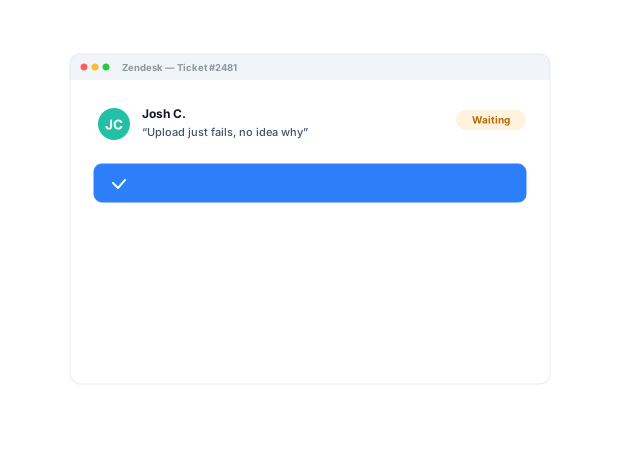
"I keep getting an error."

John can't upload his file. You could ask five clarifying questions and wait for a reply between each one. Or you could watch it happen on his screen. The Zight icon is already in your reply bar.

zendeskintercomsalesforce
02 / REQUEST HIS SCREEN

Don't ask John to describe it. Ask him to show it.

One click opens Zight right inside Zendesk. Drop a request link into your reply — John clicks it and records his screen. No account, no install, and his console logs come back with the recording.

request linkno account neededconsole logs
03 / HIS RECORDING COMES BACK

Watch the bug happen on John's screen.

His video lands right in the ticket with browser info and console logs attached. Zight AI pinpoints the failing line before you've finished watching.

screen + logsbrowser infoAI summary
04 / SOLVED

Send the fix back. On video.

You record a one-minute fix and paste it into your reply. John follows along and answers in two words instead of five more questions. No back-and-forth, closed.

instant linkview analyticsone-touch close
yourcompany.zendesk.com/agent/tickets/65
OPENTicket #65
File upload error
Via web form · John Doe · 12:43 PDT
JD
John Doe · May 05, 12:43
I keep getting an error when I try to upload my file.
ME
You · May 05, 12:45
Can you show me? Record your screen here — no account needed.
Recording requestshare.zight.com/req/8xKm
JD
John Doe · May 05, 12:48
John's screen · 0:42share.zight.com/rQ3x8 · logs attached
LOG 00:35 · POST /upload started
ERR 00:41 · Uncaught TypeError: file is undefined
JD
John Doe · May 05, 12:58
That fixed it. Thank you!! 🎉

The problem

Customers can’t always describe technical issues clearly — and agents burn time collecting basic context.

Five workflows support teams run with Zight.

Workflow 01

See the issue before the next reply

  • Request a customer recording, screenshot, file, or approved technical context.
  • Diagnose what actually happened.
  • Request Links · Request Video
Learn more about Request Links
Animation of capturing and annotating a screenshot with Zight

Workflow 02

Improve first-contact resolution

  • Start with richer evidence rather than asking for screenshots and steps.
  • Fewer clarification rounds.
  • Request Links · screenshots
Learn more about screenshots

Workflow 03

Reduce back-and-forth and escalations

  • Use visual replies to show the fix, the setting, or the next step.
  • Answers people can follow.
  • Recordings · screenshots · annotations
Learn more about screen recording

Workflow 04

Escalate with context intact

  • Pass the visual record to Product or Engineering.
  • The customer never retells the story.
  • Request Links · share links
Learn more about video and logs

Workflow 05

Create reusable answers

  • Build short walkthroughs for common setup and troubleshooting requests.
  • Support guidance that scales.
  • Recordings · collections · share links
Learn more about AI guides

The motion behind these: Request → Diagnose → Resolve

Trusted by teams like yours.

The Support Hub Your Team Will Actually Use

Request Video from Customers
Send a link — get their screen recording back in one click. No installs, no account needed.
Screen Recording
Record your screen instantly and share a link — no upload wait, works in any browser.
Share Instantly in Slack
Drop recordings straight into Slack threads — teammates watch without leaving the conversation.
ZIGHT HELP CENTER
AI Generating… AI-Generated
Help Center Screen Recording How to Send a Request Link
How to Send a Zight Request Link
Updated 2 days ago · ● Verified
Send a request link to collect a screen recording from anyone — no app install needed on their end. Perfect for support tickets, bug reports, and async reviews.
1
Open Zight and click + New Request
+ New Request
Record
Screenshot
2
Describe what you need — Zight generates a link
Request prompt
"Can you record what happens when you click Submit? We'll use this to fix the issue."
Generate Link
zight.com/r/abc123 ↗
3
Paste the link — recording lands in your inbox
Recording received!
Sarah submitted · 1:24 · zight.com/r/abc123
New
Tip: Recipients record straight in their browser — no Zight account or install needed.

Integrations

Export anywhere.
Works with your stack.

Zight Smart Actions push summaries, guides, and transcriptions directly into the tools your support team already lives in.

Attach recordings and step-by-step guides directly to Jira tickets for instant context.
Publish AI-generated guides straight to your Zendesk help center, and drop recordings into ticket replies.
Send walkthroughs in Intercom conversations and request customer recordings without leaving the thread.
Publish support articles and knowledge base docs from any Zight video in seconds.
See all integrations

Request Video

Get the customer's
screen — without
a call.

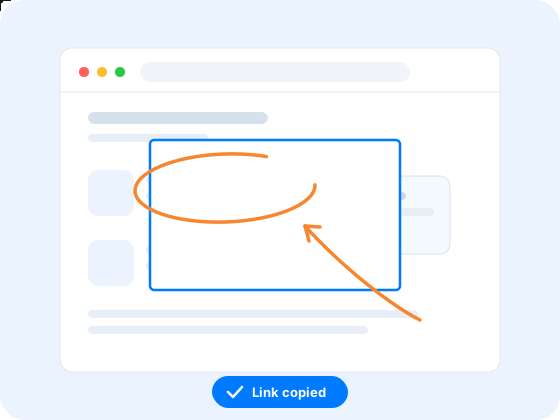
Send a secure Zight link. Customers record their screen, mic, and system logs in one click. No downloads, no account. You get everything you need to solve the ticket instantly.

Screen + audio recording
Browser, OS & network info
Console logs included
session_recording.mp4
1:24
Network Console OS Info Browser
All (3) Error (1) Warn (0) Info (2)
LOG 00:35 XHR Request completed on index
LOG 00:37 Fetch request completed on index
ERR 00:41 Uncaught TypeError: undefined is not a function
AI-generated article
How to Fix Export Timeout Errors

If you're experiencing export timeouts, this is typically caused by large file sizes or a slow network connection. Follow these steps to resolve the issue...

AI-Powered Docs

Record once.
Publish everywhere.

Zight AI turns your support recordings into step-by-step guides and Zendesk articles in one click. No copy-paste, no editing. Your help center writes itself.

Reduce ticket volume with self-serve articles

A Personal Touch Increases Retention

Customers remember
the agent who
showed up.

When agents reply with a Zight recording, walking through the fix and showing exactly where to click, customers feel like someone actually took the time. Not just copied a script. Video replies build the kind of trust that turns one-time users into loyal advocates.

Support Chat — Ticket #4821
A
Hey, I can't get the export to work — it times out every time I try.
Alex M. · 2:14 PM
Zight Support is responding...
1:24
Here's a walkthrough — highlighted exactly where the timeout happens. 👆
Zight Support · 2:15 PM ✓✓

Real Customers

What support teams say

Real quotes from Zight customers and case studies

"Request Video is so much better than users trying to explain what’s happening in an e-mail… I can see exactly when an issue occurs and what is causing it."

Edward Wikstrom
Director of Technology, St. Dominic High School

"We use it to send help videos and screenshots to our customers."

Natalie Wilkins
Product Specialist

"It's better if they can see a video while showing them how to use our software. It just saves so many steps."

Caty Black
Customer Care Team Lead, Social Tables

"It's always an extra delight when the customer is so impressed that they send you a GIF back or when they call us by name."

Darcy Peters
Customer Advocacy Lead, Buffer

Before & After

What changes when your team uses Zight.

Without Zight
Multiple follow-ups just to get clarity
Long Slack threads to explain a fix
Rewriting guides manually every time
Help center content falls out of date
Tools and videos scattered everywhere
With Zight
Request Video shows exactly what the customer sees
Share a 60-second video + logs instead
Export AI-generated guides in seconds
1-click Zendesk article creation
One place to manage it all

FAQ

Frequently Asked Questions

No. A request link opens in the browser; the customer clicks record and submits. Nothing to install, no account to create on their side.

Yes — a request link can bring back the recording along with browser info and console logs the customer approves, so diagnosis starts with evidence instead of another reply.

Yes. Recordings, screenshots, and request links drop into Zendesk, Intercom, and Salesforce replies, so agents never leave the ticket.

Zight is SOC 2 Type II certified. Zight is HIPAA compliant on Enterprise plans, with a signed BAA available. You control who can view each link.

Ready to close tickets
in one reply?

Join the support teams that use Zight to resolve issues faster, delight customers, and build a help center that runs itself.