Remote Work
Bring your remote
team closer.
Distance shouldn't mean disconnected. Show your screen, your work, and your face in a quick recording. The next best thing to sitting side by side.
Trusted by 5m+ people who would rather show than tell









How do remote teams use Zight?
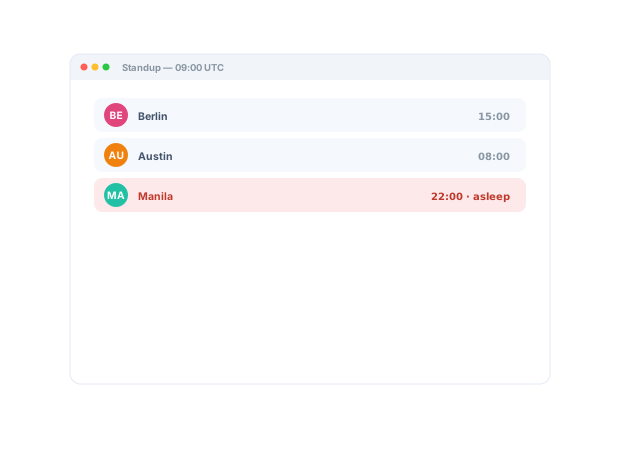
Updates, handoffs, and decisions become links that cross time zones without a meeting slot. A request link lets anyone show a problem instead of describing it, and the shared library keeps context findable while half the team is asleep.
Distributed by Design
One recording
closes the distance.
Record your screen and voice instead of typing a paragraph nobody reads. Remote teammates see exactly what you mean, hear your tone, and stay in sync, no matter the time zone.
Sign up freeThe problem
Distributed teams lose context to time zones, threads, and meetings half the team can’t attend.
Four ways teams run this with Zight.
Keep work moving across time zones
Share visual updates, handoffs, and decisions asynchronously.
Collaborators consume context on their own schedules.
Recordings · share links
Async standups and updates
Record a concise project update, handoff, or recap for people to watch on their own time.
Live time is reserved for decisions, not reporting.
Recordings · share links
Resolve remote issues without another call
Let the right person see the environment, behavior, and steps before scheduling time.
Troubleshooting starts sooner, with less coordination.
Request Links · recordings · screenshots
Make external collaboration easier
Share an explanation or request visual context without requiring the recipient to install anything.
Lower friction with customers, prospects, and partners.
Share links · Request Links
The motion behind these: Capture → Share → Reuse
Integrations
Where this workflow runs
Zight drops into the tools this work already lives in — recordings, request links, and guides included.
Trusted by teams like yours.



The Remote Toolkit Teams Actually Use
Integrations
Export anywhere.
Works with your stack.
Zight Smart Actions push recordings, summaries, and transcriptions directly into the tools your remote team already lives in.



Request Video
See their screen
without
a call.
Send a secure Zight link and let a teammate record their screen and context back. No downloads, no account, no scheduling across zones. You get everything you need to move forward.

This recap covers the week's progress and the handoffs in flight, so anyone can catch up regardless of time zone. Watch whenever works for you...
AI-Powered Docs
Record once.
Publish everywhere.
Zight AI turns your recordings into notes and summaries in one click. No copy-paste, no editing. Your remote updates document themselves.
Turn recordings into shareable notesPresence Beats Distance
Remote teams thrive
when they can
see each other.
A quick recording carries the warmth and clarity a chat message flattens out. Remote teammates feel connected, understand faster, and trust each other more. The human glue that keeps a distributed team from drifting apart.
Real Customers
What remote teams say
Real quotes from Zight customers and case studies
"The AI features you guys built are amazing for my use case, as I send a lot of videos to my team. It makes it nicer for them on the receiving end."
"Request Video is so much better than users trying to explain what’s happening in an e-mail… I can see exactly when an issue occurs and what is causing it."
"I can share those links directly, both internally and externally… it's so easy to edit the picture, and add arrows and squares to really make your point stand."
"Basically replaced recording with Zooms, uploading to Loom and having to use chatGPT to summarize the transcript."
Before & After
What changes when your team uses Zight.
FAQ
Frequently Asked Questions
Updates, handoffs, and decisions become links people watch when their day starts — nobody waits for a meeting window that doesn’t exist.
Yes — send a request link and their screen, steps, and environment come back attached. Most “can you hop on a call?” moments disappear.
Share links paste anywhere — Slack, Notion, Jira, email — and GIFs autoplay where video can’t. The workflow lives in the tools you already use.
Capture, annotation, recording, requests, and the library are one workflow — teams consolidate the recorder, the screenshot tool, and the “summarize this” step into it.
Ready to work
closer, remotely?
Join the remote teams that use Zight to stay aligned, communicate clearly, and feel connected across any distance.