Executives
Lead clearly with
visual updates.
Skip the all-hands scramble and the wall-of-text email. Record a two-minute update once and let every team watch it on their own time.
Trusted by 5m+ people who would rather show than tell









What is Zight for leadership?
Zight lets leaders replace reporting meetings with short recorded updates people watch on their own time. AI adds chapters and summaries, collections keep decisions findable as the company grows, and live meetings go back to being for decisions.
Leadership Communication
One recording
aligns the company.
Record your vision, priorities, or decision once and share a link. Every team hears the same message, in your voice, with the context that a forwarded email always loses.
Sign up freeThe problem
Work and knowledge stay trapped in meetings, inboxes, and individual employees — which caps the leverage of everything else.
Five workflows leadership and operations teams run with Zight.
Make operating updates easier to consume
Replace routine reporting meetings with concise asynchronous updates.
Live time goes to decisions, not reporting.
Recordings · share links
Scale expertise without scaling meetings
Turn explanations, walkthroughs, and process knowledge into reusable assets.
Organizational leverage compounds.
Recordings · collections
Improve consistency across teams
Give everyone a clear visual reference for critical workflows.
Execution variance shrinks.
Recordings · share links · collections
Reduce communication friction
Make it faster to understand what happened, what changed, and what to do next.
Less ambiguity-driven rework and delay.
Recordings · screenshots · annotations
Build a compounding knowledge asset
Preserve the context behind decisions and workflows.
Knowledge stays usable as the company grows.
Recordings · collections · share links
The motion behind these: Explain → Preserve → Scale
Integrations
Where this workflow runs
Zight drops into the tools this work already lives in — recordings, request links, and guides included.
Trusted by teams like yours.



The Update Toolkit Leaders Actually Use
Integrations
Export anywhere.
Works with your stack.
Zight Smart Actions push updates, summaries, and transcriptions directly into the tools your leadership team already lives in.



Request Video
Hear the room
without
gathering it.
Send a secure Zight link and let managers record their questions and context back. No scheduling, no time-zone gymnastics, just the input you need to decide.

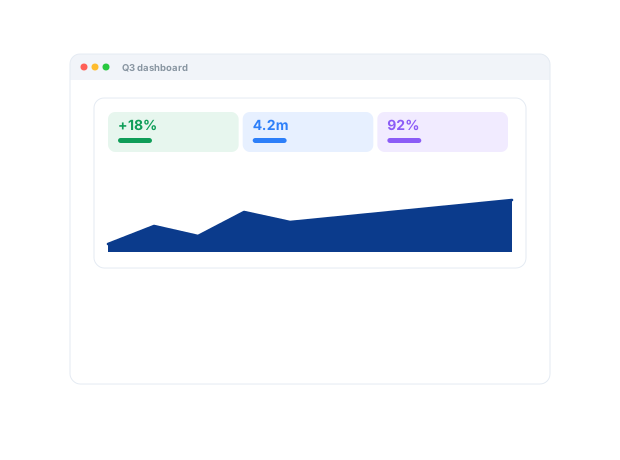
Here's where we're focusing this quarter and the reasoning behind each priority. Watch the recording for the full context and what it means for your team...
AI-Powered Docs
Record once.
Publish everywhere.
Zight AI turns your recordings into recap notes and shareable summaries in one click. No copy-paste, no editing. Your updates document themselves.
Turn updates into shareable recapsPresence Builds Trust
Teams follow the
leader they can
actually hear.
A recorded update carries tone, intent, and context a memo never will. People feel spoken to, not managed at, and that trust turns a scattered org into a team rowing in the same direction.
Real Customers
What leaders say
Real quotes from Zight customers and case studies
"Basically replaced recording with Zooms, uploading to Loom and having to use chatGPT to summarize the transcript."
"Amazing for collaboration, documentation, and sharing."
"The AI features you guys built are amazing for my use case, as I send a lot of videos to my team. It makes it nicer for them on the receiving end."
"It is saving me a ton of time helping my direct reports with questions they have about our products and services or how to use the software that is in our tech stack."
Before & After
What changes when your team uses Zight.
FAQ
Frequently Asked Questions
A two-minute recording with chapters beats a meeting nobody remembers — and view analytics show opens and watch activity per link, so you know the message landed.
Routine reporting becomes a recorded update people watch on their own time. Live time is reserved for decisions and problem-solving.
Walkthroughs and decision context live in collections rather than in one person’s head. When roles change, the library stays.
Zight is SOC 2 Type II certified, and links can be restricted so only the right people view them. Zight is HIPAA compliant on the Scale plan, with a signed BAA available.
Ready to align
without a meeting?
Join the leaders who use Zight to keep their whole organization aligned, informed, and moving. On their own time.