Reduce Meetings
Cancel the update.
Keep the decision.
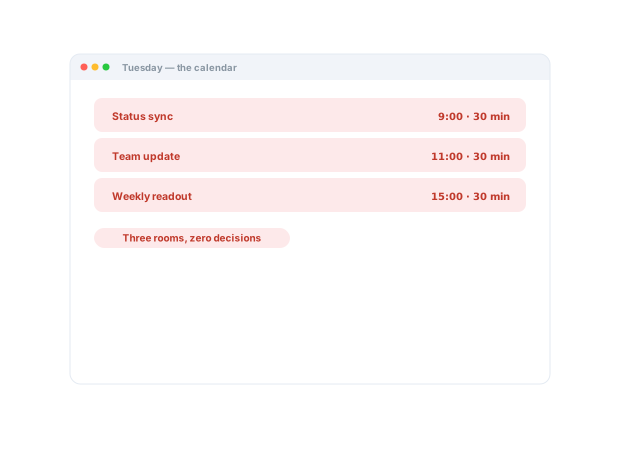
Half your meetings exist to transfer context a two-minute recording could carry. Record the update once, let people watch on their own time, and spend live time deciding.
Trusted by 5m+ people who would rather show than tell









How does Zight reduce meetings?
The reporting meetings convert to recorded updates watched async — standups, status syncs, readouts. Chapters and summaries serve the skimmers, view analytics beat attendance sheets, and live time goes back to the decisions that need a room.
The problem
Meetings became the default container for updates that never needed a room.
Four ways teams run this with Zight.
Async standups and updates
Record a concise project update, handoff, or recap for people to watch on their own time.
Live time is reserved for decisions, not reporting.
Recordings · share links
Reduce interruptions, keep collaboration
Capture rich context asynchronously instead of repeatedly breaking someone’s focus.
Focus is protected; collaboration isn’t.
Recordings · screenshots · share links
Walk someone through a proposal or decision
Send a personalized visual explanation the recipient can revisit.
The conversation advances without another meeting.
Camera + screen recordings · share links
Keep work moving across time zones
Share visual updates, handoffs, and decisions asynchronously.
Collaborators consume context on their own schedules.
Recordings · share links
The motion behind these: Explain → Preserve → Scale
Integrations
Where this workflow runs
Zight drops into the tools this work already lives in — recordings, request links, and guides included.
Real Customers
What teams say
Real quotes from Zight customers and case studies
"Basically replaced recording with Zooms, uploading to Loom and having to use chatGPT to summarize the transcript."
"The AI features you guys built are amazing for my use case, as I send a lot of videos to my team. It makes it nicer for them on the receiving end."
"It is saving me a ton of time helping my direct reports with questions they have about our products and services or how to use the software that is in our tech stack."
"Zight makes it so easy to do both of those things, AND keeps the content stored in one place I can easily refer back to. It’s easy to share content, and easy to request content."
Before & After
What changes when your team uses Zight.
FAQ
Frequently Asked Questions
The reporting ones: standups, status syncs, readouts, recaps, walkthroughs. Meetings where people mostly listen convert cleanly; meetings where people decide should stay.
View analytics per link show opens and watch activity — better attendance data than a meeting ever gave you.
Discussion moves to replies with the context attached, and the few topics that need a room get a shorter, better-prepared meeting.
Keep it under five minutes and let AI add the chapters, summary, and title. People jump to what concerns them instead of sitting through the rest.
Ready to hand the
calendar back?
Join the teams that moved reporting to recordings and kept meetings for the conversations that need everyone in the room.