IT & Internal Support
See the problem
before the desk visit.
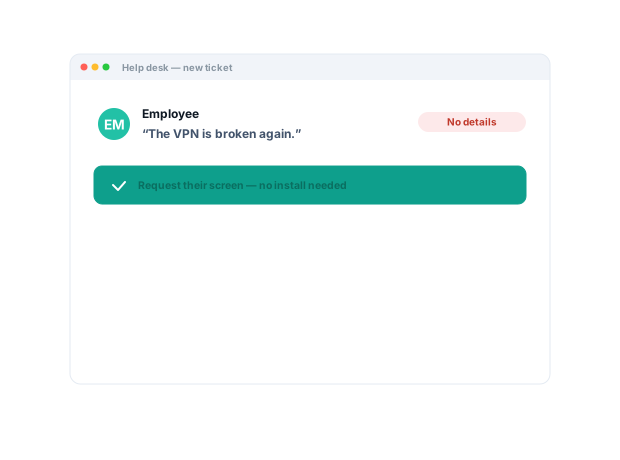
Ask the employee to show you. A request link brings back their screen and what they clicked — and the fix you record once answers the next ten tickets.
Trusted by 5m+ people who would rather show than tell









What is Zight for IT teams?
Zight lets IT see an employee’s error as it happened: a request link brings back the screen recording and system context, with nothing installed on the employee’s side. Record the fix once, keep it in a collection, and the next ticket finds the answer itself.
The problem
IT teams repeat the same setup and troubleshooting guidance — while employees struggle to describe remote problems.
Five workflows IT teams run with Zight.
Resolve employee issues with visual context
Ask an employee to show the error, configuration, or workflow in a browser-based request.
No more guessing from a text description.
Request Links · Request Video
Reduce recurring internal support demand
Create short visual instructions for common setup, access, and troubleshooting tasks.
Self-service guidance that scales.
Recordings · collections · share links
Standardize rollouts and policy changes
Show people how to use a new tool, security workflow, or system change.
Consistency at the moment of action.
Recordings · screenshots
Improve remote support handoffs
Give the specialist the recording, screenshot, and visible behavior before a live session.
The specialist starts from evidence.
Request Links · recordings
Preserve operational know-how
Keep useful technical walkthroughs available through administrator changes.
Operational knowledge survives the handover.
Recordings · collections
The motion behind these: Request → Diagnose → Resolve
Integrations
Where this workflow runs
Zight drops into the tools this work already lives in — recordings, request links, and guides included.
Real Customers
What IT teams say
Real quotes from Zight customers and case studies
"Request Video is so much better than users trying to explain what’s happening in an e-mail… I can see exactly when an issue occurs and what is causing it."
"We use it to send help videos and screenshots to our customers."
"Zight allows me to quickly capture and share GIFs or snapshots of instructional material for both my clients and colleagues."
"Anything that shows them HOW to do something is a game changer."
Before & After
What changes when your team uses Zight.
FAQ
Frequently Asked Questions
No — send a request link and the employee records their screen in the browser, no install or account. IT sees the error as it actually happened.
Yes — requested recordings can include browser info and console logs the employee approves, which is usually the difference between guessing and fixing.
Record the answer once, keep it in a collection, and link it from your help desk. The next person finds the walkthrough instead of filing a ticket.
Zight is SOC 2 Type II certified. Zight is HIPAA compliant on the Scale plan, with a signed BAA available. The Mac, Windows, and Chrome apps are quick to roll out.
Ready to fix it
without the desk visit?
Join the IT teams that use Zight to see employee issues as they happened, answer repeat questions once, and keep operational know-how where the next admin can find it.