Engineering
Ship faster with
visual bug reports.
Stop guessing at repro steps. Capture the bug, the console, and the environment in one link, so engineers fix it the first time instead of asking for more detail.
Trusted by 5m+ people who would rather show than tell









What is Zight for engineering?
Zight gives engineers bug reports they can reproduce: the recording of what happened, the browser details, and the console logs, collected through one request link. Walkthroughs and reviews move async as links in Jira and GitHub, so questions stop interrupting flow.
Reproducible Bugs
One recording
reproduces the bug.
Drop a Zight recording into any Jira or GitHub issue. Engineers see the exact steps, the error, and the environment, no misreads, no “works on my machine.” One clear capture beats a paragraph of repro steps every time. Format the durable handoff with the support bug report builder, then use the visual bug reporting guide to keep evidence and tracker fields clear.
Sign up freeThe problem
Engineers lose focus to interruptions — and get bug reports without enough context to reproduce anything.
Five workflows engineering teams run with Zight.
Protect flow state
Capture questions, walkthroughs, and feedback asynchronously.
Interruption stops being the default.
Recordings · share links
Diagnose with real reproduction context
Make bugs easier to resolve with clear next steps beside the evidence.
See what occurred before attempting a repro.
Recordings · Bug Report Smart Action · AI To-Do checklist
Reduce rework from ambiguous requirements
Record an implementation or handoff walkthrough with behavior and edge cases.
Alignment on intended behavior.
Recordings · annotations
Make technical knowledge reusable
Turn architecture, configuration, or debugging explanations into references.
The same explanation stops being repeated.
Recordings · collections
Improve cross-functional handoffs
Share a visual record of the issue and the expected behavior.
Product, Support, and Engineering see the same evidence.
Recordings · screenshots · share links
The motion behind these: Request → Diagnose → Resolve
Integrations
Where this workflow runs
Zight drops into the tools this work already lives in — recordings, request links, and guides included.
Trusted by teams like yours.



The Bug-Reporting Toolkit Engineers Actually Use
Integrations
Export anywhere.
Works with your stack.
Zight Smart Actions push recordings, repro steps, and logs directly into the tools your engineering team already lives in.




Request Video
Get the exact repro
without the
back-and-forth.
Send a secure Zight link. Users or QA record their screen, mic, and system logs in one click. No downloads, no account. You get everything you need to reproduce the bug instantly.
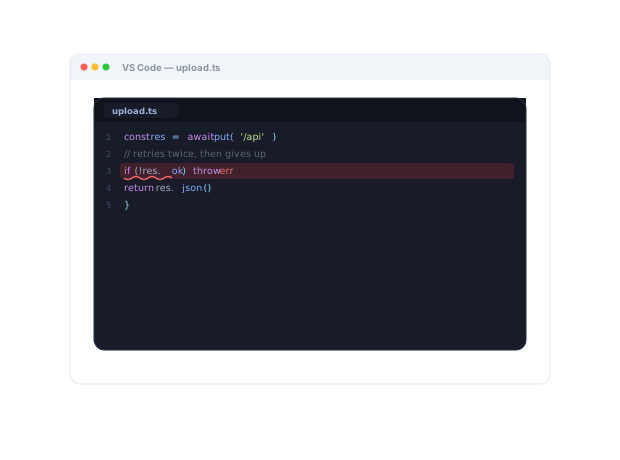
Steps to reproduce, the console error, and the environment are all captured below. Follow along to see exactly where it breaks...
AI-Powered Docs
Record once.
Publish everywhere.
Zight AI turns your recordings into step-by-step repro docs and tickets in one click. No copy-paste, no editing. Your bug reports write themselves.
Turn recordings into ready-to-file ticketsContext Beats Guesswork
Engineers fix it faster
when they can
see it.
When a bug report includes a Zight recording that shows the exact steps, the console error, and the environment, engineers skip the guesswork and go straight to the fix. No “can you reproduce it?”, no waiting a day for a reply. Engineers see the failure exactly as it happened, before writing a single reply.
Real Customers
What engineering teams say
Real quotes from Zight customers and case studies
"Zight has been a blessing for creating short clips from user sessions and providing actionable feedback to developers."
"Leveraging Zight in our GitHub pull requests and during conversations with our Engineering team saves us about 50 minutes every day!"
"Basically replaced recording with Zooms, uploading to Loom and having to use chatGPT to summarize the transcript."
"I love Zight Smart Actions! Documenting bug reports that used to take me 5-10 minutes now only take me 30 seconds."
Before & After
What changes when your team uses Zight.
FAQ
Frequently Asked Questions
The steps as they happened, the visible behavior, and — with request links — browser info and console logs the reporter approves. Reproduction starts from the real thing.
The opposite. Questions and walkthroughs arrive as links you watch when you choose, instead of shoulder taps and “quick calls.”
Yes. Recordings and step guides attach to Jira and GitHub issues as links, and requested evidence lands in the ticket that asked for it.
Zight is SOC 2 Type II certified, and you control who can view each link.
Ready to fix bugs
the first time?
Join the engineering teams that use Zight to reproduce, report, and resolve issues faster, with full context, every time.