Asynchronous Communication
Communicate
on your own time.
Replace the meeting that could've been a message. Record it once, share a link, and let everyone respond when it works for them.
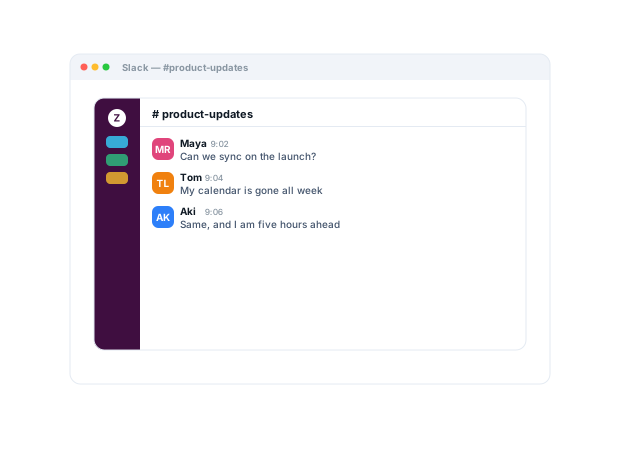
Trusted by 5m+ people who would rather show than tell









How do teams communicate asynchronously with Zight?
Record the update, handoff, or explanation and share a link people watch on their own time. AI adds a summary, chapters, and a transcript, so skimmers and watchers both get it — and the answer stays reusable long after the thread scrolls away.
Work Async
One recording
beats a meeting.
Record your screen and voice explaining the thing, then share a link. No calendars, no time zones. Teammates watch and reply when they're ready, with full context intact.
Sign up freeThe problem
Work stalls when every explanation needs both people free at the same time.
Four ways teams run this with Zight.
Async standups and updates
Record a concise project update, handoff, or recap for people to watch on their own time.
Live time is reserved for decisions, not reporting.
Recordings · share links
Keep work moving across time zones
Share visual updates, handoffs, and decisions asynchronously.
Collaborators consume context on their own schedules.
Recordings · share links
Reduce interruptions, keep collaboration
Capture rich context asynchronously instead of repeatedly breaking someone’s focus.
Focus is protected; collaboration isn’t.
Recordings · screenshots · share links
Turn one explanation into reusable knowledge
Capture a walkthrough once and share it repeatedly.
Fewer repeated questions to your experts.
Recordings · share links · collections
The motion behind these: Capture → Share → Reuse
Integrations
Where this workflow runs
Zight drops into the tools this work already lives in — recordings, request links, and guides included.
Trusted by teams like yours.



The Async Toolkit Teams Actually Use
Integrations
Export anywhere.
Works with your stack.
Zight Smart Actions push recordings, summaries, and transcriptions directly into the tools your team already lives in.



Request Video
Get their input
without
a meeting.
Send a secure Zight link and let anyone record their screen and thoughts back. No downloads, no account, no scheduling. You get the context you need on everyone's own time.

This recap covers what shipped, what's blocked, and the one decision we need. Watch whenever you get a minute and reply in the thread...
AI-Powered Docs
Record once.
Publish everywhere.
Zight AI turns your recordings into notes and summaries in one click. No copy-paste, no editing. Your async threads document themselves.
Turn recordings into shareable notesAsync Respects Focus
The best teams
protect focus by
recording it.
A recording delivers the full message without stealing an hour of everyone's day. People watch at 2x, reply when they surface from deep work, and keep their calendars clear. The way great distributed teams actually operate.
Real Customers
What async teams say
Real quotes from Zight customers and case studies
"The AI features you guys built are amazing for my use case, as I send a lot of videos to my team. It makes it nicer for them on the receiving end."
"Basically replaced recording with Zooms, uploading to Loom and having to use chatGPT to summarize the transcript."
"I can share those links directly, both internally and externally… it's so easy to edit the picture, and add arrows and squares to really make your point stand."
"Amazing for collaboration, documentation, and sharing."
Before & After
What changes when your team uses Zight.
FAQ
Frequently Asked Questions
It carries the screen, the voice, and the emphasis — and AI adds chapters and a summary, so skimmers and watchers both get it. Writing the same context takes longer and lands with less.
Every recording can become a step-by-step guide and transcript, so the same update serves readers, watchers, and searchers.
No — share links play in the browser on any device. Accounts are for the people recording.
Keep them in collections with smart titles and chapters. The update outlives the thread it was posted in.
Ready to skip
the meeting?
Join the teams that use Zight to communicate async, protect deep work, and move faster across time zones.