Improve Productivity
Do more by showing,
not typing.
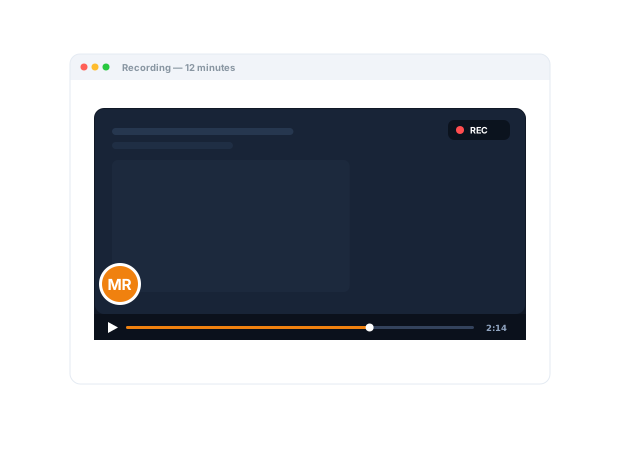
Stop writing the paragraph. Record it instead — one link carries the screen, the voice, and the emphasis, and it works again the next time someone asks.
Trusted by 5m+ people who would rather show than tell









How does Zight save teams time?
Three ways: showing instead of writing, answering once instead of repeatedly, and collecting context in one request instead of a thread of questions. AI writes the titles, summaries, and step-by-step guides that used to be the follow-up work.
Work Smarter
One recording
saves the thread.
Record your screen and voice in seconds instead of crafting a long message. The point lands the first time, with no follow-ups and no clarifying thread, and everyone gets time back.
Sign up freeThe problem
Explaining, re-explaining, and chasing context eats the hours the actual work needed.
Four ways teams run this with Zight.
Reduce interruptions, keep collaboration
Capture rich context asynchronously instead of repeatedly breaking someone’s focus.
Focus is protected; collaboration isn’t.
Recordings · screenshots · share links
Bring visual communication into one workflow
Use a common place for captures, annotations, links, and customer-submitted context.
Less fragmentation across point tools.
Recordings · screenshots · GIFs · Request Links · collections
Turn one explanation into reusable knowledge
Capture a walkthrough once and share it repeatedly.
Fewer repeated questions to your experts.
Recordings · share links · collections
Standardize how work gets done
Create a shared visual reference for repeatable processes.
Less improvisation, fewer inconsistent explanations.
Recordings · collections
The motion behind these: Capture → Share → Reuse
Integrations
Where this workflow runs
Zight drops into the tools this work already lives in — recordings, request links, and guides included.
Trusted by teams like yours.



The Productivity Toolkit Teams Actually Use
Integrations
Export anywhere.
Works with your stack.
Zight Smart Actions push recordings, summaries, and transcriptions directly into the tools your team already lives in.



Request Video
Get what you need
without the
back-and-forth.
Send a secure Zight link and let anyone record exactly what they mean. No downloads, no account. You skip the clarifying thread and get straight to done.

This quick guide shows how to pull the weekly report end to end, so no one has to ask again. Follow along and save it for next time...
AI-Powered Docs
Record once.
Publish everywhere.
Zight AI turns your recordings into notes and summaries in one click. No copy-paste, no editing. Your busywork disappears.
Turn recordings into instant notesSpeed Without the Busywork
The fastest teams
show instead of
retype it.
A 60-second recording replaces the message you'd spend ten minutes wording and the three follow-ups clarifying it. Multiply that across every thread, every day, and you've handed your team back hours of real work.
Real Customers
What teams say
Real quotes from Zight customers and case studies
"Basically replaced recording with Zooms, uploading to Loom and having to use chatGPT to summarize the transcript."
"I love Zight Smart Actions! Documenting bug reports that used to take me 5-10 minutes now only take me 30 seconds."
"The automated AI generated breakdown of a How To Video is a huge time saver!"
"Amazing for collaboration, documentation, and sharing."
Before & After
What changes when your team uses Zight.
FAQ
Frequently Asked Questions
Three places: showing instead of writing, answering once instead of repeatedly, and collecting context in one request instead of a thread of questions.
Capture, annotate, record, request, and organize are one workflow — teams retire the separate recorder, screenshot app, and the paste-into-an-AI summarizing step.
Titles, summaries, chapters, transcripts, and step-by-step guides generate from the recording — the write-up you used to do afterward.
The link is on your clipboard the moment you stop recording or take the shot. Sharing is the default, not an upload step.
Ready to get
hours back?
Join the teams that use Zight to communicate faster, cut busywork, and hand everyone their time back.