Zight + Salesforce Service Cloud
Show, don’t tell
in Service Cloud.
Bring Zight into every Service Cloud case: agents can add recordings from their library or request a customer's screen, then keep the reply activity with the case.

Trusted by 5m+ people who would rather show than tell









Real Customers
Why support teams reach for Zight + Service Cloud every day
Real quotes from Zight case studies
"Leveraging Zight in our GitHub pull requests and during conversations with our Engineering team saves us about 50 minutes every day!"
"It's better if they can see a video while showing them how to use our software. It just saves so many steps."
"It's always an extra delight when the customer is so impressed that they send you a GIF back or when they call us by name."
"I love Zight Smart Actions! Documenting bug reports that used to take me 5-10 minutes now only take me 30 seconds."
Customer Story
What visual context changes in Service Cloud
Service Cloud keeps every case in one place — but a case built on text descriptions still takes clarifying rounds to diagnose. With Zight, agents paste a recording of the fix into the reply, request the customer's screen when the report is vague, and escalate to engineering with the evidence attached to the case instead of a paraphrase.
Read the case study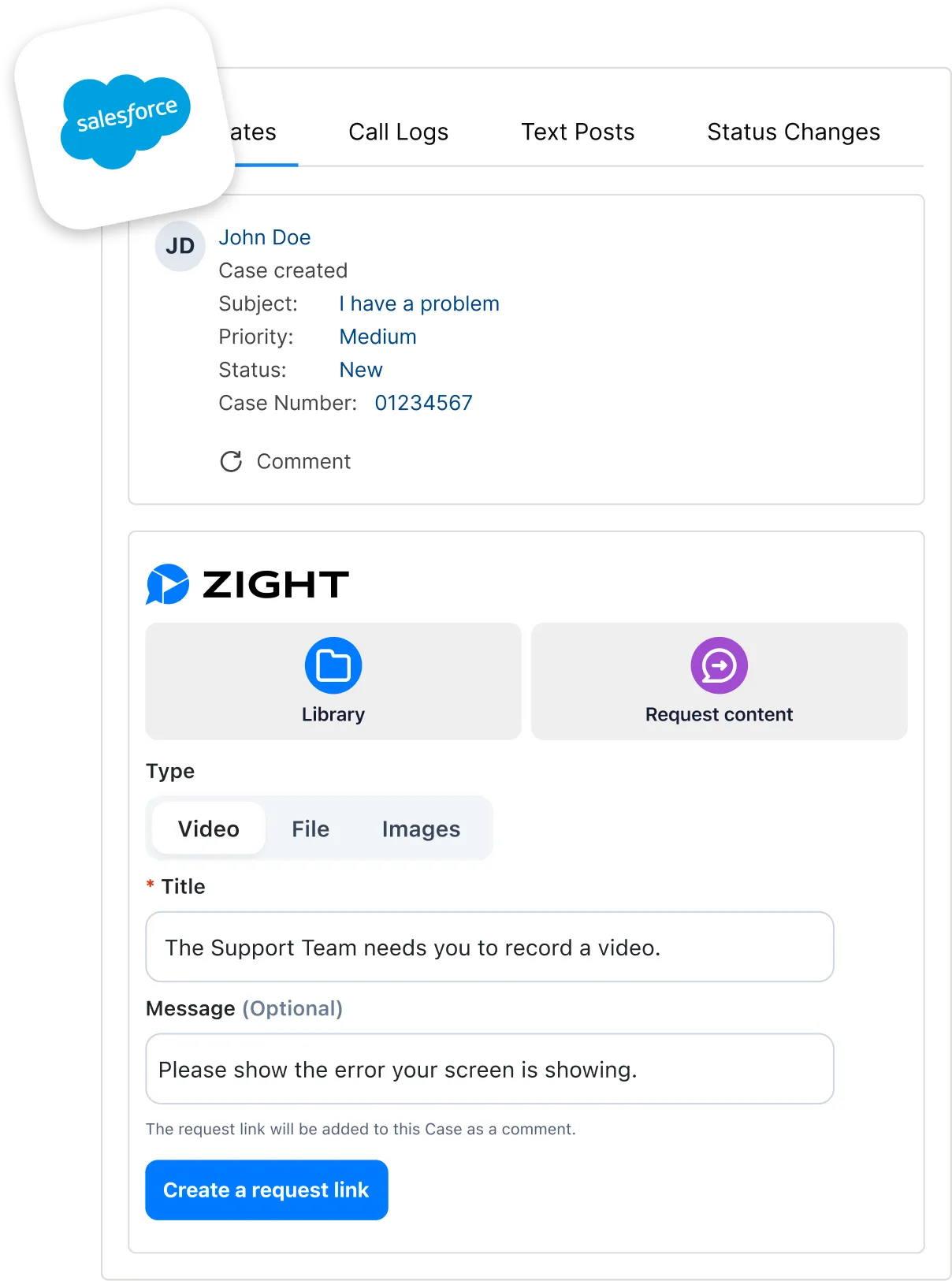
Where it earns its keep
Three jobs Zight + Service Cloud does better.
Close cases in fewer touches
Paste a 60-second recording of the fix into the case reply. The customer follows along click for click instead of interpreting a numbered list.
Request the customer's screen from the case
When the report is 'it doesn't work', send a Request Video link. The customer records in a browser with no account or install. If a workspace administrator enables Data Logs, the response can also include console, network, browser, and system details.
Escalate with the evidence intact
Pass the case to engineering with the recording and any enabled diagnostic logs already with it. Nobody asks the customer to retell the story.
How it fits
Add Zight to every Service Cloud case
An administrator installs and configures the app once. Then agents use the Zight panel directly on a case to attach an existing recording or ask a customer for the visual context that resolves the issue. Salesforce Service Cloud is a premium integration: it is unavailable on Share, offered as an add-on on Create and Collaborate, and included on Scale.
Check premium integration eligibility on the pricing page before rollout.
-
Install and connect
In a Salesforce Service Cloud Enterprise, Unlimited, or Performance Edition org, install the Zight package for all users. Create a Zight OAuth application with Salesforce's callback URL, then add its application UID and secret to the Salesforce Auth Provider.
-
Give agents access
Assign the Zight User permission set to each agent, then add the Zight component to the Lightning case-record page and activate it as the org default. Each agent authorizes their own linked Zight account once.
-
Work the case and keep replies connected
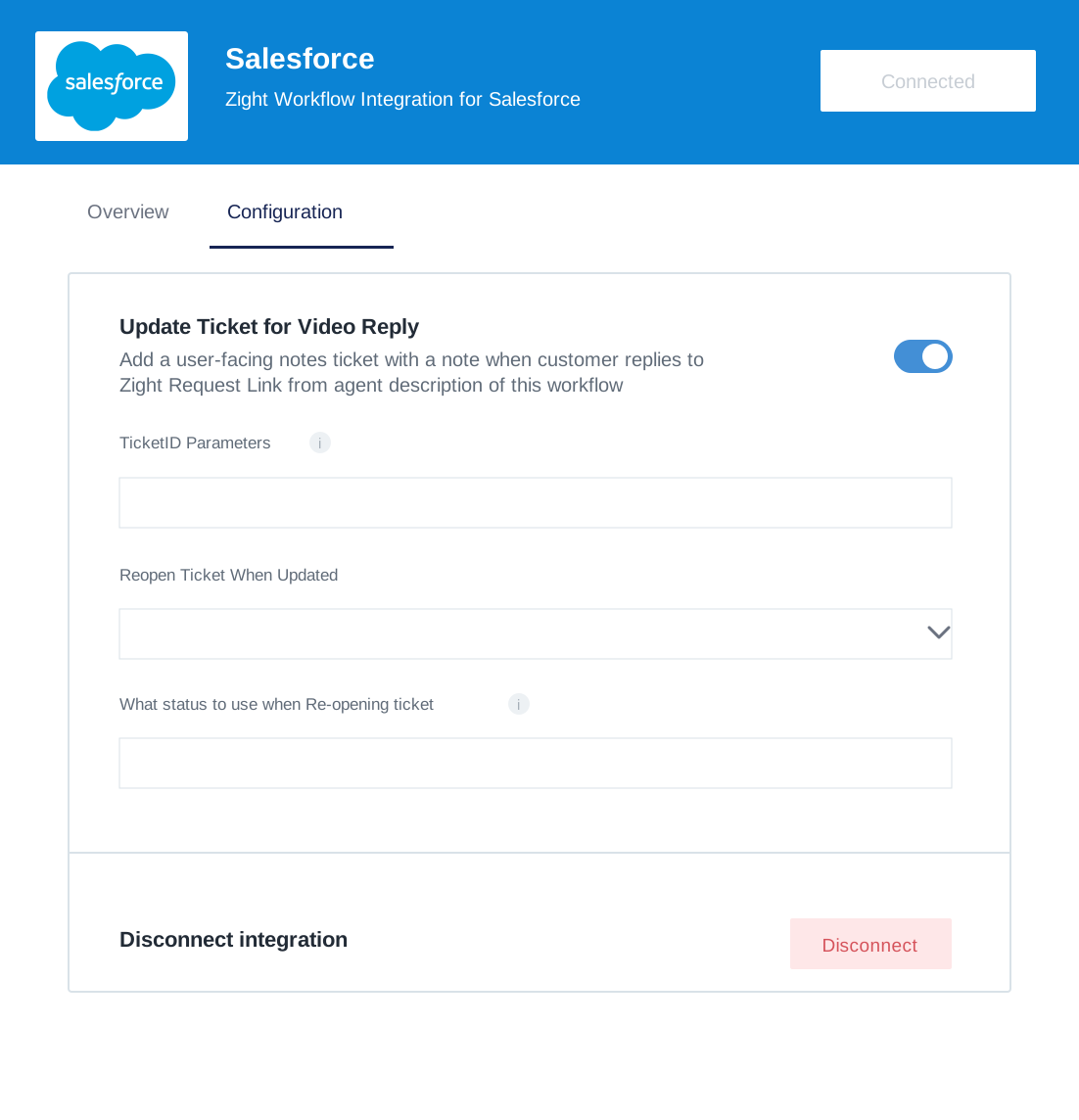
From the case panel, select a library item or create a Request Video link for the customer. Automatic reply-back requires the connected Salesforce integration plus Update Ticket for Video Reply enabled in Zight. Pasting a Zight link into a case by itself does not configure automatic case updates.
Continue the workflow: request the customer’s screen · follow the Service Cloud case-to-resolution workflow · enable diagnostic logs when needed · keep visual evidence in the support workflow
Where it fits
See it in a workflow: Customer Support · Troubleshooting · Request → Diagnose → Resolve
FAQ
Frequently Asked Questions
Install the Zight package in a Salesforce Service Cloud Enterprise, Unlimited, or Performance Edition org, add its component to the case page, and assign agents the Zight User permission set. Agents then use the panel to select a library item or create a Request Video link. The premium integration is unavailable on Share, offered as an add-on on Create and Collaborate, and included on Scale.
Yes. Send a Request Video link from the case and the customer records in the browser without creating an account or installing anything. If a workspace administrator enables Data Logs, the response can also include console, network, browser, and system details. Automatic case notes require Salesforce to be connected in Zight with Update Ticket for Video Reply enabled; a pasted link alone does not automate reply-back.
The Salesforce Sales Cloud page covers the deal side — follow-ups, recaps, and champion-ready artifacts on opportunities. This page is the service desk: case replies, customer evidence, and escalations in Service Cloud.
Viewing depends on the share settings for the Zight workspace and item. A public link can open in a browser without a Zight login. Restricted content may require a login, passcode, or another workspace- or item-level verification step. Adding the link to a case does not override those access controls.

Work your next case
with evidence
Add Zight to your Service Cloud workflow and start closing cases in fewer touches.