Troubleshooting
See the problem,
fix it faster.
Sometimes you have to see it to solve it. Capture the exact issue with its screen, steps, and logs in one link, and skip the guessing game.
Trusted by 5m+ people who would rather show than tell









How does troubleshooting work with Zight?
Send a request link and the person shows the problem — screen recording, browser details, console logs — with nothing to install. You diagnose from evidence instead of a description, then reply with a recorded fix they follow click for click.
See It to Solve It
One recording
shows the problem.
Record the issue as it happens, capturing the steps, the error, and the screen, then share a link. Whoever fixes it sees exactly what went wrong, no “can you describe it again?” required. The support bug report builder turns those observations into a consistent Markdown handoff without guessing at the cause.
Sign up freeThe problem
You can’t fix what you can’t see — and a description of a problem is not the problem.
Four ways teams run this with Zight.
Get complete context before troubleshooting
Ask the person seeing an issue to submit a recording, screenshot, file, or approved technical context.
Diagnosis starts with evidence, not a clarifying loop.
Request Links · Request Video
Resolve remote issues without another call
Let the right person see the environment, behavior, and steps before scheduling time.
Troubleshooting starts sooner, with less coordination.
Request Links · recordings · screenshots
Make instructions easier to follow
Show the exact screen, process, or next action in context.
Text-only instruction becomes clear action.
Recordings · screenshots · annotations
Show, don’t type
Explain a bug, workflow, decision, or feedback in under a minute instead of a long text thread.
Complex context gets easier to understand.
Recordings · screenshots · annotations
The motion behind these: Request → Diagnose → Resolve
Integrations
Where this workflow runs
Zight drops into the tools this work already lives in — recordings, request links, and guides included.
Trusted by teams like yours.



The Troubleshooting Toolkit Teams Actually Use
Integrations
Export anywhere.
Works with your stack.
Zight Smart Actions push recordings, steps, and logs directly into the tools your team already lives in.




Request Video
See exactly what
went wrong
without a call.
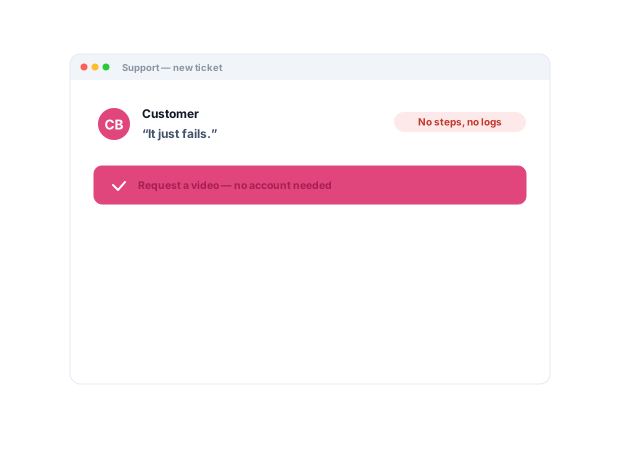
Send a secure Zight link and let anyone record the issue with their screen, mic, and system logs. No downloads, no account. You diagnose it instantly instead of playing twenty questions.
This guide captures the login loop. The steps that trigger it, the network calls, and the fix. Follow along to see exactly what's happening...
AI-Powered Docs
Record once.
Publish everywhere.
Zight AI turns your recordings into step-by-step fix docs in one click. No copy-paste, no editing. Your troubleshooting guides write themselves.
Turn recordings into reusable fix guidesSeeing Is Solving
Problems get solved
faster when you can
see them.
A recording of the actual issue, with the steps, the error, and the environment, cuts straight past the guessing. No re-describing, no “works for me,” no day-long thread. Just the context to fix it right the first time.
Real Customers
What teams say
Real quotes from Zight customers and case studies
"Request Video is so much better than users trying to explain what’s happening in an e-mail… I can see exactly when an issue occurs and what is causing it."
"We use it to send help videos and screenshots to our customers."
"Zight has been a blessing for creating short clips from user sessions and providing actionable feedback to developers."
"I love Zight Smart Actions! Documenting bug reports that used to take me 5-10 minutes now only take me 30 seconds."
Before & After
What changes when your team uses Zight.
FAQ
Frequently Asked Questions
A screen recording, plus screenshots, files, and browser info and console logs the person approves. The evidence arrives in one submission.
No — the request link opens in their browser. One click records; one click submits.
Record the fix as you do it. The recipient follows along click for click, and AI can turn it into a written step guide for the next person.
Yes — the same request-and-respond motion covers employees, customers, and clients alike.
Ready to see it
and solve it?
Join the teams that use Zight to capture issues, diagnose faster, and fix problems right the first time.