Free Tool
Record a video. Get a link.
Some things take a page to write and a minute to show. Record your screen, your camera or both right here in the browser, and the recording comes back as a Zight link. No account needed, and the person watching needs nothing either.
Free Recorder
Video Link Recorder
- Up to 5 minutes per recording
- 1 recording an hour, 3 a day
Want every recording kept in one place? Sign up free.
Anyone with the link can watch it — no account, no install. Sign up free to keep every recording in one place.
Sign up free to keep recording in Zight.
This browser can't record here yet.
The recorder runs in Chrome, Edge, Brave, Opera and Firefox on a computer. Already have the video? Upload it with the video link generator and get the same kind of link. Or get the Zight app for Mac or Windows.
Choose how you record
Web recorder or the full Zight app
| Feature | This free web recorder | Sign up for Zight |
|---|---|---|
| Start | Record without creating an account | Create a free account |
| Where you record | On this page, in Chrome, Edge, Brave, Opera or Firefox on a computer | The Zight app for Mac and Windows, or the Chrome extension |
| What you can make | Screen and camera recordings | Recordings, screenshots, GIFs and uploads |
| Recording length | Up to 5 minutes. The recording stops at 5:00 and you save it | Up to 5 minutes on the free Share plan, unlimited on Create and up |
| After recording | Copy a link when you save the recording | Find, rename and reshare every recording in your Zight workspace |
| Usage safeguards | 1 recording per rolling hour, up to 3 per rolling 24 hours in this browser | Free Share-plan safeguards apply |
Building a product? This page runs on Zight's Record SDK. Add the same recorder to your own app with the Zight SDK, and your users record and share without leaving it.
Is this tool working for you? Report a problem
How It Works
Three steps to get started
01
Press record
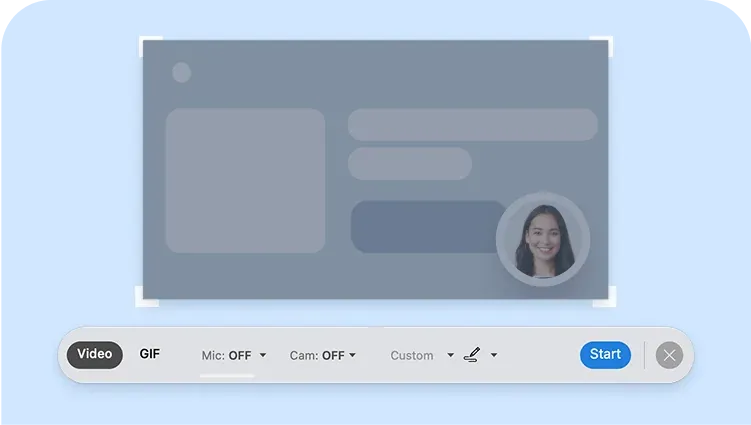
Choose what to capture: your whole screen, one window, a browser tab, or just your camera. Your browser asks permission first.
02
Show what you mean
Talk it through the way you would at someone’s desk. Stop when you’re done, or at 5 minutes, when the recording stops on its own.
03
Copy your link
The recording uploads to Zight and comes back as a link that plays in any browser. Paste it into email, chat or a ticket.
Why record it
Show it once,
skip the back-and-forth.
A written explanation of a bug or a process takes longer to write than to show, and the reader still has to picture it. A recording carries the clicks, the screen and your voice together, and a link means nobody downloads anything.
- Screen, camera, or both
- Plays in the browser on any device
- Nothing for the viewer to install
FAQ
Frequently Asked Questions
No. Press record and the video is saved to Zight with no signup. With a free account, every recording lands in a workspace where you can find, rename and reshare it.
Chrome, Edge, Brave, Opera and Firefox on a computer. Safari and phone browsers can’t record here yet. If you already have the video as a file, upload it with the video link generator instead.
Up to 5 minutes. At 5:00 the recording stops on its own and you click Save to get the link. Each browser can make one recording an hour, up to three a day. A free Zight account also records up to 5 minutes; paid plans from Create up have no limit.
No. The link opens in their browser like any web page: no account, no install, on any device.
To Zight. The recording uploads to Zight and the link plays it from there. Anyone with the link can watch it, so record only what you would be happy to send.
Record from anywhere
on your computer.
The browser recorder covers a quick one. With a free Zight account you can record from the desktop app or Chrome extension, and every recording lands in one workspace you can search and reshare. Or turn it around: send a request link and get a recording back from anyone, with no account on their side.