← All guides

Guides

How to Use Zight’s Free Color Inverter Tool

This step-by-step guide walks you through how to use Zight’s free color inverter tool . Learn how to upload your image, preview the results, choose your output format, and download your inverted image instantly. No software or signup required.

1

Navigate to the Input Image Section and Choose a File
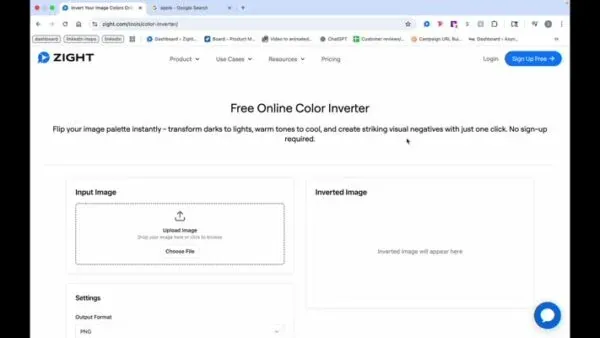
Navigate to the Input Image section and choose a file.
2

Preview the Image and Select Your Output Format
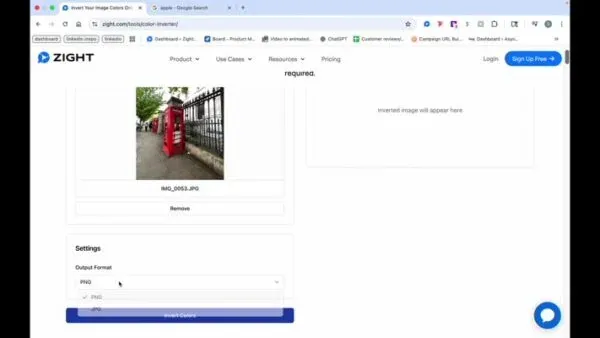
Preview the image and select your output format.
3

View and Download the Inverted Image
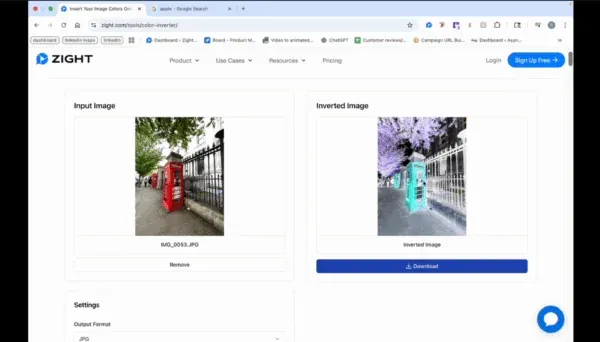
View and download the inverted image.

FAQ

Frequently Asked Questions

On the preview screen, before you download. Output format is selected right after the image loads, so set it there and then grab the download.

Neither. The inverter is a free browser tool that processes the image on your own device — no signup, and nothing gets uploaded.

Yes. The inverted image appears on screen first, so you can look it over and only download once it's what you wanted.