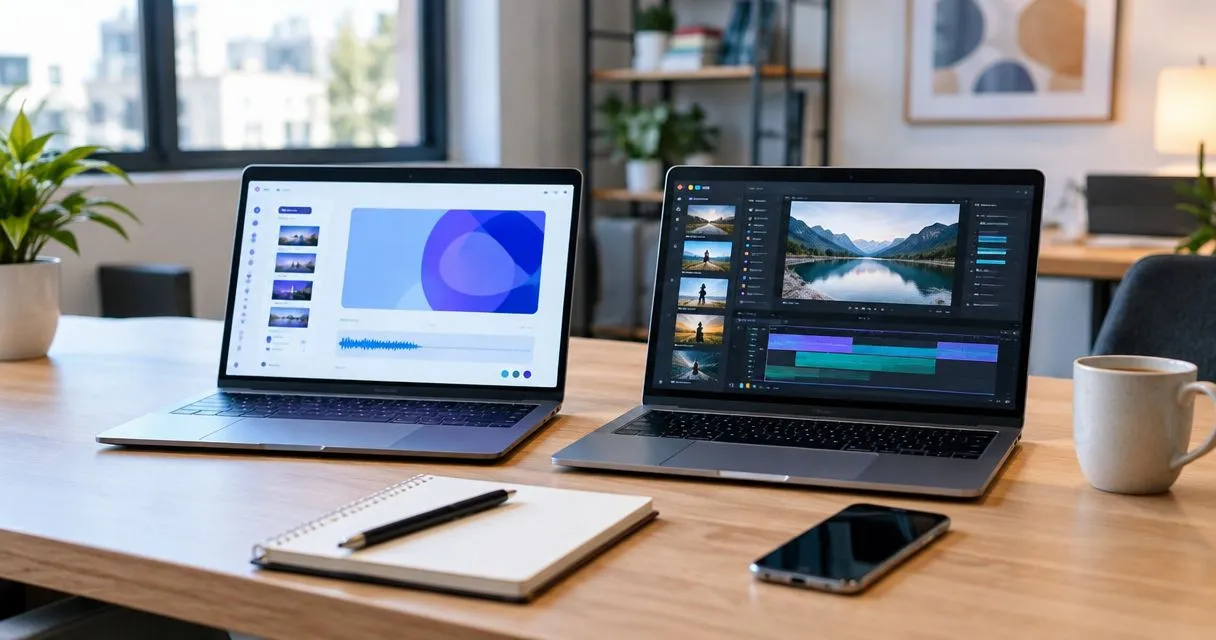
Choose Zight if you need screenshots, screen recordings, and guides for asynchronous work; choose VEED.io if you need to edit footage into a finished video. The deciding factor in 2026 is whether you need to explain work or produce a video for an audience.
- Zight vs VEED.io comes down to screen capture and documentation versus video editing and presentation.
- Choose Zight screen recording for support explanations, troubleshooting, and shareable documentation.
- Choose VEED.io for editing footage, adding subtitles, and preparing audience-facing videos.
- Test the complete workflow before comparing paid plans: capture, revise, share, and maintain.
Why this matters
A clear bug report and a polished product demonstration have different requirements. A support agent needs to show the problem and send the explanation. A marketing team needs control over how the finished video looks and sounds.
Buying for the wrong workflow creates unnecessary work. Editing every internal explanation adds steps; sending an unstructured recording as a finished campaign asset leaves production work undone. Your 2026 evaluation should start with the deliverable your team produces repeatedly, not the longest feature list.
At a glance
| Dimension | Zight | VEED.io |
|---|---|---|
| Best for | Asynchronous explanations and documentation | Edited, audience-facing videos |
| Standout feature | Screenshots, recordings, and guides in one communication workflow | Browser-based video editing |
| Screenshot-led explanations | Direct fit for annotated visual communication | Evaluate primarily for video work |
| Finished video production | Start with explaining the task | Start with shaping the final video |
| Documentation and SOPs | Explicit guide/documentation focus | Use video as part of a documented process |
| Subtitles and presentation | Check the exact requirements during evaluation | Relevant when editing and captioning are central |
| Product demonstrations | Best when the goal is answering a specific question | Best when the goal is producing a presentation |
| Healthcare suitability | Verify contractual and workflow requirements | Verify contractual and workflow requirements |
| Pricing model | Compare the paid plan against capture and documentation needs | Compare the subscription against editing and output needs |
The table compares workflow fit, not a plan-by-plan feature inventory. Check the current package for every capability that determines your purchase.
Zight wins when the explanation is the deliverable
Zight screen recording is best for teams that need to explain work through shareable captures and guides. That includes support agents showing a fix, engineers documenting a reproducible problem, and product teams clarifying an interaction.
The advantage is the fit between the captured material and the task. A screenshot can identify a setting. A recording can show a sequence. A guide can turn that sequence into instructions someone else can follow.
Consider a synthetic support example: a customer cannot find a configuration option. Capture the relevant screen, explain the action, and share the explanation. The recipient needs an answer, not a produced video.
The trade-off is editorial ambition. If your brief calls for a tightly paced presentation assembled from several sources, evaluate a dedicated editing workflow instead. Do not make internal communication software carry a production brief simply because both involve video.
VEED.io wins when the finished video is the deliverable
VEED.io is an online video editor. Its editing and subtitle workflows make it the more relevant starting point when your team needs to turn footage into something ready for an audience.
Choose VEED.io for a production task, not merely because you need to record a screen. Examples include a narrated product introduction, a captioned demonstration, or a customer-facing explanation that needs deliberate pacing.
The benefit is control over the presentation. You are evaluating the arrangement of material, the clarity of captions, and the finished viewing experience—not just whether the initial capture succeeded.
The trade-off is the work that follows recording. Editing is valuable when the output needs it, but unnecessary production can slow a simple support response. Test whether your team actually needs that editing stage for its recurring work.
Screenshots favor a capture-first workflow
A still image is often the right answer when the recipient needs to locate something rather than watch a sequence. Use a screenshot to identify a button, highlight an error, or make a visual comparison.
The screen-capture platform explicitly covers screenshots as well as recordings. That matters when your team switches between short explanations, visual feedback, and procedural documentation during the same working day.
Use this decision rule:
- Screenshot: the recipient needs to see a location or state.
- Recording: the recipient needs to see actions in sequence.
- Guide: the recipient needs repeatable instructions.
VEED.io remains relevant when the screenshot becomes an ingredient in a larger video. That is a different job from capturing an image and immediately using it to explain something. Evaluate the complete task rather than treating every visual asset as a video project.
Documentation favors instructions people can revisit
The capture-and-documentation approach is the stronger fit when the output must become an SOP rather than remain a one-off explanation. The workspace combines screen recording, screenshots, and AI-powered guide/documentation software.
Your test should focus on the resulting instructions. Can a colleague complete the task without asking the author to explain it again? Does the guide identify the starting point, the action, and the expected result?
A video editor can still contribute to documentation. An edited demonstration is useful when movement, narration, or presentation makes the task easier to understand. It does not remove the need to define the procedure around the video.
Treat documentation quality as a separate requirement from video quality. A polished recording can omit a prerequisite; a plain guide can explain the task correctly. For operations teams, repeatability matters more than presentation alone.
Subtitles and presentation favor VEED.io
VEED.io is the more relevant choice when subtitles and editorial presentation are central to the assignment. Evaluate those capabilities with the material your team actually produces, including product terminology and the narration style your audience hears.
Do not judge caption quality by whether words appear on screen. Check names, technical terms, punctuation, and timing. Review the complete output before publishing it.
For a support explanation, presentation requirements can be narrower. The recipient needs to understand the fix, and excessive editing can distract from that goal. For an external demonstration, presentation is part of the deliverable.
The trade-off runs both ways: a production workflow gives you more editorial work to manage, while a capture-first workflow does not automatically satisfy every publishing requirement. Specify the required output before choosing the tool.
Both can support a product demonstration—with different briefs
A product demo is not a single type of asset. A salesperson answering a prospect's question needs a different result from a marketer preparing a reusable introduction.
Use a question-led brief for the first task: show the relevant feature, explain its significance, and stop when the question is answered. Use a presentation-led brief for the second: establish context, select the sequence, and review the final viewing experience.
Neither approach wins every demonstration. The capture-first option fits targeted explanations; the editing-first option fits deliberate production. Match the tool to the brief, not the word “demo.”
That distinction is especially important in a 2026 buying process where several departments share responsibility for video. Support, sales, and marketing can all need visual communication without needing identical production workflows.
Test the workflow, not an isolated feature
Run a small, controlled evaluation with the same source material. Use synthetic accounts and neutral examples so neither team needs to expose customer information during testing.
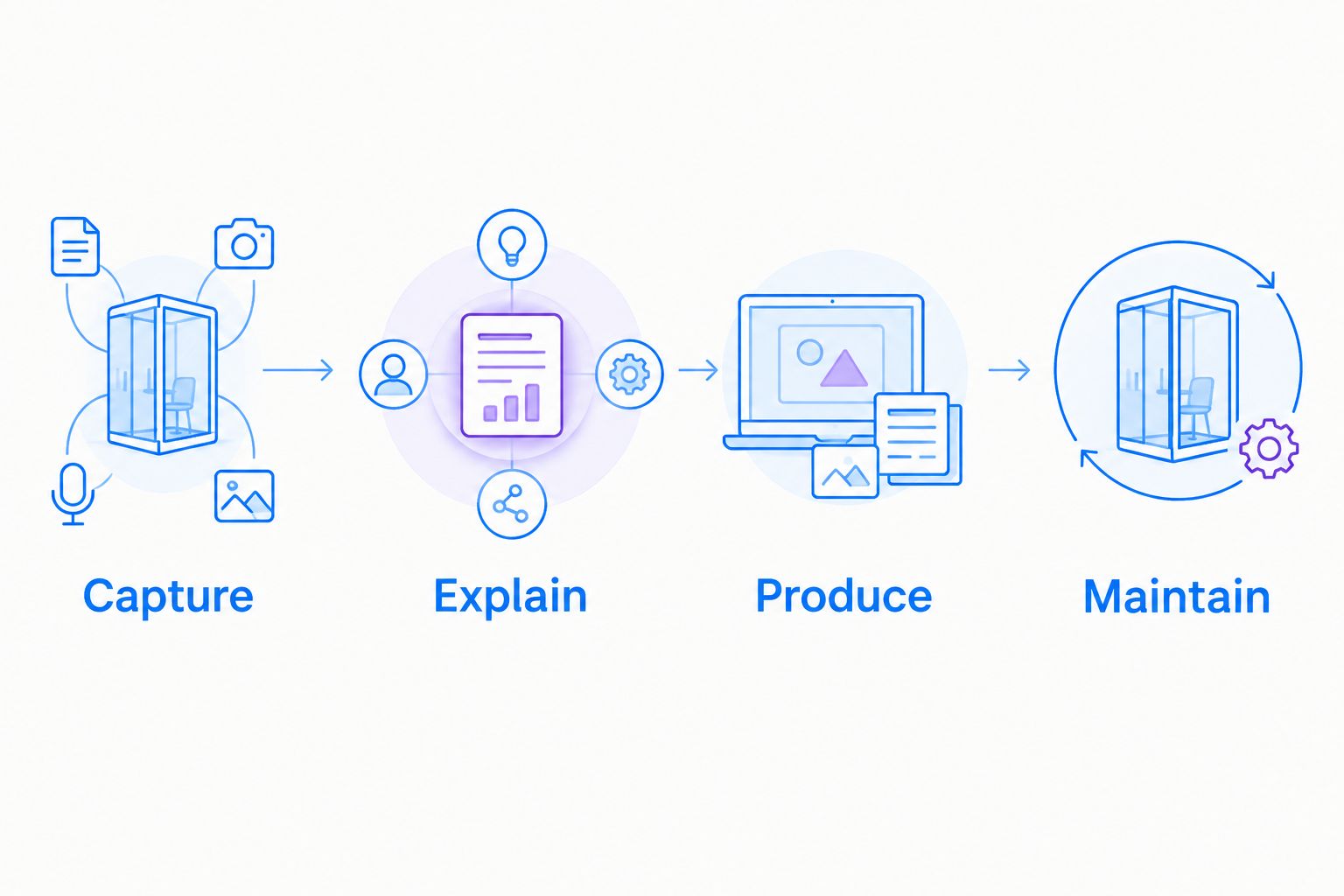
Assign these 3 tasks:
- Capture: explain a fictional settings error using 1 screenshot.
- Explain: record a workflow containing 3 actions, then share it with a colleague.
- Produce: turn the same workflow into an audience-facing demonstration.
Ask someone who did not create the material to use each result. Record where they hesitate, what they misunderstand, and which questions remain unanswered. These observations reveal whether the output works—not merely whether the creator likes the interface.
Then test Maintain: change an instruction and assess the work needed to keep the explanation accurate. A tool that fits initial creation but makes routine revisions awkward can be a poor fit for frequently changing procedures.
A consistent demonstration brief also makes comparisons fairer. Using AI video templates for SaaS demos as a structure keeps the product question, visible action, and intended outcome consistent while you assess the production workflow. Keep the content fixed so differences in the brief do not masquerade as differences between tools.
Healthcare is a verification gate, not a feature-table win
For healthcare teams, neither a recorder nor an editor earns approval simply by fitting the task. Verify current contractual requirements, BAA availability, eligible plans, and feature limitations before using either service with protected health information.
Evaluate these workflows separately:
- Support and IT: reproduce a fictional login or configuration problem without exposing patient records.
- Clinical teams: record a synthetic workflow or assess a video-request process without real patient information.
- Operations: create a training guide or SOP using a demonstration environment.
A video-request process introduces questions beyond recording: who submits the material, where it is stored, who can access it, and how it is removed. Do not assume approval for one workflow covers another.
Make healthcare approval a pass-or-fail requirement before comparing convenience. For your 2026 review, obtain current answers from each vendor and have your organization evaluate the proposed use. This comparison does not establish HIPAA eligibility for any plan or workflow.
Pricing: compare the work each paid plan must cover
Do not compare subscriptions as though capture, documentation, and finished-video production were interchangeable purchases. Begin with the job, then check the plan that supports it.
Review the current pricing against your capture and documentation requirements. For VEED.io, review the current subscription terms against the editing, captioning, and output requirements in your production brief.
Assess these commercial details before committing:
- Which team members need paid access, and for which tasks?
- Which required capabilities belong to the proposed package?
- What usage, storage, or output conditions apply?
- What happens when someone leaves or ownership changes?
- Which security and contractual requirements affect the purchase?
The trade-off is scope versus complexity. A predictable agreement is valuable only when it covers the work you expect to do. A broader package is not better value if your team never uses the additional workflow.
For a 2026 purchase, compare written terms alongside the task results. Avoid choosing an apparently simpler subscription only to discover that your essential workflow requires a different package or a separate tool.
Final verdict: choose the workflow you repeat
Choose Zight if you lead support or internal documentation
Your recurring deliverable is an explanation: a screenshot, a screen recording, or a guide that helps someone act without another meeting. Prioritize capture, clarity, sharing, and maintenance during evaluation.
The limitation is equally clear. If your primary assignment is edited video production, do not assume a communication-focused workflow is the right production environment.
Choose VEED.io if you own audience-facing video production
Your recurring deliverable is a finished video. Prioritize editing, subtitles, presentation, and the output your audience receives.
The limitation is the production work itself. If most requests are simple troubleshooting explanations, an editing-first process can be more work than the task requires.
| Dimension | Winner |
|---|---|
| Asynchronous explanations | Capture-first platform |
| Screenshot-led communication | Capture-first platform |
| SOP and guide focus | Capture-first platform |
| Finished video production | VEED.io |
| Subtitle-led presentation | VEED.io |
| Product demonstrations | Tie—choose by brief |
| Healthcare suitability | Tie—requires independent verification |
| Paid-plan value | Choose after testing the required workflow |
FAQ
Is Zight better than VEED.io for business teams?
Zight is the better fit for teams buying screen capture and documentation for asynchronous explanations. VEED.io is the more relevant choice when the main task is editing a finished video.
Which should I choose for customer support videos?
Choose a capture-first workflow when the support video needs to explain a specific problem or fix. Test whether the recipient can understand and act on the shared explanation without another conversation.
Which is better for an edited product demo?
VEED.io is the stronger starting point when the demo requires video editing and subtitles. A targeted recording answering a prospect's question has a different brief from a reusable marketing presentation.
Do I need video editing for every screen recording?
No. A direct recording is enough when it communicates the required action clearly; editing earns its place when it improves the finished deliverable.
Can healthcare teams use either tool with patient information?
Healthcare teams must verify the proposed plan, BAA availability, feature limitations, and workflow before using protected health information. Use synthetic examples during evaluation and obtain organizational approval before deployment.
How should I compare the paid plans?
Compare the package required to complete your recurring workflow, not the subscription label alone. Confirm access, required features, usage conditions, ownership, and contractual requirements in current written terms.
One last thing
Test the first revision before signing. Change a button name in your synthetic example and update the explanation. This exposes the maintenance work that an attractive first recording can hide—and helps you choose for the work your team will repeat.