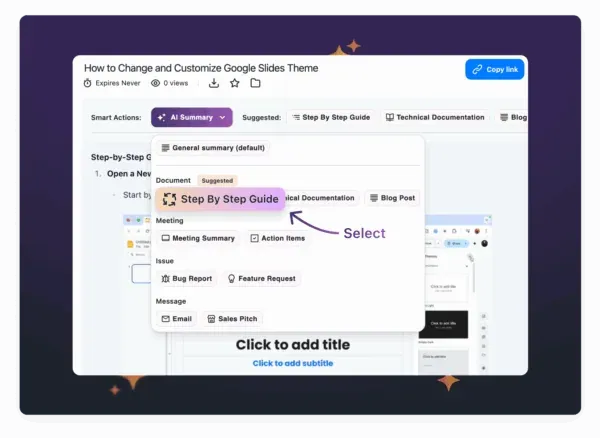
Instantly Create Zendesk Help Articles from Video
- Eliminates the need to reformat or rewrite help content
- Speeds up response time for common questions
- Keeps your documentation fresh and accurate with minimal effort
Smarter Step-by-Step Guides with Auto-Generated Screenshots
When it comes to customer education, a visual goes a long way. Now, when Zight generates step-by-step guides using AI, it includes screenshots automatically pulled from your video to match each instruction.
- Screenshots are automatically inserted next to each step
- No need to manually capture, annotate, or edit images
- Creates clearer, more visual content for end users
Export AI-Generated Content to Your Favorite Tools
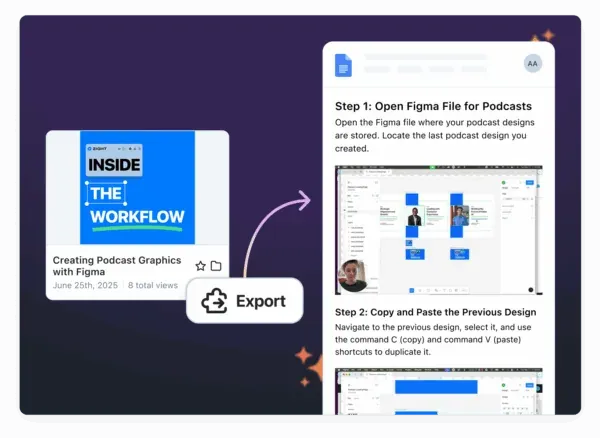
Support, success, and documentation teams often live in different platforms like Notion, Google Docs, Confluence, and others. To keep work moving across departments, we’ve introduced a new Export button on every video where AI Smart Actions are enabled.
Coming Soon: Technical Logs with Every Request Video
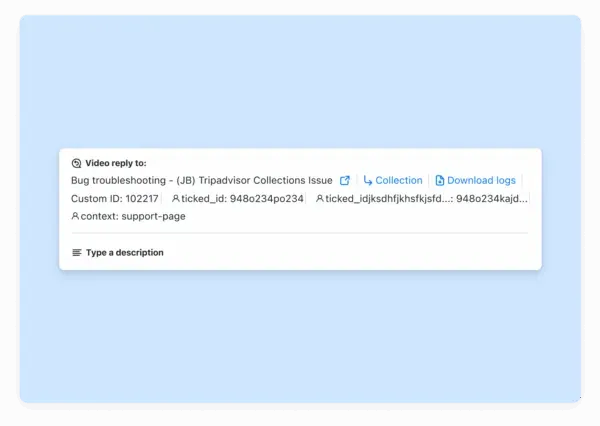
Support and engineering teams rely on clear, contextual details to diagnose tough issues, especially in Tier 2 and Tier 3 escalations. That’s why we’re adding session-level technical logs to every Request Video submission.
- Browser and operating system
- Screen size
- Network type
- Fewer back-and-forth messages
- Reduced time to resolution for Tier 2 and Tier 3 issues
- Greater confidence in escalations and handoffs
Scrolling Screenshots for Windows (Coming Soon)
- Capturing long feedback threads
- Preserving entire conversations or error states
- Sharing visual documentation with teams or customers