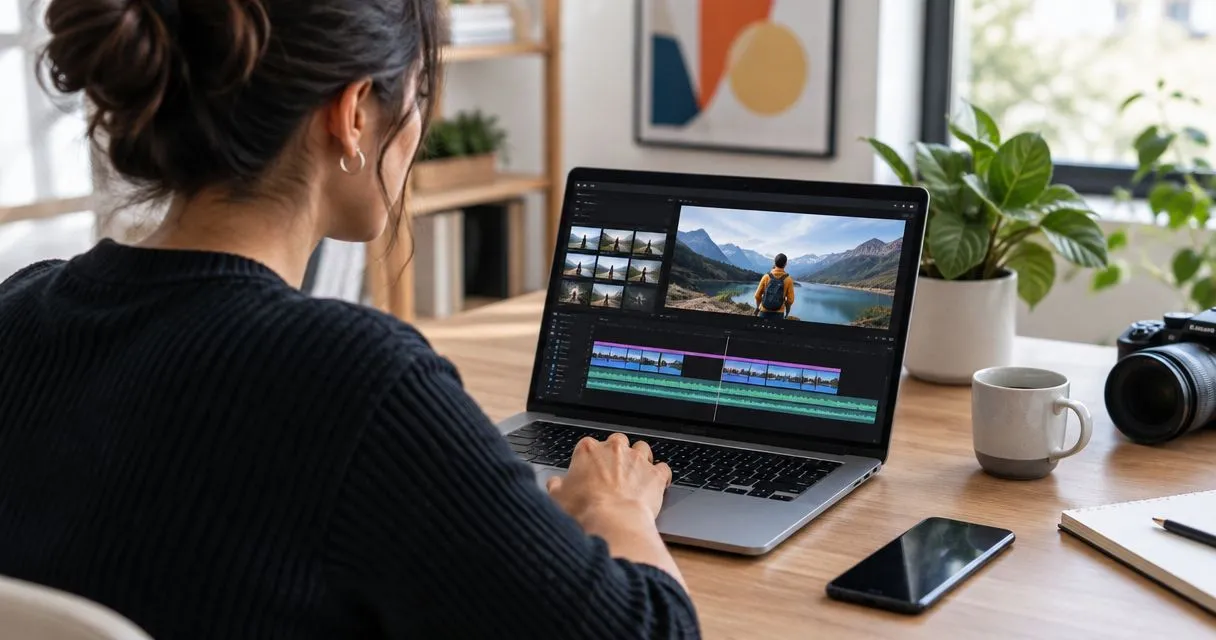
Loom is built around recorded video messages, while VEED combines browser-based video editing with tools such as subtitles and screen recording. VEED stops being the obvious choice when your main job is explaining a support issue rather than producing an edited video. The best VEED alternative in 2026 is Zight for screen capture and shareable documentation; Descript for transcript-based editing.
- Among veed alternatives, Zight fits screen recording, screenshots, and shareable documentation for business teams.
- Loom fits video messages; Descript fits editing recordings through a transcript.
- OBS Studio fits configurable recording and streaming, but requires a separate sharing workflow.
- Stay with VEED when browser-based editing and subtitling remain your main requirements.
Why this matters
A video editor and a visual communication tool solve different problems. Editing tools help you shape a finished video; communication tools help someone understand an issue and take the next step.
Choose around the deliverable. A support agent explaining an error, a product manager showing a bug, and a marketer assembling a captioned video do not need the same workflow. Replacing VEED without making that distinction risks trading one mismatch for another.
For your 2026 evaluation, separate capture, editing, sharing, and documentation. Then identify which activity creates the work your team actually needs to reduce.
VEED alternatives at a glance
Start the competitor comparison with Loom, then compare each option with VEED against the same job. This is a workflow shortlist, not a claim that every product offers equivalent capabilities.
| Tool | Best for | Standout approach | Difference from VEED |
|---|---|---|---|
| Loom | Recorded explanations for colleagues | Video messaging and link sharing | Centers the message rather than the edited production |
| VEED | Browser-based video editing | Editing, subtitles, and recording in a browser | The benchmark when producing edited videos is the main task |
| Zight | Business screen capture and documentation | Screenshots, recordings, and shareable guides | Centers visual explanations and asynchronous troubleshooting |
| Descript | Editing spoken recordings | Editing audio and video through a transcript | Makes spoken words an editing interface |
| OBS Studio | Configurable recording and live streaming | Scenes and multiple capture sources | Centers capture control rather than a hosted editing workflow |
Do not select a tool because its feature list is longest. Select the shortest path from the original problem to a usable answer. That path includes what happens after recording: finding the link, understanding the explanation, and maintaining any instructions created from it.
1. Zight: best for screen capture and documentation
Zight is the VEED alternative for business teams that need to show a problem and share an explanation. Its screen recording, screenshot, and guide/documentation software supports asynchronous communication through shareable links. That puts the emphasis on making work understandable, rather than treating every recording as a video production.
For support, capture the problem and explain the next action. For product and engineering, show a reproduction sequence with enough context to make the issue understandable. For operations, turn a repeatable process into instructions that someone else can follow.
Where Zight shines
- Screenshots and recordings: Choose a still image for a fixed detail or a recording for a sequence.
- Shareable explanations: Give the recipient a link rather than making the explanation depend on a meeting.
- Documentation workflows: Use guides when the same process needs a repeatable explanation.
Where Zight falls short
- A capture-first workflow is not, by itself, a substitute for a production editing process.
- Recordings still need clear context; capturing a confusing workflow does not automatically make it understandable.
- Documentation needs an owner. A guide can become inaccurate when the underlying process changes.
| Dimension | Zight | VEED |
|---|---|---|
| Primary fit | Visual communication and documentation | Browser-based video editing |
| Core deliverable | Screenshot, recording, or guide | Edited video |
| Practical evaluation | Can the recipient act on the explanation? | Can the editor produce the required finished video? |
Best for: Support, sales, product, and engineering teams sharing visual explanations.
Verdict: Buy for capture-and-explain workflows; evaluate editing requirements separately.
2. Loom: best for recorded video messages
Loom is a natural alternative when your output is a recorded explanation for another person. Its video-message approach suits walkthroughs, updates, and feedback that do not need to become a polished production.
Compare Loom with VEED by asking what the recipient needs. If the answer is an understandable explanation rather than a carefully edited asset, messaging deserves more weight than production controls.
Where Loom shines
- Recorded walkthroughs: Explain a screen-based task with narration.
- Link-based communication: Share a message for someone to watch asynchronously.
- Human context: Use a recorded explanation when tone and sequence matter.
Where Loom falls short
- Video is a poor substitute for a reference document when the reader needs to scan individual steps.
- A recorded message still needs editing or rerecording when the explanation changes.
- A messaging-first shortlist does not settle requirements for detailed production editing.
| Dimension | Loom | VEED |
|---|---|---|
| Primary fit | Video messaging | Video editing |
| Typical assignment | Explain a task or update | Assemble and refine a video |
| Main selection question | Is the message easy to record and consume? | Does the editing workflow meet the production brief? |
Best for: Teams whose main deliverable is an asynchronous video message.
Verdict: Buy for recorded communication; hold if your main requirement is production editing.
3. Descript: best for transcript-based editing
Descript uses a transcript as an interface for editing spoken audio and video. That is a different starting point from arranging everything around a conventional video timeline.
Consider Descript when the difficult part of your work is deciding what was said, removing sections, and tightening an explanation. Evaluate it with a real spoken recording rather than a silent screen capture.
Where Descript shines
- Speech-led editing: Work with the words in an interview, narration, or presentation.
- Content review: Identify sections by reading the transcript.
- Structure: Reconsider the order and wording of a spoken explanation during editing.
Where Descript falls short
- Transcript editing depends on checking that the transcript matches the recording.
- A transcript is less useful for deciding how to edit a visual sequence with little speech.
- Editing a recording does not remove the need for a distribution or documentation process.
| Dimension | Descript | VEED |
|---|---|---|
| Editing emphasis | Transcript-based work | Browser-based video editing |
| Strong evaluation sample | Interview or narrated explanation | Representative video production brief |
| Main decision | Do you prefer editing through words? | Do you prefer the available browser editing workflow? |
Best for: Teams editing interviews, narrated tutorials, and other speech-led recordings.
Verdict: Buy when transcript-based editing matches the work.
4. OBS Studio: best for configurable capture
OBS Studio is recording and streaming software built around scenes and sources. Consider it when controlling what enters the recording matters more than keeping capture, editing, and sharing together.
Where OBS Studio shines
- Combine capture sources into scenes.
- Configure a repeatable recording setup.
- Use the same application for recording and live streaming.
Where OBS Studio falls short
- Scene and source configuration adds setup work.
- Recording is not the same as providing a recipient-ready hosted link.
- You need a separate process for editing and distributing finished recordings.
Best for: Technical users who need configurable recording or streaming.
Verdict: Buy into the workflow only if capture control justifies the setup.
Why people switch from VEED
The defensible reasons to switch are workflow mismatches, not unsupported claims about outages, price changes, or product quality. Use these distinctions to decide whether a replacement is necessary.
- You need an explanation, not an edited production. Compare recording, sharing, and recipient access before editing features.
- You need reusable instructions. Evaluate screenshots and guides alongside video so readers can find individual steps.
- You edit spoken material repeatedly. Test whether a transcript-based interface makes that work easier to manage.
- You need capture control. Assess scene and source configuration separately from browser editing.
Production work also branches in different directions. Choosing among AI video template tools is a different decision from choosing a screen recorder: the former starts with a repeatable visual format, while the latter starts with something happening on a screen. Write that distinction into the brief before comparing products.
Do not migrate a team simply because a different application can record a screen. Switch when its complete workflow better matches the output your team needs.
Test the workflow before you move the team
Use the same assignment in every shortlisted tool. A practical 2026 evaluation starts with a synthetic support issue, not a sales demonstration tailored to each application.
Record a 60-second clip showing a sample error. Pair it with 1 screenshot that identifies the relevant control, then ask a colleague to complete 3 tasks: describe the problem, find the next action, and locate the explanation again. These are suggested test conditions, not product limits or performance claims.
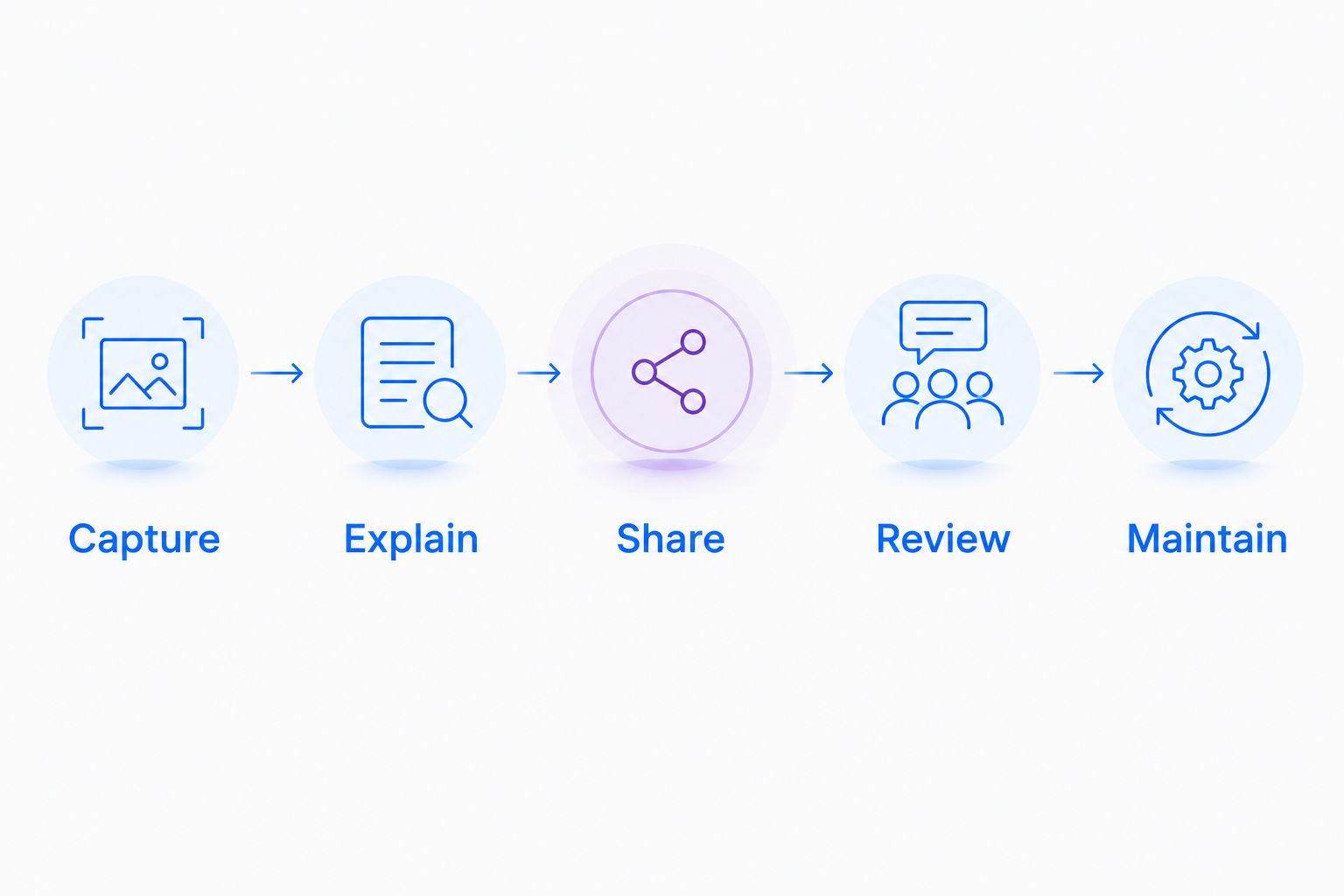
Follow this sequence:
- Capture: Record the synthetic issue without exposing customer information.
- Explain: State the expected behavior and the action the recipient should take.
- Share: Deliver the explanation through the workflow you intend to use at work.
- Review: Ask the recipient to identify what remains unclear.
- Maintain: Change a step and check how you would update the explanation.
Test access with a recipient who does not own the recording. Confirm how your organization will handle permissions, ownership, and deletion before putting business information into the workflow.
For a paid rollout, review Zight pricing against the capabilities your test requires. Record the required features explicitly so purchasing approval reflects the workflow you evaluated.
Healthcare teams: verify the workflow, not the label
Healthcare requires a separate approval gate. Do not treat any screen recorder, editing tool, or shareable link as automatically appropriate for protected health information.
Before a 2026 healthcare rollout, confirm current plan eligibility, BAA availability, feature restrictions, and the proposed configuration through official vendor documentation and your organization's review process. Approval for recording does not automatically establish approval for requesting videos, sharing links, or connecting support systems.
Evaluate these workflows with equal attention:
- Support and IT troubleshooting: Reproduce a portal or workstation issue with synthetic accounts. Check where recordings and screenshots would be stored and who would receive them.
- Clinical team communication: Test recording and video-request workflows using fictional information only. Confirm that each collection and sharing step is approved before introducing patient information.
- Operations and training: Create a sample SOP for a nonclinical administrative task. Check access controls, ownership, and the process for retiring outdated instructions.
If your process depends on an integration, verify the named integration and its permitted data flow in official documentation. Do not assume that approval of a capture tool extends to the connected support platform.
The practical rule is simple: keep the evaluation synthetic until the specific workflow has approval. This is a software-selection safeguard, not medical or legal advice.
When staying with VEED is the right call
Stay with VEED when browser-based editing remains the job you need done. If your team needs to assemble videos, work on subtitles, and deliver edited assets, compare alternatives against those requirements rather than against a screen-sharing use case.
Keep VEED in your 2026 shortlist when the existing process already produces the required output. A successful screen-recording trial does not establish that a replacement can handle your production brief.
You can also separate the jobs. One workflow can handle visual troubleshooting while another handles finished video production; forcing both into the same application is not a requirement.
FAQ
What's the best VEED alternative for business screen recording?
Zight is the strongest fit on this shortlist for business screen capture and shareable documentation. Evaluate it with a real support or product explanation, including both screenshots and recordings.
Is Loom better than VEED for team updates?
Loom fits recorded team messages, while VEED fits browser-based video editing. Choose according to whether the deliverable is an explanation for colleagues or an edited video asset.
Which VEED alternative edits video through a transcript?
Descript supports transcript-based audio and video editing. It is a relevant option when spoken content drives the editing work.
Is OBS Studio a direct replacement for VEED?
OBS Studio replaces the capture and streaming portion of a workflow, not the complete browser editing and sharing process. Plan separately for editing and distribution.
Should I replace VEED if I only need screenshots?
Evaluate screenshot-focused communication rather than assuming you need another video editor. A still image is a better format when the recipient only needs to inspect a fixed detail.
Can healthcare teams use any of these tools for patient information?
Do not assume that any listed tool is approved for patient information. Verify the current plan, BAA, feature restrictions, configuration, and organizational approval for the exact workflow.
How should I compare paid VEED alternatives in 2026?
Compare the complete workflow using the same synthetic assignment in each tool. Check capture, editing, recipient access, documentation, and maintenance before approving a rollout.
One last thing
Test the update, not just the first recording. Change a button name in your synthetic workflow and ask how the explanation will be corrected, redistributed, and found again. That small exercise exposes the difference between producing a video and maintaining useful instructions.