If your SOPs are software tasks, start with a capture tool: Zight, Scribe, Tango or Guidde builds the steps while someone does the work. If you need to assign SOPs, track who finished them and keep versions, pick a management platform such as Trainual, Process Street, SweetProcess or Whale. If your team already lives in Confluence or Notion, keep the SOPs there and add a capture tool for the screenshots.
This comparison covers 10 tools across those three types. Zight wrote it and is listed first; the rest aren’t ranked. Every price and free-plan limit below comes from the vendor’s own page, checked October 7, 2026.
Quick answer: which SOP software fits your team?
- Choose Zight when the SOP is a software task you’d rather show than type, or the person who knows it needs to record it for you.
- Choose Scribe when you document browser processes by clicking through them and want PDF, HTML or Markdown exports.
- Choose Tango when a small team needs click-by-click guides and five free workflows are enough to start.
- Choose Guidde when each SOP should be a narrated how-to video as well as a written guide.
- Choose Trainual when SOPs are part of role-based training and you need to show who completed them.
- Choose Process Street when SOPs should run as checklists with approvals and conditional steps.
- Choose SweetProcess when you want procedures, processes and policies in one plan with every feature included.
- Choose Whale when you want SOPs, training flows and quizzes, and a free plan to try them on.
- Choose Confluence when your team already works in Jira and wants SOPs in the same wiki.
- Choose Notion when your docs and projects already live in Notion.
SOP software compared
Prices and free-plan limits come from each vendor’s own page: Scribe pricing, Tango pricing, Guidde pricing, Trainual pricing, Process Street pricing, SweetProcess pricing, Whale pricing, Confluence pricing and Notion pricing, all checked October 7, 2026. Zight’s prices are on the Zight pricing page. Taxes, promotions and sales quotes can differ, so confirm at checkout.
| Tool | Type | Best for | Free plan | Starting price (as published) |
|---|---|---|---|---|
| Zight | Capture-based generator | Software SOPs you’d rather show than type, or that someone else records for you | Yes: Share plan, recordings up to 5 minutes and 5 Video Requests a month. AI drafting starts on Create. | Create, Collaborate and Scale; prices on the Zight pricing page |
| Scribe | Capture-based generator | Browser processes documented by clicking through them | Yes: Basic, browser capture, sharing by link or embed | Pro Personal $25/seat/month billed yearly ($35 monthly); Pro Team $13/seat/month billed yearly ($17 monthly), 5 seats minimum |
| Tango | Capture-based generator | Small teams writing click-by-click guides for web apps | Yes: 5 shared workflows, browser capture, up to 10 users | Pro $22/user/month billed annually for 1–2 users ($26 monthly); $15 for 3+ users ($20 monthly) |
| Guidde | Capture-based generator | SOPs as narrated how-to videos with a written guide | Yes: up to 25 how-to videos in web apps; watermark removal starts on Pro | Pro $19/creator/month billed annually ($29 monthly) |
| Trainual | SOP management platform | Companies of 25 to 1,000 people assigning SOPs as role-based training | No: pricing and access by demo | Not published; one-time $1,000 implementation fee |
| Process Street | SOP management platform | SOPs that run as checklists with approvals and conditional logic | No: 14-day Pro trial, no credit card | Not published; contact sales |
| SweetProcess | SOP management platform | Procedures, processes and policies in one all-features plan | No: 14-day free trial | $99/month for up to 10 members plus $5 per extra member ($82.50 and $4.17 a month billed yearly) |
| Whale | SOP management platform | SOPs, training flows and quizzes, with a free plan to start | Yes: 1 creator, up to 10 members, 20 Playbook items | Scale $249/month billed yearly ($399 monthly), 3 creators included |
| Confluence | Docs and wiki tool | Teams already in Jira and the Atlassian stack | Yes: up to 10 users, 2 GB of file storage | Standard and Premium priced per user; the rate depends on team size |
| Notion | Docs and wiki tool | Small teams whose docs already live in Notion | Yes: limited blocks for 2+ members, 5 MB uploads, 7-day page history | Plus $10/member/month billed yearly ($12 monthly) |
Which kind of SOP software do you need?
“SOP software” covers three different kinds of product. They solve different parts of the problem, so you may end up using two.
Capture-based SOP generators
Zight, Scribe, Tango and Guidde build the SOP from someone doing the work. You click through the task, or record it, and the tool drafts numbered steps with screenshots. For a software process that’s usually the quickest route, because nobody types every click.
They’re weaker at the life of the SOP after the first draft: assigning it, checking who followed it and getting sign-off. They also only see what happens on a screen.
SOP and training management platforms
Trainual, Process Street, SweetProcess and Whale store SOPs, assign them to people or roles, track completion, keep version history and route changes for approval. Several now include a screen recorder or an AI writer, but their strength is what happens after the SOP exists.
They cost more than a wiki, and most are sold to teams rather than individuals.
Docs and wiki tools
Confluence and Notion aren’t built as SOP software, but teams keep SOPs in them because that’s where people already look. They’re cheap or free and easy to search. They don’t assign SOPs, quiz anyone or collect sign-off, so an SOP in a wiki needs a named owner and a review date to stay current.
1. Zight: SOPs drafted from a screen recording
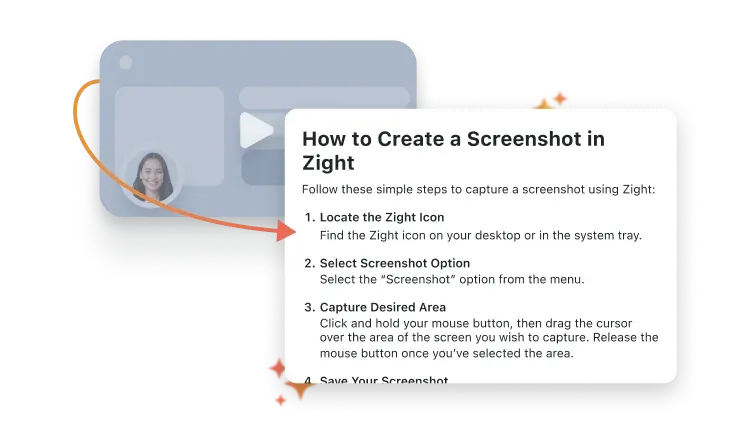
Best for software procedures that are easier to show than to write, and for SOPs where the person who knows the process isn’t you. Record the task once in the Mac, Windows or Chrome app and talk through it. Zight AI pulls a screenshot for each key moment and drafts a numbered step beside it. You edit, reorder and approve the draft, and the recording stays linked to the SOP.
Someone else can do the recording. Send a request link, and the person who does the work records their screen in the browser with no account and no install. The recording comes back to your Zight library, ready to draft from. Scribe and Tango, by contrast, capture the clicks of whoever has their extension or app installed.
Free plan: the Share plan is free, with recordings up to five minutes and five Video Requests a month. AI drafting is plan-based: Create includes 5 AI smart actions a month, and Collaborate and up are unlimited.
Price: Create, Collaborate and Scale are the paid plans. See current Zight plans and prices.
Where it stands out: one recording gives you the video, the screenshots and the written steps. Share the SOP as a link, download a PDF, or copy it formatted for Word or Google Docs. On the Scale plan, connected workspaces can create a Confluence or Notion page or a Jira ticket in one click. Zight is HIPAA compliant on the Scale plan, with a signed BAA available.
Skip it if you need to assign SOPs as training, run quizzes or collect sign-offs. Zight drafts and shares the SOP; a management platform below handles the rest. Pair the two, or pick one of those instead. To see the workflow, turn a screen recording into an SOP draft with Zight’s AI SOP generator.
2. Scribe: step-by-step guides from your clicks
Best for documenting browser-based processes by clicking through them once. Scribe’s Chrome and Edge extensions follow along as you work and build a guide from screenshots and text for each step. A desktop app captures desktop processes on Pro and Enterprise. Scribe also advertises Autocapture, which turns work you’ve already done into guides without a separate recording session.
Free plan: Basic is free. It captures in any web app in your browser, and you can share guides by link or embed. Scribe’s FAQ says the desktop app is a Pro and Enterprise feature.
Price: Pro Personal is $25 per seat per month billed yearly, or $35 monthly. Pro Team is $13 per seat per month billed yearly, or $17 monthly, and starts at five seats. Enterprise is custom.
Where it stands out: Pro adds company branding, screenshot editing and redaction, and export to PDF, HTML and Markdown. Pro plans keep one week of version history; Enterprise keeps unlimited history and adds automatic PII and PHI redaction and SSO.
Skip it if the process happens off-screen, or you want narration and video with the steps. Small teams should check the seat math, since Pro Team starts at five seats.
3. Tango: click-by-click how-to guides
Best for small teams documenting web-app processes quickly. Click through your process and Tango creates a how-to guide with screenshots, annotations and descriptions you can edit. Free captures in the browser; Pro adds desktop capture.
Free plan: five shared workflows in the team library, browser capture, link and embed sharing, and up to 10 users per workspace, with no credit card. Free has no version history.
Price: Pro is $22 per user per month billed annually for one or two users, or $26 monthly. Three or more users pay $15 per user per month billed annually, or $20 monthly. Enterprise is custom.
Where it stands out: Pro adds unlimited workflows, PDF, Markdown and HTML exports, screenshot blurring and 14 days of version history. Enterprise overlays guidance inside the apps your team uses, through Pins, Guide Me and Automations, and keeps 365 days of version history with audit logs.
Skip it if your SOPs touch patient data. Tango’s pricing FAQ says it’s SOC 2 Type 2 compliant but doesn’t currently maintain formal HIPAA compliance.
4. Guidde: SOPs as narrated how-to videos
Best for teams that want each SOP as a short narrated video they can also hand out as a document. Capture a workflow with the browser extension, click stop, and Guidde generates a step-by-step guide with voiceover, captions and highlights.
Free plan: up to 25 how-to videos in web apps, with your own recorded voiceover and sharing by link. Removing the Guidde watermark starts on Pro. New accounts also get a 7-day Business trial with no credit card; after it, Guidde says you can’t edit more than your last 25 videos on Free.
Price: Pro is $19 per creator per month billed annually, or $29 monthly. Business is $39 per creator per month billed annually, or $59 monthly, for up to five creators, and adds the desktop app and unlimited text-to-voice. Viewers don’t take a paid seat. Enterprise is custom.
Where it stands out: Pro exports a guide as a video, a PowerPoint or a PDF, and blurs sensitive information.
Skip it if you want plain written SOPs without video, or you need content review and version control below Enterprise, the plan that lists them.
5. Trainual: SOPs as assigned training
Best for companies that want SOPs, roles and training in one place; Trainual says it suits companies with 25 to 1,000 employees. Write a process in the editor, have Trainual’s AI draft it from a description, or record your screen with the built-in recorder. Then assign it by role, department or location with due dates, add a test, and track who finished.
Free plan: none listed. Trainual’s pricing page sends you to a demo.
Price: not published. Trainual says pricing depends on your team size and the features you need. Every new customer gets implementation support, with a one-time $1,000 fee. Plans are Core, Pro, Premium and Enterprise.
Where it stands out: content verification reminders prompt owners to review SOPs. Version history runs 30 days on Core, 90 on Pro and unlimited on Premium. Pro includes 300 e-signatures a year and Premium unlimited, for policies people must sign.
Skip it if you’re a handful of people, want to try it without a sales call, or only need to write the SOP.
6. Process Street: SOPs people run as checklists
Best for operations teams that want each SOP to run as a checklist, with approvals, conditional logic, enforced task order and role assignments. Reference SOPs and policies live in Pages, which link to the workflows that use them, and Process Street can generate a workflow with AI.
Free plan: none. The Pro plan starts with a 14-day free trial, no credit card required.
Price: not published; every plan says “Contact sales.” A Startup plan, for businesses with fewer than 15 employees and under $2 million in revenue, includes 5 users and 10 guests at what Process Street calls a significantly reduced price.
Where it stands out: dynamic due dates, scheduled workflows and workflow run links turn an SOP into tracked work. Pages keep an activity log of changes.
Skip it if you need a published price or a free tier, or your SOPs are reference documents rather than tasks someone runs.
7. SweetProcess: procedures, processes and policies in one plan
Best for small and mid-size businesses that want procedures, processes and policies together at a flat price. Write a procedure step by step, combine procedures into a process, and keep policies next to them. Turn procedures and processes into tasks for your team, and track each step to completion. Its AI writes a draft from a document title, and a browser plugin records a workflow straight into a procedure.
Free plan: none. There’s a 14-day free trial and a 30-day money-back guarantee.
Price: one plan with every feature. It’s $99 a month for a team of up to 10 members, plus $5 a month per additional member, billed monthly. Billed yearly, it’s $82.50 and $4.17 a month. SweetProcess advertises separate pricing for teams with fewer than 10 employees.
Where it stands out: teammates suggest edits and managers approve them, and version history highlights every change with a rollback to any version. Quizzes check understanding, and procedures can be published as a public or private knowledge base or exported to PDF and Word.
Skip it if you need a free plan, or you want narrated screen recordings as the main way to capture a process.
8. Whale: SOPs, training flows and quizzes
Best for teams that want SOP management and training together, and want to try it free first. Every Whale plan includes a screen recorder, a video-to-SOP converter, an AI SOP writer, checklists, read assignments with due dates and expert review cycles.
Free plan: $0 for one creator and up to 10 members, with 20 Playbook items and 20 AI credits, one time. Free has no version history and no export.
Price: Scale is $249 a month billed yearly, or $399 monthly, with three creators included. Extra creators are $29 a month billed yearly, or $39 monthly. Advance is $499 a month billed yearly, or $799 monthly, with five creators and e-signatures. Enterprise is custom.
Where it stands out: Scale adds unlimited documentation, training flows, AI quizzes, PDF and Word export, and 90 days of version history. Whale hosts data in Belgium or the US, and you pick the location at setup.
Skip it if you need SOP approval flows below Enterprise, the only plan that lists them. Small teams that outgrow Free should also note that Scale starts at $249 a month billed yearly.
9. Confluence: SOPs in the Atlassian wiki
Best for teams already in Jira and the rest of the Atlassian stack who want SOPs next to their other docs. Confluence gives you spaces and pages, and its pricing page lists a template library and page versioning. It also lists Rovo, Atlassian’s AI search and chat, with usage credits that vary by plan. If you record SOPs in Zight, the Zight Confluence integration creates a Confluence page in one click on the Scale plan.
Free plan: free for up to 10 users, with 2 GB of file storage. Atlassian says Free permissions aren’t customizable. Standard adds global, space and content permissions and 250 GB of storage.
Price: Standard and Premium are billed per user. Atlassian prices monthly plans progressively, with a different per-user rate for each tier of users, and bills annual plans by user tier. Use the calculator on its pricing page for your team size.
Where it stands out: if your engineers and support team already work in Jira, an SOP in Confluence sits one link away from the ticket that needs it.
Skip it if you need to assign SOPs, track completion or quiz people. A wiki stores procedures; it doesn’t train anyone on them.
10. Notion: SOPs next to the rest of your docs
Best for small teams that already keep docs, projects and wikis in Notion. An SOP is a page, and a database can list every SOP with its owner and review date. On Business, a verified badge marks pages that are up to date, and it appears in search results and AI citations. The Zight Notion integration creates a Notion page from a Zight recording in one click on the Scale plan.
Free plan: unlimited blocks for one person, but a limited number once a workspace has two or more members. Uploads are capped at 5 MB each, page history lasts 7 days, and Notion AI is a trial.
Price: Plus is $10 per member per month billed yearly, or $12 monthly, with 30 days of page history. Business is $20 per member per month billed yearly, or $24 monthly, and adds verified pages, SAML SSO, granular database permissions, 90 days of page history and Notion Agent. Enterprise is custom.
Where it stands out: SOPs live beside the projects and notes that reference them, so links between them are easy.
Skip it if a team needs a free plan for real use, since blocks are limited from two members, or you need assignment, completion tracking or sign-off.
How we evaluated these tools
Zight wrote this comparison, and Zight is listed first. Read it with that in mind. Every entry, ours included, uses the same fields and ends with who should skip it. After Zight, the tools are grouped by type, not ranked.
We read each vendor’s own pricing and product pages on October 7, 2026. We didn’t run timed tests, and nothing here is a hands-on benchmark. Where a vendor doesn’t publish a fact, such as a price, the entry says so instead of guessing.
- Type: does it create SOPs from the work, manage them after they exist, or store them as pages?
- Capture or management: how a process becomes a draft, and what happens to it after that.
- Free plan: what you can do without paying, as the vendor lists it, and whether a free plan exists.
- Pricing: the published list price and billing period. Promotions and sales quotes are left out.
- Review and versioning: who approves changes, and how far back the version history goes.
- Who skips it: the team or job each tool is a poor fit for.
What to look for in SOP software
- Capture speed: how long it takes to get from doing the task to a first draft. For software tasks, capture tools win.
- Editing: whether you can reorder steps, replace screenshots, blur private data and add the exceptions a recording misses.
- Review, approval and versioning: who signs off, and whether you can see and restore an earlier version. Free plans keep little or none: Notion Free keeps 7 days, and Tango Free and Whale Free keep none.
- Assignment and tracking: whether you can assign an SOP to a role, set a due date and see who finished it. Management platforms do this; wikis and capture tools mostly don’t.
- Search: whether someone can find the SOP with the words they’d use, at the moment they need it.
- Permissions: whether you can limit who sees or edits a procedure, by team or role.
- Exports and integrations: whether the SOP can leave the tool as a PDF, a Word file or Markdown, or land in the wiki your team already reads.
Record the SOP once, then decide where it lives
The slow part of most SOPs is getting the steps out of someone’s head. Start there. Record the task once and Zight drafts numbered steps with screenshots for you to check and approve: turn a screen recording into an SOP draft with Zight. Then keep the SOP wherever your team already reads, whether that’s a Zight link, a PDF or your wiki.
Unlike a click-capture extension, Zight also works the other way: send a request link, and the person who knows the process records it for you, with no account and no install.
Want the structure first? Copy the free SOP template. New to SOPs? Read what an SOP is, with formats and examples, or follow how to write an SOP in 8 steps.
Frequently asked questions
What is SOP software?
SOP software helps a team create standard operating procedures, store them and keep them current. Some tools focus on creating the SOP by capturing a process while someone does it. Others manage it afterwards: they assign SOPs, track who completed them, route changes for approval and keep version history. Wikis such as Confluence and Notion store SOPs as pages.
What is the best free SOP software?
It depends on what the free plan has to cover. For storing and assigning SOPs, Whale’s free plan includes one creator, up to 10 members and 20 Playbook items. Tango’s free plan allows five shared workflows and up to 10 users, Guidde’s allows up to 25 how-to videos, and Scribe Basic captures processes in your browser. Confluence is free for up to 10 users. Zight’s Share plan is free for recording, and AI drafting starts on Create. Trainual, Process Street and SweetProcess have no free plan.
What’s the difference between SOP software and a knowledge base or wiki?
A wiki stores SOPs as pages anyone can read. SOP management software adds what a wiki usually lacks: assigning an SOP to the people who must follow it, tracking who finished it, quizzes or sign-off, and review reminders for the owner. If you only need a place to keep procedures, a wiki works. If you need to show that people follow them, use a management platform.
Can AI write SOPs?
AI can draft one. Capture tools such as Zight, Scribe, Tango and Guidde draft the steps from a recording or from your clicks, so the draft starts from what someone actually did. Trainual, SweetProcess and Whale can draft an SOP from a short description. Either way, a person who knows the task has to check every step, add the exceptions and approve it. In Zight, AI drafting is plan-based: Create includes 5 AI smart actions a month, and Collaborate and up are unlimited.
What SOP software do small businesses use?
Most of the tools here have an option sized for small teams. Notion and Confluence have free plans, and Confluence’s covers up to 10 users; a capture tool such as Zight, Scribe or Tango adds the screenshots. SweetProcess prices its one plan for a team of up to 10 members. Process Street’s Startup plan is for businesses with fewer than 15 employees and under $2 million in revenue. Trainual says it suits companies with 25 to 1,000 employees.
What’s the difference between SOP management software and an SOP generator?
An SOP generator creates the document: it turns a recording, your clicks or a prompt into numbered steps. SOP management software runs the document’s life after that: who must read it, who approved it, which version is current and when it’s due for review. Some products do a bit of both, such as Whale’s video-to-SOP converter or SweetProcess’s browser recorder. You can also pair a generator with a platform or a wiki.