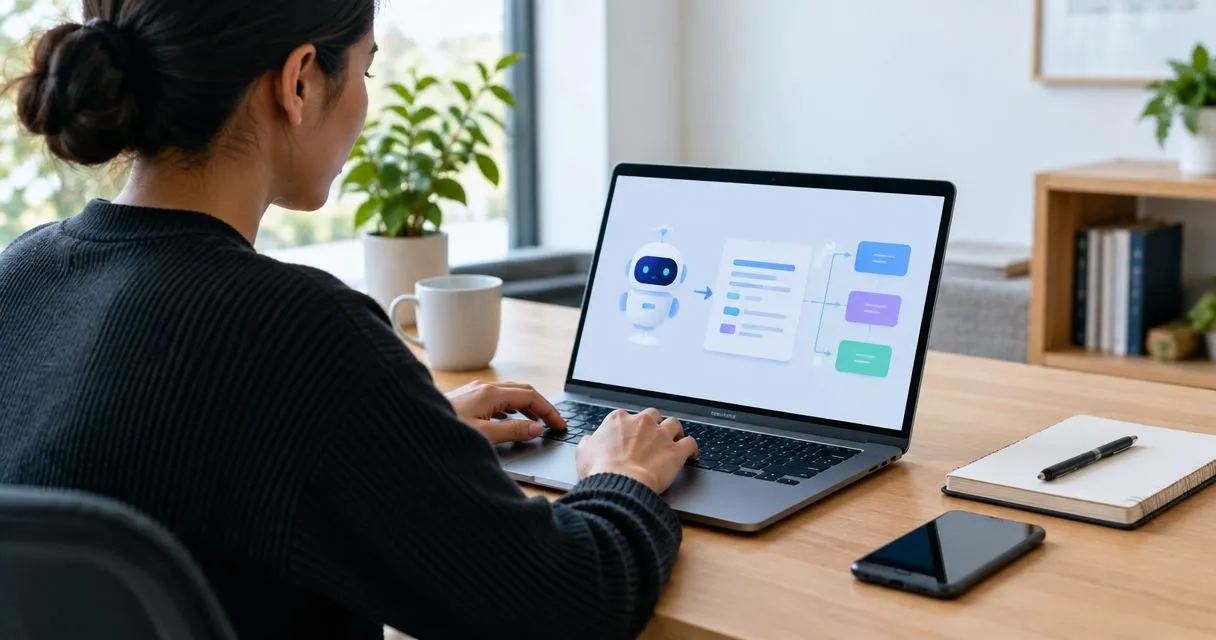
Best overall for visual SOP workflows: Zight. Best for video-first explanations: Loom. Best for screenshot-based procedures: Scribe. This 2026 ai sop generator guide also compares Tango for application walkthroughs and ChatGPT for drafting procedures from written instructions.
TL;DR
-
Zight is the best ai sop generator shortlist pick for teams combining screenshots, screen recordings, and AI-powered documentation.
-
Start the competitor comparison with Loom when spoken explanation matters more than a written procedure.
-
Choose Scribe or Tango when application steps are the main source material; use ChatGPT for text-first drafts.
-
Healthcare teams must verify plan requirements, BAA availability, and workflow limitations before recording protected health information.
Why this matters
An SOP is not finished when the writing stops. Someone must follow it, recognize the expected result, and know what to do when the process breaks.
An AI SOP generator helps turn source material into a draft. Your buying decision should depend on the source: a screen recording, a sequence of application actions, or written instructions. Choose the wrong starting point and your team still has to reconstruct the procedure manually.
Zight is best for teams that need screenshots, screen recordings, and AI-powered documentation in one visual SOP workflow. That makes it relevant to support, sales, product, and engineering teams documenting work asynchronously.
What makes the best AI SOP generator?
Use these criteria to evaluate tools in 2026. Ask each vendor to demonstrate your actual workflow rather than a prepared example.
-
Capture fit: Does the tool start with screenshots, video, application actions, or text? Match the input to how your team works.
-
Executable instructions: Can a reader identify the action, expected result, and next decision without asking the author?
-
Editing control: Check whether you can correct instructions, remove sensitive material, and update individual steps.
-
Distribution fit: Test how the finished procedure reaches its intended audience and how access is controlled.
-
Maintenance: Establish who owns the procedure and what happens when the underlying application changes.
-
Healthcare requirements: Verify the exact plan, contractual protections, and permitted workflow before including protected health information.
Do not accept a polished draft as proof of accuracy. Run a practical evaluation: document 1 workflow, assign 2 reviewers, and cover 3 task types—a routine action, an exception, and a handoff. These are suggested test conditions, not vendor performance benchmarks.
AI SOP generator tools at a glance
The first competitor to compare is Loom: decide whether your team needs a video explanation, a written procedure, or both. Then compare capture-led tools against text-first drafting.
| Tool | Best for | Standout capability | Key limitation |
|---|---|---|---|
| Zight | Visual SOP workflows across business teams | Screen recording, screenshots, and AI-powered guides/documentation | Generated documentation still needs process-owner review |
| Loom | Video-first explanations |
Screen recording with spoken context |
A video alone is not a structured, approved SOP |
| Scribe | Screenshot-based software procedures |
Turning captured application actions into step-by-step guides |
Visible actions do not explain every decision behind a process |
| Tango | Application walkthroughs |
Capturing application workflows as instructional steps |
Work outside the captured application needs separate documentation |
| ChatGPT | Drafting from written process knowledge |
Organizing supplied notes into procedural text |
Drafts are not evidence that a procedure works |
These recommendations separate use cases rather than claim a universal feature winner. For a 2026 purchase, confirm current feature access, administrative controls, and output formats for the plan under consideration.
1. Zight: best AI SOP generator for visual team workflows
Zight provides screen recording, screenshots, and AI-powered guide/documentation software. Teams use shareable links to communicate and troubleshoot asynchronously, giving the SOP author visual source material instead of a blank document.
Use this approach when the procedure needs both an explanation and a visible example. A support lead can record a synthetic troubleshooting sequence, capture the important screen states, and prepare documentation for review. Product and engineering teams can apply the same pattern to repeatable internal tasks.
Zight pros:
-
Combines screenshots and video as source material for visual communication.
-
Includes AI-powered guides/documentation alongside screen capture.
-
Supports asynchronous sharing through links.
Zight cons:
-
Capturing a successful demonstration does not document exceptions automatically; authors must check them.
-
An AI-generated guide still needs an accountable owner and accuracy review.
Best for: Teams that want visual evidence and written instructions to support the same process.
Before committing, inspect an actual generated guide. Check whether a colleague can distinguish the action from its expected result, and confirm the feature access your team requires on the current plan.
Verdict: Buy for a visual SOP workflow after validating the generated guide against a real task.
2. Loom: best SOP companion for video-first explanations
Loom is a screen-recording and video-messaging tool. It belongs in this comparison when the author needs to show a process while explaining the judgment behind it.
A narrated walkthrough is useful for an unfamiliar interface or an exception that is hard to describe briefly. Treat the recording as source material for the procedure, not automatic proof that you have a complete SOP.
Loom pros:
Screen recording shows the sequence in its original context.
Spoken narration explains why the author makes a particular choice.
Video captures movement that a still screenshot leaves out.
Loom cons:
- Readers must locate the relevant moment unless the procedure provides a written reference. A recording does not replace prerequisites, exception handling, or approval.
Best for: Teams whose main documentation challenge is explaining decisions on screen.
For your evaluation, ask someone unfamiliar with the process to use the recording. If that person repeatedly pauses to write their own checklist, require a written companion before treating the workflow as documented.
Verdict: Buy for video-first communication; skip video-only delivery when readers need a scannable operating procedure.
3. Scribe: best SOP tool for screenshot-based software procedures
Scribe creates step-by-step guides from captured application actions. Its fit is a repeatable software task where the sequence of visible actions forms the core of the procedure.
Think of an administrative workflow completed through menus, forms, and confirmation screens. Capture provides the instructional backbone; the process owner supplies prerequisites, policy context, and exceptions.
Scribe pros:
Builds instructions around actions performed in an application.
Uses screenshots to connect the written step with the interface.
Suits procedures that readers need to scan while completing a task.
Scribe cons:
Captured actions do not establish why a particular business decision is correct.
Interface changes require the guide owner to review affected instructions.
Best for: Teams documenting repeatable software procedures with clear screen-by-screen steps.
Use the 2026 evaluation to inspect a guide after the application changes. Ask the vendor to demonstrate how an owner corrects an affected step and keeps the published procedure understandable.
Verdict: Buy for screenshot-led software instructions; hold if most of the process happens away from the application.
4. Tango: best SOP tool for application walkthroughs
Tango captures application workflows and turns them into instructional steps. Evaluate it when employees need help reproducing a sequence inside business software.
The strongest test is a task your team already struggles to explain consistently. Capture the task, then check whether another employee can complete it without the original author supplying extra instructions.
Tango pros:
-
Starts with work performed in an application rather than a blank document.
-
Structures a workflow into steps readers can follow.
-
Gives authors a concrete sequence to inspect and correct.
Tango cons:
Conversations, approvals, and offline actions need additional explanation.
- A captured path does not establish how to handle every exception.
Best for: Teams turning recurring application workflows into practical walkthroughs.
Compare Tango and Scribe using the same task. Judge the resulting instructions, the effort required to correct them, and the reader’s ability to finish—not the appearance of the initial draft.
Verdict: Buy for application walkthroughs after testing editing and reader completion on your own workflow.
5. ChatGPT: best AI SOP drafting option for written source material
ChatGPT can organize supplied text into a procedural draft. Use it when the process knowledge already exists in notes, policies, or an approved written description rather than in a screen demonstration.
Give it the audience, prerequisites, approved actions, expected outcomes, and escalation rules. Instruct it to identify unresolved questions instead of filling gaps with invented instructions.
ChatGPT pros:
Turns supplied notes into a consistent procedural structure.
-
Helps separate prerequisites, actions, checks, and exceptions.
-
Supports revisions for different readers or levels of detail.
ChatGPT cons:
-
Generated instructions require factual verification against the real process.
-
Text drafting does not itself capture evidence of application actions.
Best for: Process owners who have approved source material and need help structuring a draft.
Keep sensitive information out of the exercise unless your organization has approved the specific service, agreement, settings, and use. For healthcare examples, use synthetic information rather than patient data.
Verdict: Buy for text-first drafting; skip it as the sole evidence that a procedure is operationally correct.
Turn captured work into an SOP people can follow
Separate the source recording from the approved instructions. A recording shows what happened; an SOP defines what the next person should do.
-
Capture: Demonstrate the task with synthetic or otherwise approved information.
-
Draft: Convert the source into explicit actions and expected results.
-
Validate: Have someone other than the author follow the instructions.
-
Publish: Assign an owner and distribute the approved version.
-
Review: Recheck the procedure when the workflow or application changes.
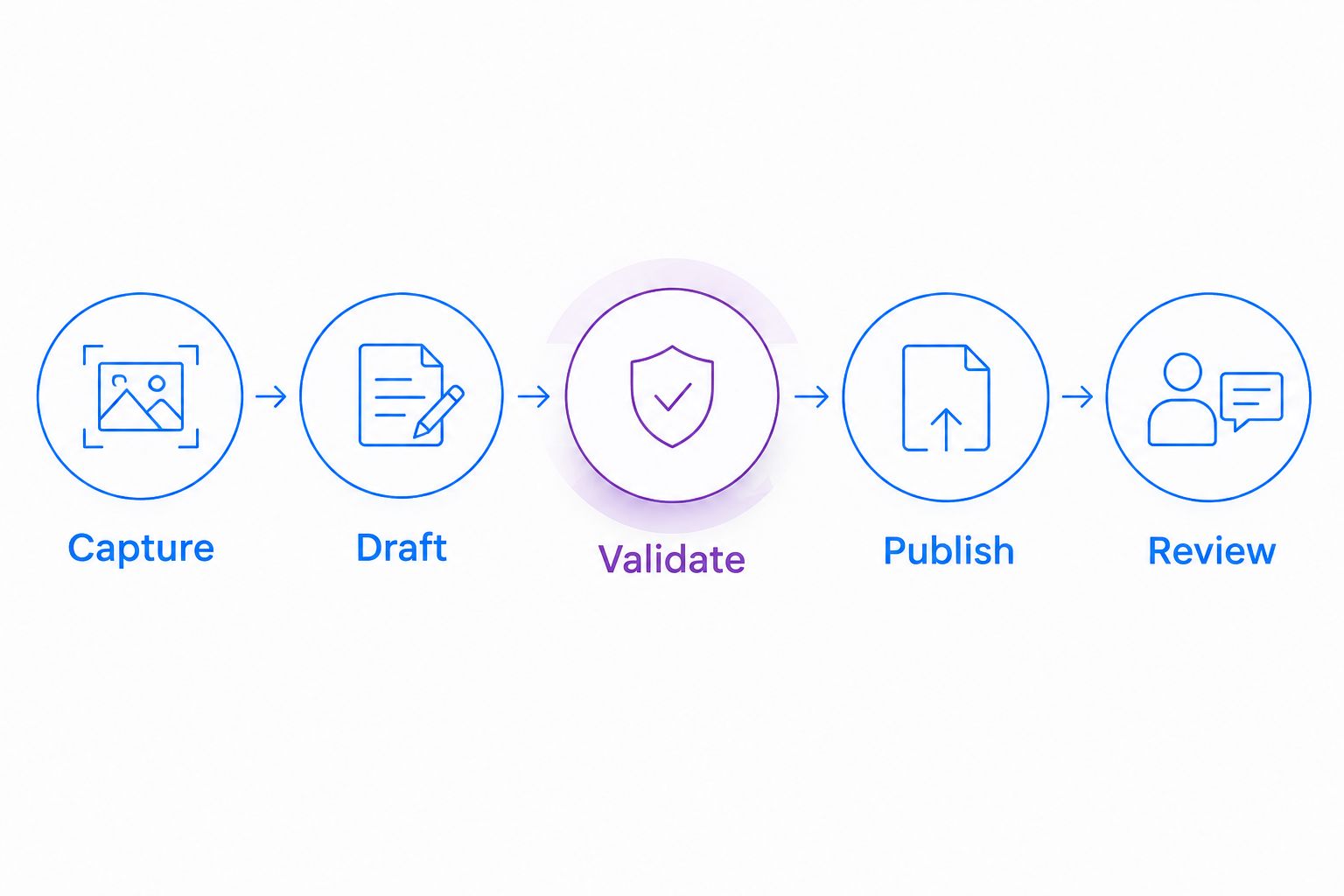
Validate the instructions before publishing the procedure.
During validation, remove vague directions such as selecting the appropriate option. Name the decision rule. If the rule is unknown, send it back to the process owner rather than asking the generator to invent it.
Healthcare: evaluate the workflow, not the compliance label
For healthcare procurement in 2026, require verification of current plan requirements, BAA availability, feature limitations, and the exact workflow your organization intends to use. A general compliance statement does not answer whether recording, requesting videos, generating guides, or sharing outputs is permitted under your agreement.
Give these teams equal attention during evaluation:
-
Support and IT: Use a synthetic troubleshooting example. Inspect capture boundaries, link access, and what information enters the support system.
-
Clinical teams: Demonstrate both recording and requesting a video with synthetic material. Confirm who can submit, view, download, and retain the result.
-
Operations teams: Generate a training procedure from a synthetic workflow. Review every screenshot and instruction before approval.
Require a live demonstration of any proposed support integration. Confirm its name, supported actions, data flow, and contractual coverage before adding it to the approved workflow. Do not assume that an integration or AI feature inherits the same protections as another feature.
How we ranked these tools
The ranking prioritizes input fit, usable instructions, review effort, distribution, maintenance, and healthcare evaluation requirements. It is a workflow-based shortlist, not a measured performance benchmark.
Visual capture leads when readers need to see the task. Application-step capture suits repeatable interface procedures. Text-first generation suits existing written knowledge. Current plan details belong in the purchasing review; use the plan information to frame that conversation.
Which AI SOP generator should you choose?
Choose Zight as the default for visual SOP workflows that combine screenshots, screen recordings, and AI-powered documentation. Start with Loom if narrated explanation is the priority, Scribe or Tango if application steps dominate, and ChatGPT if your approved source material is already written.
For your 2026 decision, keep the test narrow: one representative procedure, a clear owner, and an independent reader. Select the tool whose reviewed output helps that reader finish correctly.
FAQ
What's the best AI SOP generator for visual workflows?
Zight is the default recommendation here for teams combining screenshots, screen recordings, and AI-powered documentation. Validate the resulting guide with someone who did not create it before approving the procedure.
Is Loom better than a dedicated SOP tool?
Loom is the better starting point when a narrated screen explanation is the main deliverable. A structured SOP still needs explicit actions, expected results, and exception handling.
Should I choose Scribe or Tango for software procedures?
Compare Scribe and Tango by capturing the same application workflow and reviewing the resulting instructions. Choose based on correction effort, reader completion, and the current controls your organization requires.
Can ChatGPT write an SOP from my notes?
ChatGPT can structure supplied notes into an SOP draft. A process owner must verify the instructions and resolve missing decision rules before publication.
Can healthcare teams use an AI SOP generator?
Healthcare teams need approval for the specific service, plan, agreement, features, and workflow before including protected health information. Use synthetic examples during evaluation and verify BAA availability and limitations with the vendor.
What should I test before buying an SOP generator in 2026?
Test capture, draft quality, editing, access, and maintenance using a representative procedure. Have an independent reader follow the reviewed instructions and record where clarification is needed.
One last thing
Document the failure path, not just the successful demonstration. Add what the reader should do when the expected result does not appear, who owns the exception, and when to stop. That turns a polished walkthrough into a usable operating procedure.
Related guides
- Best Screen Capture Software For Customer Support Teams
- Best training documentation software for healthcare teams
- Best Screen Recording Software For Healthcare It Support