Step-by-Step Guide
Set up a project workspace
1
2
3
Step-by-Step Guides
Record the explanation once. Zight turns it into screenshots, steps, and shareable instructions your team or customers can use without asking you to repeat it.
AI features and limits vary by plan. Compare plans.
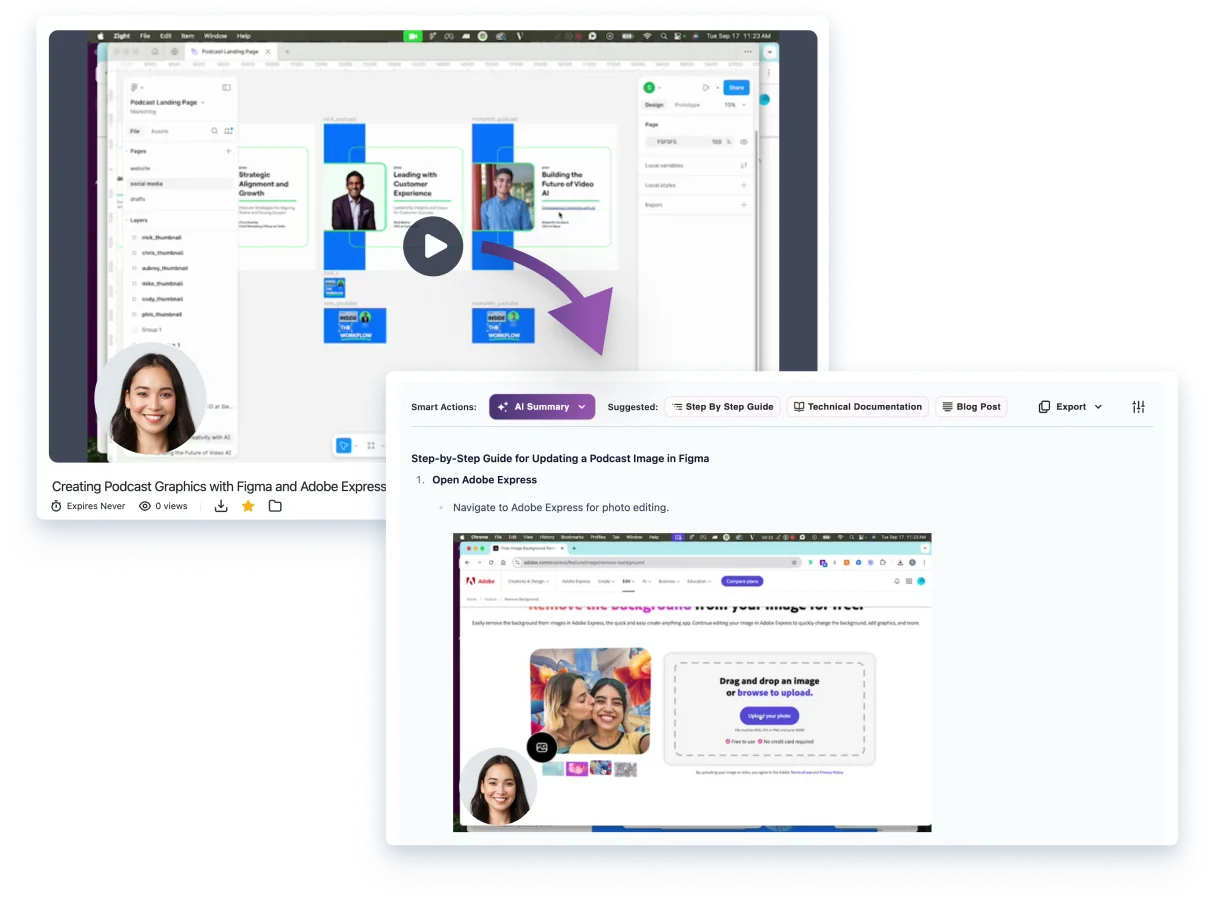
The payoff
The work after a walkthrough is usually the work that never happens: pause the video, take screenshots, write the instructions, and find somewhere to put them. Zight makes the recording useful again without asking someone to rebuild it by hand.
How it works
Capture the task once — a product tour, handoff, setup, or answer to a recurring question.
Zight AI reads the recording and pulls out the actions that make the workflow understandable.
Screenshots and instructions arrive together, ready for a quick human review instead of a fresh write-up.
Send one link to a teammate or customer, or save the guide where your team already looks for help.
Built for the repeat question
Show customers where to click, then keep the guide ready for the next ticket. See how support teams request, reply and reuse. If a customer's screen differs, request a recording before updating the instructions.
Give new teammates a guide they can follow at their pace instead of a meeting they have to remember.
Preserve the workflow as it happened, with the visuals that make each instruction unambiguous.
FAQ
They are visual instructions generated from a Zight recording. Zight identifies the key moments, pairs each one with a screenshot, and turns the walkthrough into a guide people can scan and share.
No. Record the workflow as you normally would. Zight AI creates the first guide from the recording so you can review it instead of starting from a blank document.
Share a guide anywhere you share a Zight link: in a support reply, onboarding checklist, internal SOP, customer follow-up, or your team knowledge base.
Yes. Support teams can turn a solved issue into a reusable visual answer, then send the guide the next time a customer asks the same question.
Yes. Use the generated guide as a draft, then add the process owner, prerequisites, exceptions and review date your team needs. Test the instructions before treating the guide as an approved SOP.
Start with the workflow you explained most recently. Zight can take it from there.