
Ready to Boost Your Productivity?
Save time and money while boosting your productivity with Zight — free tools for screen recording, screenshots, GIFs, and webcam capture.
Try Zight for FreeHow to Convert Images with the WebP Converter
Follow these simple steps to get started.
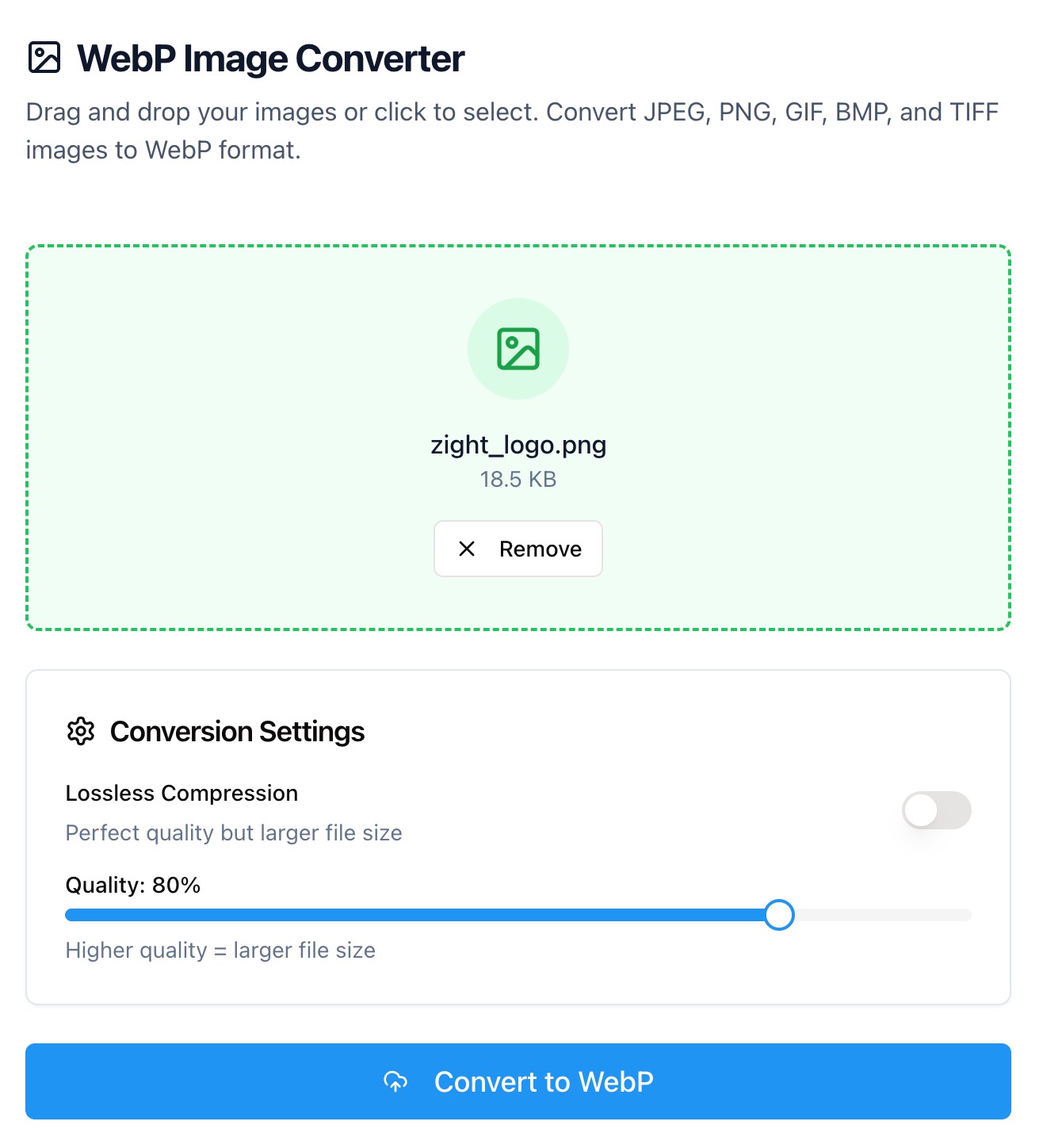
Upload Your Image
Select a PNG, JPG, or WebP file from your device. Zight reads the file instantly and shows a quick preview.
Choose Conversion Type
Convert to WebP for smaller, web-optimized files, or from WebP to formats like PNG or JPG for broader compatibility.
Download the Converted File
Click Convert to process your image. Once complete, preview and download your converted file instantly.
Why Convert to or from WebP
Convert to WebP
WebP uses advanced compression to make images up to 30% smaller than PNG or JPG — with no noticeable loss in quality. It’s ideal for websites, apps, and anywhere you want faster loading speeds.
Convert from WebP
While WebP is modern and efficient, not all systems or editors fully support it. Converting back to PNG or JPG ensures compatibility with older software or design tools.

Supported Use Cases
For Developers
Convert images to WebP to reduce load times and bandwidth.
For Designers
Export WebP versions for web previews, and convert back to PNG for editing.
For Marketers
Optimize hero images and thumbnails for faster landing pages.
For Bloggers and Creators
Convert and compress assets before uploading to CMS platforms.
Unlock More Tools
Expand your toolkit with these additional free tools
Ultimate Guide: How to Convert Between WebP and Other Formats
Learn how to convert images to and from WebP for faster performance, better optimization, and full compatibility — all with Zight’s free converter.
Upload Your Image
Open Zight’s WebP Converter and upload a PNG, JPG, or WebP file from your computer. A quick preview shows the image details like dimensions and file size.
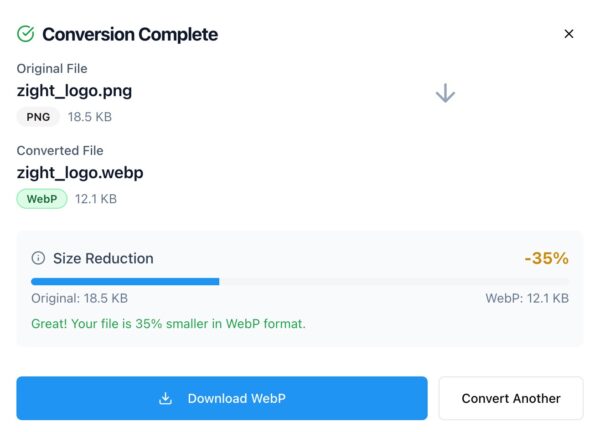
Convert and Preview
Click Convert Image to process your file. Zight converts locally in your browser to maintain speed and privacy. Once complete, preview your optimized image.
Why WebP Matters
WebP reduces file size without sacrificing image quality — improving load times, SEO performance, and storage efficiency. It supports both lossy and lossless compression, making it a versatile modern standard for the web.
Conclusion
Zight’s WebP Converter helps you transform images between formats with ease. Convert to WebP for optimized performance or back to PNG and JPG for editing and compatibility — all in seconds, right in your browser.
Try Zight’s WebP Converter today and keep your images sharp, fast, and efficient.
Frequently Asked Questions
WebP is a modern image format from Google that delivers high-quality visuals at smaller file sizes.
Yes. You can convert to WebP for web optimization or from WebP to PNG or JPG for editing and compatibility.
WebP uses efficient compression, so quality remains visually identical for most images.
WebP files are smaller, load faster, and support transparency and animation.
This version supports one file at a time for simplicity. Batch features may come later.
Most modern browsers and devices support WebP, but some older tools may not.
No. All conversion happens locally in your browser for privacy.
Zight automatically optimizes quality for a good balance between clarity and size.












