
Ready to Boost Your Productivity?
Save time and money while boosting your productivity with Zight — free tools for screen recording, screenshots, GIFs, and webcam capture.
Try Zight for FreeHow to Convert JSON to CSV
Follow these simple steps to get started.
Upload or Paste JSON Data
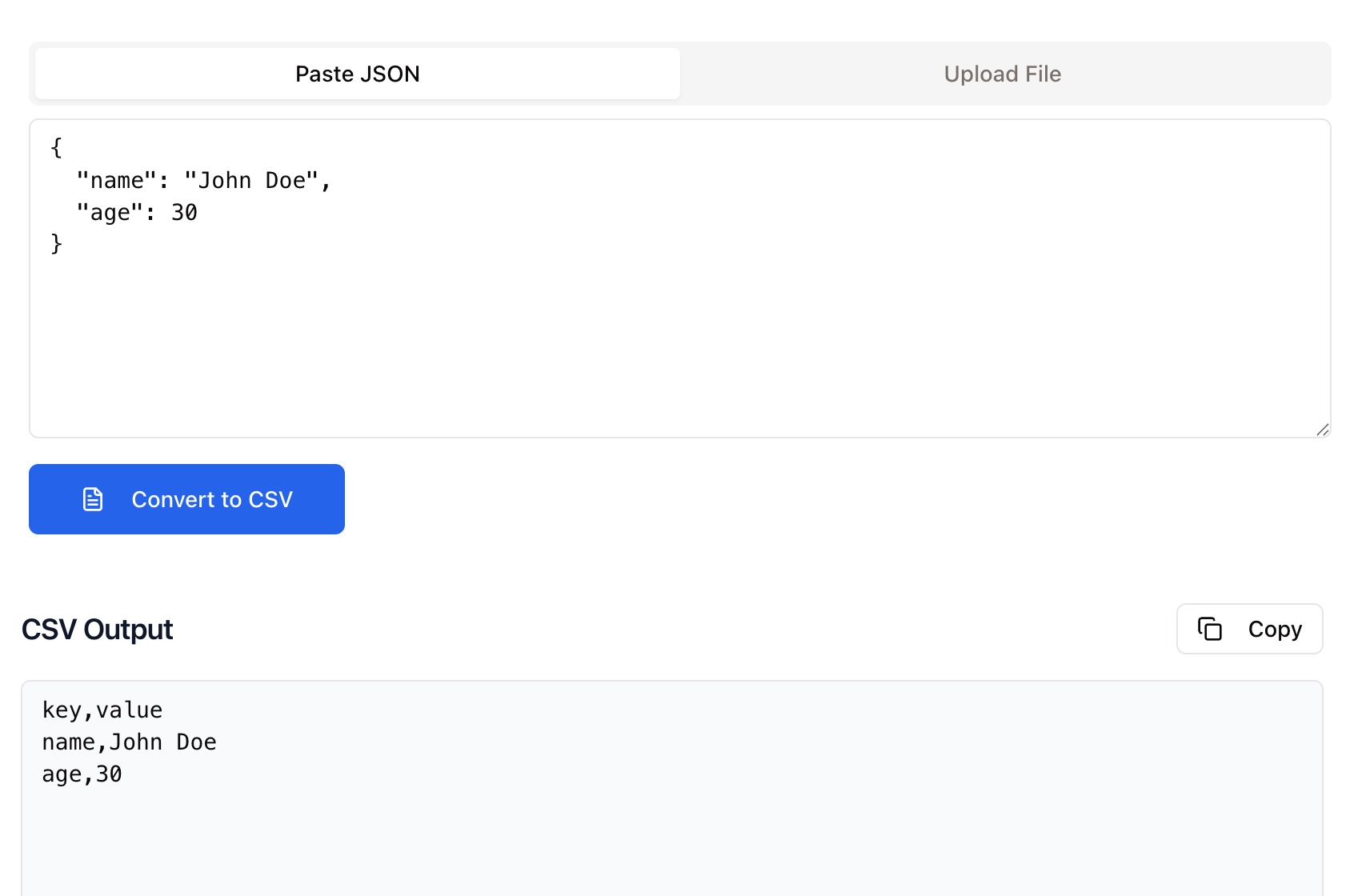
Paste your JSON text or upload a .json file directly. Zight supports both arrays and nested objects.
Automatic Conversion
Zight automatically parses your JSON and converts it into a structured CSV table format.
Download the CSV File
Once conversion is complete, download your new .csv file or copy the formatted table directly.
Choosing Between JSON and CSV
JSON
JSON (JavaScript Object Notation) is a lightweight data format often used by web APIs and applications. It’s ideal for representing structured, nested data in a machine-readable way, but it’s not always easy for humans to scan or analyze.
CSV
CSV (Comma-Separated Values) is a simple, flat file format that organizes data into rows and columns. It’s widely used for analytics, spreadsheets, and data visualization. Converting JSON to CSV makes it easy to review, share, or import structured data into programs like Excel or Google Sheets.
Why Convert with Zight
Accurate Parsing
Handles nested JSON, arrays, and complex objects.
Instant Results
Get structured CSV in seconds without coding.
Universal Format
CSV works with spreadsheets, databases, and visualization tools.
Private and Secure
Everything runs in your browser — no uploads or storage.

Supported Use Cases
For Developers
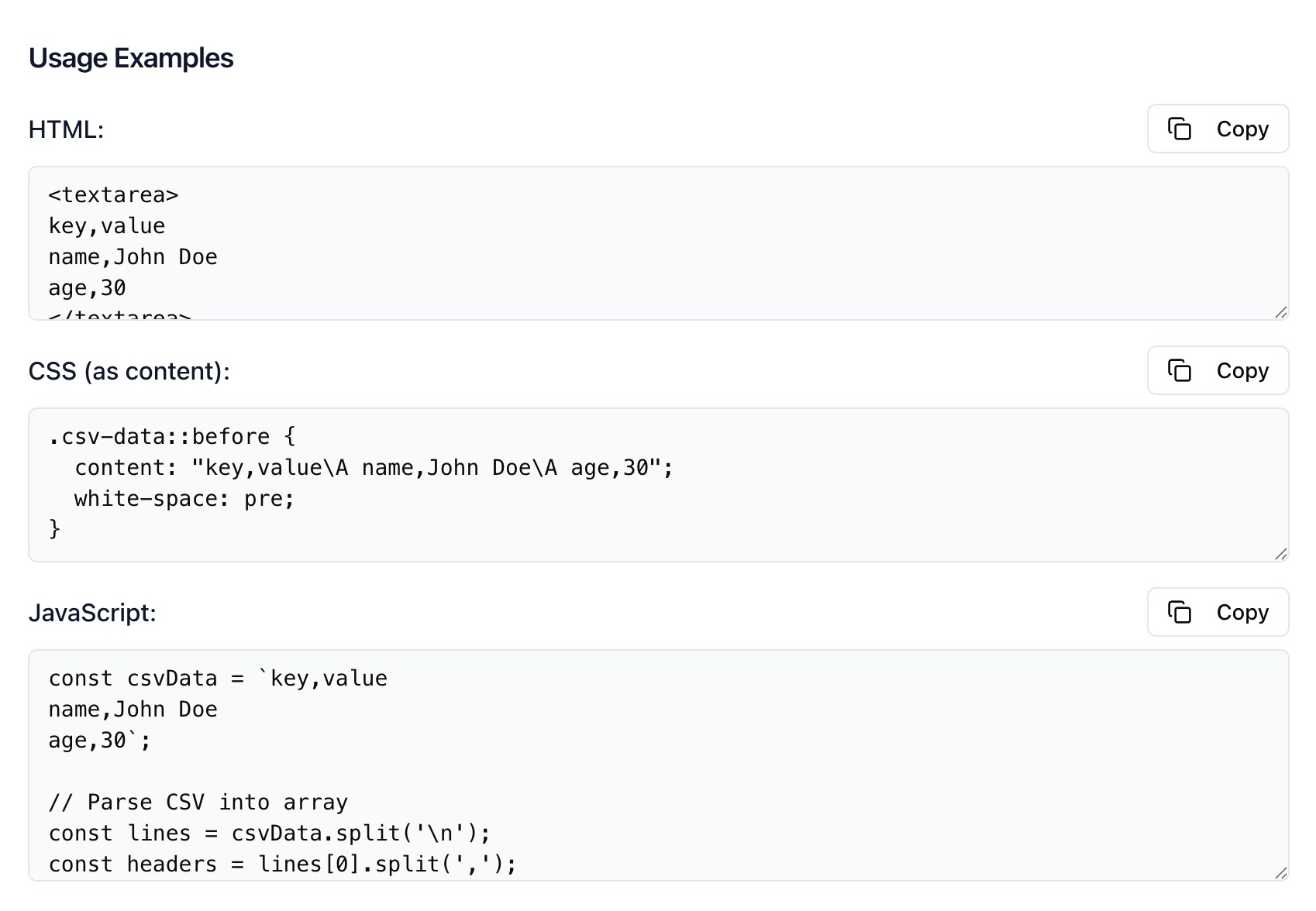
Quickly flatten JSON responses from APIs for logging or debugging.
For Data Analysts
Transform JSON datasets into CSV for analytics tools, dashboards, and reports.
For Businesses
Export data into spreadsheet-ready formats for sharing with teams and stakeholders.
For QA and Support
Convert API responses or JSON logs into clear tables for testing and reporting.
Unlock More Tools
Expand your toolkit with these additional free tools
Ultimate Guide: How to Convert JSON Data to CSV
Learn how to transform complex JSON data into a clean, flat CSV file using Zight’s free online converter. Whether you’re analyzing web API output or organizing log data, this guide covers everything you need to know.
Upload or Paste Your JSON
Open Zight’s JSON to CSV Converter and paste your JSON code into the input box. The tool automatically formats and validates your data before conversion.
Automatic Conversion to CSV
Once uploaded, Zight instantly generates a CSV table. It extracts all keys and values, handling nested objects gracefully. You’ll see headers for each key, with values aligned across rows.
Review and Download
Review your table output for accuracy, then click Download to save the file to your device. You can open it in Excel, Google Sheets, or any spreadsheet application for further analysis.

Why JSON to CSV Conversion Matters
JSON is perfect for APIs and programming, but CSV is easier for analysis and collaboration. Converting to CSV lets you visualize data in columns, run calculations, and create reports without writing code or using complex tools.
Conclusion
Converting JSON to CSV is now fast and effortless with Zight. Upload your file or paste your data, and Zight instantly generates a clean, spreadsheet-ready CSV file you can download or share. Perfect for analytics, reporting, or data transformation — all processed securely in your browser.
Try Zight’s JSON to CSV Converter today and simplify your data workflow.
Frequently Asked Questions
JSON stands for JavaScript Object Notation, a lightweight data format used to store and exchange structured information.
CSV stands for Comma-Separated Values, a plain text format that organizes data into tables with rows and columns.
Yes, files up to 10 MB are supported for instant conversion. Larger files may take slightly longer depending on your browser.
Yes. Zight flattens nested data into readable rows and columns, preserving relationships between keys.
Yes. Arrays are expanded and listed as multiple rows or comma-separated values depending on structure.
No. Zight automatically validates and formats your JSON input before conversion.
No. All processing happens locally in your browser, Zight never saves or transmits your data.
Yes. You can choose commas, semicolons, or tabs as delimiters depending on your preferred format.












