
Ready to Boost Your Productivity?
Save time and money while boosting your productivity with Zight — free tools for screen recording, screenshots, GIFs, and webcam capture.
Try Zight for FreeHow to Convert .env to netlify.toml
Follow these simple steps to get started.
Paste Your .env Variables
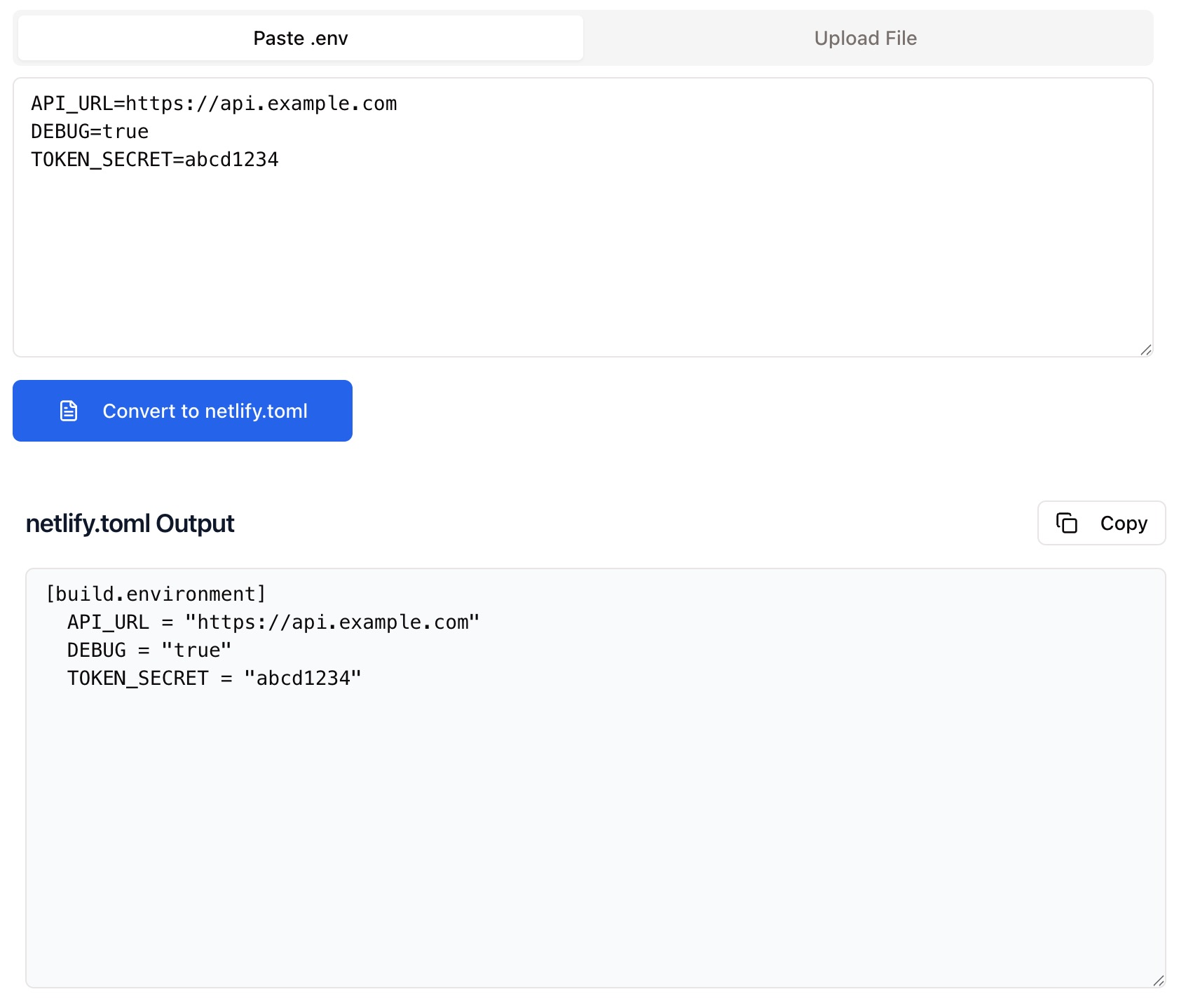
Copy your .env file contents and paste them into the input field.
Automatic Conversion
Zight instantly converts your .env variables into a [build.environment] block compatible with netlify.toml.
Copy the Output
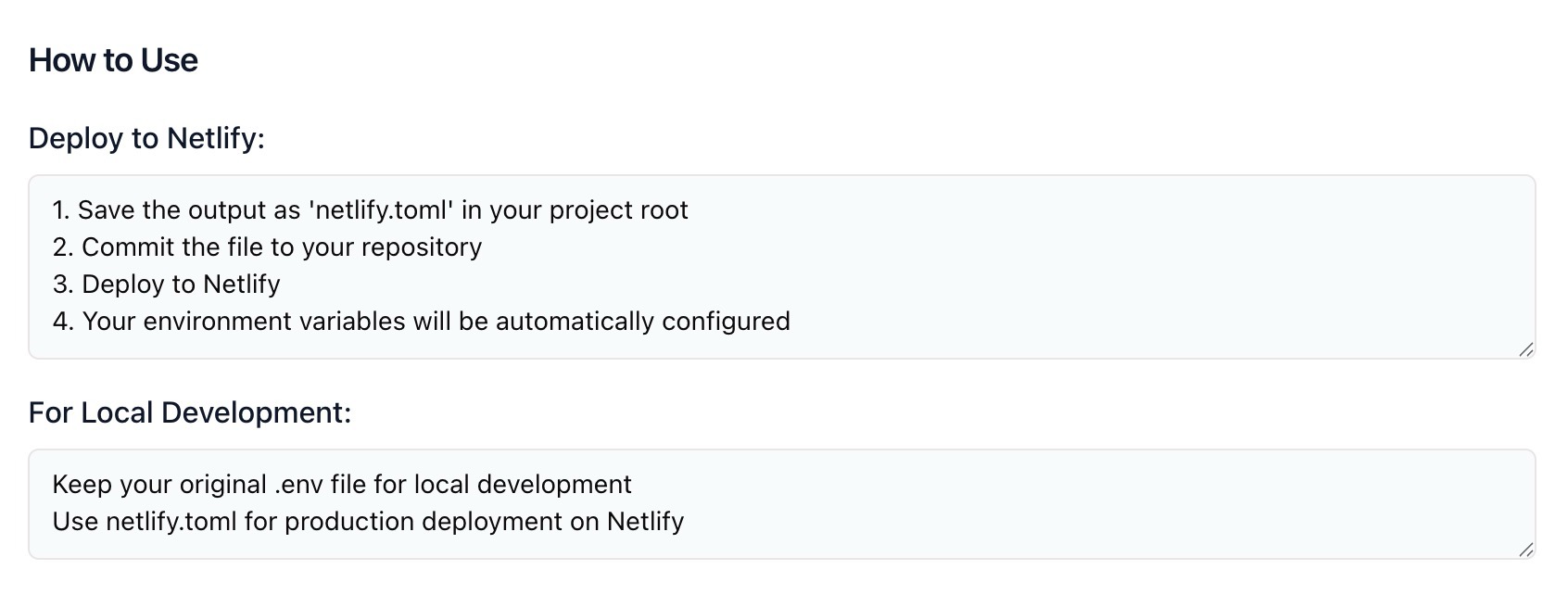
Copy the generated code and paste it into your project’s netlify.toml file for instant deployment configuration.
Choosing Between .env and netlify.toml
.env
.env files store environment variables for local development, keeping sensitive values separate from your main codebase. They’re simple, portable, and widely used in frameworks like Node.js, React, and Python.
netlify.toml
netlify.toml is a configuration file used by Netlify for builds, deploy settings, and environment variables. It provides structured configuration that defines how your project behaves during deployment and runtime.
Converting from .env to netlify.toml ensures your environment variables are properly formatted and accessible in production.
Conversion and Optimization
Zight’s converter automatically transforms environment variables from simple key-value pairs into the correct TOML syntax for Netlify’s build environment. It handles quotes, boolean values, and special characters cleanly — ensuring a seamless transition from local .env setup to live deployment.
Why Convert with Zight
Accurate Formatting
Ensures TOML-compliant syntax for all key-value pairs.
Instant Results
Convert your .env file in seconds — no manual editing.
Developer-Ready
Perfect for build automation, CI/CD pipelines, and deployment prep.
Private & Secure
Everything runs locally in your browser — your keys and secrets are never stored or shared.

Supported Use Cases
For Developers
Quickly prep .env variables for Netlify deployment without worrying about syntax.
For DevOps Teams
Standardize configuration between local environments and production builds.
For CI/CD Pipelines
Ensure consistent environment variables across automated deployment workflows.
For Agencies & Freelancers
Easily hand off deploy-ready configuration files to clients or collaborators.
Unlock More Tools
Expand your toolkit with these additional free tools
Ultimate Guide: How to Convert .env Files to Netlify.toml
Learn how to convert environment variables into Netlify’s toml format instantly with Zight’s .env to Netlify.toml Converter. Whether you’re migrating a project or preparing for deployment, this guide shows how to simplify your configuration setup.
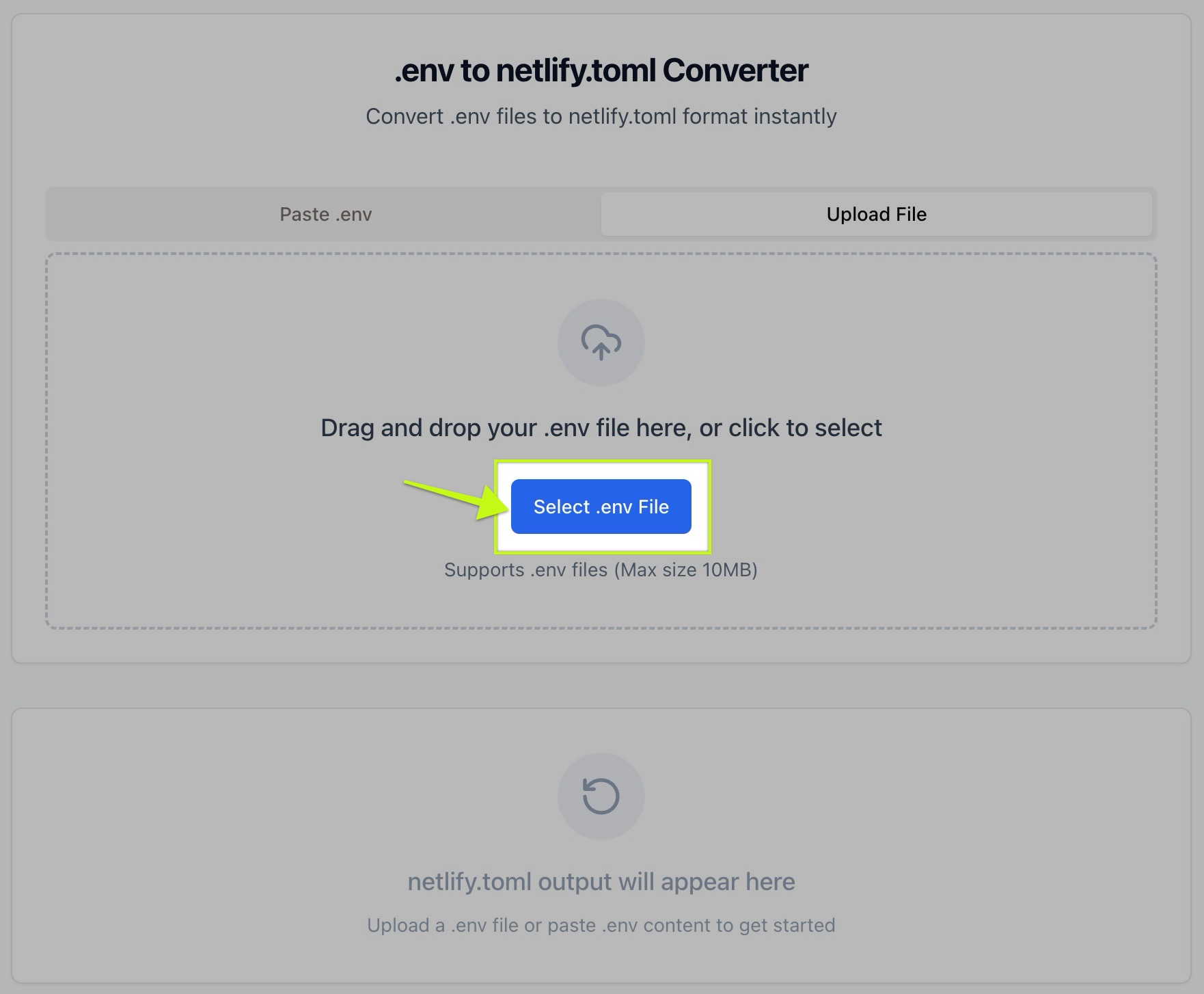
Paste Your .env Variables
Start by copying the contents of your local .env file — such as API keys, database URLs, or feature flags and paste them into the converter’s input field.
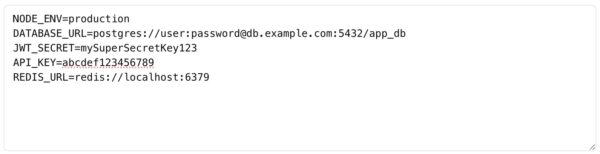
Automatic Conversion to Netlify Format
Once you paste your variables, Zight instantly converts them into a properly formatted [build.environment] block for your netlify.toml file. Each variable becomes a quoted string to ensure compatibility.
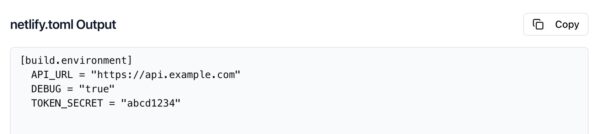
Copy and Apply Your Configuration
Use the Copy button to copy the converted code, then paste it directly into your netlify.toml file at the root of your project. You can commit and deploy immediately — no additional formatting required.
Why This Conversion Matters
Manually reformatting .env files for Netlify can lead to syntax errors or deployment issues. Zight’s converter automates this process, saving time and reducing mistakes. It’s especially useful when migrating projects from local to cloud environments.
Why This Conversion Matters
Converting YAML to JSON helps bridge the gap between human-readable configuration files and machine-readable data formats. JSON’s strict structure and universal support make it a go-to choice for developers, DevOps, and data teams alike. By transforming YAML into JSON, you ensure compatibility with APIs, automation systems, and countless modern tools.
Conclusion
Converting .env files to netlify.toml is essential for moving your project from local development to production. With Zight’s free .env to Netlify.toml Converter, you can generate accurate, deploy-ready configuration in seconds — without worrying about syntax or formatting errors.
Paste, convert, copy, and deploy. Zight makes configuration management simple, secure, and fast.
Try Zight’s .env to Netlify.toml Converter today and streamline your next Netlify deployment.
Frequently Asked Questions
A .env file stores key-value pairs used to define environment variables for applications during development.
netlify.toml is Netlify’s configuration file, used to manage build settings, redirects, plugins, and environment variables.
Yes. Zight automatically adds quotes around values to ensure TOML compatibility and prevent parsing errors.
Yes. Lines starting with # are ignored during conversion. Zight automatically skips commented lines.
Yes. Zight filters out blank lines and validates entries before generating the output.
No. All conversions happen locally in your browser, your environment variables remain private.
Yes. Zight also offers a Netlify.toml to .env Converter for reverse conversion.
You can safely include non-secret variables in netlify.toml, but for sensitive data, use Netlify’s environment settings in the dashboard for added security.












