
Ready to Boost Your Productivity?
Save time and money while boosting your productivity with Zight — free tools for screen recording, screenshots, GIFs, and webcam capture.
Try Zight for FreeHow to Use the URL Encoder/Decoder
Follow these simple steps to get started.
Enter or Paste Your URL
Paste your URL or text into the input field. The tool accepts any plain text or encoded URL.
Choose Encode or Decode
Select whether you’d like to encode your text into a URL-safe format or decode an encoded URL back into readable text.
Instant Results
Zight instantly processes your input and displays the result below. Copy, download, or re-encode as needed — all in real time.
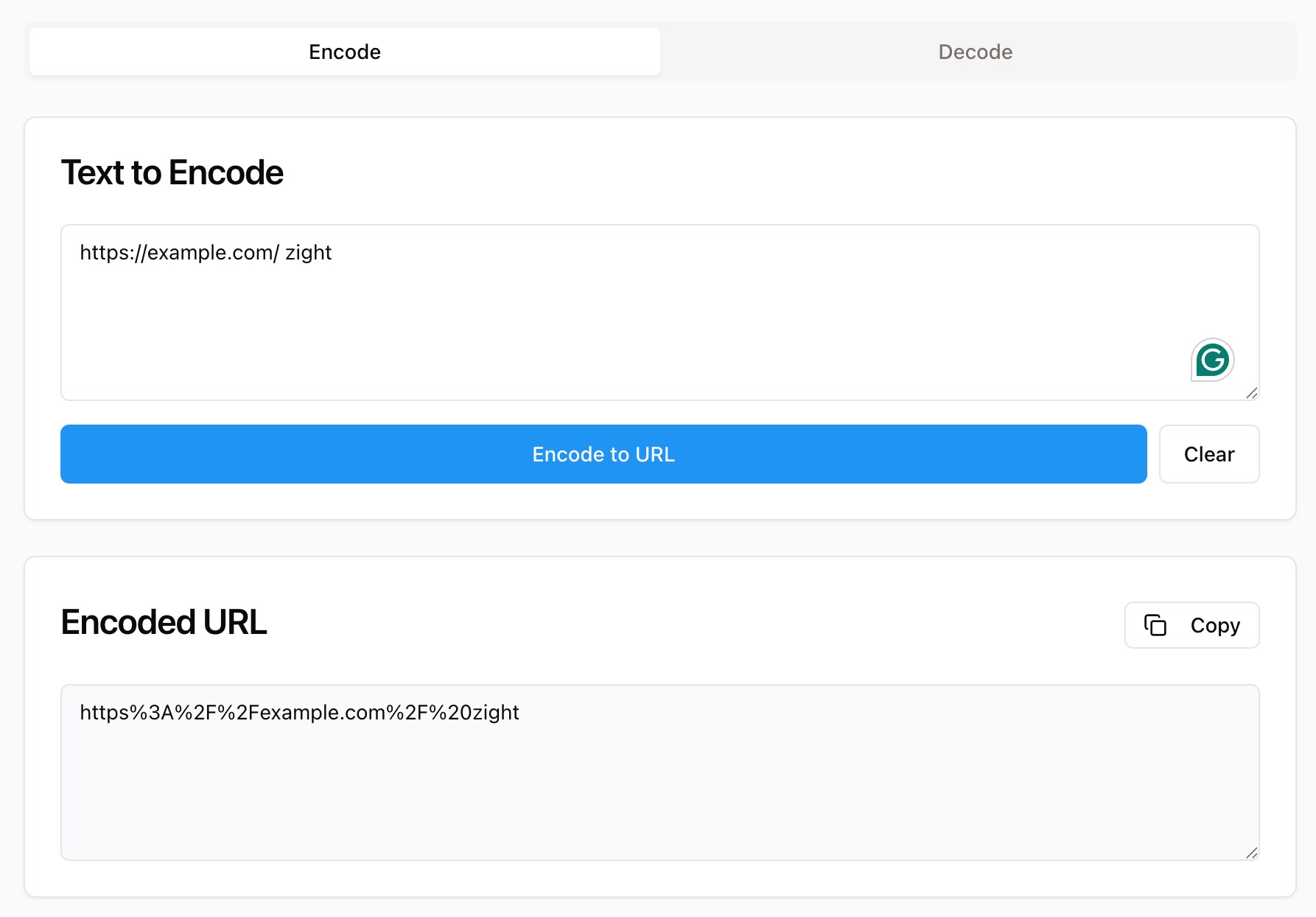
Choosing Between Encoding and Decoding
URL Encoding
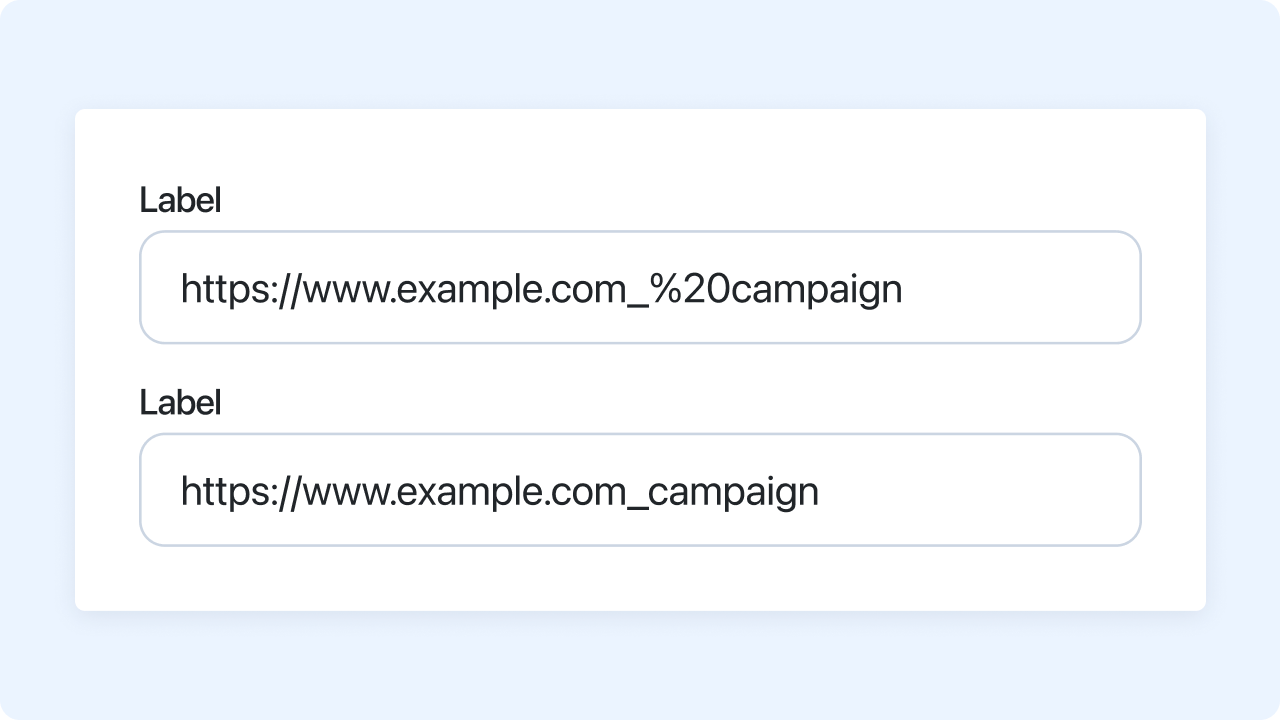
URL encoding (also known as percent-encoding) converts special characters in a URL — like spaces or symbols — into a safe text format that browsers and servers can interpret correctly. For example, a space becomes %20. Encoding ensures your URLs transmit data accurately, especially through APIs, forms, and query strings.
URL Decoding
Decoding reverses the process, converting encoded URLs back into human-readable text. This is useful for analyzing or debugging URLs, decoding parameters, or reviewing data received from APIs. Decoding ensures you can clearly understand what your encoded links contain.

Why Encode or Decode with Zight
Accurate Conversion
Fully RFC 3986–compliant URL encoding and decoding.
Instant Results
Get real-time conversions directly in your browser.
Browser Safe
Prevent broken links and errors when sharing URLs.
Private and Secure
All data is processed locally — no uploads, no storage.

Supported Use Cases
For Developers
Prepare URLs for APIs, redirects, and scripts where special characters must be encoded.
For Marketers
Clean up campaign links or decode URL parameters to track UTM data.
For Analysts
Decode encoded query strings for analytics, reporting, and debugging.
For Businesses
Simplify collaboration by ensuring every shared link is correctly formatted and functional.
Unlock More Tools
Expand your toolkit with these additional free tools
Ultimate Guide: How to Encode and Decode URLs
Learn how to encode or decode URLs quickly and accurately using Zight’s free online URL Encoder/Decoder. Whether you’re debugging a link, cleaning up data for reports, or preparing URLs for an API call, this guide walks you through the process step by step.
Paste or Enter Your URL
Start by visiting Zight’s URL Encoder/Decoder tool. Paste your URL, query string, or text into the input field. The tool automatically detects and displays your data for conversion — no setup or downloads required.
Choose Encoding or Decoding
Next, select whether you want to encode or decode your text. Encoding replaces special characters with safe percent codes, while decoding restores those codes back to readable text. You’ll see your results appear instantly.
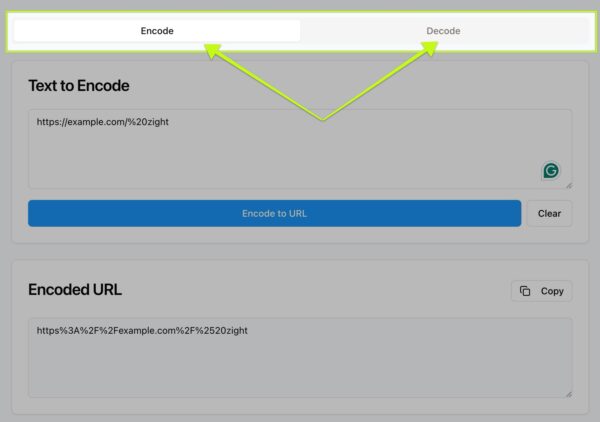
Get Instant Results
Zight processes your input immediately and displays the converted text. You can copy the results, reprocess additional URLs, or download the output directly.
Why URL Encoding Matters
URLs often contain characters that can cause issues when transmitted across systems, such as spaces, symbols, or non-ASCII text. URL encoding converts these into a standard format that ensures they’re properly interpreted by browsers, APIs, and web servers. Without encoding, your links may break or send incorrect data.
Integrating URL Tools into Your Workflow
Once encoded, your URLs can be safely used in emails, web forms, APIs, or tracking systems. Marketers can verify campaign parameters, developers can build dynamic links, and teams can decode URLs for analysis or troubleshooting. Zight makes managing encoded URLs easy and efficient.
Conclusion
Encoding and decoding URLs doesn’t have to be complicated. With Zight’s free online URL Encoder/Decoder, you can prepare, clean, and debug URLs in seconds — safely and accurately. Whether you’re working with APIs, campaign links, or browser data, Zight makes it simple to manage and optimize your URLs without installing software or writing code.
Try Zight’s URL Encoder/Decoder today and make every link reliable, readable, and ready to share.
Frequently Asked Questions
URL encoding converts unsafe characters in a URL into a format that browsers and servers can interpret correctly.
Characters such as spaces, ampersands (&), plus signs (+), and question marks (?) often require encoding.
Yes, Zight accurately decodes all characters, including Unicode and extended symbols.
Encoding converts text into a URL-safe format, while decoding restores it back into human-readable form.
No. URL encoding uses percent symbols (%), while Base64 encodes binary data in text format — they serve different purposes.
Currently, Zight processes one URL at a time for accuracy and speed.
No. Zight processes all data in your browser session and does not store or transmit it.
Not at all. Anyone can encode or decode URLs instantly using Zight’s simple online interface.












