
Ready to Boost Your Productivity?
Save time and money while boosting your productivity with Zight — free tools for screen recording, screenshots, GIFs, and webcam capture.
Try Zight for FreeHow to Use the UUID Generator
Follow these simple steps to get started.
Generate a New UUID
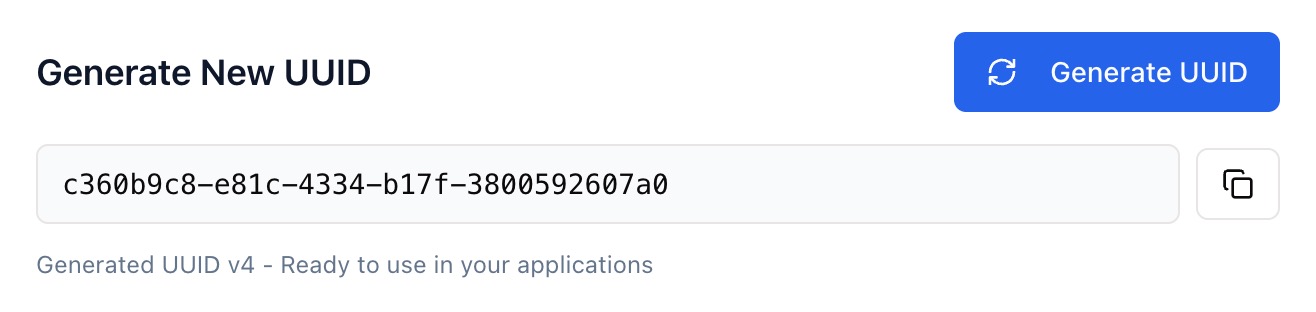
Click Generate UUID to instantly create a unique identifier (e.g. 909b0f09-f430-4ef0-bd87-20f445f06808). Each UUID is compliant with RFC 4122 (version 4).
Validate a UUID
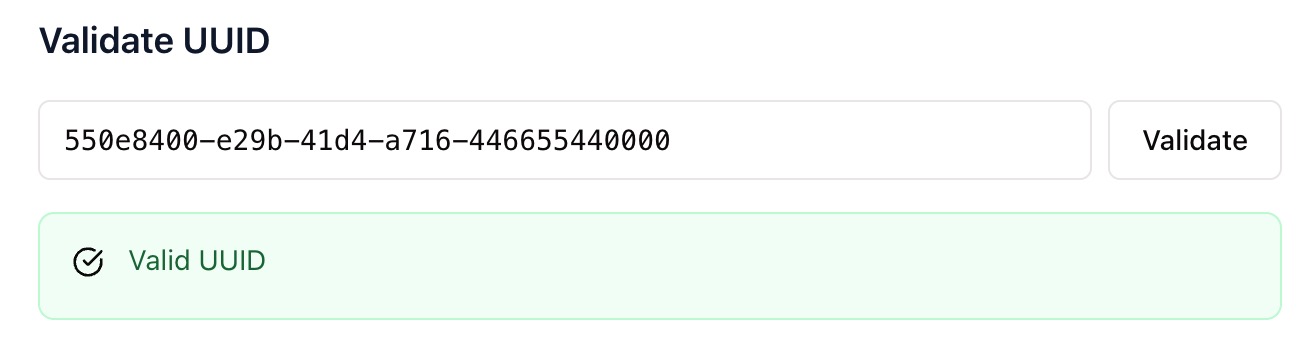
Paste any UUID into the validation box and click Validate to check its format and structure. Zight confirms whether it follows the correct UUID standard.
Copy and Reuse
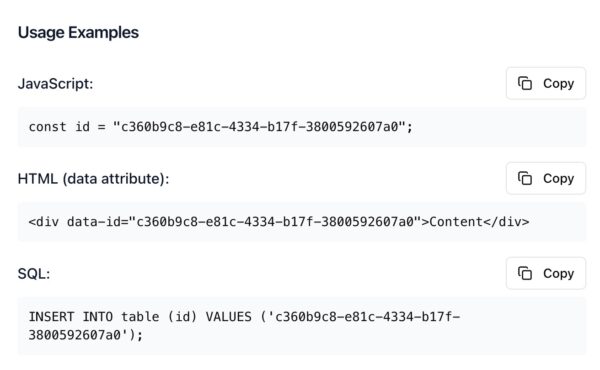
Copy your UUID with one click to use in code, databases, or data attributes — no manual typing needed.
Choosing Between UUIDs and Other Identifiers
UUIDs
A UUID (Universally Unique Identifier) is a 128-bit value represented as a 36-character string. It’s ideal for distributed systems where uniqueness is crucial.
Auto-Increment IDs
Database-generated numeric IDs are sequential but can expose scale and ordering. UUIDs hide this and work across multiple databases or microservices.
Why Use Zight’s UUID Generator
Instant results
Generate new UUIDs in milliseconds.
Validate structure
Check if a UUID is well-formed.
Copy-friendly
Easily copy UUIDs for use in apps and scripts.
Private & secure
Everything runs in your browser — no uploads or storage.

Supported Use Cases
For Developers
Generate random IDs for APIs, data objects, or component keys.
For Database Admins
Insert or test UUID-based records without collisions.
For QA Teams
Simulate test data with unique identifiers for every request.
For Web Designers
Add UUIDs to HTML data attributes for tracking or dynamic rendering.
Unlock More Tools
Expand your toolkit with these additional free tools
Ultimate Guide: How to Generate and Validate UUIDs
Learn how to create and verify universally unique identifiers with Zight’s free UUID Generator.
Generate New UUIDs Instantly
Open the UUID Generator and click Generate UUID. Each result is a version 4 UUID, which uses random numbers to ensure global uniqueness.
Validate Existing UUIDs
Paste a UUID into the validation field and click Validate. Zight checks format, length, and structure — confirming it’s properly formatted (8-4-4-4-12 pattern).
Use UUIDs Across Applications
Copy the UUID into your code, HTML, or database. Whether you’re building APIs, testing software, or tagging content, UUIDs guarantee unique values that don’t conflict.
Conclusion
Zight’s UUID Generator makes creating and validating unique identifiers effortless. Whether you need test data, API keys, or distributed database IDs, it delivers instant, RFC-compliant UUIDs securely in your browser.
Generate a UUID, validate your own, and keep your workflow fast and organized — all with Zight.
Frequently Asked Questions
A UUID (Universally Unique Identifier) is a 128-bit value formatted as 36 characters (32 hex digits and 4 hyphens).
Zight generates version 4 UUIDs, which are random and widely used for distributed systems.
It’s extremely unlikely. The odds of collision are near zero, even at internet scale.
They’re nearly identical. UUID is the standardized format (RFC 4122); GUID is Microsoft’s implementation.
Yes. Paste it into the tool to check its syntax and structure.
No, UUIDs are case-insensitive, though they’re typically shown in lowercase.
Yes. UUIDs are generated and validated entirely in your browser.
Yes, Zight’s UUIDs are RFC 4122 compliant and ready for application use.












