
Ready to Boost Your Productivity?
Save time and money while boosting your productivity with Zight — free tools for screen recording, screenshots, GIFs, and webcam capture.
Try Zight for FreeHow to Generate Lorem Ipsum
Follow these simple steps to get started.
Choose Output Type
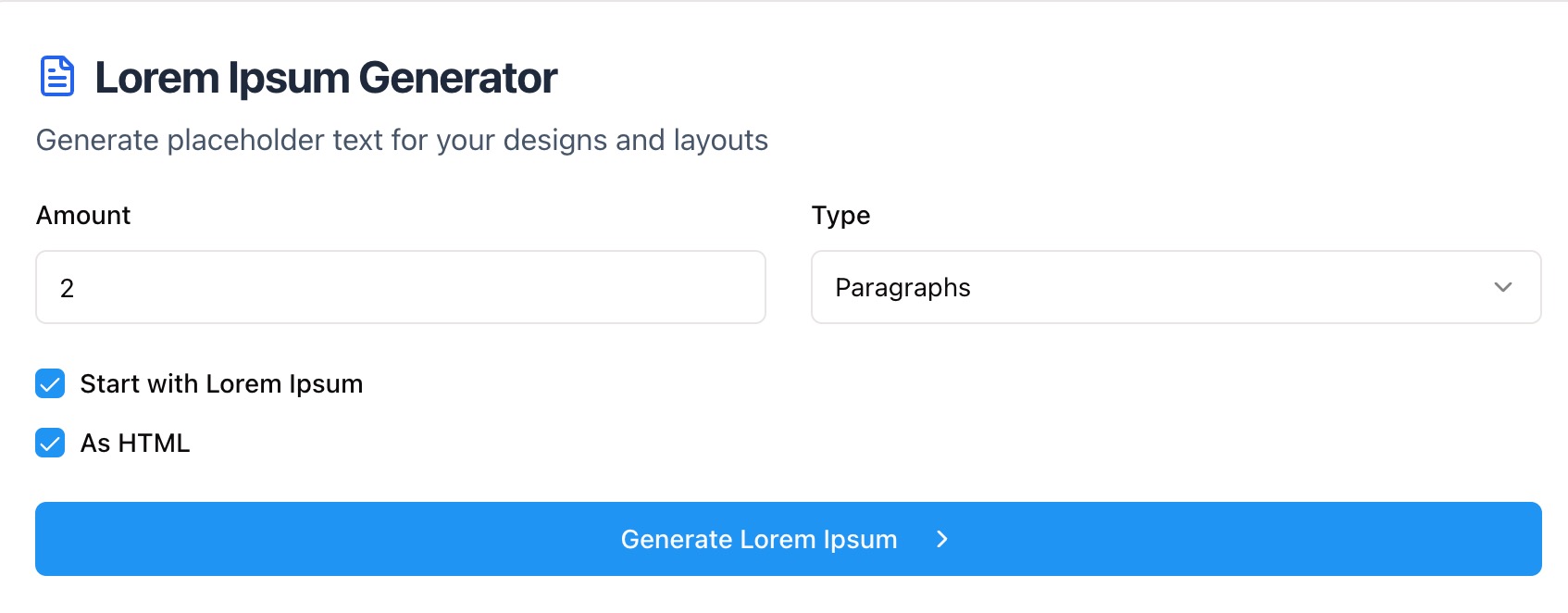
Select paragraphs, sentences, or words. Pick the exact amount you need for your layout.
Customize Format
Toggle options like start with “Lorem ipsum,” include HTML tags, or keep plain text for quick pasting.
Copy Your Text
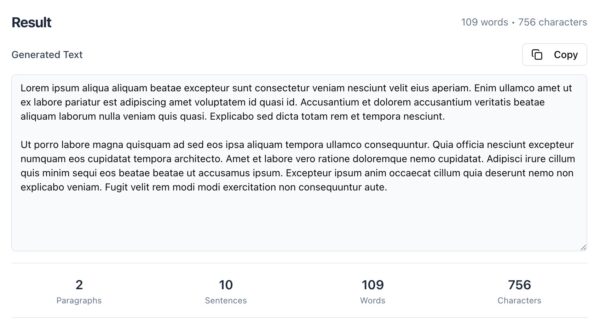
Click Generate to preview, then copy the placeholder text to use in design tools, docs, or code.
Customization Options
Paragraphs, Sentences, or Words
Select exactly how much lorem ipsum you need for your layout, from full paragraphs to quick word snippets.
Include HTML Tags
Generate text wrapped in <p> or <li> elements for web prototypes and email templates.
Start with the Classic Line
Toggle the option to begin with “Lorem ipsum dolor sit amet” for a traditional placeholder look.

Practical Uses for Lorem Ipsum
Design Mockups
Fill UI components and landing page wireframes to visualize real spacing and balance.
Development Testing
Generate structured content to test layouts, alignment, and responsive behavior.
Content Planning
Simulate copy length before final drafts are written to confirm ideal character counts.
Presentations & Templates
Use filler text to demonstrate layout flow in slides, proposals, and templates.
Unlock More Tools
Expand your toolkit with these additional free tools
Ultimate Guide: How to Use Lorem Ipsum in Your Workflow
Learn how to create the right amount of placeholder text and keep designs readable while you finalize content. Zight’s generator helps you block out structure without slowing down creative work.
Match Text to the Component
Choose paragraphs for article bodies and long forms. Use sentences for cards and feature blurbs. Pick words for chips, tabs, and buttons. Matching the unit to the component keeps mockups closer to reality.
Use HTML When Prototyping
If you are prototyping in code, generate HTML with <p>, <ul>, or <li> so structure is already in place. This speeds up styling, accessibility checks, and responsiveness.
Maintain Readability
Even with placeholder text, keep line length and line height comfortable. Shorter lines improve scanning in sidebars and mobile cards. Longer lines suit article layouts with generous margins.
Conclusion
Zight’s Lorem Ipsum Generator gives you fast, flexible placeholder text for any layout. Choose paragraphs, sentences, or words, add HTML when needed, and copy with one click. Keep designing while content is still in progress.
Try Zight’s Lorem Ipsum Generator today and move from wireframe to polished mockup faster.
Frequently Asked Questions
It is standard placeholder text used to model content while designing layouts.
Yes. Toggle the option to start with the classic opening line.
Yes. Output can include <p>, <ul>, and <li> tags for quick prototyping.
Generate words to keep copy short and realistic for tight UI spaces.
Yes. Enable lists to produce bullet points or numbered items in HTML or plain text.
You can replace the classic opener with your own seed text if you prefer branded filler.
No. Everything runs in your browser and is not stored or shared.
Standard output uses basic punctuation. You can keep it simple for safe pasting into design tools.












