
Ready to Boost Your Productivity?
Save time and money while boosting your productivity with Zight — free tools for screen recording, screenshots, GIFs, and webcam capture.
Try Zight for FreeHow to Parse a JWT
Follow these simple steps to get started.
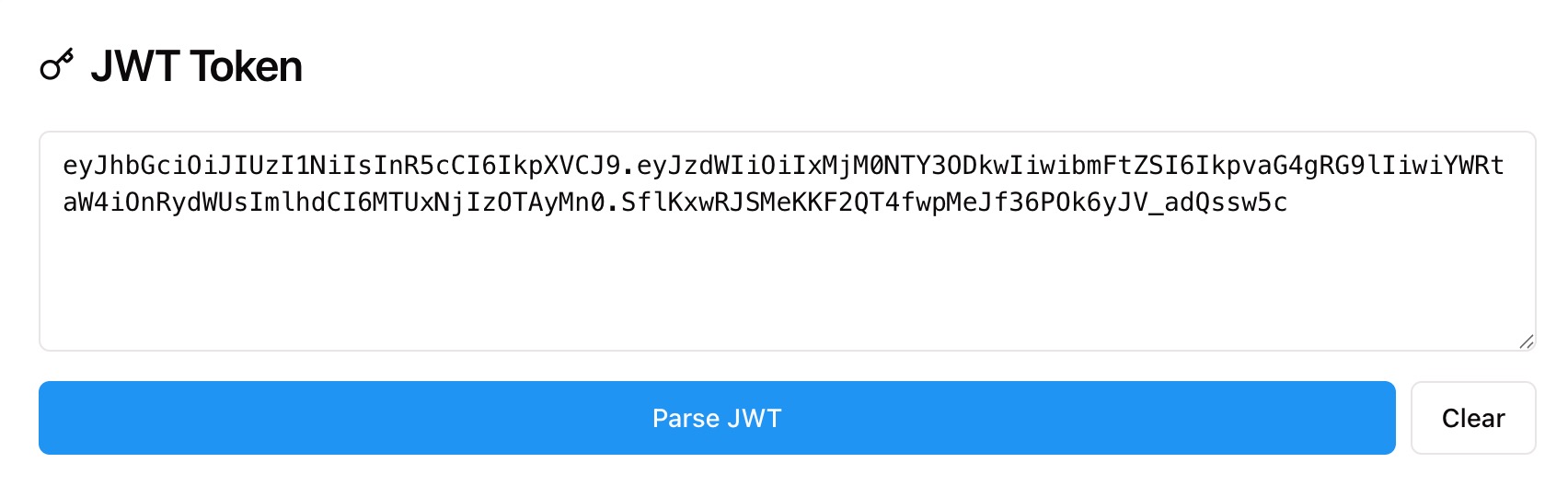
Paste Your JWT
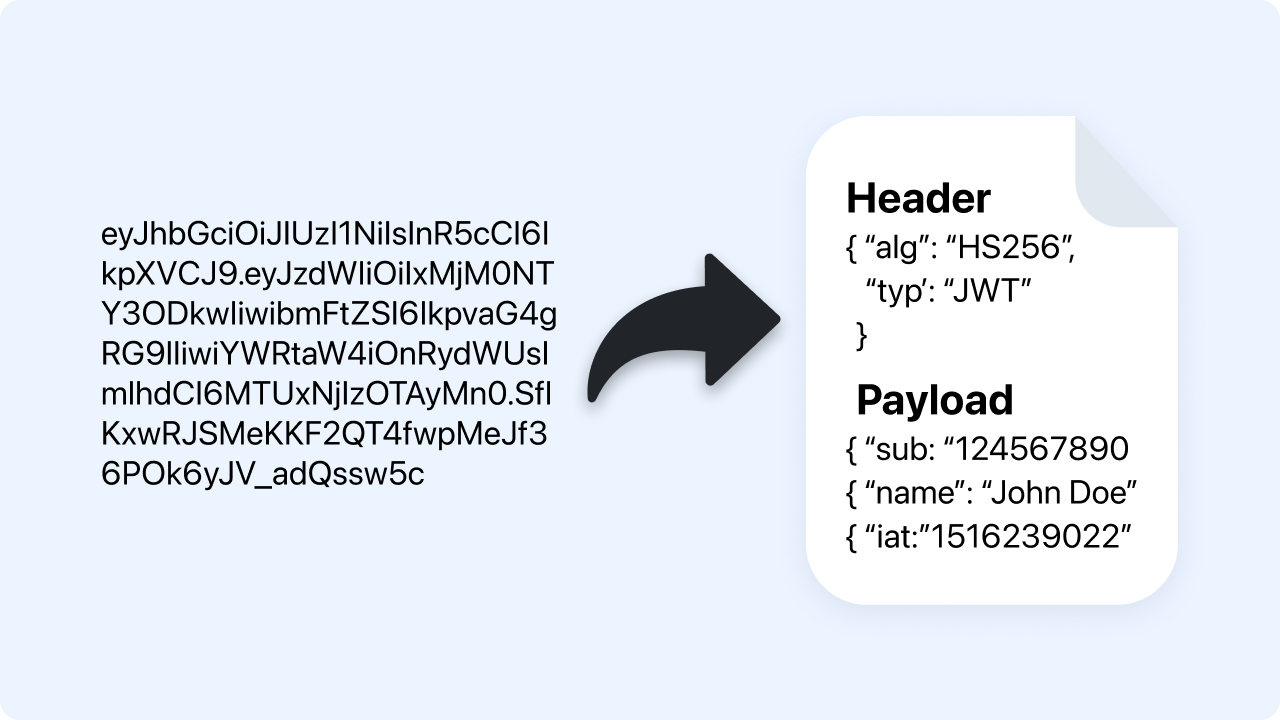
Paste a full token in header.payload.signature format. The parser checks structure and prepares each segment.
Automatic Decoding
Zight base64url decodes the header and payload into readable JSON and identifies the signing algorithm from the header.
Copy Results
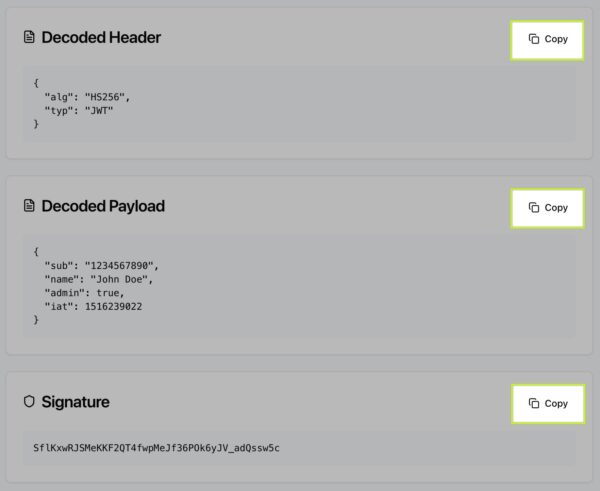
Copy the decoded header, payload, or signature with one click and use them in tests, docs, or bug reports.
Choosing Between Parsing and Verifying
Parsing
Parsing shows what is inside a token. You can read claims like iss, sub, exp, and the algorithm in the header. Parsing does not prove authenticity.
Verifying
Verification checks the signature using a shared secret or public key to confirm the token was issued by a trusted party and not modified. Verification requires keys and is performed in your backend or a verifier tool.
When to Use Each
Use parsing for quick inspection and debugging. Use verification before trusting a token in production.
What the JWT Parser Shows
-
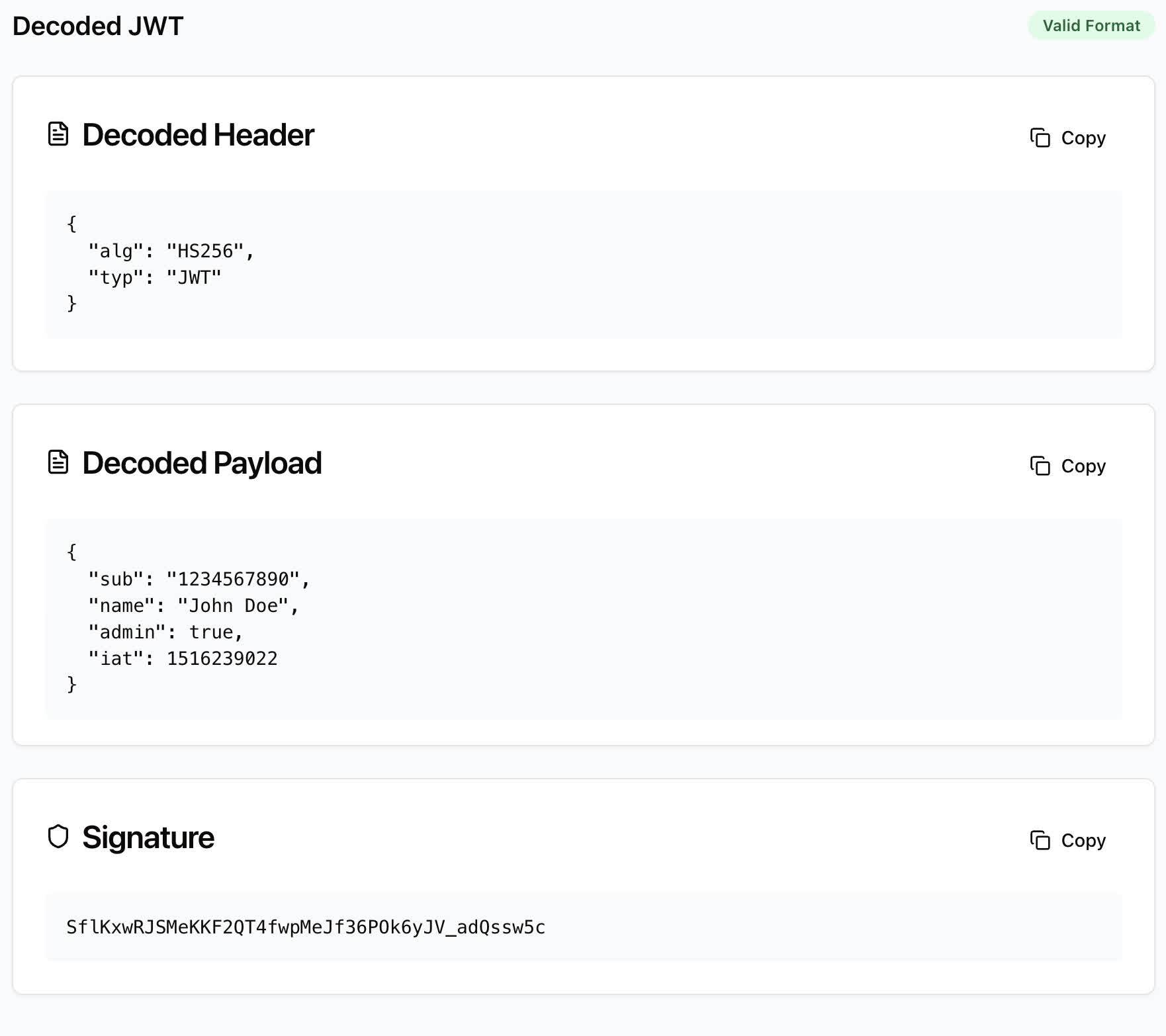
Decoded Header with alg, typ, and optional kid.
-
Decoded Payload with claims like iss, sub, aud, iat, exp, nbf, and custom fields.
-
Signature base64url segment for reference.
-
Format check to confirm the token has three segments and valid base64url.

Supported Use Cases
For Developers
Inspect claims during auth flows and confirm environment variables and issuers.
For QA Engineers
Validate tokens in test accounts and reproduce auth issues.
For Support Teams
Redact secrets and share decoded, non-sensitive fields with engineering.
For Security Review
Confirm algorithms and critical timestamps before deeper verification.
Unlock More Tools
Expand your toolkit with these additional free tools
Ultimate Guide: How to Parse and Understand JWTs
Learn how to decode JSON Web Tokens to inspect claims and header details using Zight’s free JWT Parser. This guide explains what you can read safely and what still requires signature verification.
Paste a Token
Open the JWT Parser and paste a token in the form xxxxx.yyyyy.zzzzz. The tool checks the three segments and base64url decodes the first two into readable JSON.
Read the Header and Payload
The header reveals the signing algorithm, such as HS256 or RS256, and may include a kid. The payload shows claims like issuer, subject, audience, issued at, and expiration so you can confirm who issued the token and when it expires.
Understand the Signature
The third segment is the signature created from the header and payload with a key. You can view it for reference, but verifying it requires the correct secret or public key in your own environment.
Why Parsing Helps
Parsing is ideal for debugging login flows, validating timestamps, and confirming which environment issued a token. It also helps you spot problems like expired tokens or unexpected algorithms before you run a full verification.
Conclusion
Zight’s JWT Parser makes it simple to inspect token headers and claims safely. Paste a token, view the decoded JSON, and copy what you need for debugging or documentation. Use parsing for insight and run verification in your backend before trusting any token.
Try Zight’s JWT Parser today and streamline your auth troubleshooting.
Frequently Asked Questions
A JSON Web Token is a compact token format with three base64url segments: header, payload, and signature.
No. Parsing only decodes the content. Verification requires checking the signature with a secret or public key.
The header reveals alg such as HS256, RS256, ES256, or none. Always verify before trusting the content.
The token may not have three segments or may contain invalid base64url characters. Check for extra spaces or line breaks.
The exp claim is shown as a Unix timestamp. Convert it with Zight’s Timestamp to Date Converter for a human readable time.
No. All decoding happens in your browser. Nothing is stored or shared.
Yes. Tokens with alg: “none” can be decoded, but they should not be trusted without strict validation rules.
Avoid sharing full tokens publicly. If needed, share only decoded, non sensitive fields and remove the signature and unique identifiers.












