
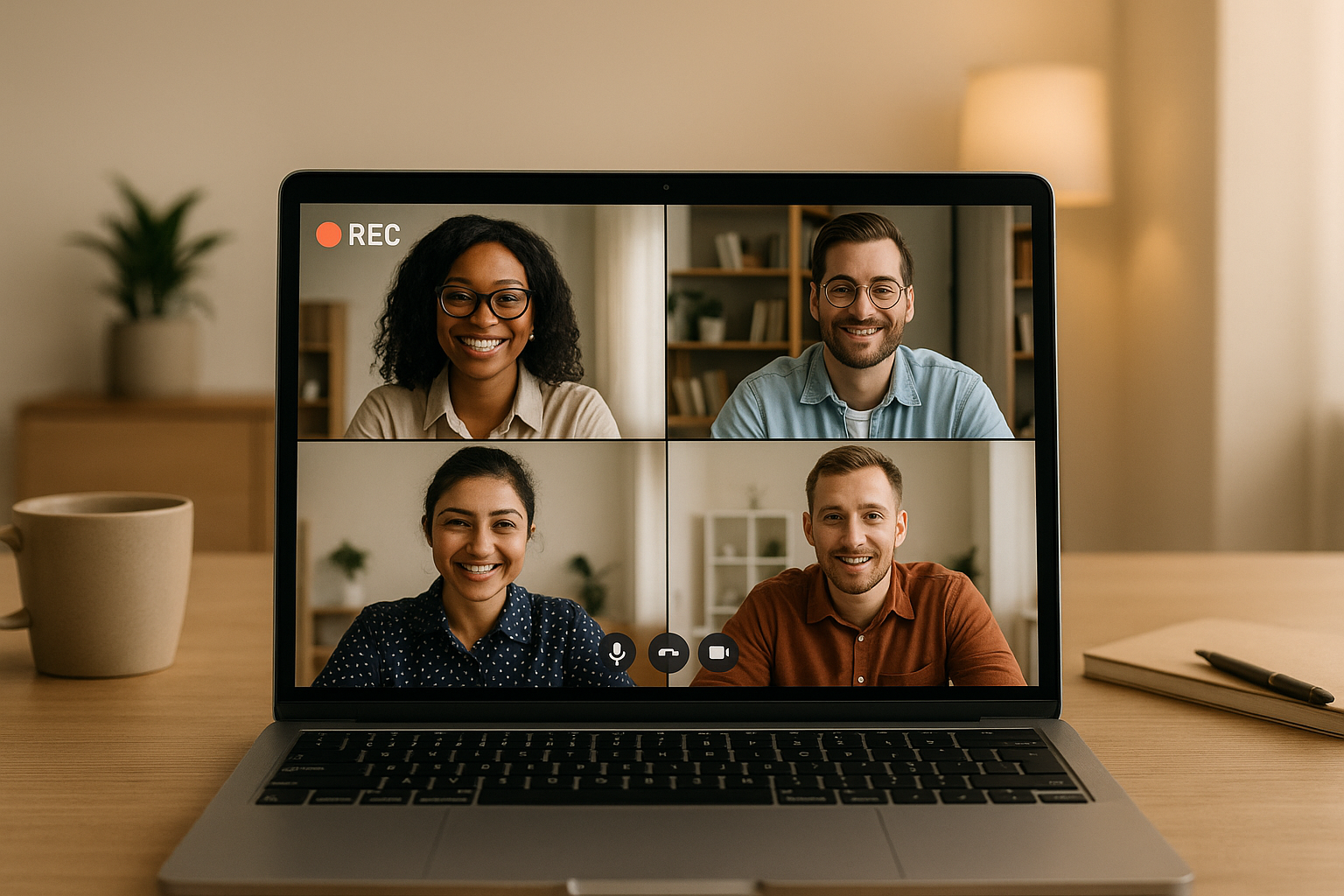
Key Benefits of Recorded Meetings:
- Flexibility: Team members can catch up on discussions without disrupting their schedules.
- Documentation: Recordings create a searchable archive for onboarding, decision tracking, and revisiting key points.
- Clarity: Video captures tone and body language, reducing misunderstandings.
Tools and Best Practices:
- Tools like Zight simplify recording, sharing, and editing meetings. Features include AI transcription, video editing, and seamless integrations with Slack, Teams, and Jira.
- Preparation Tips: Use clear agendas, good lighting, and quality audio equipment.
- Sharing Tips: Store recordings in a central location, use consistent naming conventions, and manage access permissions.
Use Cases:
- Onboarding: Reuse training recordings to save time.
- Decision Tracking: Avoid miscommunication by documenting key discussions.
- Presentations: Share updates globally without scheduling conflicts.
How to Keep Remote Meetings Productive and Your Schedule Under Control
Top Tools for Recording Meetings
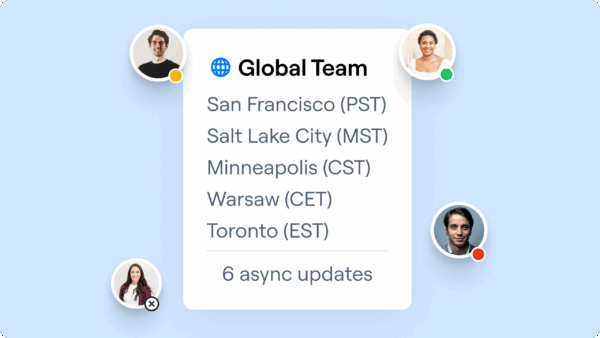
For workflows that prioritize asynchronous communication, having the right recording tool is a game-changer. Studies reveal that professionals spend about 2 hours daily on calls, with roughly 35% of video meetings involving participants from different time zones. That’s why choosing a platform that simplifies collaboration for distributed teams is crucial. The best meeting recording tools go beyond just capturing your screen. They excel in features like seamless sharing, transcription powered by AI, and integrations with your existing software. This is where Zight shines as an all-in-one solution tailored for teams navigating time zone differences. Let’s dive into what makes Zight a standout choice for asynchronous communication.Overview of Zight’s Features
Zight combines screen and webcam recording to create engaging, personalized presentations. With its simultaneous recording capabilities, you can blend your on-screen demonstrations with a personal touch, making your content more relatable. AI transcription automatically converts recordings into searchable text, while summarization tools extract key points, saving you from the hassle of manual note-taking. This makes it easier to deliver clear, visual explanations that often work better than plain text.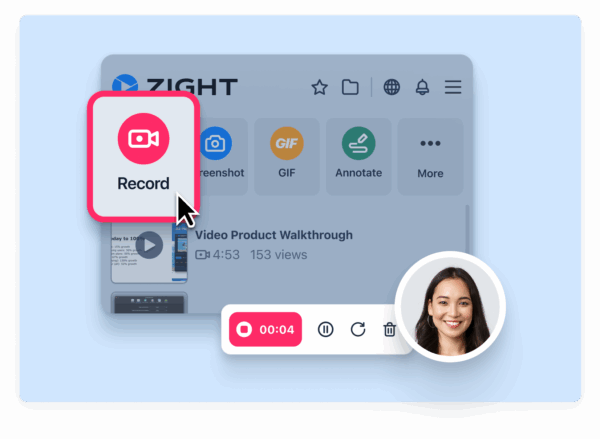 Zight doesn’t stop at recording. It also offers tools like GIF creation for quick visual instructions and screenshot annotation for detailed feedback. You can even create step-by-step guides to simplify complex processes. Its built-in video editing tools allow you to trim unnecessary parts, add callouts, and produce polished content, all without needing to switch between apps. What truly sets Zight apart is its focus on instant sharing. Every recording generates a shareable link, and recipients don’t need to sign up or download anything to view it. This eliminates barriers, making asynchronous workflows smoother and more efficient.
 Platform Compatibility and Integrations
Zight works across Mac, Windows, Chrome, and iOS. Its Chrome extension is perfect for capturing browser-based demos, while the desktop apps offer advanced recording options for more intricate tasks. The platform integrates seamlessly with tools like Slack and Microsoft Teams. For example, you can share recordings directly in Slack channels or incorporate them into Teams for better collaboration. Microsoft Teams keeps your people connected, Zight makes your communication crystal clear. By bringing visual communication into Teams, you can reduce miscommunication, shorten feedback loops, and create more engaging, human interactions.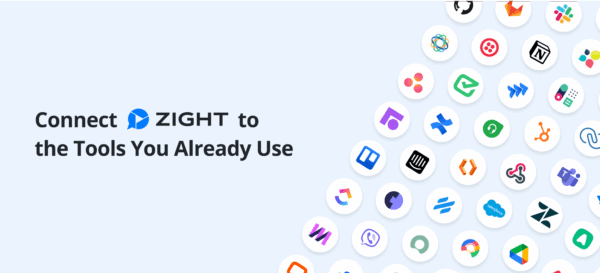 For project management, Zight integrates with Jira, allowing you to attach visual explanations to tickets and bug reports. It also works with Lucid products (Lucidchart, Lucidspark, Lucidscale), embedding videos directly into documents for better understanding of processes and systems. These integrations streamline workflows by reducing the need to switch between tools or manually copy links, making async communication more natural and less disruptive.
 Why Choose Zight for Async Teams
Zight offers flexible pricing for teams of all sizes. Its free plan includes 5-minute recordings and basic features, ideal for testing. The Pro plan, at $9/month, unlocks unlimited recording time and 4K quality, while the Team plan, at $11/month per user, adds analytics and shared workspaces for collaborative environments. What makes Zight especially effective for asynchronous teams is its ability to minimize communication hurdles. The platform handles compression and hosting automatically, so you can focus on creating informative content without worrying about file sizes or storage issues. Security is another priority. Zight includes enterprise-grade features like custom data retention policies and SSO support, ensuring sensitive information stays protected. This is especially important when 57% of meetings are unscheduled, and teams need to share information quickly without compromising security. Finally, Zight’s intuitive interface ensures your team can hit the ground running. With minimal training required, you can transition from live meetings to async workflows without losing productivity.Best Practices for Recording and Sharing Meetings
Recording meetings effectively goes beyond simply pressing the record button. The clarity and organization of your recordings can significantly impact your team’s communication, especially in asynchronous setups. Proper planning and sharing strategies are crucial to ensure everyone stays on the same page.Preparing for a Successful Recording
Start by crafting a clear agenda that outlines the topics to be discussed and the desired outcomes. Share this agenda in advance to help participants stay focused. Assign roles like a note-taker or someone to track action items to maintain structure and purpose throughout the meeting. For high-quality audio, use an external microphone and position the recording device to capture the primary speaker clearly. Choose a quiet location with good acoustics, and encourage participants to speak clearly and avoid overlapping conversations. When recording video, ensure proper lighting and position cameras at eye level to minimize distractions. Test your internet connection beforehand, and if possible, use a wired Ethernet connection for a more stable experience. Conduct a quick test recording to check for audio clarity and background noise. It’s also a good idea to have a backup recording device ready in case of technical issues. Once your recording setup is optimized, focus on organizing and sharing the meeting content effectively.Sharing and Organizing Recordings
Establish a clear organizational system from the start. Store all recordings in a centralized location, like a dedicated Google Drive or SharePoint folder, and adopt a consistent naming convention that includes the meeting date and purpose (e.g., “Team Standup – Jan 5, 2024” or “Product Review – Q4 Planning”).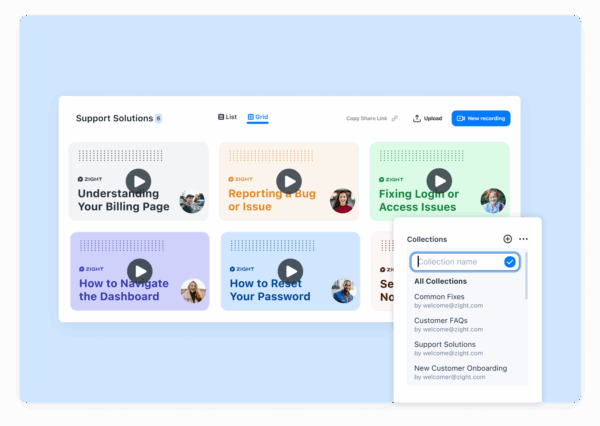 To make retrieval easy, create subfolders organized by team, project, or client. Bookmark or tag key recordings for quick access when needed. Be mindful of sharing permissions. While it’s courteous to share recordings with all meeting attendees, limit broader access to avoid unnecessary exposure. Use view-only links, set expiration dates for sensitive recordings, and disable downloading to prevent unauthorized distribution. For external sharing, provide direct links with carefully managed access. For instance, Microsoft Teams saves channel meeting recordings in the channel’s Files tab for all members, whereas non-channel meetings are stored in the organizer’s OneDrive with more restricted access. To avoid storage clutter, establish retention policies early on. Delete recordings once they’ve served their purpose, such as after formal notes have been finalized, while keeping any legal requirements in mind.
 Improving Communication Through Edited Summaries
After organizing your recording, editing can make the content more focused and actionable. Use tools like Zight to trim out unnecessary sections, such as small talk, technical glitches, or off-topic discussions, so the final product is concise and relevant. Zight’s AI-powered features can automatically generate transcriptions, summaries, and visual annotations. These tools highlight key points and decisions, saving your team from sifting through lengthy recordings. Provide concise summaries instead of requiring team members to watch the entire recording. These summaries can outline key decisions, action items, and major discussion points, making the content easier to digest and more engaging.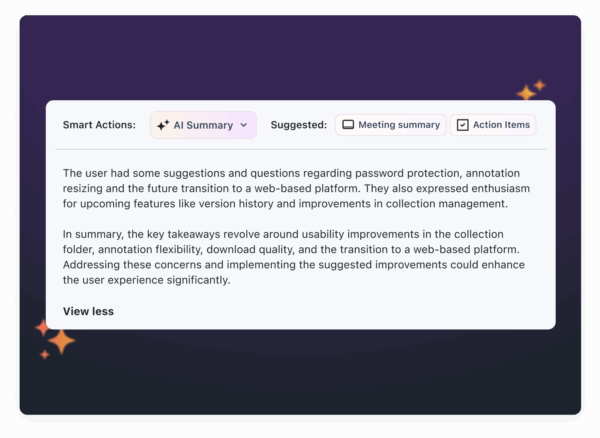 For longer meetings, consider breaking the recording into shareable clips based on specific topics. For example, if a weekly meeting covers several projects, create individual clips for each project and share them with the relevant teams. This approach reduces information overload and ensures that everyone gets the information they need without unnecessary distractions.
 Use Cases for Recording Meetings in Async Teams
Recording meetings offers practical solutions for onboarding, decision tracking, and communication challenges, especially for async teams working across time zones. Let’s explore how these recordings can turn ideas into real-world applications.Onboarding and Training
When it comes to onboarding new employees, recorded training sessions can be a game-changer. Instead of repeating the same sessions, you can record them once and reuse them indefinitely. This is especially helpful for async teams where time zone differences make scheduling live sessions tricky. A well-structured onboarding process can boost new hire retention by 82% and improve productivity by over 70%. By recording your best training sessions, you ensure every new team member gets a consistent, high-quality introduction to your organization. Sales teams, for instance, often record their calls to create training libraries. These recordings provide real-world examples of client interactions and strategies. Unlike written guides, they capture the subtleties of successful conversations, offering new hires a deeper understanding of effective techniques. Capturing the work of high performers can create valuable teaching tools. Whether it’s a customer success call, a product demo, or a user research session, these recordings highlight best practices. New hires can see how experienced colleagues handle tough situations, build relationships with clients, and navigate challenges. Tools like Zight’s AI features make these recordings even more accessible. Timestamped notes and summaries help new employees quickly find specific topics or key takeaways without watching entire sessions. This self-paced approach allows them to learn efficiently while observing their colleagues’ communication styles. Screen-sharing recordings add another layer of value by visually demonstrating complex processes. New hires can revisit these sessions as needed, reducing the need for repeated live training and freeing up team resources.Documenting Key Discussions and Decisions
Meeting recordings aren’t just about convenience, they’re also a reliable way to document important discussions and decisions. This eliminates the all-too-common issue of differing recollections about what was agreed upon during a meeting. The numbers are revealing: 71% of senior managers feel their meetings are unproductive, and 65% say meetings interfere with their actual work. Recording meetings changes the game by making the content accessible for review and sharing, even for those who couldn’t attend. With recordings, team members can pause, rewind, and revisit key moments, reducing miscommunication. Video recordings, in particular, often convey points more clearly than written notes alone. GitLab’s async-first approach highlights the potential benefits: 85% of questions are resolved without scheduling meetings, saving each employee about 15 hours per month. Companies adopting async communication with proper documentation can save $10,000–$25,000 per employee annually in meeting costs. Additionally, async-heavy teams report 23% higher productivity compared to their sync-heavy counterparts. AI tools further simplify the process by transcribing and summarizing meetings. This makes it easy to extract key points and decisions in just minutes, saving valuable time.Sharing Presentations and Announcements
Recording presentations and announcements is another effective way to improve communication for global teams. With different time zones in play, finding a meeting time that works for everyone can be nearly impossible. Recorded content solves this issue, allowing team members to access important updates on their own schedules. Automated webinars, for example, achieve an average attendance rate of 65%, often climbing to 80%-90%. This is significantly higher than the roughly 40% attendance rate for live webinars.“For global audiences, there is no perfect time for a live webinar. Whatever time you pick, you’ll either miss some attendees or have them join at awkward hours – which they’re unlikely to do.” – Todd Parmley, COO, eWebinarYou can also make pre-recorded presentations more engaging by adding polls, quizzes, and feedback options. These interactive elements mimic live broadcasts and can double engagement compared to traditional methods.
“We’ve even started experimenting with recording the video of our meetings so that others can ‘attend’ asynchronously.” – Amir Salihefendic, founder and CEO of DoistOrganizing these recordings in a central, searchable location ensures they remain useful over time. Team members can quickly locate specific topics through transcripts and jump directly to relevant sections. This transforms one-time presentations into long-lasting resources.
Common Pitfalls and How to Avoid Them
Building on our earlier discussion of best practices, it’s crucial to address some common challenges that can arise when using async recordings. While recording meetings for async teams has its perks, organizations often fall into traps that can derail communication and collaboration. By identifying these pitfalls and taking proactive measures, you can ensure your async culture thrives.Avoiding Information Overload
One major misstep is using recordings as static updates. This often leads to disengagement, with team members either skipping parts of the recording or ignoring it altogether.“Think recording and sharing a video update is enough? Think again. Your video will likely miss the mark. Some team members will watch just part of it. Others won’t open it at all, and many will only skim through, missing crucial details.” – Gustavo RazzettiTo combat this, avoid overwhelming your team with excessive updates. Instead, provide essential context and clear action points with every recording. Standardizing your recordings and including written transcripts can also help team members decide quickly whether to watch the full video or focus on key sections. Tools like Zight’s AI-powered transcription and summary features can make this process even smoother. These tools allow team members to review timestamped highlights, jumping straight to the most relevant parts instead of sitting through an hour-long recording. Additionally, centralizing documentation in accessible locations, like shared drives or project management platforms, ensures critical information doesn’t get lost in email chains or chat threads.
“If it only lives in someone’s head or is buried in a messaging platform, it might as well not exist.” – Philippe Gratton, CPO & Co-founder, Chrono Platform
Ensuring Security and Privacy
Security is another area where teams often stumble. Recording permissions, storage settings, and access controls can inadvertently create vulnerabilities. It’s essential to double-check permissions and assign co-organizers to ensure recordings remain accessible, even if technical issues arise.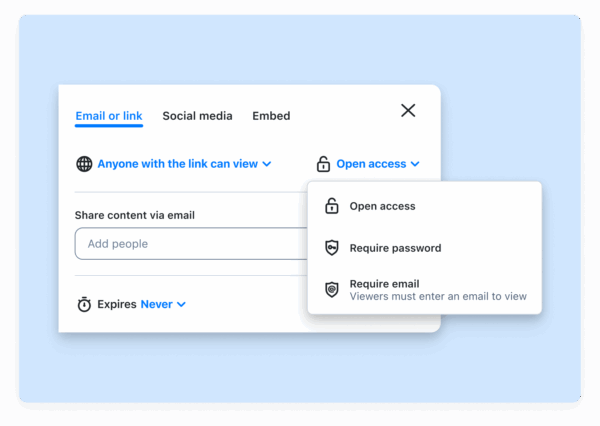 Be mindful of how and where recordings are stored. Avoid shared mailboxes or calendars for organizing meetings, as these can lead to permission conflicts and make recordings hard to retrieve. While transparency is valuable, not every recording should be accessible to everyone. Strike a balance by implementing access controls that protect sensitive information while maintaining open communication. Secure storage practices further reinforce trust in your async collaboration efforts. Once your security measures are in place, turn your focus to fostering engagement and clear communication.
 Encouraging Participation and Accountability
Async meeting recordings can sometimes lead to passive consumption, where team members view them without contributing to discussions. To counter this, use recordings as starting points for further conversations. Set clear expectations for response times and specify which channels to use for different types of discussions. Without these guidelines, messages can be misinterpreted, and important details may slip through the cracks. For instance, establishing a standard response time, like providing feedback within 24 hours, keeps projects moving forward without requiring constant real-time interaction. This approach also helps reduce virtual meeting fatigue. Research shows that 49% of HubSpot respondents feel drained by on-camera meetings, with women being 2.5 times more likely to experience Zoom fatigue. Moreover, 82.9% of people believe video isn’t necessary for every meeting. Adopting async communication requires a shift in habits. Provide training, examples, and documentation to help your team adapt. You might even designate async advocates within teams to reinforce these practices. Making working hours visible across time zones, such as sharing availability in calendars, can help set realistic response expectations.“Async doesn’t mean always available. Especially with remote teams spread across time zones, it helps to know when people are online.” – Philippe Gratton, CPO & Co-founder, Chrono PlatformEncourage team members to share progress updates, voice challenges, and seek support instead of struggling in silence. With 51% of employees reporting that they’re pulled into unnecessary meetings and 71% of senior managers finding real-time meetings unproductive, async communication can be a game-changer. By implementing clear accountability measures, teams can save up to six hours per week through fewer meetings and more efficient workflows.
Conclusion and Key Takeaways
Recording meetings has become a game-changer for modern asynchronous teams. With colleagues spread across time zones and juggling varied schedules, having the ability to capture and share meeting content asynchronously can reshape how your organization collaborates. This approach not only simplifies communication but also brings several strategic advantages worth highlighting.Key Benefits of Meeting Recordings
Research shows that more than half of employees attend unnecessary meetings, and 71% of senior managers find real-time meetings unproductive. By shifting to asynchronous communication, teams can save up to six hours per week. These time savings align with earlier discussions on how recordings improve clarity, accessibility, and documentation. Meeting recordings provide a level of clarity and context that text-based communication often lacks. Visual and verbal cues, such as tone and body language, play a crucial role in conveying ideas. According to the 7–38–55 rule, only 7% of a message comes from words, while 38% depends on tone and 55% on body language. This makes recordings an invaluable tool for eliminating misunderstandings. Accessibility is another major advantage. Features like auto-transcription in 50+ languages, captions, and cloud-based storage ensure that team members – regardless of their time zone, language, or learning preferences- can access and understand meeting content. This inclusivity is vital, especially when 52% of employees prefer asynchronous communication over real-time interactions. Recordings also serve as a robust knowledge repository. They streamline onboarding, document key decisions, and provide training materials. Teams can revisit past discussions, understand the reasoning behind decisions, and avoid repeating mistakes – ultimately improving efficiency and productivity.Using Zight for Better Async Collaboration
Zight offers a suite of tools designed to tackle the challenges of asynchronous workflows. Its AI-powered transcription and summary features automatically transform video transcripts into actionable meeting notes, step-by-step guides, bug reports, and more. This functionality directly addresses the needs of async teams. Jordan Rosenberg, Chief Marketing Officer at Vanity123, shared his experience with Zight:“It is saving me a ton of time helping my direct reports with questions they have about our products and services or how to use the software that is in our tech stack. Time saved as my team to sell more and allows me to concentrate on higher level tasks.”For teams that rely on multiple tools, Zight integrates seamlessly with platforms like Slack, Microsoft Teams, and Jira, minimizing workflow interruptions. Combined with its multi-language support and enterprise-grade security, Zight provides a solid foundation for scalable asynchronous collaboration. These features demonstrate how meeting recordings can anchor a well-integrated async workflow. Recording meetings for asynchronous teams isn’t just about adopting new technology – it’s about embracing a more inclusive, efficient, and well-documented way of working. With the right tools and strategies, your team can unlock the full potential of asynchronous collaboration while maintaining strong communication and connection.












