
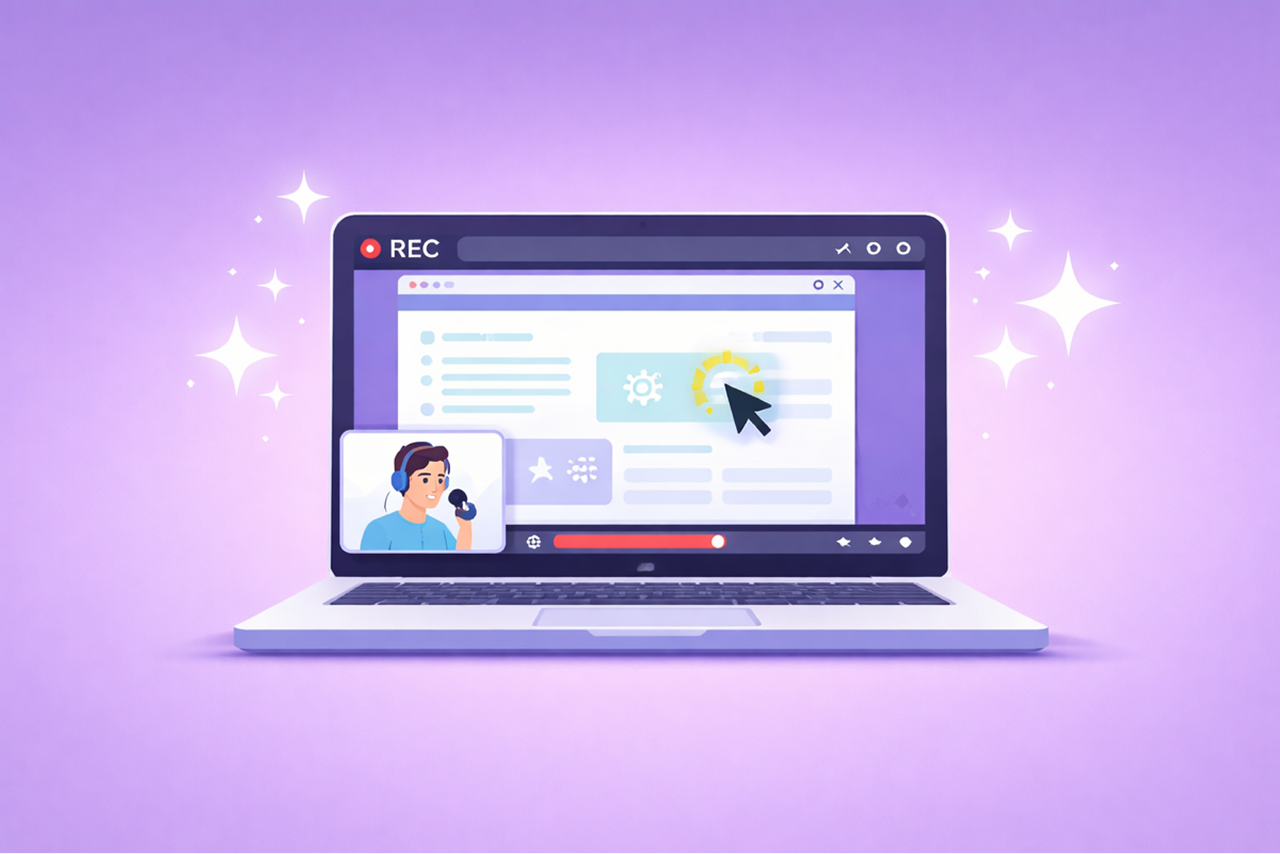
- Automatic Transcription & Captions: AI generates accurate captions and searchable transcripts in real-time, improving accessibility for viewers with hearing impairments and enabling quick content navigation.
- Summarization: Long tutorials are condensed into short, actionable overviews, saving time for busy professionals.
- Multilingual Translation: Tutorials can be instantly translated into multiple languages, including regional adaptations, eliminating the need for separate recordings or costly services.
- Efficiency: AI reduces manual effort, speeds up production, and ensures consistent quality across materials.
Key AI Features That Improve Screen Recording Tutorials
AI is reshaping how screen recording tutorials are created and consumed, offering tools that simplify production and make content more accessible. These features eliminate tedious manual work while enhancing professionalism and inclusivity. Here’s a closer look at the standout capabilities transforming tutorial creation.Automatic Transcription and Captioning
AI transcription tools convert spoken words into text in real-time, producing highly accurate captions and searchable transcripts. They handle technical terms, proper nouns, and industry jargon with impressive precision.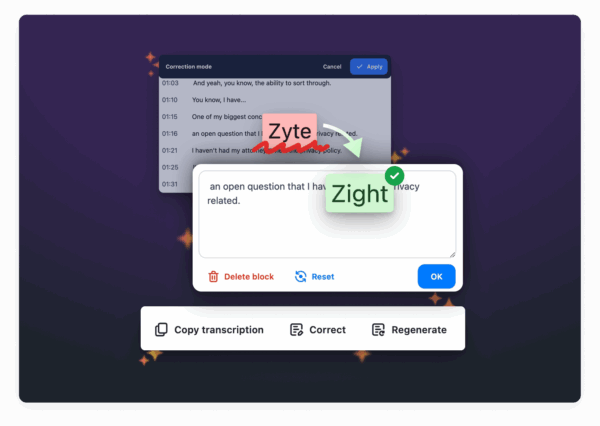 The accessibility advantages are immediate. Captions ensure that viewers with hearing impairments can follow along effortlessly, while transcripts provide searchable reference materials that users can revisit later. But the benefits don’t stop there. Transcription makes tutorials more efficient to use. Instead of scrubbing through an entire video, viewers can quickly scan a transcript to locate specific steps or commands. This is particularly helpful for software tutorials, where precision matters. Modern AI transcription tools also adapt to context, accurately recognizing software names, keyboard shortcuts, and technical language. This eliminates the need for time-consuming manual edits, streamlining the entire process.
 AI-Powered Summarization
AI summarization tools take lengthy tutorials and condense them into concise, easy-to-digest overviews. By analyzing the content, these tools highlight key steps, important warnings, and essential outcomes, ensuring the most critical information is front and center. This feature is a game-changer for busy professionals. For example, a 20-minute software tutorial can be distilled into a 2-minute summary that covers all the vital points. This allows viewers to quickly determine whether they need to watch the full tutorial or if the summary provides enough information.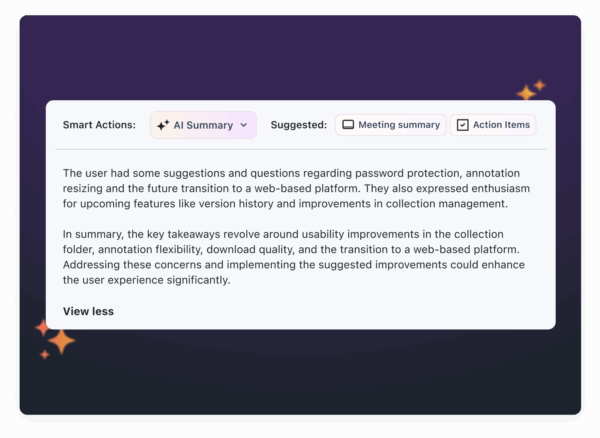 Summaries also serve as valuable reference tools. After watching a tutorial, users can save the AI-generated summary for quick access later, rather than trying to remember specific timestamps. This approach respects time constraints and makes learning more efficient. What sets AI summarization apart is its ability to understand context. It doesn’t just extract text, it identifies relationships between steps, flags potential problem areas, and highlights why each action is important. This ensures that summaries are not only concise but also meaningful.
 Multilingual Translation and Localization
AI also breaks down language barriers, making tutorials accessible to audiences worldwide through instant translation. With AI translation, tutorials can be converted into multiple languages almost instantly. This includes both spoken audio and text elements, creating a fully localized experience without the need for separate recordings or expensive translation services.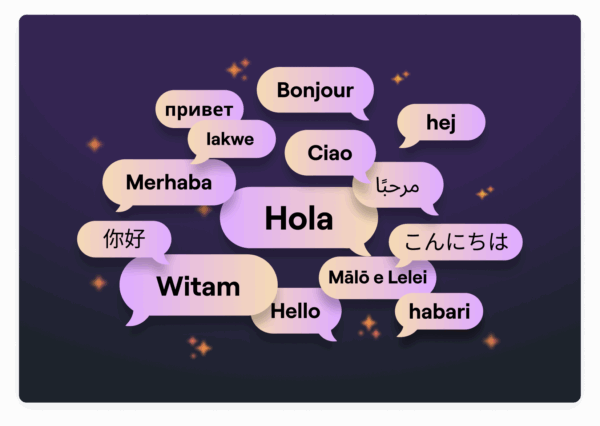 Beyond basic translation, AI handles regional adaptations. It adjusts for differences in software interfaces, measurement units, and even business practices. For example, a financial software tutorial might automatically localize currency and date formats for different regions. This technology significantly reduces the time and cost traditionally associated with localization. What once took weeks and required substantial budgets can now be done in minutes. And the quality has improved dramatically, modern AI tools accurately handle technical terms, industry jargon, and context-specific nuances, minimizing errors that could confuse viewers. For U.S. businesses with international teams or clients, these multilingual capabilities are invaluable. Spanish-speaking employees can access the same training as their English-speaking counterparts, and global customers can receive support in their preferred languages. By integrating these AI tools, platforms like Zight ensure tutorials are accessible, efficient, and ready for a global audience.
 Benefits of AI-Powered Screen Recording Tutorials
AI-powered screen recording tutorials are transforming how training materials are created, offering quicker production times and improved accessibility. These advancements go beyond convenience, reshaping how organizations approach tutorial production and knowledge sharing.Faster Production and Time Savings
Creating tutorials the traditional way often involves time-consuming tasks like manually adding captions, editing, and summarizing. AI takes over these repetitive processes, completing them either during or right after recording. This automation significantly speeds up production. For example, AI transcription tools work quickly and with high accuracy, while AI editing features can pinpoint key moments, organize content, and generate summaries automatically. This minimizes the need for manual reviews and adjustments. On top of that, AI can identify issues like unclear audio or explanations and suggest on-the-spot improvements, ensuring better quality control. For organizations that produce training materials regularly, these time-saving features free up resources and reduce the workload, allowing teams to focus on higher-value tasks.Improved Accessibility for U.S. Audiences
AI-powered tutorials are also a game-changer for accessibility, addressing critical requirements set by the Americans with Disabilities Act (ADA) and Section 508. These tools make it easier to create content that’s accessible to everyone, including individuals with disabilities. Features like automatic captioning provide instant accessibility, which is especially important for live training sessions or urgent updates. Additionally, AI-generated transcripts improve compatibility with screen readers, enabling visually impaired users to navigate tutorials more easily. These transcripts also make it possible to search for specific content within a tutorial. AI translation tools further enhance accessibility by addressing the linguistic diversity of U.S. workplaces. For instance, with Spanish being a commonly spoken second language, AI ensures training materials are clear and usable for a broader audience. Summaries generated by AI also cater to different learning styles and help individuals with attention challenges absorb information more effectively. These accessibility features not only improve the user experience but also allow organizations to scale their content creation efforts while maintaining consistent quality.Scalability for Growing Teams and Organizations
AI-powered tutorials also make it easier for organizations to scale their training efforts. By simplifying content creation, AI enables businesses to produce high-quality tutorials quickly, which is especially helpful for growing teams. New hires can access detailed tutorials that include searchable transcripts, multilingual support, and concise summaries. This reduces the need for in-person training and eases the burden on existing staff. Additionally, AI helps preserve institutional knowledge by capturing the expertise of experienced employees in well-organized tutorials. This ensures that valuable insights remain accessible even as team members move on. AI tools also promote better communication across departments. For example, technical teams can create tutorials in standardized formats that are easy for non-technical colleagues to understand. These improvements in transcription, summarization, and translation not only benefit individual tutorials but also enhance knowledge sharing across the organization.How Zight Powers AI-Driven Screen Recording Tutorials
Zight merges screen recording tools with AI-powered features to simplify the entire process of creating tutorials. From the first recording to the final sharing, Zight ensures individuals and teams can produce polished, professional tutorials with ease.Zight’s AI Features for Tutorials
Zight’s AI tools take the hassle out of post-production by automatically transcribing and summarizing your tutorials. These features work seamlessly with Zight’s core recording tools, which include 4K high-resolution recording, webcam integration, and advanced annotation options. This combination helps you create high-quality tutorials while reducing the time spent on editing. With these tools ready to go, let’s break down how creating an AI-enhanced tutorial with Zight works.Step-by-Step Process with Zight
Zight makes tutorial creation a smooth and efficient experience. You can launch the platform from your desktop, browser, or mobile device and immediately start capturing your screen, complete with real-time AI-generated captions. These captions provide instant feedback, helping you catch unclear explanations or technical hiccups as you record, rather than later. Once recording is complete, Zight’s AI summarization tool reviews your content and generates concise key points. You can tweak these summaries to ensure they align with your tutorial’s main ideas. Editing is easy with Zight’s built-in tools, which let you trim clips, add annotations, and fine-tune audio levels. With transcription and summarization already handled by AI, you can focus on refining the tutorial’s visual and audio quality. Sharing your tutorial is just as simple. Using Zight’s cloud platform, your videos are optimized for different devices and internet speeds. Viewers can access transcripts, summaries, and even translations, all without needing special software or plugins.Zight’s U.S.-Focused Integrations and Pricing
Zight integrates smoothly with major collaboration tools in the U.S., making it easy to share tutorials within existing workflows. For example, the Slack integration allows you to record, edit, and share tutorials directly in your chat workspace, enabling instant feedback and collaboration. Similarly, the Microsoft Teams integration lets you share tutorials during meetings or in training channels, a feature especially helpful for remote teams. The Jira integration connects tutorial creation with project management, letting technical teams attach instructional videos to tickets and documentation. Zight’s pricing is straightforward and designed to meet a range of needs. The Free plan is perfect for testing, offering basic recording features and AI transcription for videos up to 5 minutes. The Pro plan, at $9 per month, includes unlimited recording time, 4K resolution, and the complete suite of AI tools, making it ideal for individual professionals. For teams, the Team plan costs $11 per user per month and adds collaborative features like shared workspaces and basic analytics. Enterprise pricing, available through custom quotes, is tailored for large organizations, offering advanced security, single sign-on, and dedicated account management.
 | Plan | Monthly Price | Key AI Features | Best For |
|---|---|---|---|
| Free | $0 | Basic transcription, 5-minute limit | Individual testing |
| Pro | $9 | Full AI suite, unlimited recording | Individual professionals |
| Team | $11/user | All Pro features plus team analytics | Small to medium teams |
| Enterprise | Custom quote | Advanced AI plus enterprise security | Large organizations |
AI-Powered vs. Traditional Screen Recording Comparison
One of the standout differences between AI-powered and traditional screen recording lies in the automation of tasks that used to require manual effort. For instance, AI-driven tools can handle transcription and summarization automatically, eliminating the need for tedious manual work. This shift not only saves time but also boosts productivity, especially when compared to traditional methods that demand more hands-on involvement. It’s a clear example of how AI is reshaping workflows, building on the advancements in tutorials discussed earlier.Comparison Table of AI-Powered vs. Traditional Recording
| Feature | AI-Powered Screen Recording | Traditional Screen Recording |
|---|---|---|
| Transcription | Automatically handled by AI | Requires manual effort |
| Content Summarization | Quickly identifies and highlights key points | Involves time-consuming manual processing |
Key Takeaways
AI has revolutionized the way we create and share screen recording tutorials. It’s no longer just about hitting “record”, AI has introduced smarter, more efficient ways to produce content. Tasks like transcription and summarization, which used to take hours, are now automated, saving time and effort. At the same time, these advancements make tutorials more accessible, ensuring that everyone, regardless of their needs, can benefit. With AI-powered captions and translations, tutorials can now reach a global audience like never before. Teams and organizations can produce consistent, high-quality content without running into the technical hurdles that often slow down traditional methods. Take Zight, for example. Its AI-driven features, such as automatic transcription, intelligent summaries, and built-in translation tools, tackle the common challenges of creating screen recording tutorials. These tools not only save time but also expand the reach and impact of the content. On top of that, Zight’s integrations make workflows smoother and more efficient. When you compare AI-powered tools to traditional methods, the shift is clear: manual processes simply can’t keep up with the speed and precision of AI automation. Businesses that adopt these tools can produce more content, connect with wider audiences, and stay ahead in today’s fast-paced digital world. For educators, content creators, and businesses, AI-powered screen recording tools aren’t just a luxury, they’re becoming essential. They provide a smarter way to communicate, helping you expand your reach and stay competitive in the modern workplace.FAQs
How does AI make screen recording tutorials more accessible for people with disabilities?
AI has made screen recording tutorials more accessible by introducing tools like speech recognition and automatic captioning. These features generate accurate subtitles, making the content easier to follow for users with hearing impairments. Similarly, image recognition and alt text generation enhance navigation for individuals with visual impairments, offering descriptive text for visual elements. By integrating these technologies, screen recording tutorials become more inclusive, ensuring that people of all abilities can engage with and understand the content.
How does AI summarization make screen recording tutorials easier to understand?
AI summarization tools make screen recording tutorials much easier to digest by breaking down long content into short, clear summaries. This helps viewers quickly understand the key takeaways without needing to go through the entire tutorial, saving both time and energy. It also makes it simpler to revisit important details later. Instead of scrubbing through a lengthy recording, users can easily find and review the most critical points. By improving clarity and ease of access, AI summarization turns detailed tutorials into straightforward, user-friendly resources.How do AI-powered translation tools improve screen recording tutorials for businesses?
AI-powered translation tools are transforming how businesses share their screen recording tutorials with a global audience. By providing translations in multiple languages, these tools eliminate language barriers, making it easier for people from different linguistic backgrounds to connect with the content. With multilingual support, businesses can create a more inclusive experience, improve overall user engagement, and tap into new markets. These tools also simplify complex information, promoting clearer communication and aligning with international accessibility standards.












