
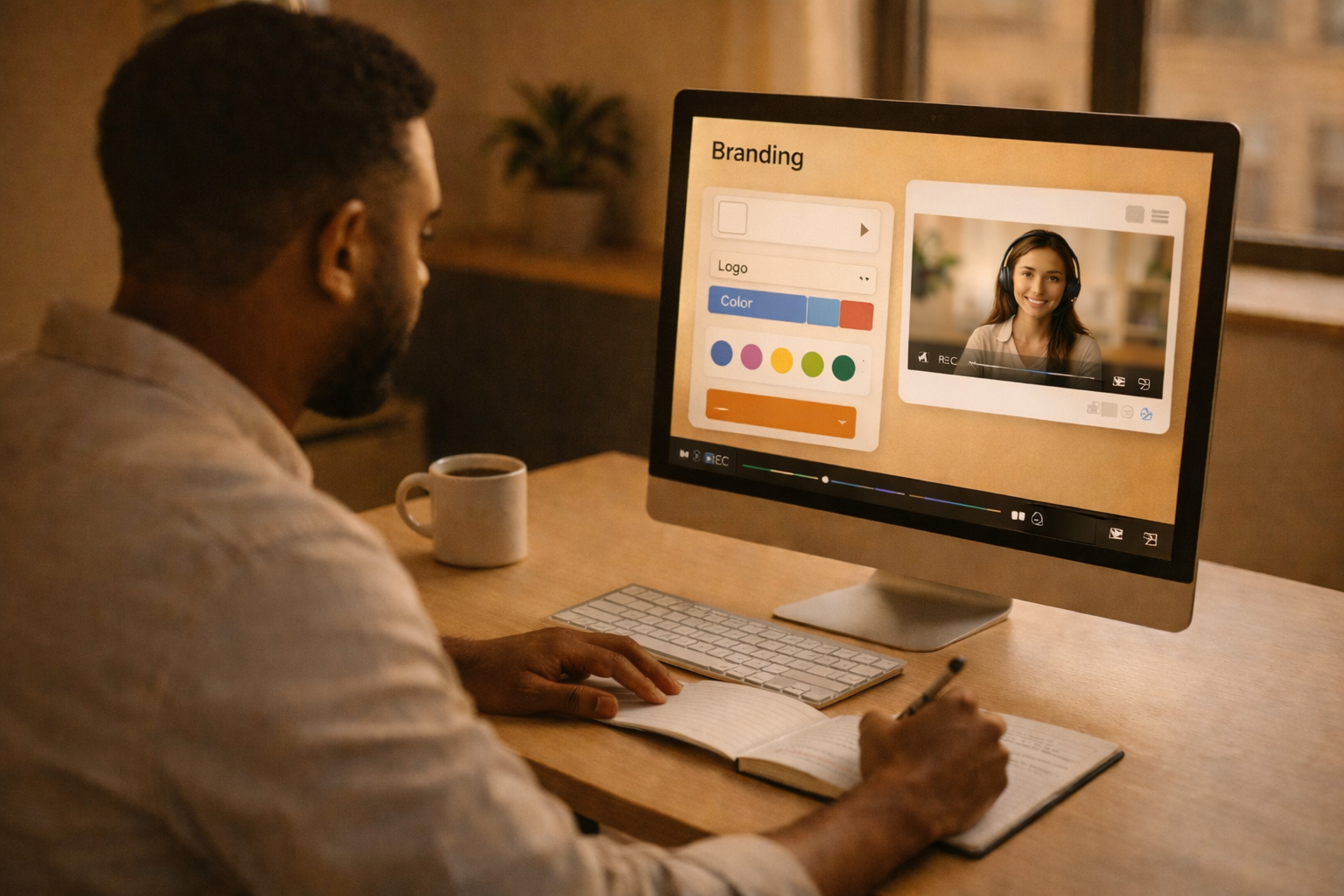
Custom branding in screen recording software is now a must-have for businesses in 2026. With video content becoming a primary communication tool for remote and hybrid teams, ensuring your videos reflect your brand identity is essential for professionalism and consistency. Tools with features like logo placement, branded templates, and AI-powered editing make this process efficient and effective.
Here’s what to look for in screen recording software for custom branding:
- Logo/Watermark Placement: Add your logo with flexible positioning, size, and opacity controls.
- Custom Colors & Fonts: Match your company’s design style with built-in palettes and font uploads.
- Reusable Templates: Create standardized templates for consistent branding across all videos.
- AI Tools: Automate transcription, summaries, and translations for broader accessibility.
- Integrations: Share branded content seamlessly with tools like Slack or Microsoft Teams.
Zight stands out as an all-in-one platform offering these features. It simplifies branded content creation with a centralized asset library, pre-designed templates, and AI tools. Pricing starts at $0 for basic features, scaling up for teams and enterprises. Whether you’re creating training videos or product demos, Zight ensures your content aligns with your brand effortlessly.
Key Features to Look for in Custom Branding Software
Picking software with strong branding tools can turn ordinary recordings into polished, professional content that reflects your brand’s identity. Integrating your logo, color scheme, fonts, and reusable elements ensures every recording aligns with your brand’s image. These features not only create a cohesive look but also strengthen the credibility of your brand. Let’s dive into the key features that can take your recordings from basic to fully branded.
Logo and Watermark Placement
Adding your company logo or watermark is a foundational step in branding your video content. It immediately establishes brand recognition and communicates ownership of the material. Many platforms offer flexible options for logo placement, allowing you to choose its position, adjust the size and opacity, or even display it during specific parts of the video. This versatility lets you adapt the branding to fit different types of content, whether it’s a subtle watermark for tutorials or a bold logo for promotional videos. Tools that automatically apply saved logos to new recordings save time and ensure consistency across all your content.
Custom Color Schemes, Fonts, and Templates
Branding goes far beyond just adding a logo. Your brand’s colors, fonts, and overall design style should be woven into every aspect of your screen recordings. Many software options allow you to upload your brand’s color palette and apply it to elements like video overlays, text, and highlights. Built-in editing tools, ranked essential by 76% of reviewers , make it easy to ensure text and design elements match your brand guidelines. Pre-designed templates also allow you to incorporate your colors, fonts, and even branded intro or outro sequences, so every video has a unified look, no matter who creates it.
For even smoother production, look for software that centralizes these brand assets for easy access.
Reusable Branded Elements
A centralized library for branded assets like logos, color palettes, intro animations, background music, and layout templates can revolutionize your content creation process. These libraries not only simplify production but also ensure every team member adheres to the same branding standards. Administrators can set controls to automatically apply brand guidelines to all recordings, making it easier to maintain consistency. If your branding evolves, version control features allow you to update assets across all recordings seamlessly. Additionally, integrations with tools like Slack, Microsoft Teams, or Jira enable teams to share branded content efficiently, a feature 80% of reviewers found valuable for smoother collaboration.
Zight: The All-in-One Platform for Branded Screen Recordings
Zight brings together everything you need for branded screen recordings in one place. From screen capture and video editing to custom branding tools, it’s all seamlessly integrated into a single platform. Whether you’re using Mac, Windows, Chrome, or iOS, Zight lets you create videos, screenshots, GIFs, and step-by-step guides while ensuring your brand elements are consistently applied across every piece of content. By eliminating the hassle of juggling multiple tools, Zight ensures your branding stays cohesive and professional.
Custom Branding Features in Zight
Zight goes beyond simply adding a logo to your content. With its centralized brand library, you can upload your company’s logos, color palettes, and fonts, making them easily accessible to your entire team. These elements can then be applied across all content types, whether it’s a detailed product demo, a quick GIF, or an annotated screenshot.
The template system takes the guesswork out of branding. Teams can create reusable templates tailored for specific needs like onboarding videos, product tutorials, or customer support guides. These templates automatically apply your brand’s colors, logo placement, and design style, saving time and ensuring every piece of content looks polished and on-brand.
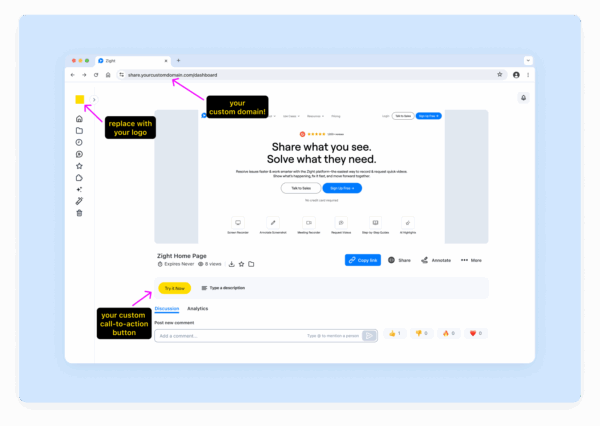
Zight also offers branded sharing experiences. Instead of sending viewers to a generic video player, your recordings are shared on a custom-branded page, reinforcing your company’s professionalism and attention to detail.
AI-Powered Tools and Integrations
Zight uses artificial intelligence to make creating and managing branded content easier and more efficient. Its AI transcription feature automatically generates captions for videos, improving both accessibility and searchability. This is especially helpful for training materials or customer support content that needs to be referenced later.
The platform also includes an AI-powered summary tool, which creates concise overviews of longer recordings. This allows viewers to quickly grasp the main points before deciding to watch the full video. For global teams, Zight’s translation tools can convert transcriptions into multiple languages, making your content accessible to audiences worldwide.
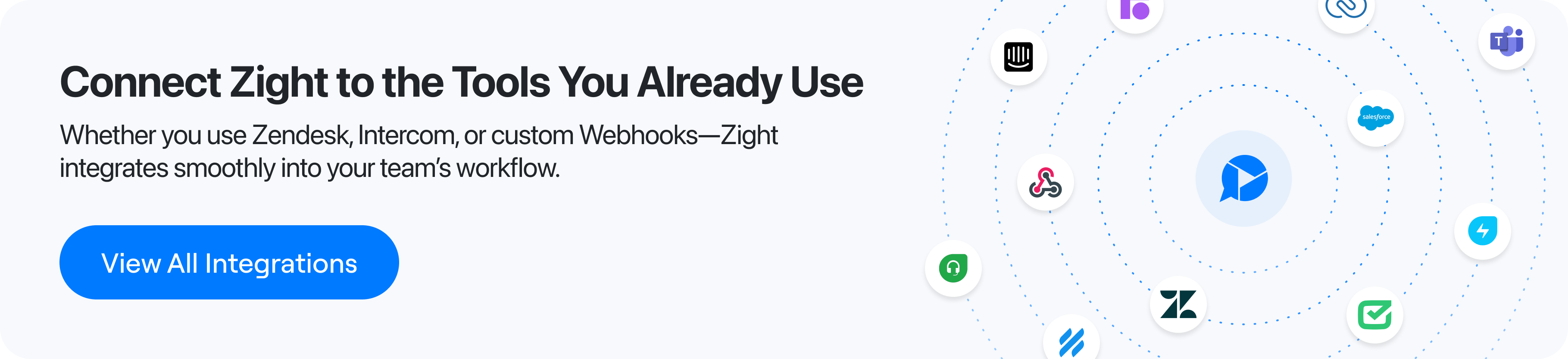
Zight’s integration capabilities further streamline team workflows. With direct connections to Slack, Microsoft Teams, and Jira, you can instantly share branded recordings within your team’s existing communication tools. This eliminates extra steps and ensures your content fits naturally into your team’s daily processes.
Pricing Plans and Value for Businesses
Zight offers pricing options designed to meet a variety of needs and budgets.
- The Free plan is perfect for individuals who want to test the platform. It includes up to 5 minutes of recording time, basic screenshot and GIF tools, and a limit of 50 uploads.
- For solo professionals, the Pro plan costs $9 per month and removes recording time limits. It also unlocks unlimited uploads, 4K recording, and advanced editing tools.
- Teams can opt for the Team plan, priced at $11 per user per month. This plan includes everything in Pro, plus basic analytics, user management, and shared workspaces for collaborative content creation.
- Enterprise customers can request custom pricing, which includes advanced security features, single sign-on (SSO), detailed analytics, and custom data retention policies, ideal for larger organizations with strict compliance needs.
Zight’s pricing structure highlights its value by combining tools for recording, editing, and branding into one platform. For businesses that prioritize efficiency and consistent branding, Zight often proves to be a cost-effective solution compared to managing multiple separate tools.
How to Create Custom Branded Templates with Zight
Branded templates in Zight elevate your recordings into polished, professional communications. Whether you’re working on product demos, training videos, or customer support materials, the process is smooth and works across all content types.
Uploading Brand Assets
Start by uploading your brand assets to Zight’s centralized library. Head to the Branding or Assets section in your dashboard, where all your brand materials are stored in one place.
Zight supports logos in PNG, JPG, and SVG formats. SVG files are particularly useful since they maintain sharp quality, whether used as small watermarks or large intro screens. For color palettes, you can manually enter HEX or RGB codes into the platform. If you have a brand guide, simply copy and paste the codes, or use Zight’s color picker to visually match colors to your existing materials.
To ensure text elements align with your company’s typography, upload your custom fonts. The process is straightforward, click “Upload”, choose the font files from your device, and they’ll be saved for future use. Once uploaded, all assets are stored in your account and ready to use whenever needed.
Designing Branded Templates
With your assets in place, you can start designing templates that reflect your brand identity. Zight’s template editor gives you full control over how your branding appears across videos, screenshots, and GIFs. Each content type offers unique customization options to suit your needs.
The drag-and-drop editor makes it easy to position elements like your logo. For instance, you can place your logo in the lower-right corner as a watermark, ensuring it’s visible throughout recordings without obstructing important content. For videos, you might add branded intro animations or call-to-action outros to give your content a polished, professional finish.
Customizing colors goes beyond just changing backgrounds. You can set primary and secondary color schemes that automatically apply to text overlays, annotation tools, and other interface elements. This ensures every annotation or callout stays consistent with your brand’s look and feel.
A real-time preview feature allows you to see how your template will appear before saving it. For example, your marketing team could create a video template that includes a corner watermark, brand-aligned colors for text and highlights, and an outro screen with contact details. Once finalized, the template is saved and made accessible to your entire team, ensuring all content maintains a professional and cohesive appearance.
Sharing and Managing Templates
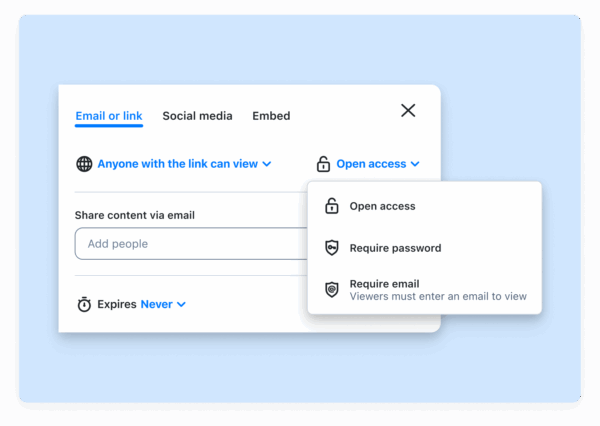
After creating your templates, Zight makes managing and sharing them simple. The platform uses role-based access controls, allowing administrators to decide who can use, edit, or modify templates. Templates can be assigned to specific teams or user groups, ensuring each department has access to the right resources.
Permission settings let you designate who can edit templates while restricting general users to applying them, preventing accidental changes to approved designs. This strikes a balance between maintaining brand standards and allowing teams to work efficiently.
Zight integrates with tools like Slack, Microsoft Teams, and Jira, enabling you to share templates directly within your existing workflows. Collaboration becomes seamless, as teams can access templates without leaving their preferred platforms.
As your brand evolves, Zight’s version control system ensures consistency across all content. Updates to templates, such as a new logo or color scheme, can be pushed organization-wide, preventing outdated branding from appearing in new materials. Audit logs provide visibility into template usage and changes, giving brand managers a clear picture of how templates are being utilized.
For larger organizations, template assignment features help enforce the use of specific designs for particular content types. An archive function keeps your library tidy by removing outdated templates while preserving them for reference.
User feedback highlights the importance of these features, 80% of reviewers rated file sharing and template management as essential for collaboration and distributing branded recordings.
Conclusion: Creating Professional Branded Screen Recordings with Zight
In today’s fast-paced digital world, professional branding has become a key ingredient for businesses looking to stand out. With remote work and online communication shaping the way we connect, branded screen recordings have emerged as a powerful tool to build trust and maintain consistency across training materials, marketing efforts, and customer support.
Zight simplifies the process of creating polished, branded content with its user-friendly drag-and-drop template designer. Even team members without technical expertise can quickly produce professional recordings that align with their company’s identity.
What sets Zight apart is its AI-driven features, which go beyond basic branding. With automatic transcription, summaries, and translations, Zight ensures your content is accessible to a wider audience, an essential feature for businesses prioritizing inclusivity and ADA compliance.
For teams already relying on collaborative platforms, Zight’s seamless integrations make life easier. You can create, customize, and share branded content directly within your existing workflow, saving time and avoiding unnecessary app-switching.
With an impressive 4.6 out of 5 rating from 184 reviews, Zight has gained the trust of businesses of all sizes. Its flexible pricing options cater to everyone, from solo professionals to large enterprises, with plans starting at $0 for basic features and scaling up to meet more complex needs.
FAQs
How does Zight help me customize screen recordings to align with my brand?
Zight lets you showcase your brand in every screen recording, screenshot, or GIF you create. With options for custom branding and templates, you can easily add your logo, colors, and other signature elements to ensure all your content aligns with your brand’s identity. The result? A polished and consistent look every time.
Sharing your branded content is just as seamless. Zight integrates with popular tools like Slack, Microsoft Teams, and Jira, making it simple to distribute tutorials, presentations, or step-by-step guides while keeping your brand front and center.
What AI tools does Zight provide to streamline branded content creation?
Zight offers AI-powered tools that simplify and speed up the process of creating branded content. With features like automated video transcriptions, quick summaries for instant insights, and smooth translations for multilingual audiences, Zight makes content creation more efficient.
These tools streamline your workflow, helping you save time while delivering polished, professional results.
How does Zight work with team communication tools to make sharing branded content easier?
Zight works effortlessly with team communication platforms like Slack and Microsoft Teams, allowing you to share branded content right within your usual workflow.
With Zight connected, you can send videos, screenshots, GIFs, and other branded assets directly through these apps. This streamlines collaboration and ensures that all shared materials maintain consistent branding, saving time and keeping your team aligned.












