
- Project Updates: Show progress visually with dashboards and timelines.
- Task Instructions: Demonstrate steps instead of writing long emails.
- Performance Reviews: Provide actionable feedback with clear examples.
- Bug Reports: Record issues in real-time for faster fixes.
- Training: Create reusable materials for onboarding.
- Meeting Summaries: Highlight key points for easy reference.
- Process Documentation: Record workflows to improve efficiency.
- Product Demos: Showcase features asynchronously.
- Idea Sharing: Enable better collaboration across time zones.
- Progress Reports: Present data with context to avoid confusion.
1. Project Status Updates
Screen recordings are a game-changer when it comes to project status updates. Instead of drafting lengthy emails packed with bullet points or scheduling yet another meeting, project managers can visually guide their teams through dashboards, timelines, and progress charts. This method reduces confusion and ensures everyone is on the same page. Imagine a project manager recording their screen while reviewing a Gantt chart or project board. Team members can clearly see tasks completed (highlighted in green), looming deadlines (marked in red), and any bottlenecks that need attention. These visual updates leave little room for misinterpretation. Asynchronous communication becomes particularly valuable for distributed teams. For instance, a project lead in New York can record a detailed update at 3:00 p.m. ET, allowing a development team in London to catch up first thing the next morning. This seamless sharing of critical information across time zones helps teams work efficiently without waiting for live meetings.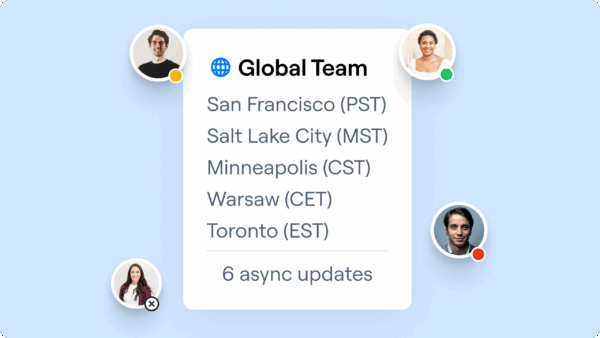 Amoeboids Technologies Pvt Ltd showcased this approach in 2023 by using screen recordings to update remote teams on product changes and user feedback. By sharing walkthroughs of new features, they improved communication and alignment, leading to better requirements gathering and fewer misunderstandings during development cycles. The financial benefits are hard to ignore. Poor communication costs companies an average of $62.4 million annually. Screen recordings help minimize misinterpretation and cut down on follow-up meetings. Some businesses have even reported up to a 30% reduction in support costs after adopting visual communication methods like screen recordings. These savings directly boost team productivity and efficiency. Another advantage? Screen recordings can be archived and reused. Team members, new hires, or stakeholders can revisit these updates anytime without interrupting ongoing work. To maximize their impact, keep recordings short and to the point. A concise five-minute video covering progress, challenges, and next steps is far more effective than a drawn-out 30-minute meeting. Teams often find this approach not only saves time but also helps retain critical project details.
 2. Task Instructions
Written instructions often lead to confusion and endless back-and-forth communication. Screen recordings offer a better solution by capturing each step in real-time. Instead of drafting lengthy emails with numbered steps, team leaders can visually demonstrate how tasks should be completed. Screen recordings convey details that text simply can’t. They show the exact location of buttons, the sequence of menu selections, and the visual feedback confirming each step is completed correctly. This allows viewers to grasp not just what needs to be done but how to do it. The result? A smoother, more efficient workflow. 65% of employees prefer screen recordings over written instructions, as they enhance comprehension and retention. This preference leads to fewer questions and quicker task completion across teams. Modern tools take this a step further with AI-powered features. For instance, imagine a marketing manager explaining how to upload and format content in a new content management system. Instead of a 10-step email with screenshots, they can create a 3-minute video walking through the process. Team members can pause, rewind, and follow along at their own pace, eliminating repeated clarification emails. The financial benefits are just as compelling. Businesses can cut support costs by up to 30% by using video tutorials instead of text-based instructions. When tasks are clearly understood from the start, teams spend less time seeking help and more time executing effectively. Modern screen recording tools also come with features like automatic transcriptions, making videos searchable, and AI-generated summaries for quick reference. These additions ensure instructional videos remain useful long after they’re created.“The AI features developed are amazing for my use case, as I send a lot of videos to my team. It makes it nicer for them on the receiving end”, says Daniel R. Odio, CEO of Storytell.ai.
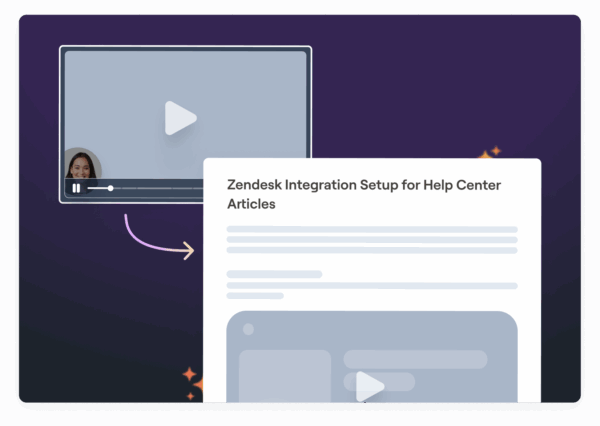 To make task instruction videos effective, it’s important to keep them focused and visually engaging. Using annotations like arrows, highlights, and callout boxes helps direct attention to essential elements. Adding voice narration provides context, explaining the reasoning behind each step and pointing out potential pitfalls. Smart teams also use these recordings as training materials for new hires. Considering the average cost to train a new employee in the U.S. is $1,252, screen-recorded training materials can significantly reduce expenses by cutting down on live, repetitive sessions.
 3. Performance Reviews
Traditional performance reviews often miss the mark when they rely on written reports or generic feedback forms. Screen recording offers a fresh approach, enabling managers to deliver personalized, visual feedback that is both clear and actionable. Instead of providing vague comments, managers can record their screens while reviewing specific work examples. They can highlight key achievements directly on dashboards, annotate milestones, and visually point out areas needing improvement. This method brings a level of clarity that written feedback simply can’t match. For instance, a manager reviewing campaign performance can navigate through analytics dashboards, point out critical metrics, and suggest improvements, all in one seamless demonstration.“It’s so easy to edit the picture, and add arrows and squares to really make your point stand. A huge plus I haven’t found in other apps is that you can ‘pixel’ all the sensitive information perhaps you don’t want to share”, says Luisa Zapata García, Strategic Customer Success Manager at Globalization Partners.This visual approach eliminates much of the confusion that can follow traditional written reviews. Employees can clearly see what is being referenced, reducing the chances of misinterpretation and making the feedback more actionable. Modern screen recording tools also address privacy concerns. Sensitive details can be blurred or redacted within the recording, ensuring confidentiality while still delivering meaningful feedback, particularly useful when reviewing client work or accessing proprietary systems. The asynchronous nature of video reviews is another advantage. Managers can provide feedback across time zones without worrying about scheduling conflicts, and employees can revisit the recordings as often as needed to fully understand the guidance. This flexibility is especially beneficial for remote teams, where face-to-face reviews aren’t always possible. Just like detailed task instructions, these visual reviews allow employees to revisit feedback for ongoing improvements. AI-powered features further enhance the value of screen-recorded reviews. Automatic transcription creates searchable records, while AI-generated summaries make it easy to reference key takeaways from longer sessions. To make these video reviews effective, it’s important to follow a clear structure: begin with accomplishments and positive examples, move to areas for improvement with specific visual demonstrations, and wrap up with actionable next steps. This structured approach ensures clarity and drives meaningful improvements.
4. Bug Reports and Issue Documentation
Vague bug reports like “it doesn’t work” can frustrate developers and slow down progress. Screen recordings, however, turn these unclear descriptions into clear, actionable insights, helping developers address problems more efficiently. When users encounter software issues, a screen recording captures every detail in real time, steps taken, the environment, and any error messages. This visual evidence removes the guesswork that often complicates bug resolution and allows developers to pinpoint and fix issues faster.“Request Video is so much better than users trying to explain what’s happening in an email or sending me photos or videos from their phones. I can see exactly when an issue occurs and what is causing it”, says Edward Wikstrom, Director of Technology at St. Dominic High School.Unlike traditional text-based bug reports, which often lead to back-and-forth clarifications, screen recordings provide immediate clarity. Developers can understand and replicate issues without additional follow-ups.
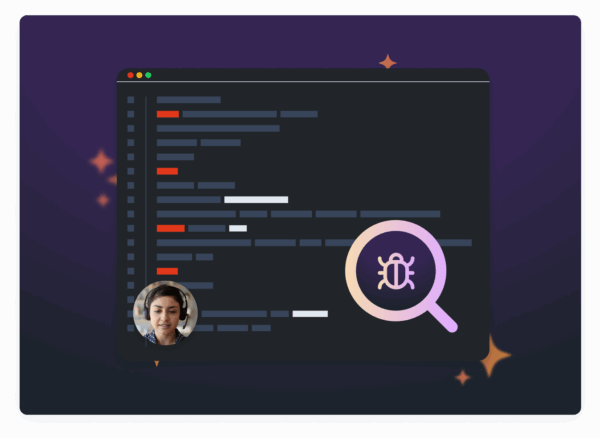 For QA teams, screen recording is a game changer when documenting test results. Instead of drafting lengthy descriptions of failed test cases, testers can simply record their screens while running test scenarios. This approach captures the entire context of a failure, not just the final outcome. Another advantage? Developers across different time zones can review these recordings at their convenience, keeping projects on track no matter where the team is located. With AI-driven transcription and summaries, these recordings become searchable and easier to manage. Key details can be highlighted, making it simpler to categorize, track, and reference bugs during the development cycle. Screen recordings also enhance customer support. Agents can visually document user-reported issues, reducing resolution times and improving the overall experience. The most effective bug documentation doesn’t just capture the error, it also includes the steps leading up to it. Details like system settings, browser information, and user actions give developers the full picture they need to diagnose and resolve issues quickly and accurately.
 5. Training and Onboarding
Traditional onboarding often involves lengthy meetings and dense documentation, which can overwhelm new hires. Screen recordings offer a better alternative by providing reusable training materials that new employees can access anytime, at their own pace. Screen recording technology, already popular for project tracking and task instructions, is transforming training and onboarding. With the average cost of training a new employee in the U.S. at $1,252, screen recordings help companies get more value for their investment. By eliminating the need for repetitive live training sessions, they ensure consistent knowledge transfer across all hires. For roles that are technical, software-based, or heavily process-driven, screen recordings shine. They simplify the explanation of complex workflows that might be hard to convey in text. Instead of crafting long step-by-step guides, trainers can record their screens while navigating systems and explaining actions with clear audio narration. Remote and distributed teams benefit even more from this approach. With team members spread across different time zones, screen recordings bridge communication gaps by allowing new hires to access training materials whenever it suits them. Consistency is another major advantage. Every new hire receives the same training, avoiding the variations that naturally occur in live sessions led by different trainers. This ensures that all employees start with the same foundational knowledge, no matter when they join. Modern screen recording platforms enhance this process with AI-powered tools. These features can automatically generate step-by-step guides, transcriptions, and searchable summaries, making training materials more user-friendly and easy to navigate. Another key benefit is reusability. A single screen recording can be used indefinitely, allowing new hires to revisit complex processes while freeing trainers from repeating the same sessions. This approach scales effortlessly as teams grow. To maximize effectiveness, break training content into short, focused videos. Instead of hour-long recordings, create clips that tackle specific topics or processes. This modular approach not only helps new employees absorb information more easily but also makes it simpler to update individual components as systems evolve. The result? Clearer team updates and improved overall efficiency.6. Meeting Summaries
Long meetings can often lead to lost details, especially when key members are absent. Screen recordings tackle this issue by capturing meeting highlights in a way that’s easy to review and reference later. Instead of relying solely on written notes that might omit important context, screen recordings let you revisit the main discussion points, decisions, and assigned tasks. This visual format ensures clarity, particularly when addressing complex updates or strategic changes that involve charts, documents, or presentations. Remote teams benefit the most from this approach. Research shows that 40% of knowledge workers feel meetings could be replaced with asynchronous communication. Screen-recorded summaries strike the perfect balance, keeping team members in different time zones informed without the need for additional live meetings or confusing email threads. This method simplifies the process of sharing updates right after meetings.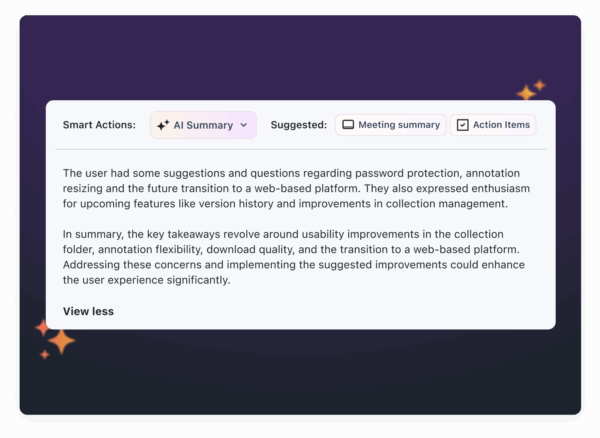 Recording a concise summary after a meeting, highlighting key decisions, timeline updates, and responsibilities, creates a permanent resource. Team members can refer back to it whenever questions arise about why certain decisions were made. Modern screen recording tools take this further with AI-powered features like automatic transcriptions and chapters, making it easy to search and navigate through summaries. The results speak for themselves. Companies that use video-based communication tools report better clarity and fewer misunderstandings during collaboration. In fact, businesses can cut support costs by up to 30% by improving internal documentation and communication. This makes meeting summary recordings not just convenient but a smart investment. To make the most of this system, organize recordings with clear, descriptive titles for easy access. Integrating them with platforms like Slack or Microsoft Teams ensures summaries reach the right people automatically. Plus, searchable transcripts allow team members to quickly find specific details. The true value becomes clear in follow-up meetings. Instead of wasting time recapping past discussions, teams can quickly review previous decisions and dive straight into advancing projects. Over time, this streamlined approach leads to more efficient meetings and quicker decision-making.
 7. Process Documentation
Screen recordings are a game-changer when it comes to documenting processes, offering a clearer and more efficient way to share updates within teams. Traditional methods of process documentation can be tedious and often fail to provide the visual clarity needed. By capturing workflows in real time, screen recordings highlight bottlenecks and reveal opportunities for improvement, setting the stage for consistent and easy-to-follow internal documentation. For complex workflows, visual documentation often outshines written manuals. Screen recordings capture everything, user interactions, mouse movements, and interface changes, providing a level of detail that text simply can’t match. This eliminates the guesswork often associated with written procedures. Reusable video tutorials are also a practical solution for cutting training costs. Instead of relying on experienced staff to repeatedly explain the same processes, teams can record a workflow once and use it as a reference whenever needed. This approach saves time and resources while maintaining consistency. Different departments use screen recordings in ways that suit their specific needs. For example, customer support teams create video libraries of troubleshooting steps for common issues, making them accessible to both staff and customers. HR teams record tutorials for tasks like benefits enrollment, while marketing teams document cross-department workflows for campaign analytics reviews. These benefits only grow when recorded workflows are used to drive process improvements. In 2023, Amoeboids Technologies Pvt Ltd leveraged screen recordings to document user flows and interactions, which improved requirements gathering and streamlined communication. Screen recordings also make it easier to spot inefficiencies in workflows. They can reveal unnecessary clicks, confusing interface elements, or redundant steps that might go unnoticed in written documentation. Teams can review these recordings to refine processes and eliminate waste. To maximize the value of these recordings, organize them in a searchable repository with clear tags so team members can quickly locate the information they need. Integrating these resources with tools like Slack or Microsoft Teams ensures seamless sharing across different time zones.8. Product Demos
Screen-recorded demos have transformed team communication by offering a clear way to showcase new features without the need for lengthy meetings. These recordings act as a bridge between wireframes and final products, allowing product managers and teams to visualize user flows and interactions before a public release. This process helps ensure everyone is on the same page and can spot potential issues early on. For distributed teams, the asynchronous nature of recorded demos is a game-changer. Team members in different time zones can review updates whenever it suits them, ensuring no one is left out of the loop. Plus, having the ability to pause, replay, and analyze specific sections makes it easier for team members to provide detailed, actionable feedback, accelerating product iterations. Take Amoeboids Technologies Pvt Ltd, for example. In 2023, they used screen recordings to create interactive product demonstrations for both internal teams and users. This approach, spearheaded by Anand Inamdar, Product Owner & CEO, led to more targeted feedback, smoother feature refinement, and better documentation accuracy. It also streamlined training for remote employees, proving how effective this method can be. One of the biggest advantages of recorded demos is their reusability. A single demo can serve multiple purposes: aligning internal teams, training new hires, creating customer tutorials, or acting as reference material. This versatility ensures that the time spent creating a demo delivers value across different areas. Modern tools have taken demos to the next level, incorporating AI-powered features like transcriptions. These transcriptions make it easier to create product documentation, release notes, and user manuals by making key content searchable and accessible. Such advancements not only improve how products are showcased but also encourage more detailed feedback from viewers. To create effective demos, keep them concise. Use clear narration, highlight important UI elements with annotations, and avoid unnecessary details. Sharing them through platforms like Slack, Microsoft Teams, or Jira ensures they integrate seamlessly into existing workflows, making it easier for teams to stay aligned.9. Idea Sharing and Brainstorming
Screen recording has completely changed how teams share ideas and brainstorm, especially when they’re spread across different time zones or juggling packed schedules. Instead of trying to coordinate a live meeting, team members can record and share visual explanations that others can review and build upon at their own pace. This approach not only saves time but also captures those creative sparks that might otherwise get lost in traditional updates. Take brainstorming, for example. A marketing team working on a campaign could have each member record a short video to pitch their concept, share relevant research, and explain their thought process. Teammates can then watch the recordings, leave comments, and expand on the ideas whenever it works for them. This method builds on the advantages of visual communication discussed earlier, making collaboration more dynamic and engaging. Here’s where screen recording shines: the visuals. Instead of trying to explain a complicated workflow or concept in a lengthy email, team members can demonstrate their ideas in real time, annotate key points, and provide context that’s hard to convey in text. This reduces misunderstandings and ensures everyone is on the same page. Modern tools take this a step further with AI-powered features. Automatic transcription turns recordings into searchable content, and AI-generated summaries make it easy to catch the main points without watching the entire video. These features are game-changers, especially when managing multiple brainstorming sessions or revisiting ideas weeks down the line. There’s another big plus: recorded sessions create a lasting library of ideas. Teams can revisit these recordings for ongoing projects, ensuring that valuable concepts don’t slip through the cracks. This is especially helpful for projects that evolve over time. For distributed teams, this method levels the playing field. People who might feel shy about speaking up in live meetings can take their time to thoughtfully present their ideas. Plus, it ensures that contributions from all time zones are included, making the process more inclusive. The secret to making recorded brainstorming work? Keep it short and focused. Use clear narration, highlight key points with annotations, and store recordings in a shared, easy-to-access location. This way, teams can keep the creative momentum going, even when they’re working asynchronously.10. Progress Reports
Screen-recorded progress reports bring a new level of clarity to team updates, cutting through the clutter of lengthy emails and static presentations. These recordings turn updates into dynamic visuals that combine real-time data with clear commentary. Instead of just reading about progress, teams can see it unfold through dashboards, timelines, and metrics. A visual walkthrough makes all the difference. For example, a project manager can record their screen while navigating Jira, showcasing completed milestones, identifying bottlenecks, and explaining timeline adjustments. Similarly, marketing teams can present campaign performance by recording a live tour of their Google Analytics dashboard. They can highlight traffic spikes, conversion trends, and explain the story behind the numbers, something raw data alone can’t achieve. This method tackles a common challenge: interpreting data. Metrics in spreadsheets or static charts can be hard to decipher without proper context. Screen recordings allow you to walk viewers through performance graphs or Gantt charts, guiding them step by step. With cursor movements, annotations, and narration, you can direct attention to key insights, making complex data more digestible. This approach is especially useful for asynchronous progress tracking, where team members can view updates at their convenience, sidestepping the hassle of coordinating meetings across time zones. Adding AI-powered tools takes these reports to the next level. Automatic transcription makes recordings searchable, while AI-generated summaries let stakeholders quickly grasp the main points without watching the full video. These features are invaluable for managing multiple projects or referencing specific details later. The impact of video-based communication is clear. Businesses using this approach have reported up to a 30% reduction in support costs, and teams often find that screen-recorded progress reports significantly cut down on the need for follow-up meetings. To keep your recordings effective, focus on structure. Start with a quick overview, walk through key metrics and achievements, address challenges or blockers, and wrap up with clear next steps. Use visual highlights and annotations to emphasize critical points, and always ensure sensitive information is redacted before sharing.Benefits of Screen Recording for Team Updates
Screen recordings provide clear, engaging updates that outperform traditional methods like written updates and live meetings. By combining clarity with convenience, they significantly enhance team productivity. Clear visuals help minimize misunderstandings. When team members can see exactly what’s being discussed, whether it’s a workflow, a dashboard, or a specific feature, there’s less room for misinterpretation. This is especially helpful for complex topics that would otherwise require lengthy written explanations. Dynamic visuals and audio boost engagement. The mix of visuals, narration, and sometimes webcam footage creates a richer experience that holds attention far better than static documents. This is particularly useful for longer updates that might lose their audience if presented in text form. Asynchronous screen recordings resolve scheduling conflicts. For distributed teams, recordings allow everyone to access updates on their own time. Plus, they can be replayed as needed, ensuring no detail gets overlooked. Efficiency improves across the board. With clear visuals and audio, team members spend less time asking follow-up questions. Recordings can also be repurposed for onboarding or as references for past decisions, gradually building a valuable knowledge base. Screen recordings even help cut training costs by creating reusable materials. While 40% of knowledge workers feel many meetings could be replaced by emails, emails often lack the clarity needed for more complex topics. Screen recordings strike the perfect balance by combining the simplicity of asynchronous communication with the detailed clarity of visuals and narration. Here’s how screen recordings stack up against other update methods:Comparison Table
How Zight Supports Team Updates
Zight takes the concept of clear, asynchronous communication and enhances it with features designed specifically for team updates. With Zight, updating your team becomes a streamlined process. It combines screen recording, editing tools, and AI-driven features to simplify how teams document and share information. Easily capture project dashboards, workflows, and performance metrics on Mac, Windows, Chrome, and iOS. You can even use webcam recording to add a personal touch while maintaining the clarity needed for more complex topics. AI tools take the hassle out of manual documentation. Automated transcription generates captions and searchable text for every recording, making updates easy to read or reference later. The AI summarizer creates quick overviews of long recordings, while smart titles automatically name your files for better organization. Seamless integration with Slack, Microsoft Teams, and Jira allows you to share recordings directly within your existing workflows. This ensures smooth communication without disrupting the tools your team already uses. Advanced editing options let you trim, annotate, and even brand your recordings. You can also transform them into step-by-step guides, perfect for training or documentation. Whether it’s a quick project update or a detailed tutorial, Zight offers a consistent, user-friendly experience while minimizing the learning curve for new team members. Flexible pricing plans cater to teams of all sizes. The free plan supports basic recordings of up to 5 minutes, ideal for short updates or task instructions. For $9 per user per month, the Team plan offers unlimited recording time, advanced analytics, and user management tools. Enterprise customers can access features like custom data retention policies and SSO support with pricing tailored to their needs. Zight also enables you to create GIFs, annotated screenshots, and visual libraries, giving teams multiple ways to communicate effectively. With AI-powered translation in over 50 languages, Zight ensures your updates are accessible to everyone on your team. These tools make it easier to communicate visually and efficiently, proving just how valuable screen recording can be for team updates.











