

How to Create a Music Visualization
Add Your Audio
Upload an MP3 or WAV, or drag a file into the canvas. The player loads instantly for preview and looping.
Choose a Visual Style
Select Frequency Spectrum, Waveform, Particle System, Circular Spectrum, or Flame Effect. Each one animates to your track in real time.
Customize and Export
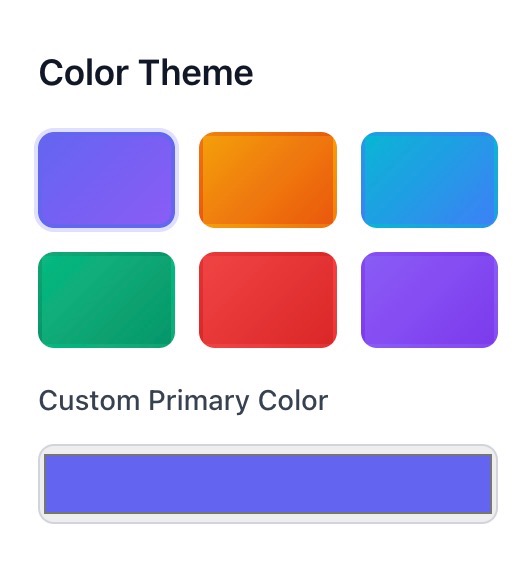
Adjust sensitivity, smoothing, bass boost, and visual effects like glow and mirror. Pick a color theme or set a custom brand color, then download the video.
Ready to Boost Your Productivity?
Save time and money while boosting your productivity with Zight — free tools for screen recording, screenshots, GIFs, and webcam capture.
Try Zight for Free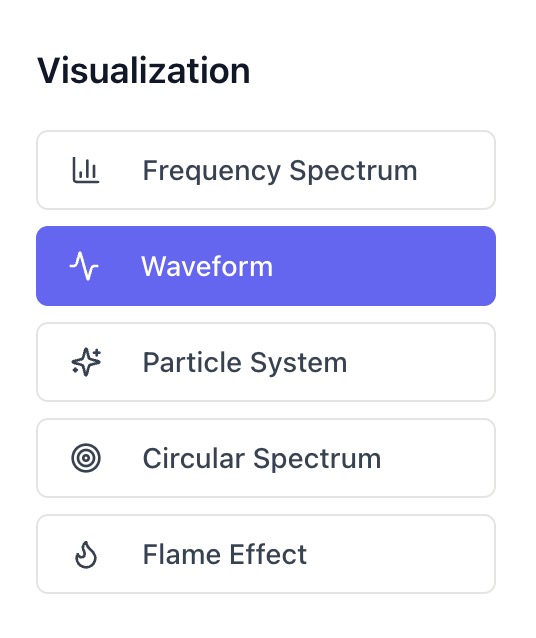
Choosing Between Visual Styles
Frequency Spectrum
Bars that rise and fall with each frequency band. Great for energetic tracks and clear beat feedback.
Waveform
A smooth line that reflects amplitude over time. Clean and minimal for podcasts, acoustic sets, and voice-overs.
Particle System
Floating particles that react to rhythm. Ideal for ambient or cinematic music.
Circular Spectrum
Radial bars pulsing around a center point. Perfect for album posts and looping socials.
Flame Effect
Abstract, heat-like motion responsive to bass and mids. Dramatic for electronic or trap tracks.

Supported Use Cases
For Creators and Musicians
Produce social-ready clips for releases, teasers, and lyric cards.
For Streamers
Add reactive backdrops to intermission or chat scenes.
For Marketers
Turn voice-overs and product music into scroll-stopping assets.
For Educators and Speakers
Visualize speech patterns and audio demos for presentations.
Unlock More Tools
Expand your toolkit with these additional free tools
Ultimate Guide: Designing Better Audio Visuals
Give your track a visual identity that matches its mood. Zight’s Music Visualizer turns frequency and amplitude data into motion, letting you shape the look with a few thoughtful choices.
Match Style to Genre
Use Frequency Spectrum for pop and EDM where the beat drives engagement. Choose Waveform for spoken word and acoustic tracks. Try Particles or Flame for ambient, cinematic, or experimental music.
Tune Sensitivity and Smoothing
Higher sensitivity creates bigger reactions to quiet passages. Smoothing reduces jitter for cleaner motion. Balance both to keep the animation lively without becoming chaotic.
Accentuate the Low End
Bass boost emphasizes kick and sub-bass movement, adding weight to modern tracks. Apply lightly for speech and classical pieces to avoid pumping.
Color with Intent
Pick a preset or set a custom primary color that matches cover art or brand guidelines. Cooler tones feel calm, warm tones feel bold. Glow and mirror effects add polish for social loops.
Conclusion
Zight’s Music Visualizer transforms any track into dynamic, brand-matched motion graphics in minutes. Choose a style, dial in the feel, and export a polished video — all in your browser and fully private.
Create your first visualization today and turn your sound into a story.












