
How to Compress a GIF
Follow these simple steps to get started.
Upload Your GIF
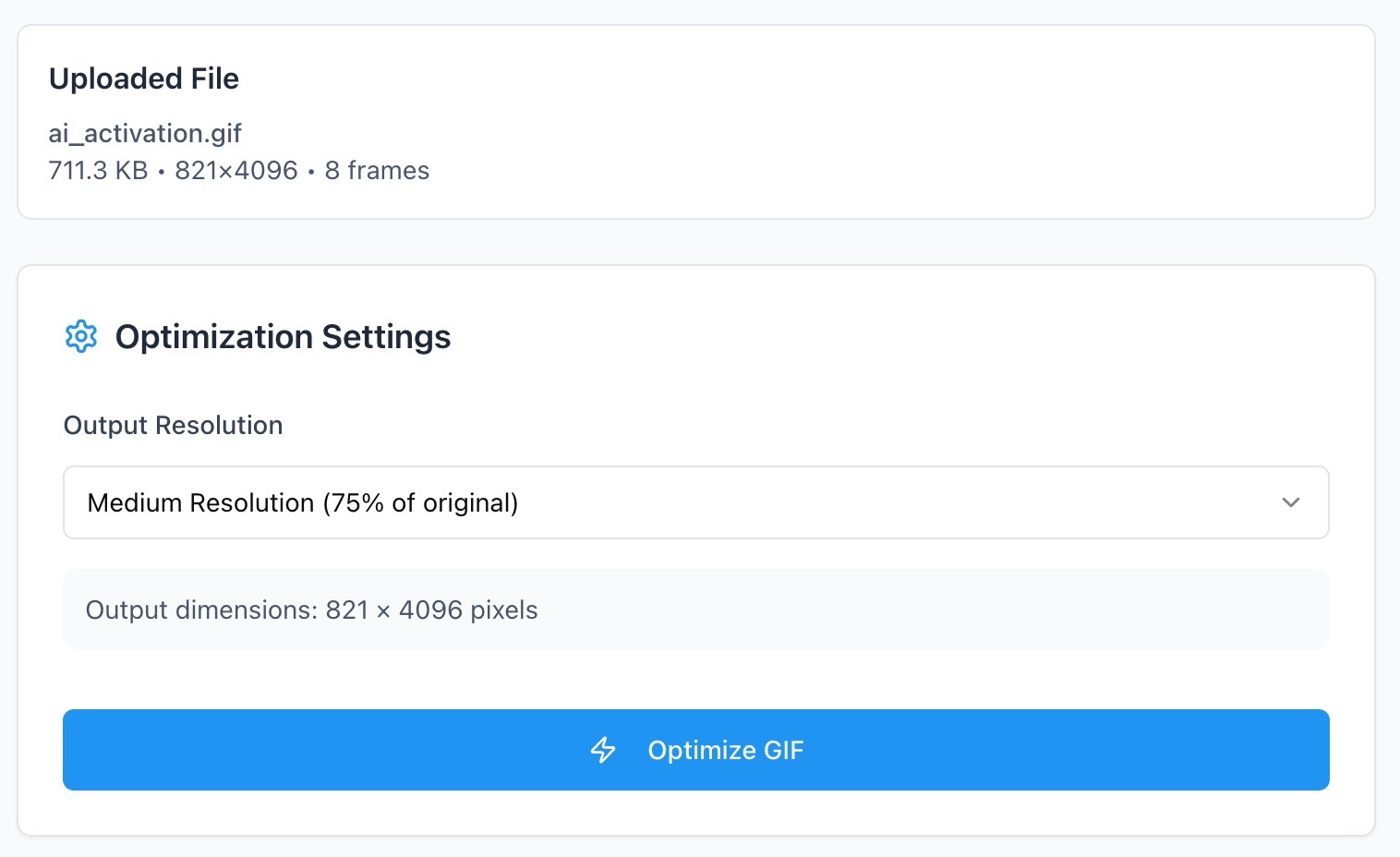
Select your GIF or drag it into the tool. Zight loads your animation instantly for preview.
Adjust Resolution
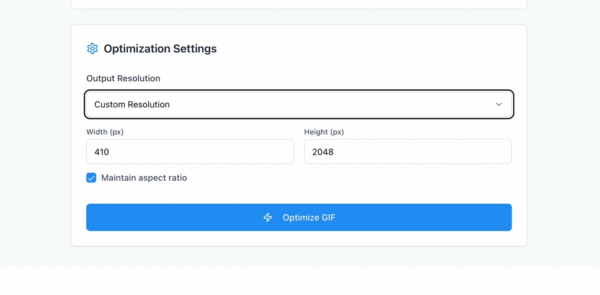
Choose Low, Medium, or High resolution, or enter a Custom resolution to control exactly how small or sharp your GIF should be.
Compress & Download
Click Compress GIF to process your optimized file. Download your smaller, faster-loading GIF instantly.
Ready to Boost Your Productivity?
Save time and money while boosting your productivity with Zight — free tools for screen recording, screenshots, GIFs, and webcam capture.
Try Zight for Free
Why Compress GIFs
GIFs are fun and versatile but can become surprisingly large. Compression helps you:
-
Share faster: Quickly send GIFs on Slack, Discord, and social platforms.
-
Improve website performance: Smaller GIFs load quicker and reduce bounce rates.
-
Save storage: Keep your animation library lightweight.
-
Boost engagement: Use smooth, fast-loading GIFs everywhere.
Why Use Zight’s GIF Compressor
Resolution control
Choose preset resolutions or enter a custom size.
High-quality output
Preserve smooth motion and clean color.
Instant processing
Shrink GIFs in seconds.
Browser-based
No software required.
Private & secure
Your GIF never leaves your device.

Supported Use Cases
For Creators
Compress memes, reactions, and short loops for instant sharing.
For Designers
Resize GIFs for UX previews, mockups, or design systems.
For Businesses
Optimize marketing GIFs for email and landing pages.
For Developers
Shrink animated examples for documentation or bug reports.
Choosing the Right Resolution
Resolution has the biggest impact on file size. Here’s how to decide:
-
High Resolution: Best for product demos, UI animations, and marketing visuals.
-
Medium Resolution: Ideal for memes, tutorials, and general sharing.
-
Low Resolution: Perfect for chat reactions or fast-loading website assets.
-
Custom Resolution: Enter exact pixel dimensions for pixel-perfect control.
Keeping Motion Smooth
Lowering resolution doesn’t have to mean choppy playback. Zight preserves frame structure so your GIF still loops cleanly and consistently.
Color Optimization
GIFs are limited to a 256-color palette. Zight refines this palette to remove unnecessary tones while maintaining vibrant, consistent frames.
Where Compressed GIFs Work Best
-
Social feeds & messaging apps
-
Email newsletters
-
Product pages & UI previews
-
Documentation snippets
-
Blog posts & community replies
Conclusion
Zight’s GIF Compressor makes it easy to reduce file size while keeping your animation smooth and visually appealing. Choose from preset resolutions or define your own, compress in seconds, and download instantly — all privately and for free.
Shrink your GIFs and speed up your workflow with Zight today.
Unlock More Tools
Expand your toolkit with these additional free converters and utilities.
Related workflow: crop a GIF before compressing, resize a GIF before compressing.
Frequently Asked Questions
Yes slightly, but Zight keeps clarity high while shrinking the file effectively.
Yes. Choose Custom to set exact pixel dimensions.
High for clarity, Medium for balance, Low for speed, Custom for precision.
Yes, every frame is preserved and optimized.
Often 30–80% depending on resolution settings.
No. Everything happens locally in your browser.
Yes, on any modern device or browser.
Yes, unlimited use with no sign-up required.












