
Zight vs Loom (2024): The Complete Head-to-Head Comparison
If you’re searching for Zight vs Loom (or Loom vs Zight), you’re likely trying to answer one question: which visual communication tool actually deserves a spot in my workflow?
Both platforms help distributed teams communicate faster with video. But once you look under the hood — at feature depth, pricing, platform support, and day-to-day usability — meaningful differences emerge. If you previously searched for CloudApp vs Loom, note that CloudApp rebranded to Zight in 2023, bringing new features and AI capabilities along with it.
In this guide, we’ll break down every category that matters — core features, video recording and editing, screenshots and GIFs, integrations, pricing, platform availability, and real user feedback — so you can make a confident decision. Let’s dive in.
Zight vs Loom: Quick Comparison Table
Before we go deep on each category, here’s a side-by-side snapshot of how Zight and Loom stack up across the features that matter most.
| Feature | Zight | Loom |
|---|---|---|
| Screen Recording | ✅ Full screen, window, custom region | ✅ Full screen, window, custom size (Business+) |
| Webcam Recording | ✅ Standalone + picture-in-picture | ✅ Standalone + picture-in-picture |
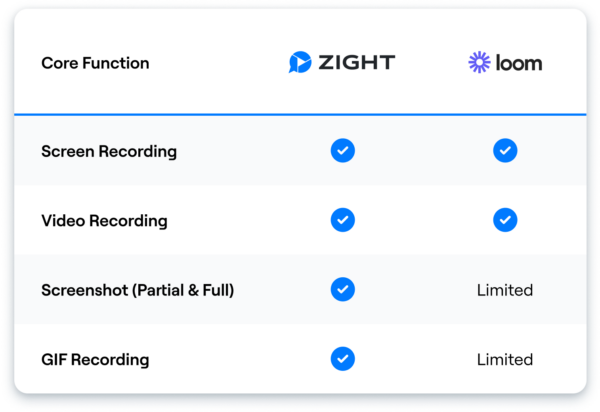
| Screenshots | ✅ Full-featured with annotation | ⚠️ Limited (added recently) |
| GIF Recording | ✅ Native GIF creation | ⚠️ Basic / limited |
| Annotation & Markup | ✅ On images and during recording | ⚠️ Drawing tool during recording only |
| Video Editing | ✅ Trim, crop, split, merge, rotate, filters | ✅ Trim, stitch, filler word removal |
| AI Features | ✅ AI titles, descriptions, smart sharing | ✅ AI summaries, chapters, auto-titles, filler word removal |
| Custom Branding | ✅ (Team plans) | ✅ (Business+) |
| Mac App | ✅ | ✅ |
| Windows App | ✅ | ✅ |
| Chrome Extension | ✅ | ✅ |
| iOS App | ✅ | ✅ |
| Integrations | ✅ Slack, Jira, GitHub, Zendesk, Confluence, + more | ✅ Slack, Notion, Jira, Salesforce, HubSpot, + more |
| Free Plan | ✅ Generous limits | ✅ 25 videos, 5 min each |
| Paid Plan Starting Price | $9.95/mo | $12.50/user/mo |
| Viewer Engagement (reactions, comments) | ✅ | ✅ |
| Password Protection | ✅ | ✅ (Business+) |
| Analytics / View Tracking | ✅ | ✅ |
Bottom line: Loom is a strong video-first messaging tool. Zight matches it on video and adds robust screenshot, GIF, and annotation capabilities — making it the better all-in-one choice.
1. Consolidating Multiple Functions
Winner: Zight
There are dozens of point solutions for individual tasks — a screenshot tool here, a screen recorder there, a separate GIF maker, and maybe a standalone webcam recorder. Juggling all of them means more subscriptions, more context switching, and more friction in your workflow.
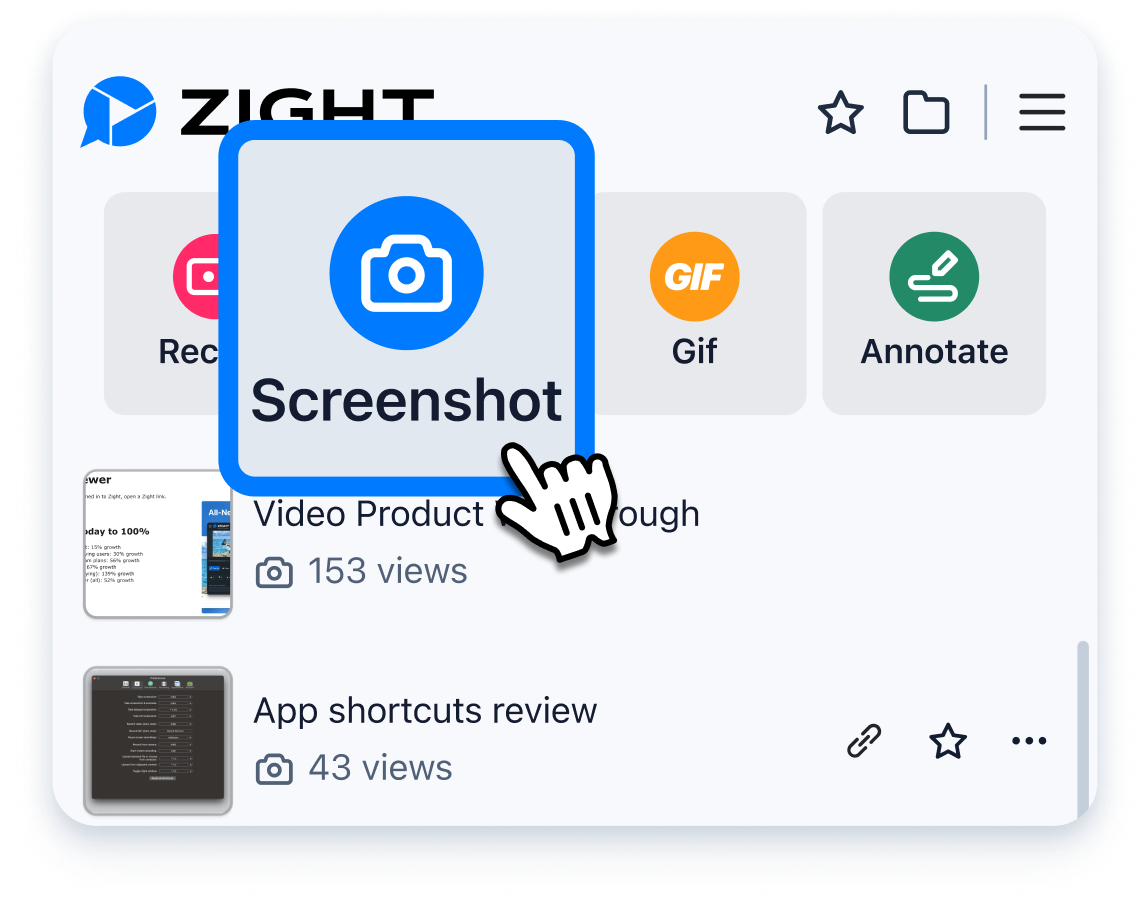
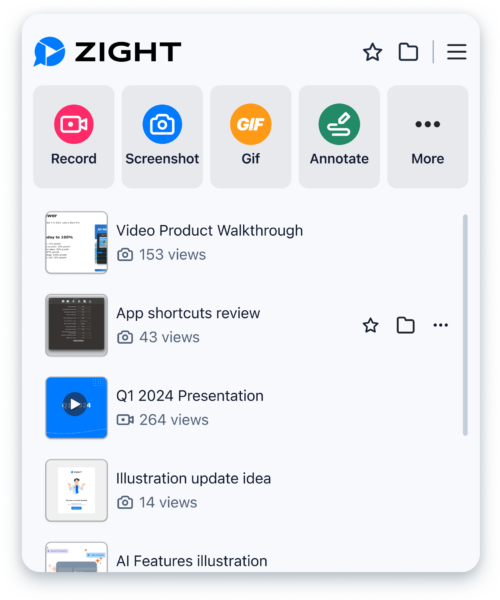
Both Zight and Loom aim to reduce that tool sprawl, but Zight goes further. While Loom started as — and largely remains — a screen recording and video messaging platform, Zight was built from day one to handle the full spectrum of visual communication: screenshots with annotation, screen recordings, webcam videos, and GIF captures, all inside a single app.
Loom has since added basic screenshot functionality and limited GIF support, but those features feel supplementary rather than core. Zight’s screenshot and GIF tools are mature, deeply integrated, and backed by rich annotation and editing workflows.
What this means for you: If your team needs more than just video — and most teams do — Zight can replace two or three tools at once. Fewer logins, one billing dashboard, and a consistent experience across every content type. Whether you’re an individual contributor or part of a growing team, that consolidation saves real time and money.
2. Video Recording and Editing
Winner: Tied (Depends on your priorities)
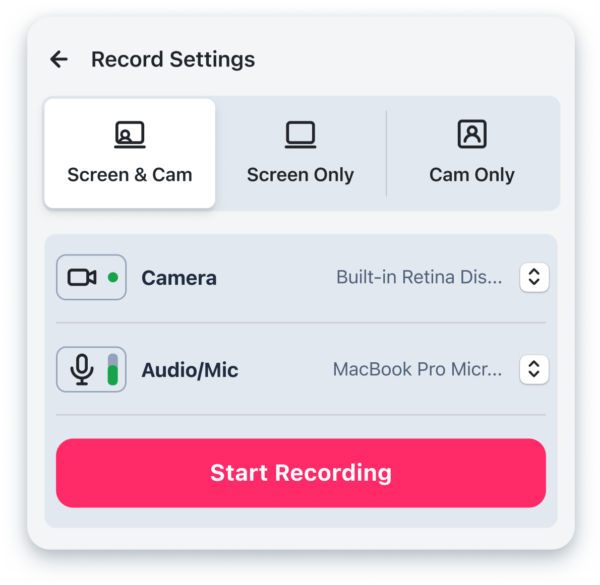
Both Zight and Loom deliver solid screen recording software. You can record your full screen, a specific window or tab, and overlay your webcam for that personal touch. Both tools let you choose between screen-only, camera-only, or screen-plus-camera modes — useful whether you’re creating a product demo, async standup, or leadership update.
Here’s where they differ:
Recording Flexibility
Zight lets every user — including those on free and lower-tier plans — select a custom region of the screen to record. This is a simple but powerful feature: it eliminates distractions like open browser tabs, notification badges, or cluttered desktops. Loom offers custom screen size recording too, but only on their Business and Enterprise plans, meaning free and Starter users are limited to full-screen or window captures.
Zight also lets you annotate during your recording — drawing arrows, highlights, and shapes directly on screen in real time. This is incredibly useful for walkthroughs, bug reports, and training videos.
Video Editing
Zight includes comprehensive video editing built right into the app. After you finish recording, you can trim, crop, split, merge, rotate, scale, apply filters, and fine-tune your video — all without leaving the platform. There’s no need for a separate editing application. Record in one take, then polish it in the same tool.
Loom’s editing capabilities have improved significantly. You can trim clips, stitch multiple recordings together, and — with their AI-powered tools — automatically remove filler words (“um,” “uh”) from your recordings. Loom also generates chapters, summaries, and auto-titles via AI, which makes their viewer experience notably polished.
The verdict: If you want the deepest editing toolkit within the recording app itself (crop, rotate, merge, filters), Zight wins. If AI-powered filler word removal and auto-generated summaries are your priority, Loom has an edge there. Both are strong — your ideal choice depends on which editing features you’ll actually use.

3. Screenshots and Annotation
Winner: Zight
This is where Zight pulls clearly ahead. Screenshots are a core part of everyday work — documenting bugs, providing design feedback, creating knowledge base content, or simply sharing a quick reference. Zight treats screenshots as a first-class feature.
With Zight’s screenshot tool, you can:
- Capture full screen, window, or custom region with a keyboard shortcut
- Annotate instantly with arrows, text, shapes, blur, highlights, and numbered steps
- Auto-copy the share link to your clipboard — paste it into Slack, Jira, email, or wherever
- Organize screenshots in collections for easy retrieval
Loom added a screenshot feature, but it’s relatively basic compared to what Zight offers. Loom’s primary DNA is video, and that shows in how lightweight their screenshot experience feels. There’s less annotation depth, fewer editing options, and the overall workflow isn’t as streamlined for image-based communication.
If screenshots make up even 30% of your visual communication — and for developers, designers, customer support reps, and PMs, it’s often much more — Zight is the stronger choice.
4. GIF Creation
Winner: Zight
GIFs are the unsung hero of async communication. They’re lighter than video, more dynamic than screenshots, and perfect for showing a quick interaction, reproducing a bug, or demonstrating a UI flow in a GitHub issue or Slack thread.
Zight’s GIF maker lets you record any portion of your screen as a GIF, set the recording area, and share it instantly via link or embed. It’s fast, native, and doesn’t require any third-party conversion.
Loom’s GIF support is minimal. You can convert a Loom video into a GIF, but the workflow is roundabout and the output quality isn’t optimized for the format. If GIFs are part of your communication toolkit, Zight is the clear winner.
5. AI Features
Winner: Loom (slight edge)
Both platforms have invested in AI, but they’ve focused on different areas.
Loom’s AI features are tightly integrated into the video viewing experience. Loom AI can automatically generate video summaries, create chapters for longer recordings, write titles, remove filler words from your speech, and even draft follow-up messages. For teams that rely heavily on async video, these features save significant time on both the creator and viewer side.
Zight’s AI features focus on making content creation and sharing faster. Zight uses AI to auto-generate titles and descriptions for your recordings and screenshots, suggest smart sharing options, and streamline your workflow. While the feature set is growing, it’s currently more creation-focused than consumption-focused.
If AI-powered video consumption (summaries, chapters, filler word removal) is a top priority, Loom has an edge today. If you value AI that speeds up creation and sharing across all content types — not just video — Zight is heading in the right direction.
6. Platform Availability
Winner: Tied
Both Zight and Loom support the platforms where modern knowledge workers spend their time:
- Mac — Native desktop app ✅
- Windows — Native desktop app ✅
- Chrome — Browser extension ✅
- iOS — Mobile app ✅
Zight’s desktop apps on Mac and Windows offer the most complete feature set, with deep OS-level integrations for keyboard shortcuts, drag-and-drop sharing, and instant clipboard access. The Chrome extension is great for quick captures when you’re working entirely in the browser.
Loom’s apps are similarly cross-platform, with polished desktop and browser experiences. Both tools also provide a web-based dashboard for managing, viewing, and sharing your content library.
No matter which tool you choose, you won’t have platform gaps.
7. Integrations
Winner: Tied (different strengths)
Both Zight and Loom integrate with the tools modern teams rely on daily. Here’s how they compare:
| Integration | Zight | Loom |
|---|---|---|
| Slack | ✅ | ✅ |
| Jira | ✅ | ✅ |
| GitHub | ✅ | ⚠️ (via embed) |
| Zendesk | ✅ | ✅ |
| Confluence | ✅ | ✅ |
| Notion | ✅ (via embed) | ✅ |
| Salesforce | ⚠️ (via embed) | ✅ |
| HubSpot | ⚠️ (via embed) | ✅ |
| Google Workspace | ✅ | ✅ |
| Microsoft Teams | ✅ | ✅ |
Zight shines in developer and support workflows, with strong native integrations for Jira, GitHub, Zendesk, and Confluence. The ability to paste annotated screenshots and GIFs — not just video links — into these tools makes Zight particularly useful for bug reports, code reviews, and customer ticket responses.
Loom has invested heavily in sales and go-to-market integrations like Salesforce, HubSpot, and Gong. If your primary use case is sales outreach or revenue team workflows, Loom’s integration ecosystem is more tailored to those needs.
Both tools share via link and embed, so even where a native integration doesn’t exist, you can still use either tool in virtually any app.
8. Pricing: Zight vs Loom
Winner: Zight
Pricing is often the deciding factor, and Zight offers more value at a lower price point across every tier.
| Plan | Zight | Loom |
|---|---|---|
| Free | ✅ Generous recording + screenshot limits | ✅ 25 videos (5 min max each) |
| Pro / Starter | $9.95/month — Unlimited recordings, screenshots, GIFs, annotation, video editing | $12.50/user/month — Unlimited videos, transcription, drawing tool |
| Team / Business | Custom pricing — Shared collections, custom branding, admin controls, team analytics | $12.50/user/month — Custom branding, engagement insights, Salesforce integration |
| Enterprise | Custom pricing — SSO, advanced admin, dedicated support | Custom pricing — SSO, SCIM, advanced admin, Salesforce, Gong |
Key pricing takeaways:
- Zight’s Pro plan is 20% cheaper than Loom’s Starter plan and includes screenshots, GIFs, and richer editing tools.
- Loom’s free plan caps you at 25 videos, 5 minutes each. Zight’s free plan is more generous, especially for screenshots and GIFs.
- For teams, Zight’s per-seat pricing delivers more functionality per dollar because you’re consolidating multiple tool categories into one subscription.
- If you’re an individual user who needs both screenshots and screen recordings, Zight at $9.95/month is hard to beat.
9. Best Use Cases: Who Should Choose Which?
Choose Zight if you…
- Need screenshots, GIFs, and screen recordings in one tool
- Want rich annotation on both images and video
- Are a developer, designer, or support rep who communicates with a mix of visual formats
- Want comprehensive video editing without leaving the app
- Need to reduce your tool stack (replace Loom + Snagit/Monosnap/Giphy Capture with one app)
- Want lower per-seat costs for your team
Choose Loom if you…
- Primarily need async video messaging and rarely use screenshots or GIFs
- Want AI-powered video summaries, chapters, and filler word removal
- Are on a sales or GTM team and need Salesforce/HubSpot/Gong integrations
- Prioritize the viewer experience (auto-generated chapters, CTAs, custom thumbnails)












