
Ready to Boost Your Productivity?
Save time and money while boosting your productivity with Zight — free tools for screen recording, screenshots, GIFs, and webcam capture.
Try Zight for FreeHow Video Background Remover Works
Follow these simple steps to get started.
Upload Your Video
Add any MP4, MOV, or WebM file. Zight analyzes the video and identifies the subject automatically.
Remove the Background
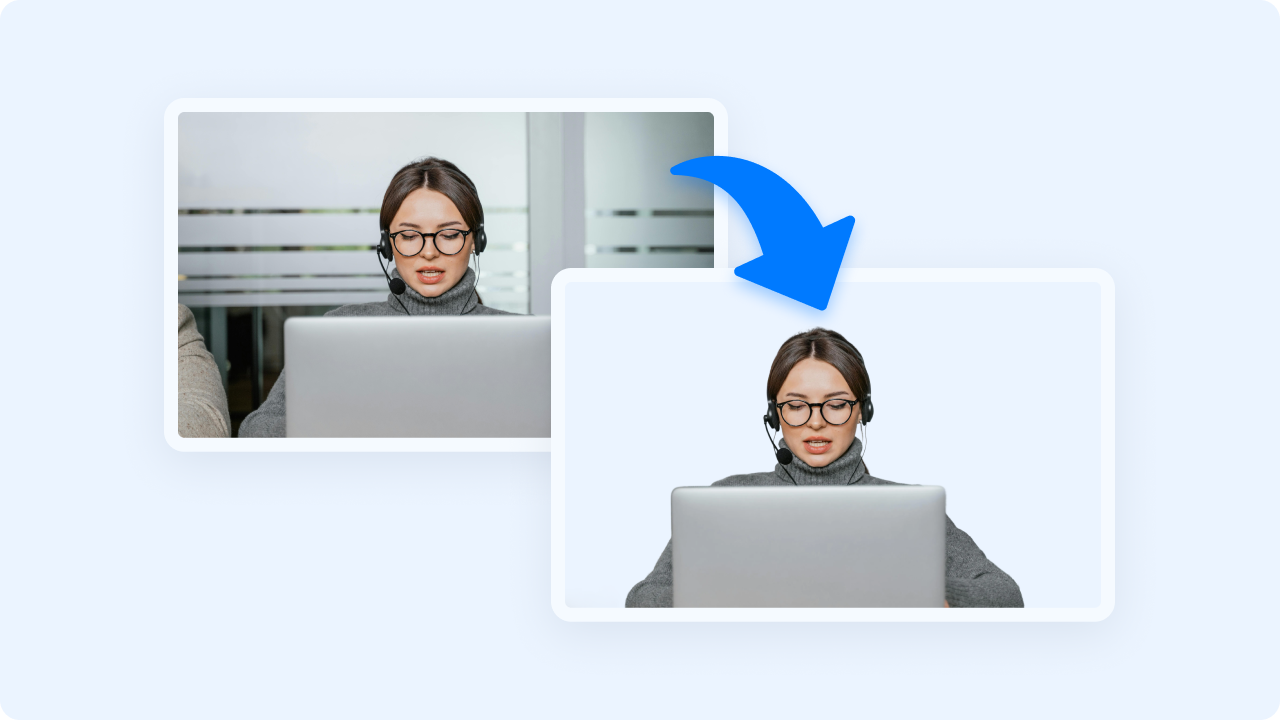
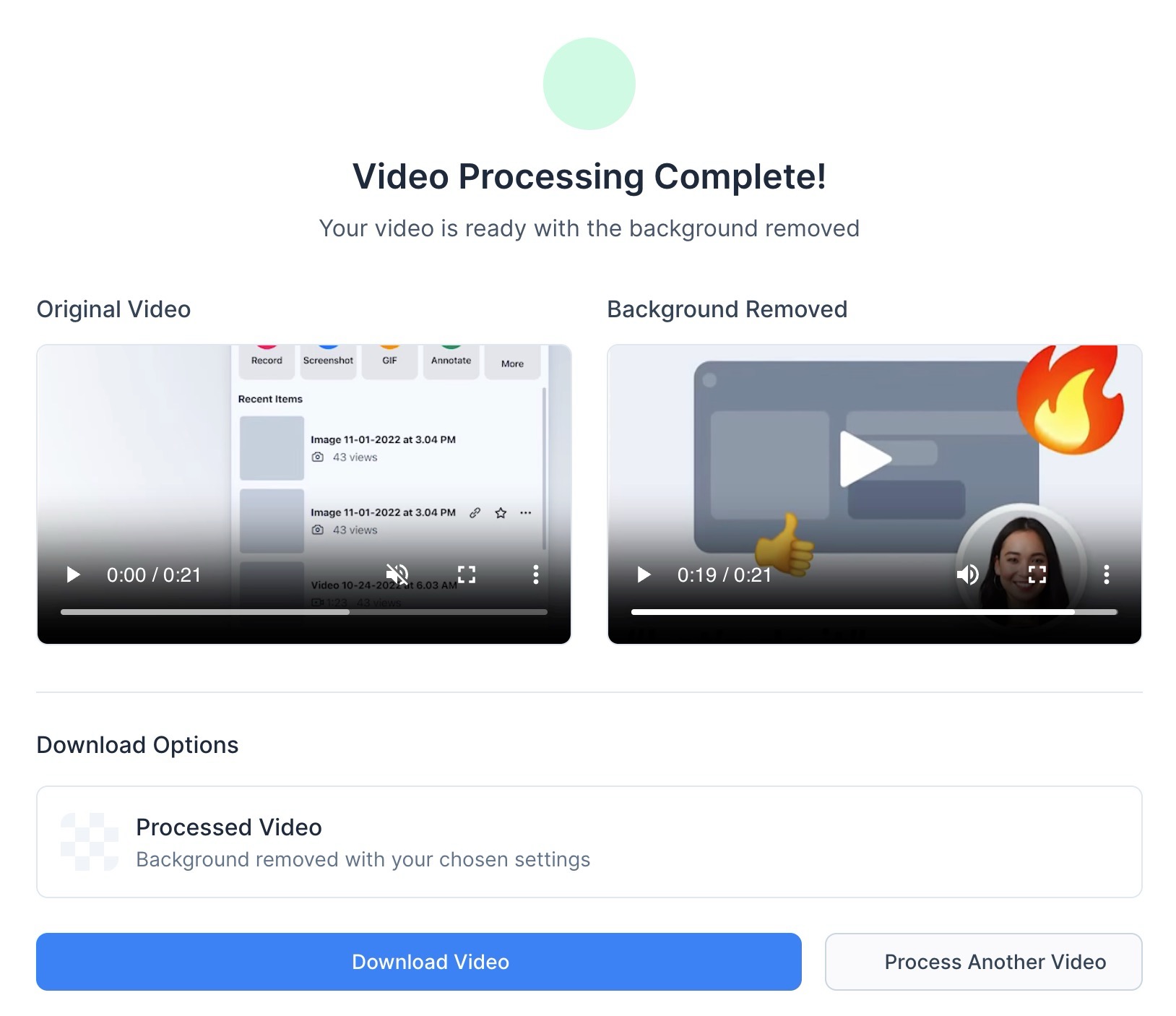
Zight extracts the subject and removes the original background, giving you a clean cutout video.
Download Your Result
Save your background removed video as MP4 and use it in presentations, social media, design tools, or editing software.
Why Use Zight’s Video Background Remover
Zight makes high quality background removal simple and effortless. You do not need a green screen or complex editing software. Just upload your video and get a clean cutout in seconds.
-
Fast and fully automatic
-
High accuracy foreground detection
-
Clean MP4 output
-
Browser based with no installation
-
Ideal for social media, presentations, and video editing
Zight gives you professional grade background removal without the complexity.
More Than Just a Video Background Remover
Zight offers a suite of powerful tools designed to enhance productivity and content creation. Looking for more? Check out these additional features:
Screen Recording – Capture high-quality videos for presentations and tutorials.
Screenshot Tool – Take quick, annotated screenshots for feedback and collaboration.
AI (Artificial Intelligence) – Generate captions, summaries, and insights from your video content.
Merge Videos – Combine multiple video clips into a single seamless presentation.
URL Shortener – Generate trackable short links for easy sharing.

Supported Use Cases
For Content Creators
Create talking head videos, overlays, and clips for social media without needing a green screen.
For Businesses
Produce clean product demos or explainer videos where the presenter or product needs to stand out.
For Educators
Record lessons or tutorials and place yourself inside slides or teaching materials.
For Marketers
Create more professional ads and promotional videos by removing distracting backgrounds.
For Designers and Editors
Import cutout videos into Canva, Figma, Premiere, or other editors for layered compositions.
For Product Teams
Showcase features, demos, or prototypes with distraction free footage.
Ultimate Guide: Creating Clean Cutout Videos
Removing a video background opens up creative possibilities. It lets you place your subject on any backdrop, slide deck, website, or layout with a polished, professional look. Zight makes this process easy by handling the segmentation and extraction automatically.
Why Background Removal Matters
A clean cutout keeps your viewer focused on the speaker, product, or subject. It removes clutter and creates a more intentional visual presence.
No Green Screen Required
Traditional background removal requires controlled lighting and a colored screen. Zight handles it automatically using advanced subject detection, even in everyday environments.
Use Your Video Anywhere
Cutout videos work well in slides, social posts, landing pages, meeting recordings, tutorials, and marketing campaigns.
Perfect for Layered Designs
Place your isolated video on animated backgrounds, gradients, images, or brand themed designs.
Conclusion
Zight’s Video Background Remover makes it easy to create clean cutout videos ready for editing, presentations, and social media. Upload your video, remove the background, and download a polished MP4 in seconds. Simple, fast, and accessible from any browser.
Remove backgrounds instantly and elevate your video content with Zight.
Unlock More Tools
Expand your toolkit with these additional free tools
Frequently Asked Questions
Supported formats include MP4, MOV, and WebM.
No. Zight automatically detects and removes backgrounds without special setups.
Most standard video lengths are supported. Longer files may require more processing time.
Your processed video is exported as MP4.
Yes. Most backgrounds can be removed automatically, though clarity depends on lighting and subject visibility.
Yes. The cutout video works well in Canva, Adobe Premiere, Figma, and other editors.
No. Videos are processed temporarily and not saved long term.
The tool focuses on the main subject, but results vary depending on the clip.












