
Ready to Boost Your Productivity?
Save time and money while boosting your productivity with Zight — free tools for screen recording, screenshots, GIFs, and webcam capture.
Try Zight for FreeHow Transcribe Video and Audio to Text Works
Follow these simple steps to get started.
Upload Your Video or Audio
Add any supported video or audio file.
Generate the Transcript
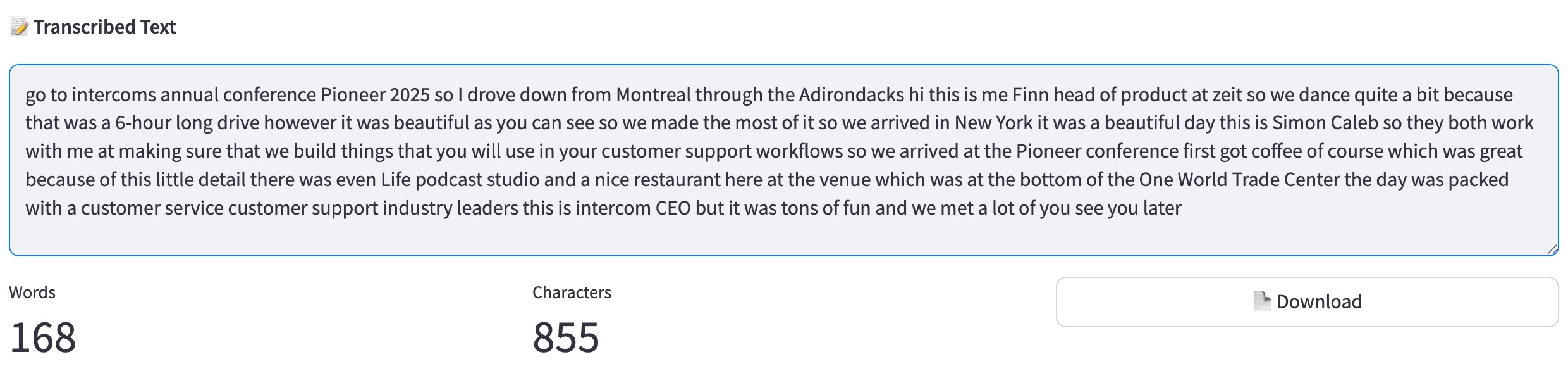
Zight processes speech in your recording and converts it into readable text with high accuracy.
Copy or Download the Text
View your full transcript, copy it to your clipboard, or export it for use in documents, captions, or workflows.
Why Use Zight’s Transcription Tool
Zight makes transcription simple, fast, and accessible to anyone. You do not need editing software or technical knowledge. Upload your file, generate the text, and use it immediately.
Zight is built for speed, accuracy, and ease:
-
High quality speech to text processing
-
Works with video and audio formats
-
Clean text output that is easy to copy
-
Browser based and private
-
No software downloads
-
Ideal for captions, notes, scripts, and documentation
More Than Just a Transcribe Video and Audio to Text Tool
Zight offers a suite of powerful tools designed to enhance productivity and content creation. Looking for more? Check out these additional features:
Screen Recording – Capture high-quality videos for presentations and tutorials.
Screenshot Tool – Take quick, annotated screenshots for feedback and collaboration.
AI (Artificial Intelligence) – Generate captions, summaries, and insights from your video content.
Merge Videos – Combine multiple video clips into a single seamless presentation.
URL Shortener – Generate trackable short links for easy sharing.

Supported Use Cases
For Content Creators
Turn long recordings, interviews, or commentary into scripts, captions, or blog content.
For Businesses
Transcribe meetings, training sessions, demos, and customer calls for easy documentation.
For Educators and Students
Convert lectures and lessons into searchable study notes.
For Podcasters
Generate text versions of episodes for show notes, summaries, or SEO optimized pages.
For Journalists
Transcribe interviews quickly to speed up writing and editing.
For Accessibility Teams
Create text based versions of media for ADA compliance and inclusive communication.
Ultimate Guide: How Transcription Helps You Work Faster
Transcribing recordings transforms spoken content into written text, making it easier to search, edit, and repurpose. Zight streamlines this process by providing a quick and accurate transcription straight from your browser.
Capture Every Word
Whether it is a meeting, interview, or tutorial, a transcript ensures nothing is missed. You get a complete written version you can revisit anytime.
Repurpose Your Content
A single recording becomes multiple assets. Turn your text into articles, captions, summaries, or documentation.
Simplify Collaboration
Sharing written text is faster and easier than sending full audio or video files. Teammates can skim, highlight, and reference important information.
Search and Reference Easily
Transcripts are searchable. This makes it simple to find specific topics, quotes, or timestamps.
Conclusion
Zight’s Transcribe Video and Audio to Text tool makes it simple to convert spoken words into clean text. Upload your recording, generate your transcript, and use the text for captions, documentation, content creation, or study. It is fast, accurate, and entirely browser based.
Turn your recordings into readable content in seconds with Zight.
Unlock More Tools
Expand your toolkit with these additional free tools
Frequently Asked Questions
Most formats including MP4, MOV, MP3, WAV, and M4A.
Yes. Upload videos and the spoken audio will be converted into text.
Yes. You can copy the text directly or export it.
Zight adds natural punctuation to make the transcript easier to read.
Most standard recordings are supported. Longer files may take additional processing time.
No. Files are processed temporarily and not stored beyond your session.
This version provides a continuous transcript. Future enhancements may include speaker labeling.
You can transcribe as many files as needed by uploading them one at a time.












