
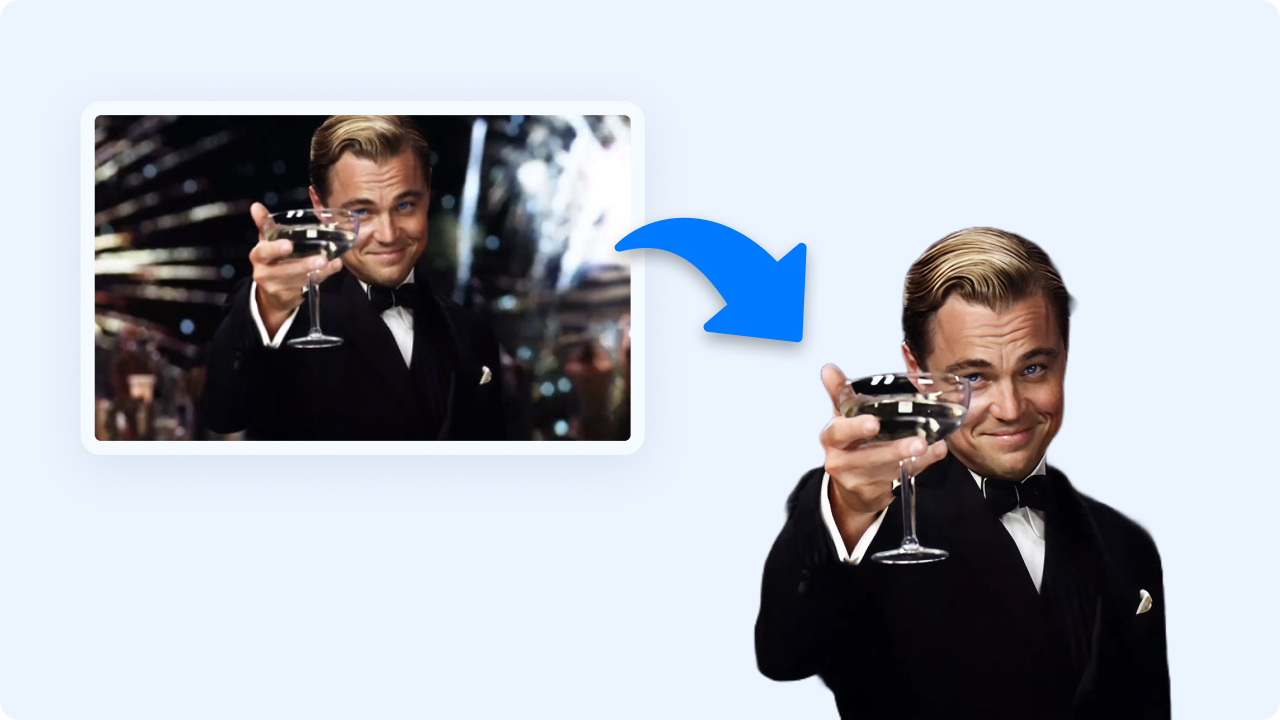
How to Remove a Background from a GIF
Follow these simple steps to get started.
Upload Your GIF
Drag and drop or select a GIF from your device. Zight quickly loads and analyzes each frame to prepare for background removal.
Remove the Background
Zight automatically detects and removes the background using intelligent edge detection. You can also fine-tune with manual transparency adjustments if needed.
Download and Share
Preview your cleaned-up GIF, then download it instantly as a transparent-background animation — ready to use in slides, websites, or edits.
Ready to Boost Your Productivity?
Save time and money while boosting your productivity with Zight — free tools for screen recording, screenshots, GIFs, and webcam capture.
Try Zight for Free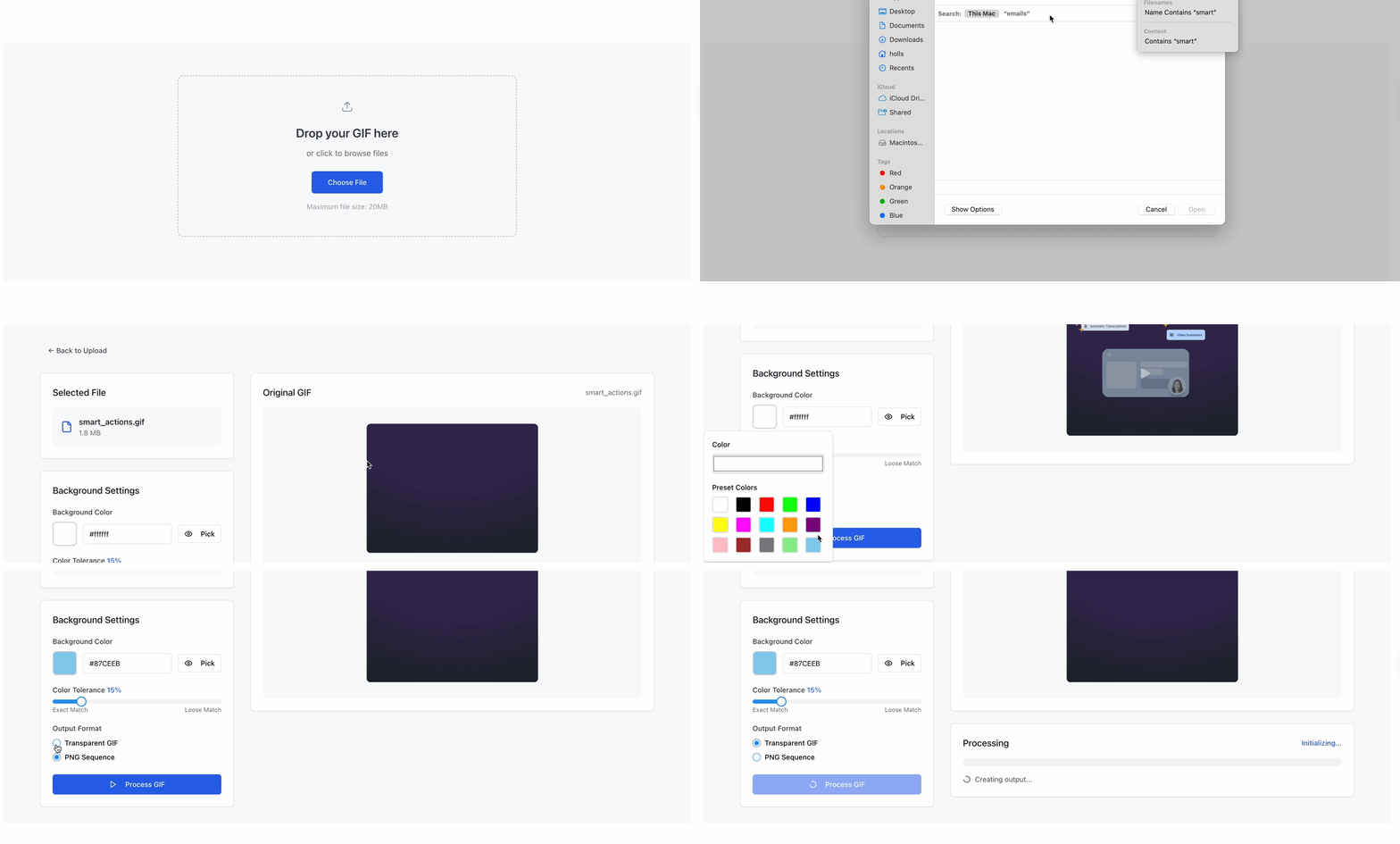
Why Remove GIF Backgrounds
GIFs with transparent backgrounds blend seamlessly into any design, layout, or presentation. Removing the background helps you:
-
Integrate animations into websites, decks, and UIs.
-
Make clean cutouts for memes, reaction GIFs, or tutorials.
-
Overlay motion on branded or custom backgrounds.
-
Simplify edits in other tools by eliminating unwanted layers.

Supported Use Cases
For Designers
Create transparent GIFs for websites, app mockups, or product animations.
For Creators
Cut out subjects from reaction GIFs, memes, or video loops to repurpose in content.
For Businesses
Add motion elements with transparent backgrounds into presentations or branded assets.
For Developers
Export clean GIF overlays for UI animations and marketing visuals.
Ultimate Guide: Cleaning Up GIF Backgrounds
Transparent GIFs are perfect for modern digital design — easy to layer, lightweight, and universally supported. Here’s how to get professional-looking results with Zight.
Understanding GIF Transparency
Most GIFs have solid backgrounds, which limit design flexibility. Removing the background gives you transparent pixels that can adapt to any color, gradient, or pattern beneath them.
Automatic vs Manual Cleanup
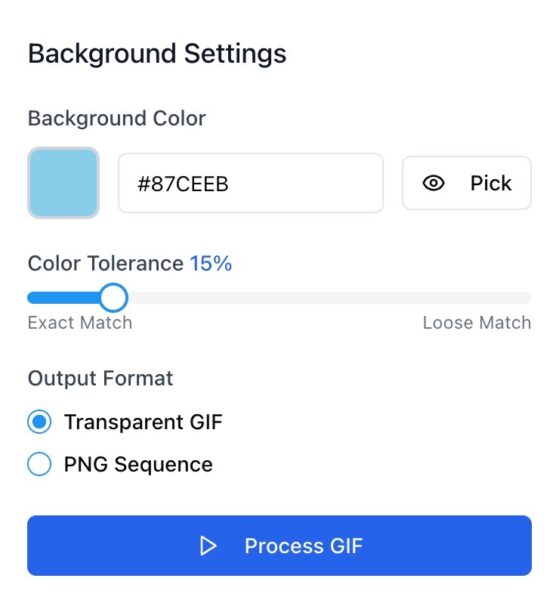
Zight automatically identifies the subject across all frames, maintaining smooth edges through motion. For tricky frames, you can refine results using simple transparency sliders or edge adjustments.
Quality and Smoothness
GIFs can lose quality when edited frame-by-frame. Zight minimizes artifacts and color banding while keeping consistent motion, ensuring your transparent GIF loops perfectly.
Reusing Transparent GIFs
Once your background is gone, overlay your GIFs in:
-
Presentation slides
-
Social posts or ads
-
Chat apps or meme templates
-
UI animations or product demos
Conclusion
Zight’s GIF Background Remover gives you clean, professional transparency in seconds. Upload, remove, and download — all with no sign-up or software required.
Turn your GIFs into versatile, high-quality assets ready for web, design, and social media use — fast, private, and free.
Unlock More Tools
Expand your toolkit with these additional free tools
Frequently Asked Questions
Zight supports standard animated GIFs of any resolution or frame rate.
Zight uses intelligent color separation and edge detection to isolate your subject in every frame.
Yes. You can refine or smooth transparency using manual sliders.
Yes. Each frame is processed to maintain consistent motion and transparency.
You can upload .gif files and export transparent-background GIFs.
Transparent GIFs may be slightly larger, but Zight optimizes them for fast sharing.
No. Everything runs online directly in your browser.
No. All processing is done locally, your GIFs are never saved or shared.












