How to Onboard Remote Healthcare Staff With Video: A Step-by-Step Guide
Hiring is only half the battle. For healthcare organizations managing distributed teams across clinics, offices, and remote locations, the real challenge is getting new hires up to speed — quickly, consistently, and without pulling senior staff away from their responsibilities. If you’ve been wondering how to onboard remote healthcare staff with video, you’re asking the right question at the right time.
Traditional onboarding in healthcare operations is broken. It relies on live sessions that are hard to schedule across time zones, shadowing that pulls experienced employees off their workflows, and static PDF manuals that no one reads. The result? New hires take weeks longer than necessary to reach full productivity, compliance gaps creep in, and the staff responsible for training burn out from repeating themselves.
Async video changes everything. With a HIPAA-compliant async video and screen recording tool like Zight for healthcare teams, you can record a welcome message once, build a reusable software walkthrough library, share secure links for self-paced review, and verify comprehension — all without scheduling a single live meeting. This guide walks you through the exact steps to make it happen.
Why Video-Based Healthcare Orientation Matters for Healthcare Teams
Healthcare organizations aren’t just competing for talent — they’re competing against turnover. The Bureau of Labor Statistics consistently ranks healthcare among the industries with the highest turnover rates, and the cost of replacing a single operations or administrative employee can range from 50% to 200% of their annual salary. A poor onboarding experience accelerates that churn.
But this isn’t just a retention problem. It’s an operational one. Healthcare operations staff — billing coordinators, IT support specialists, HR administrators, credentialing teams, front-desk managers — interact with sensitive systems and data from day one. If onboarding is inconsistent, incomplete, or delayed, the downstream effects ripple across the entire organization: compliance violations, workflow bottlenecks, and frustrated teams picking up the slack for underprepared colleagues.
Remote and distributed work has made this exponentially harder. When your new billing specialist is in a different state than your billing manager, you can’t rely on “swing by my desk and I’ll show you.” You need a system that delivers the same quality of onboarding regardless of geography — and video-based healthcare orientation is the most effective way to achieve that.
Here’s why video works where other formats fall short:
- It captures nuance. Screen recordings show exactly where to click, what to look for, and how a workflow should flow from start to finish. Text instructions can’t replicate this.
- It scales without degrading. A recorded walkthrough is just as clear on the 100th viewing as it was on the first. Live training quality varies based on the trainer’s energy, available time, and interruptions.
- It respects everyone’s time. New hires watch on their own schedule. Trainers record once and reclaim hours every onboarding cycle.
- It creates an auditable record. In healthcare, being able to demonstrate that staff received and completed specific training isn’t optional — it’s a compliance requirement.
Common Challenges When You Onboard Remote Healthcare Staff
Before diving into the solution, it’s important to understand why remote onboarding in healthcare operations is uniquely difficult. These aren’t hypothetical challenges — they’re the daily reality for HR, IT, and operations leaders at hospitals, clinics, health systems, and telehealth companies.
Back-and-Forth Communication That Drains Productivity
When a new hire doesn’t understand a process, they send a Slack message. The trainer responds with a text explanation. The new hire misinterprets it and asks a follow-up. The trainer tries again, this time attaching a screenshot. The new hire still can’t find the right menu. Eventually, someone suggests a Zoom call — which takes 20 minutes to schedule and another 30 minutes to complete for what should have been a 3-minute explanation.
This cycle repeats dozens of times during a single employee’s first month. Multiply it across every new hire, and you’re looking at hundreds of hours lost annually to communication overhead that a single screen recording could have eliminated.
Misalignment Across Sites and Departments
Healthcare organizations with multiple locations often discover — sometimes painfully — that each site has developed its own version of “the right way” to do things. One clinic’s front-desk team processes insurance verifications one way; another clinic does it differently. One IT team has a specific protocol for granting EHR access; another has an informal workaround.
When onboarding is handled ad hoc by local managers, these inconsistencies get baked into new hire training. The organization loses standardization, and when compliance audits happen, the gaps become painfully visible. Remote onboarding amplifies this problem because there’s even less visibility into what’s actually being taught.
Repetitive Explanations and Re-Training
Ask any healthcare operations manager what frustrates them most about onboarding, and you’ll hear some version of: “I’ve explained the same thing 50 times to 50 different people.” It’s not an exaggeration. Every new hire needs to learn the same systems, the same workflows, and the same compliance protocols. And without a recorded resource, every new hire requires the same live investment of time.
The problem compounds when re-training is needed. Software updates, policy changes, and new compliance requirements mean that training isn’t a one-time event — it’s ongoing. Without a video library, each update triggers another round of live sessions, emails, and confusion.
How Async Video Solves Remote Healthcare Onboarding Challenges
Async video — recording your screen, webcam, or both, and sharing the recording via a secure link — is the efficiency unlock that healthcare operations teams have been missing. It bridges the gap between the thoroughness of live, in-person training and the scalability that distributed organizations need.
With a tool like Zight, which is purpose-built as a HIPAA-compliant video tool for healthcare, async onboarding healthcare staff becomes a structured, repeatable, and secure process. Here’s how it works in practice:
Record Once, Onboard Infinitely
Instead of conducting a live Zoom walkthrough every time a new hire joins, you record the walkthrough once using Zight’s screen recorder. That recording becomes a permanent, reusable asset. The next new hire — and the one after that — gets the exact same quality of explanation without requiring a minute of live time from the trainer.
This is particularly powerful for healthcare operations because the processes are often complex and detail-oriented. A screen recording of how to navigate insurance verification in your specific EHR system, complete with cursor movements and verbal narration, is exponentially more useful than a written SOP.
Self-Paced Learning for Distributed Teams
Remote healthcare staff often work across different time zones, shifts, and schedules. Async video respects that reality. New hires can watch onboarding videos when they’re most focused and alert — not when a calendar invite dictates. They can pause, rewind, and rewatch sections they didn’t fully grasp the first time, something impossible in a live session without the social discomfort of asking someone to repeat themselves.
Secure, HIPAA-Compliant Sharing
Healthcare onboarding videos may reference sensitive systems, internal protocols, or screen interfaces that display protected information. Sharing these recordings via consumer-grade tools like YouTube or Google Drive introduces compliance risk. Zight provides HIPAA-ready infrastructure with a signed Business Associate Agreement (BAA), encrypted storage, access controls, and secure link sharing — ensuring your onboarding content meets the same compliance standards as every other part of your healthcare operation.
Standardization Without Micromanagement
When you build a video library for onboarding, you’re not just saving time — you’re creating a single source of truth. Every new hire at every location watches the same recordings, learns the same processes, and meets the same baseline of competence. This eliminates the site-by-site variation that plagues multi-location healthcare organizations and gives compliance officers confidence that training is consistent.
How to Onboard Remote Healthcare Staff With Video: A Practical Step-by-Step Process
Now let’s get tactical. Below is a step-by-step process for building an async, video-based onboarding program for your healthcare operations, IT, HR, or administrative staff. Every step focuses on operational workflows — no clinical content.
Step 1: Record a Personalized Welcome Message
First impressions matter, even when they’re asynchronous. Before a new hire’s first day, record a brief welcome video using Zight’s webcam recorder. This should come from the new hire’s direct manager or team lead and cover:
- A warm, genuine welcome to the team
- What their first week will look like
- Who to contact for different types of questions (IT, HR, their buddy/mentor)
- Where to find the rest of their onboarding materials
Keep it under three minutes. The goal isn’t to overload them with information — it’s to make them feel expected, valued, and oriented. A face-on-camera welcome is significantly more engaging than a text email, and it sets the tone that your organization uses video as a primary communication tool.
Step 2: Build a Software Walkthrough Library
This is the highest-ROI step in the entire process. Identify every software system your new hire will need to use — EHR navigation (from an operations/data entry perspective), billing platforms, scheduling tools, internal communication apps, HR portals, time tracking, and IT ticketing systems.
For each system, record a screen-capture walkthrough using Zight’s screen recorder that covers:
- How to log in (including password reset procedures and MFA setup)
- Core navigation — where things are, how menus are organized, key bookmarks
- Common tasks — the 3-5 actions they’ll perform most frequently
- Common mistakes — what to avoid and how to recover if something goes wrong
- Where to get help — how to submit a ticket, who to escalate to
Keep each video focused on a single topic or task. A five-minute video on “How to Submit a PTO Request in Workday” is far more useful than a 45-minute mega-video covering every HR process. Shorter, modular videos are easier to update when processes change and easier for new hires to locate when they need a refresher.
Step 3: Organize Videos Into a Structured Onboarding Path
A pile of unorganized videos is almost as unhelpful as no videos at all. Structure your recordings into a logical sequence that mirrors the new hire’s first days:
- Day 1: Welcome and Setup — Welcome message, IT setup (hardware, accounts, VPN), communication tools (Slack, email, Zight)
- Day 2-3: Core Systems Training — EHR navigation, billing platform walkthrough, scheduling system basics
- Day 4-5: Role-Specific Workflows — Department-specific processes, reporting procedures, documentation standards
- Week 2: Compliance and Policies — HIPAA awareness (operational handling, not clinical), security protocols, incident reporting procedures
- Week 3-4: Advanced Workflows and Edge Cases — Less common but important scenarios, cross-departmental handoff processes
Share this structure as a checklist — in your LMS, a shared document, or even a simple spreadsheet — with each item linking to the corresponding Zight recording. This gives new hires a clear roadmap and gives managers visibility into progress.
Step 4: Share Secure Links for Self-Paced Review
Zight generates a shareable link for every recording. These links can be password-protected, set to expire after a defined period, and restricted to specific viewers — critical features when your onboarding content may show internal system interfaces or reference operational protocols that shouldn’t be publicly accessible.
Embed these links directly into your onboarding checklist, send them via your internal messaging platform, or integrate them into your LMS. The key is making access frictionless — new hires shouldn’t need to request permission, hunt through shared drives, or ask someone where to find things. One click, and they’re watching.
Because Zight is a secure video workflow solution for healthcare teams, you can share these links with confidence that your compliance posture remains intact.
Step 5: Check Comprehension Without Live Quizzes
Onboarding isn’t complete when someone watches a video — it’s complete when they demonstrate understanding. Build lightweight comprehension checks into your process:
- Ask new hires to record themselves completing a task. After watching the walkthrough on how to submit an IT ticket, have them screen-record themselves actually submitting one. This confirms comprehension in a way that a multiple-choice quiz never could.
- Use async video check-ins. Instead of scheduling a 30-minute live meeting for a “How’s it going?” conversation, have new hires record a 2-minute video summarizing what they’ve learned, what’s unclear, and where they need help. Their manager can review it on their own time and respond with a targeted video answer.
- Pair video with simple assessments. If you use an LMS, attach a short quiz after each video module. If you don’t, a Google Form with 3-5 questions per module works fine.
This creates a documentation trail showing that each employee received and understood their training — valuable for internal audits, compliance reviews, and performance management.
Step 6: Iterate and Update Your Library Over Time
An onboarding video library isn’t a “set it and forget it” project — but it should be close. The initial investment of recording is significant, but updates are incremental. When a software interface changes, re-record that specific walkthrough. When a new policy rolls out, add a new video. When you get feedback from a recent hire that a particular topic was confusing, improve that recording.
Because Zight makes recording and sharing so fast — most videos can be recorded, annotated, and shared in under five minutes — keeping your library current is a manageable, ongoing task rather than a major project.
Practical Use Cases for Remote Healthcare Onboarding Video
The step-by-step process above provides the framework. Here’s how specific healthcare teams apply it in the real world:
IT Troubleshooting and System Access
Healthcare IT teams are perpetually stretched thin, and onboarding is one of their biggest time sinks. Every new hire needs accounts provisioned, VPN configured, MFA activated, and access granted to multiple systems — often with role-based permissions that vary by department.
By recording screen walkthroughs for common IT setup tasks — “How to configure VPN on your laptop,” “How to set up MFA for the EHR system,” “How to connect to the secure Wi-Fi network at any clinic location” — IT teams can eliminate 80% of their onboarding support tickets. New hires follow the video. If they get stuck, they rewatch the relevant section. The IT team only gets pulled in for genuine edge cases.
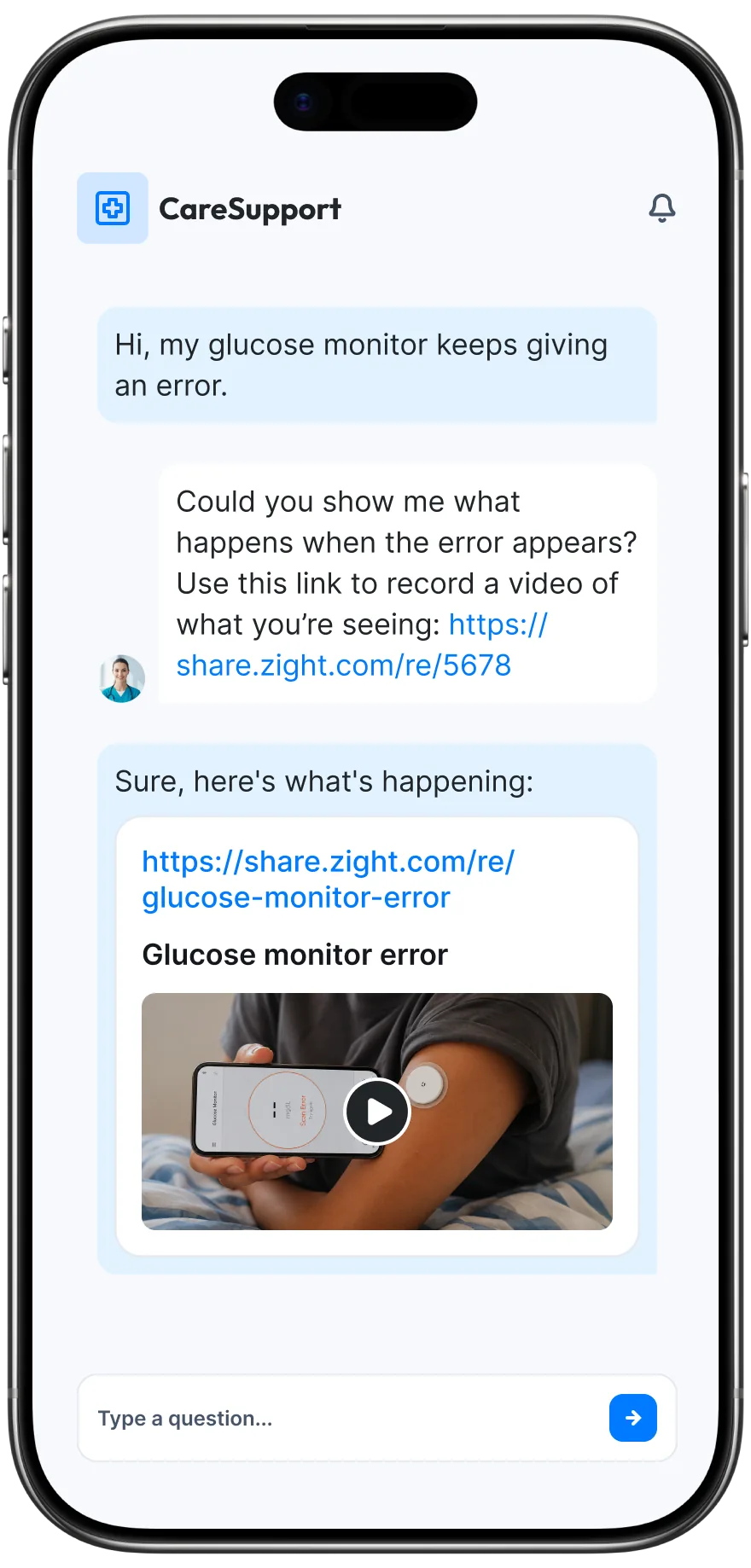
When troubleshooting is needed, the process works in reverse: the new hire records their screen showing the issue, shares the Zight link with IT, and IT can diagnose the problem asynchronously — no screen-sharing session required.
Staff Training and Onboarding for Operations Roles
Billing coordinators, credentialing specialists, medical records staff, scheduling coordinators — these roles involve intricate, system-specific workflows that are difficult to learn from documentation alone. Async onboarding healthcare staff through video bridges the gap.
A billing manager can record a walkthrough of how to process a specific claim type, showing the exact fields to complete, the codes to reference, and the common errors to watch for. A credentialing team lead can record the step-by-step process for verifying a provider’s credentials across multiple databases. These recordings become the training backbone for every future hire in that role.
For multi-site healthcare organizations, this is transformative. Instead of each location training independently (and inconsistently), a central operations team can produce standardized training videos that ensure every new hire learns the approved process.
Internal Documentation and Knowledge Preservation
One of the hidden costs of turnover in healthcare operations is knowledge loss. When an experienced employee leaves, they take years of institutional knowledge with them — the workarounds, the unofficial processes, the “here’s how we actually do it” knowledge that never made it into a written SOP.
Async video solves this by making it effortless to capture that knowledge before it walks out the door. Encourage tenured staff to record short videos explaining their workflows, tips, and institutional knowledge. These recordings become a living knowledge base that protects the organization against turnover and makes every future onboarding cycle smoother.
Best Practices for Video-Based Healthcare Orientation
To get the most out of your async video onboarding program, follow these operational best practices:
1. Keep Videos Short and Focused
Aim for 2-7 minutes per video. Each recording should cover one topic, one workflow, or one system. If a process has multiple phases, break it into multiple videos. Short videos are easier to produce, easier to update, and easier for new hires to navigate.
2. Use a Consistent Naming Convention
Name your recordings with a clear, searchable pattern. For example: [Department] — [System] — [Task]. “Billing — Athena — How to Submit a Clean Claim” is infinitely more useful than “Training Video 47.” When your library grows to 50+ videos — and it will — discoverability becomes critical.
3. Always Use HIPAA-Compliant Tools
This cannot be overstated. Do not record onboarding videos using consumer tools and upload them to unsecured platforms. If your screen recording shows an internal system — even a login page — it needs to be stored and shared through a HIPAA-compliant platform with a signed BAA. Zight provides this infrastructure natively, so you don’t need to jury-rig compliance onto a tool that wasn’t designed for it.
4. Assign Ownership of the Video Library
Designate someone — an operations coordinator, an HR specialist, or an onboarding lead — as the owner of the video library. This person is responsible for maintaining the content catalog, flagging outdated recordings, and coordinating updates when processes change. Without ownership, libraries decay quickly.
5. Collect Feedback From Every New Hire
After each onboarding cycle, ask the new hire: Which videos were most helpful? Which were confusing? What was missing? This feedback loop is the fastest way to improve your library. New hires have a unique perspective — they’re the only ones who can tell you what it’s actually like to learn your organization’s processes from scratch.
6. Combine Async Video With Limited Live Touchpoints
Async video isn’t a replacement for all human interaction — it’s a replacement for repetitive, low-value live sessions. Keep live time for high-value activities: a 1:1 welcome call on day one, a weekly check-in during the first month, and a 30-day review. Everything else — system training, policy review, process documentation — should be async. This approach dramatically reduces the time investment required from managers while preserving the human connection that makes new hires feel supported.
7. Plan for Ongoing Training, Not Just Day-One Onboarding
The video library you build for onboarding will quickly become your organization’s go-to resource for ongoing training. Software updates, policy changes, new workflow rollouts — all of these can be communicated through a quick screen recording shared via Zight. When you design your library with this future in mind, you’ll build something that serves the organization for years, not just the first week of each new hire’s tenure.
Start Onboarding Remote Healthcare Staff With Video Today
The healthcare organizations that onboard most effectively aren’t the ones with the biggest budgets or the most advanced LMS platforms. They’re the ones that recognize a simple truth: showing is faster than telling, and recording is more scalable than repeating.
Async video — specifically, HIPAA-compliant screen and webcam recording — gives healthcare teams the ability to onboard remote staff consistently, securely, and at scale. No more scheduling nightmares. No more inconsistent training across locations. No more burning out your best people by making them repeat the same walkthrough for every new hire.
Zight is built for exactly this use case. As a HIPAA-compliant async video and screen recording tool, it gives healthcare teams everything they need to communicate, train, and troubleshoot securely — with a signed BAA, encrypted storage, access controls, and a recording experience so fast that creating a new training video takes less time than writing an email about it.
Ready to transform how your healthcare organization onboards remote staff? Explore Zight’s healthcare video communication solutions and see how async video can save your team hundreds of hours per year while improving the new hire experience.
Frequently Asked Questions
Is it safe to use video recordings for healthcare staff onboarding?
Yes, as long as you use a HIPAA-compliant platform with a signed Business Associate Agreement (BAA), encrypted storage, and access controls. Consumer-grade video tools typically do not meet healthcare compliance requirements. Zight provides HIPAA-ready infrastructure specifically designed for healthcare teams, ensuring that your onboarding recordings are stored and shared securely.
How long should onboarding videos be for remote healthcare staff?
Individual onboarding videos should be between 2 and 7 minutes long, with each video covering a single topic or workflow. Shorter, focused videos are easier for new hires to navigate, easier to update when processes change, and result in better knowledge retention compared to long, monolithic training sessions.
Can async video fully replace live onboarding sessions?
Async video is best used to replace repetitive, system-focused training sessions — software walkthroughs, process documentation, and policy overviews. High-value live interactions like a welcome call, weekly check-ins, and milestone reviews should remain synchronous. The goal is to shift the balance so that live time is spent on relationship-building and nuanced Q&A rather than screen sharing the same EHR walkthrough for the fifth time this quarter.
How do I verify that new hires actually watched and understood the onboarding videos?
There are several practical approaches: ask new hires to screen-record themselves completing a task after watching the corresponding training video, pair videos with short quizzes in your LMS or via a simple form, and use async video check-ins where new hires summarize what they’ve learned. These methods create a documentation trail that supports compliance requirements while genuinely validating comprehension.
What types of healthcare staff roles benefit most from video-based onboarding?
Any operations, administrative, IT, or HR role that involves learning software systems and organizational workflows benefits from video-based onboarding. Common examples include billing coordinators, scheduling specialists, credentialing staff, medical records teams, front-desk administrators, IT support specialists, and HR administrators. The approach is especially valuable for multi-site organizations where standardized training across locations is a priority.


Leave a Reply