

Key Takeaways:
- What it is: Asynchronous collaboration lets team members contribute on their own time, using tools like shared documents and project management platforms.
- Why file sharing matters: Centralized systems ensure up-to-date files are always accessible, reducing wasted time and miscommunication.
- Challenges solved: Modern tools tackle version control problems, breakdown silos, and balance security with accessibility.
- Best practices: Clear naming conventions, proper access controls, and integrations with communication tools help teams stay organized and efficient.
Top 9 Document Collaboration Tools for Enhanced Team Productivity
Common Problems in Asynchronous Collaboration
When teams work asynchronously without reliable file-sharing systems, productivity can take a major hit. Frustration builds as outdated methods or scattered tools fail to meet the demands of modern collaboration. These hurdles highlight just how important it is to have efficient file-sharing processes in place.Version Control Problems
Dealing with outdated or conflicting file versions can bring asynchronous workflows to a grinding halt. Imagine trying to make decisions based on an old document or redoing work because the latest updates are scattered across multiple versions. This is a common pain point for teams spread across different time zones, where delays in updating files can lead to redundant efforts. The problem gets worse when files are shared through email attachments or saved in various uncoordinated locations. Time is wasted reconciling changes, and important updates often slip through the cracks. A reliable file-sharing system eliminates these headaches by ensuring everyone works from the same, up-to-date version. These version control issues don’t just waste time – they can have far-reaching consequences. For example, if executives rely on outdated financial reports or marketing teams launch campaigns using old branding, the ripple effects can damage trust and efficiency across the organization. On top of that, information silos further compound these challenges.Information Silos and Delayed Feedback
Information silos are another major roadblock to effective asynchronous collaboration. When critical knowledge is locked away with specific teams or individuals, it creates unnecessary delays. In fact, 85% of employees agree that sharing and preserving unique knowledge is key to boosting productivity. Yet, many organizations struggle to break down these barriers. The numbers are telling: knowledge workers lose around 5.3 hours each week waiting for information or redoing work. For large companies, this inefficiency can result in $47 million in annual productivity losses. In asynchronous setups, the problem becomes even more pronounced. A developer in San Francisco might spend hours recreating code that already exists, simply because their colleague in Berlin – who has access to it – is offline. This lack of immediate feedback leads to miscommunication and frustration. High-trust teams report a 50% boost in productivity, but building trust is harder when responses take hours or even days. Remote workers often find themselves unable to access the information they need, which limits their ability to contribute effectively. And then there’s the added complexity of balancing access and security in file sharing.Access and Security Limits
Finding the right balance between security and accessibility is a constant struggle for distributed teams, especially when handling sensitive documents. Studies show that 20% of a company’s sensitive files are accessible to all employees, exposing organizations to unnecessary risks. On the flip side, overly restrictive access controls can make it nearly impossible for teams to get their work done. The stakes are high. Nearly half of American adults have had their personal information compromised by cybercriminals, and as of August 2022, eight in ten U.S. board directors believed their organizations were at risk of a major cyberattack. Common security challenges include unauthorized access, data breaches, malware, and phishing attacks – many of which stem from human error or poorly configured permissions. Regulatory requirements, such as GDPR or HIPAA, add another layer of complexity. For instance, a healthcare team handling sensitive patient data faces stricter rules than a marketing team sharing campaign materials, but both need easy access to do their jobs. In asynchronous settings, the lack of immediate IT support can lead to delays, further complicating workflows. To make asynchronous collaboration work, teams need file-sharing solutions that combine consistent access controls with robust security protocols. This ensures smooth collaboration across time zones without sacrificing the flexibility that makes asynchronous work so appealing.How File Sharing Fixes Asynchronous Collaboration Problems
File-sharing tools make it easier for teams to work together, even when they’re in different time zones. These tools reduce confusion, improve security, and provide the flexibility needed for seamless collaboration.Centralized Document Management
A centralized system for managing documents eliminates the chaos of misplaced or outdated files. When all team members access a single, up-to-date source, they can stay focused on their tasks instead of wasting time hunting for the right version. A surprising two-thirds of employees have had to recreate documents simply because they couldn’t find the original. On top of that, nearly half of workers say their biggest digital organization challenge is locating specific files. By storing everything in one location and using clear naming conventions and structured folders, teams can avoid these common problems and save valuable time.Better Version Control and Transparency
Modern file-sharing platforms simplify version control by automatically tracking changes and maintaining a detailed history of edits. This ensures that no work is lost, even if someone makes a mistake. Instead of overwriting prior work, these systems create new versions, making it easy to revert if needed. Notifications and activity feeds keep everyone informed about updates. For example, a designer might upload new mockups overnight, allowing a product manager in a different time zone to review them first thing in the morning without missing a beat.Security and Permission Controls
In addition to improved organization, advanced file-sharing tools prioritize security. With remote teams sharing over 2.5 billion files daily, protecting sensitive information is critical. The average cost of a data breach – $4.62 million per incident – makes strong security measures a must. Role-based permissions ensure that team members only access files relevant to their roles. For instance, a marketing coordinator might have editing access to campaign materials but only view access to financial data. Features like two-factor authentication, encryption, audit trails, and guest access controls add multiple layers of protection. Tools such as Microsoft’s sensitivity labels for Teams allow administrators to limit guest sharing and manage access based on user roles and device security. Regular monitoring and audits further help IT teams catch and address potential issues before they escalate.Flexibility for Distributed Teams
File-sharing platforms are designed to support teams working across different time zones. Team members can work during their most productive hours – whether they’re in Berlin or San Francisco – without needing to be online at the same time. Mobile-friendly options also mean files can be accessed, edited, and shared from anywhere. Clear documentation plays a key role in this setup, as Yolanda Lau, Co-Founder and Advisor at FlexTeam, explains:“With my remote team, I’ve found that documenting our processes and best practices is essential to our success in working well together, regardless of location.”These platforms can also be customized to fit the specific needs and security requirements of different teams.
Zight as a File Sharing Solution
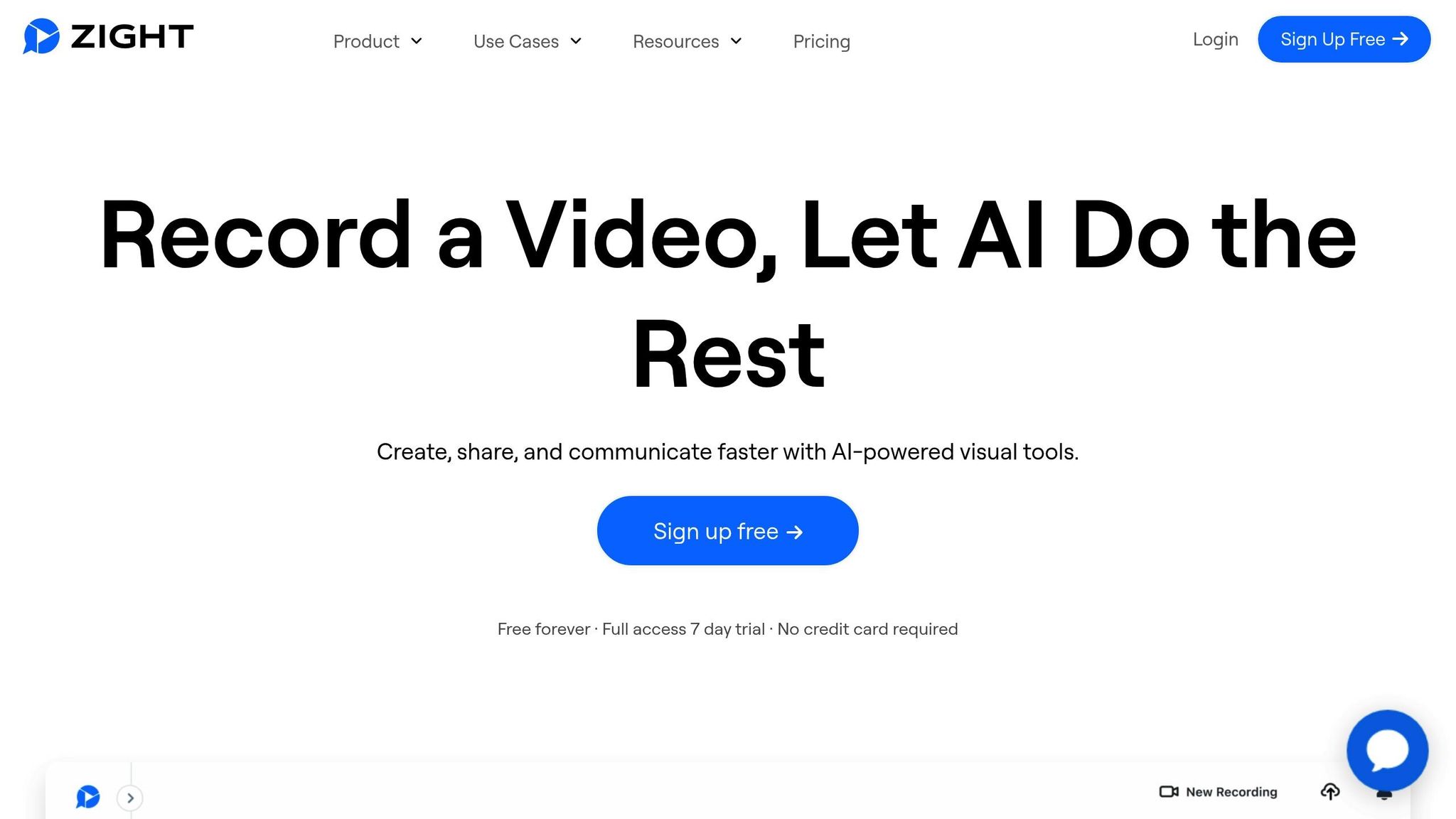 Zight stands out among file-sharing tools by integrating visual communication into its platform. Beyond basic file sharing, Zight allows teams to create and share screen recordings, screenshots, and step-by-step guides, adding much-needed context to projects. Its AI-powered features, such as automatic transcriptions and video summaries, make it easy for teammates in different time zones to understand key points quickly. Zight also integrates with tools like Slack, Microsoft Teams, and Jira, ensuring a smooth workflow. On top of that, it offers enterprise-grade security and custom branding options, keeping shared content secure and professional, especially when working with external stakeholders.
 Best Practices for File Sharing in Asynchronous Teams
Sharing files effectively in asynchronous teams requires clear systems and consistent habits. These practices, paired with centralized management and security measures, help create a smooth and efficient workflow.Organize Files with Clear Naming Rules
A well-thought-out naming system is essential for keeping files easy to find and understand, especially when team members are working across different time zones. Without it, confusion and wasted time are almost guaranteed. Harvard University stresses the importance of establishing naming conventions before collecting files to prevent disorganization. A solid naming structure might look something like this: “Department_DocumentType_Description_Date_Version.” For example, “Marketing_Plan_AdCampaign_2023-05-15_v2.docx” makes it clear what the file is, when it was created, and its version. When creating file names:- Stick to alphanumeric characters, dashes, and underscores.
- Avoid spaces and special characters that could cause compatibility issues across different systems.
- Use the YYYY-MM-DD format for dates to ensure chronological sorting.
- Add version numbers (e.g., v1, v2) to track updates.
Set Proper Access Permissions
Balancing security with collaboration is critical when managing file access. With nearly half of all cloud-stored data classified as sensitive and over half of organizations reporting cybersecurity incidents in recent years, setting clear access controls is non-negotiable. Use the principle of least privilege: only grant team members the access they need to do their jobs. For instance, marketers might need full editing rights for campaign files but only viewing access for confidential data. Standardized permission levels, such as Full Control, Modify, or Read, help simplify access management. When combining share and NTFS permissions, remember that the most restrictive setting will apply. It’s also important to:- Regularly review and adjust access rights as team roles evolve.
- Leverage advanced tools like multi-factor authentication, encrypted sharing, and data leakage prevention to strengthen security.
Use Integrations with Communication Tools
Integrating file-sharing platforms with communication tools eliminates the hassle of switching between apps, making collaboration smoother. These connections allow teams to share, discuss, and update files without disrupting their workflow. For example:- Slack integrations let teams share files in channels, receive updates, and manage permissions directly.
- Tools like Asana and Jira link project tasks to relevant files, simplifying updates and bug tracking.
- Visual tools such as Loom and Figma enhance collaboration by enabling video explanations and real-time design feedback.
Encourage Documentation and Regular Updates
Documentation transforms files into collaborative resources. For teams spread across time zones, having clear context – what a file contains and why it matters – can reduce confusion and unnecessary back-and-forth. Keep documentation up to date and notify team members of significant changes. This minimizes the need for synchronous check-ins and ensures everyone stays informed. To make this process seamless:- Track version history with brief notes on what’s changed.
- Include guidelines on file usage, related resources, and contact points for questions.
- Use tools like Notion, which combine real-time notifications with project management features, to keep documentation aligned with ongoing work.
sbb-itb-5d91f01
Impact on Team Productivity and Collaboration Quality
Effective file sharing doesn’t just solve version control and access issues – it transforms how teams work together. It boosts productivity, simplifies collaboration across time zones, and improves decision-making. These changes ripple through teams, reducing meeting overload, improving decision quality, and fostering inclusivity.Fewer Meeting Requirements
Streamlined file sharing cuts down on unnecessary meetings. Teams that adopt asynchronous sharing methods can save up to six hours per week by minimizing in-person discussions and avoiding inefficient communication habits. With centralized file sharing, updates, comments, and changes can be managed without requiring everyone to meet at the same time. For instance, an engineer can review a colleague’s code and leave detailed feedback throughout the day, eliminating the need for immediate back-and-forth discussions. This approach not only saves time but also allows for deeper focus on tasks.“Relying more on asynchronous communication is a total game-changer for cutting unnecessary meetings out of your schedule. You know, handling those status updates, easy questions, lightweight discussions over email, Slack, docs – whatever async channel people prefer. Save the real-time meetings for meaningful conversations that require everyone’s active participation.” – Alex Ponomarev, Engineering ManagerBy reducing the frequency of meetings, teams can focus on clearer and more transparent decision-making processes.
Better Decision-Making and Transparency
With fewer meetings, file sharing promotes faster and more informed decisions. Centralized information fosters transparency and accountability, creating a smoother decision-making process. According to Forbes, inclusive teams make decisions 87% faster, perform 60% better than individuals, and cut decision-making time in half – all while reducing the need for lengthy meetings. Real-time editing and commenting tools further enhance this process. When team members can collaborate on documents simultaneously, confusion over versions becomes a thing of the past. Keeping a decision log that records choices and their reasoning adds an extra layer of clarity. Tools like shared whiteboards or process maps also simplify complex decisions, making them easier to understand and act on.More Equal Collaboration
File sharing ensures that all team members, regardless of location or time zone, have equal access to information. With 59% of IT projects involving distributed teams and 73% of companies expected to work remotely by 2028, this access is crucial. It allows everyone – from Tokyo to New York – to contribute effectively.“Good communication tools bridge gaps, helps teams in different places connect, share ideas, and move projects forward in real time. They are the backbone for building trust, fostering inclusivity, and ensuring everyone’s voice is heard, no matter where they are.” – Kara Dennison, SPHR, CPRW, EC, Contributor at ForbesThis kind of collaboration brings diverse perspectives into decision-making and problem-solving, leading to richer discussions and more creative solutions. Teams that embrace asynchronous methods often report stronger cohesion and better outcomes. Adding cross-cultural training and clear communication guidelines can further enhance how teams work together.
Benefits and Drawbacks of File Sharing in Asynchronous Workflows
When it comes to fine-tuning asynchronous workflows, taking a closer look at the pros and cons of file sharing is essential. While file sharing serves as a cornerstone of asynchronous collaboration, it also comes with challenges that teams need to address to keep their workflows running smoothly.Comparison of Pros and Cons
File sharing offers clear advantages, but it also introduces hurdles that can impact team dynamics and productivity.| Benefits | Drawbacks |
|---|---|
| Flexible, scalable collaboration – Teams can work seamlessly across time zones without worrying about overlapping schedules. | Slower feedback loops – Waiting for responses can slow down progress, especially for fast-paced projects. |
| Thoughtful communication – Provides time to craft well-thought-out and meaningful responses. | Misinterpretations and tone issues – Without nonverbal cues, messages can be misunderstood or lack clarity. |
| Better documentation – Information is stored in accessible, organized formats for future reference. | Tool fatigue – Using too many platforms without clear guidelines can overwhelm and confuse teams. |
| Enhanced security – Encryption and access controls help safeguard sensitive information. | Loss of spontaneity – Limited real-time interaction can affect team bonding and creative brainstorming. |
| Reduced meeting overload – Cuts down on unnecessary meetings, allowing teams to focus on their work. | Documentation overload – Excessive record-keeping can feel burdensome and time-consuming. |
“Meetings often create a knowledge gap and force you to have duplicate conversations to bring everyone up to speed. Asynchronous communication enables the company to capture that knowledge in a documented and easily scalable format.” – Anique Drumright, COO at LoomSuccessful teams find ways to overcome the challenges of asynchronous file sharing by organizing their communication channels, managing notifications smartly, and scheduling occasional live interactions. Video messages or brief virtual meetings can add a personal touch, reinforcing team cohesion while maintaining the efficiency of asynchronous collaboration.
Conclusion: The Future of File Sharing in Asynchronous Collaboration
File sharing serves as the backbone of asynchronous collaboration, connecting teams across time zones and eliminating common hurdles like version control issues, silos, and limited access. It enhances productivity while reducing the need for constant meetings. In fact, 61% of knowledge workers believe asynchronous work helps reduce burnout, and the remote workforce has expanded by over 40% in the past three years. Looking ahead, advancements in technology are set to make file sharing even more efficient. AI-powered tools are already automating file organization and providing smart recommendations, while data analytics offer deeper insights into team productivity. Blockchain technology is also paving the way for tamper-proof records, and the rollout of 5G networks promises faster file transfers, bringing asynchronous collaboration closer to real-time interaction. The shift toward asynchronous methods is further supported by the fact that nearly 32% of office workers believe asynchronous videos could replace most digital meetings. As one industry leader explains:“Asynchronous work allows the deep thinker, the planner, the organizer, to more carefully and thoughtfully prepare their thoughts prior to a deadline and to do it at times that are most conducive to their superpowers.”For teams aiming to unlock the full potential of asynchronous collaboration, the way forward is clear. Start by establishing clear communication guidelines, including defined response times and preferred tools. Centralized documentation hubs can streamline access to critical information, while incorporating video-first approaches can bridge the gap between written updates and personal engagement. Modern tools are already enabling these practices. For example, Zight integrates screen recording, file sharing, and visual communication into one platform. Whether you’re creating quick video updates or detailed walkthroughs, these tools eliminate the friction that often slows down asynchronous workflows. Jana Lass, VP of Marketing at Zight, highlights the value of these solutions:
“You can see a human face – making touchpoints more personal, more understandable, and consumable on everyone’s own time and schedule while avoiding many of the distractions that occur in an in-person work environment.”The future of collaboration belongs to teams that embrace these evolving practices. By combining effective file-sharing strategies with the right tools and fostering a culture of flexibility, documentation, and trust, organizations can thrive in a distributed work environment. Now is the time to adopt these practices and stay ahead in this rapidly changing landscape.












