

This month we’re rolling out a batch of powerful updates designed to help teams communicate more clearly, resolve issues faster, and create content with confidence. From enhanced video tools to AI-powered sharing and privacy-first blur features, here’s everything new (and coming soon) in Zight.
Request videos from customers (now on Mac + Chrome)
Let customers show you, not just tell you.
Request Video is now available in both Zight for Mac and the Chrome extension, making it easier than ever to collect video feedback, bug reports, and walkthroughs from customers. It’s especially powerful when combined with Data Logs and AI summaries, giving support and product teams a complete picture with less back-and-forth.
Use cases:
- Support: ask customers to visually show issues
- Success: collect testimonials or onboarding feedback
- Product: get quick insights from early users
Faster resolutions, better feedback loops, and fewer miscommunications.
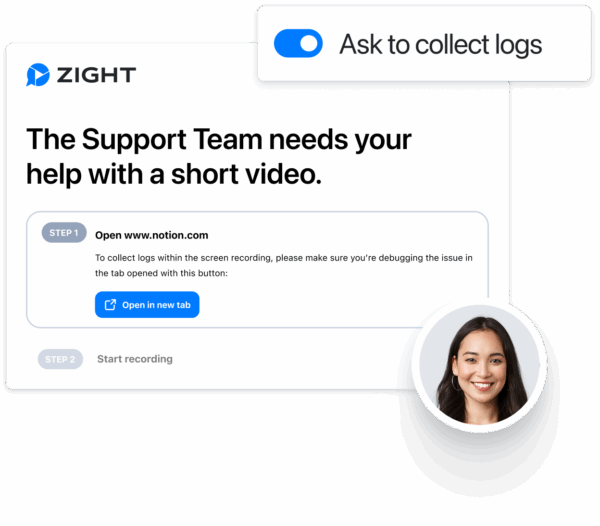
Learn how to use Request Video
Smarter video sharing with timestamps & AI chapters
Get to the point—fast.
Now you can help viewers jump straight to the most important moments in your videos. Share direct timestamp links, or let Zight AI generate chapters that organize your content automatically.
Use cases:
- Support: link directly to the solution segment in a walkthrough
- Internal: call out relevant sections of meeting recaps or updates
Less time hunting through videos, more clarity for your team and customers.
Scrolling Screenshots on Windows + Mac
The full picture, no stitching needed.
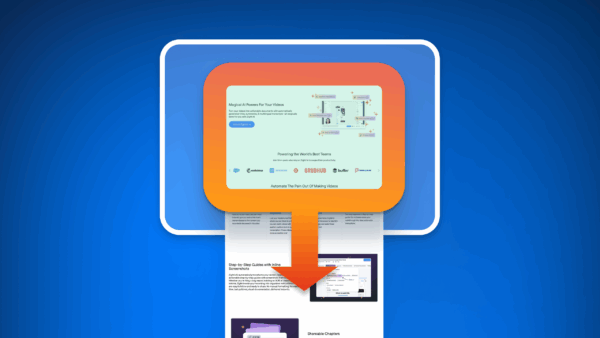
Scrolling Screenshots are now available on both Mac and Windows. Capture entire webpages, long chat threads, or extended dashboards in a single click, then annotate and share instantly.
Use cases:
- Support: capture and annotate a full ticket history
- QA: report full-page bugs with clarity
- Product: snapshot long feedback threads or design mocks
- Marketing: send your team full web pages for feedback
More complete context in just one screenshot.
Custom video thumbnails
Control what your viewers see first.
You can now choose a custom thumbnail for any Zight video by scrolling through the playback and selecting the exact frame you want to represent your content.
Why it matters:
-
First impressions count, especially when sharing content externally
-
A relevant thumbnail helps your viewer instantly understand what the video is about
-
Avoid showing random, mid-sentence frames or blank screens
Where it’s useful:
-
Sales: Pick the exact product moment or smile to personalize your pitch
-
Support: Show the solution screen, not the loading state
-
Internal: Highlight the key slide or visual from a meeting recap
-
Marketing: Choose the best visual frame for social or email previews
This small touch makes your videos more professional and engaging, and helps drive more clicks and clarity.
Intercom integration
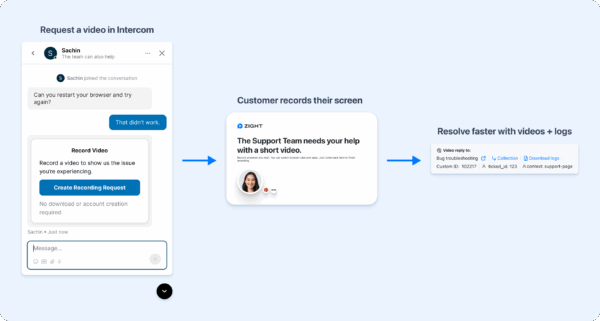
Bring visual clarity into every Intercom conversation.
Zight now integrates directly with Intercom, allowing you to request videos and collect data logs from customers—without ever leaving the chat. It’s a seamless way to gather visual context and resolve tickets faster.
What you can do:
- Request a video recording right inside an Intercom conversation when written descriptions aren’t enough
- Automatically link videos and logs to the ticket or user, so nothing gets lost
- Use Zight AI summaries to instantly understand the issue without watching the full video
Real-world benefits:
- A support agent helping with a bug can request a quick screen recording, instantly revealing steps to reproduce the issue
- A success manager onboarding a new team can collect walkthroughs of their current workflow to better tailor guidance
- A product manager can review customer-reported issues with visual proof, reducing back-and-forth and accelerating fixes
No more chasing down context. Just clearer, faster, more efficient support.
Works right inside Intercom’s inbox experience. Ideal for support, onboarding, success, and product collaboration
Set up Zight for Intercom and then add Intercom to your Zight integrations
Coming soon: Blur sensitive content before you record
Record with confidence.
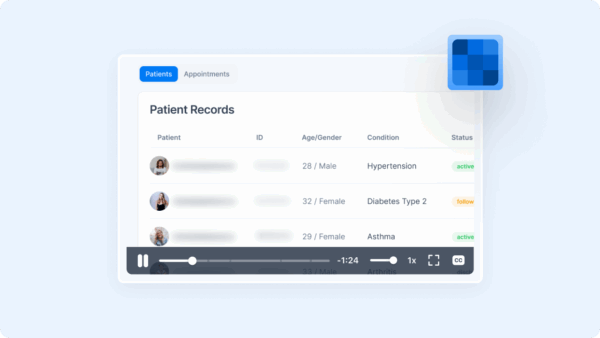
This is one of our biggest upcoming features: Zight will soon let you blur sensitive information before you start recording.
Whether you’re sharing a demo, logging a bug, or recording a training video, it’s now easier than ever to protect private data like names, emails, addresses, or account details.
What makes it special:
- Click to blur any visible element (text, fields, sections)
- Auto-detect PII like emails, phone numbers, credit cards
- Blur persists across pages as you navigate during recording
Use cases:
- Support & success: blur customer data before sharing feedback or issue walkthroughs
- Product: blur unreleased features or internal tools
- Sales: record demos without exposing your own workspace or user data
More confident sharing, better privacy compliance, and smoother workflows.












