
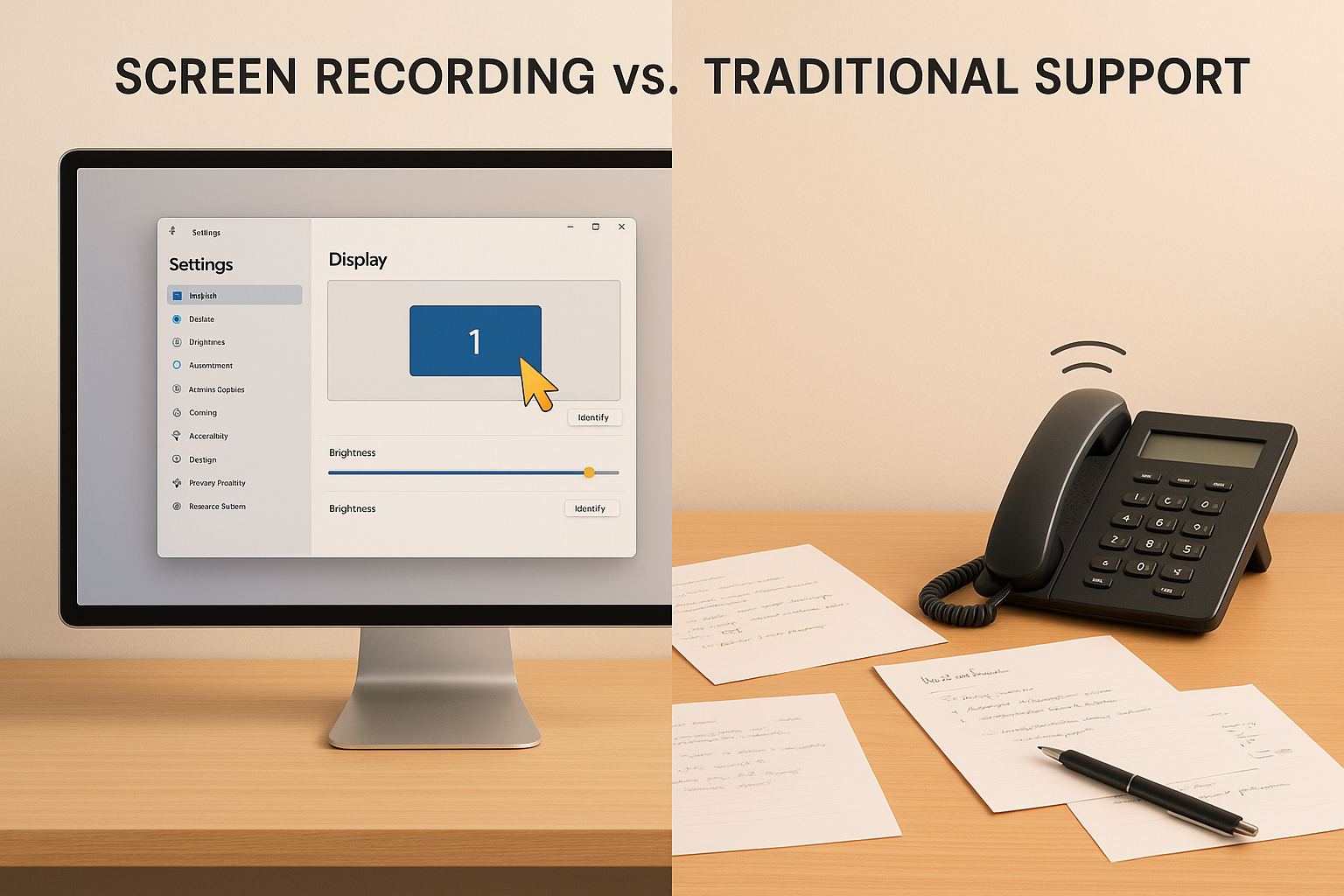
When it comes to customer support, the choice between screen recording and traditional methods boils down to speed, clarity, and scalability. Traditional support, emails, phone calls, and text-based documentation often struggle with long response times, miscommunication, and high costs. In contrast, screen recording offers a visual, efficient way to solve problems, cutting resolution times by up to 30% and reducing repetitive back-and-forth exchanges.
Here’s the bottom line:
- Traditional support is better for complex, real-time issues that require personal interaction.
- Screen recording excels at handling repeatable issues with clear, step-by-step visual guidance.
- Combining both methods creates a balanced system: routine issues are addressed with videos, while live support handles unique challenges.
Quick Comparison
Screen recording is transforming customer support, especially for SaaS companies, by improving efficiency and reducing costs. Start with videos for common issues, reserve live support for complex cases, and leverage AI tools to optimize both approaches.
Traditional Support Methods Explained
How Traditional Support Works
Traditional customer support primarily relies on three channels: email exchanges, phone calls, and text-based documentation. These methods depend entirely on written or spoken words to identify and solve problems.
When an issue arises, customers explain it via email, over the phone, or by searching through text-heavy knowledge bases for step-by-step solutions. Support agents then provide guidance, leaving customers to interpret and implement those instructions on their own, often without any visual cues.
The underlying assumption here is that words alone are enough to communicate technical problems and solutions. But this approach has clear limitations, especially as the complexity of software grows, prompting the need for more effective, visually-oriented support tools.
Main Problems with Traditional Support
In fast-paced technical environments, these older methods often fall short. The increasing complexity of software systems makes traditional support methods slower and more frustrating for users.
Lack of visual context is one of the biggest hurdles. Without visuals, customers struggle to fully describe their issues. For instance, saying “the button isn’t working” doesn’t clarify which button or what error is occurring. Edward Wikstrom, Director of Technology at St. Dominic High School, highlights this gap:
“Request Video is so much better than users trying to explain what’s happening in an e-mail or sending me photos or videos from their phones. I can see exactly when an issue occurs and what is causing it.”
This disconnect often leads to lengthy back-and-forth exchanges. Support agents ask for more details, customers attempt to clarify, and the cycle repeats. What could be a quick fix often drags on for days, frustrating both sides.
Miscommunication is almost inevitable without visual aids. Instructions like “click on the settings icon in the top right corner” can be misunderstood due to variations in screen layouts or user setups. The lack of shared visual context makes even simple tasks harder to resolve.
Documenting issues manually is another pain point for support teams. Writing detailed bug reports or step-by-step guides takes significant time and effort. Heroly Chour, Managing Director & Co-founder at Busable, illustrates this inefficiency:
“Documenting bug reports that used to take me 5-10 minutes now only take me 30 seconds.”
This drastic time reduction shows just how inefficient traditional documentation can be. Beyond the time investment, manual documentation is often prone to errors and quickly becomes outdated.
SaaS companies, in particular, face unique challenges with these methods. Their products evolve rapidly, with frequent updates and new features. By the time support teams create detailed documentation, the product may have already changed. Email-based support further complicates matters with lengthy explanations that can overwhelm users.
As businesses grow, scalability becomes another issue. Handling more support tickets through traditional methods requires hiring additional agents, which is costly and time-intensive. Each agent needs training, and every email or phone call still demands the same amount of individualized attention. This keeps the cost per support ticket stubbornly high.
Finally, text-heavy documentation fails to meet the needs of visual learners, who make up a large portion of any customer base. These users often struggle to follow written instructions and benefit more from seeing processes in action rather than reading about them.
The result? Slower ticket resolution times, reduced efficiency, and frustrated customers who can’t get the help they need. Traditional methods were simply not built for the fast-moving, visually demanding world of modern software support.
Screen Recording Support Explained
Screen recording-based support is a game-changer in customer service, offering a visual way to communicate solutions. By capturing on-screen actions with audio narration, it provides a clear and direct context for both customers and support teams, cutting down on the guesswork that often comes with written or verbal instructions. Let’s break down what makes these tools so effective.
What Screen Recording Support Can Do
Screen recording tools document every action on a screen and output the results in formats like MP4, MOV, or AVI, even in stunning 4K resolution. Many platforms also allow webcam integration, so support agents can appear on-screen while explaining solutions, adding a personal touch. Audio narration, whether recorded live or added later, makes the explanations even clearer.
AI capabilities take these tools to the next level. Features like automatic video segmentation, annotations, and step-by-step guides streamline the process. Automated transcription and summarization allow agents to skim text summaries and jump directly to the relevant parts of a video, saving time and effort. This ensures that support resources are not just detailed but also easy to navigate.
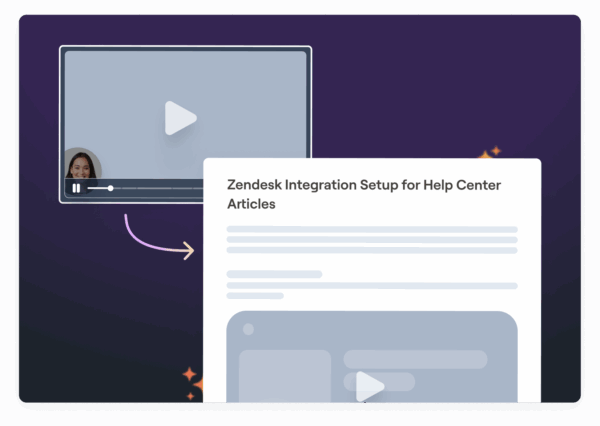
Support teams can send video responses that visually demonstrate how to complete tasks, reducing confusion and cutting down on lengthy back-and-forth communication. Companies can even develop video-based help centers where users can search for and watch demonstrations, empowering them to solve issues on their own.
How Screen Recording Improves Support
Screen recordings simplify troubleshooting by letting customers visually demonstrate their issues. AI features can pinpoint key moments in these recordings, helping agents skip lengthy back-and-forth questions and jump straight to solving the problem.
When a support agent provides a solution video, there’s no room for misinterpretation. Every step is clearly shown, from which button to click to where specific settings are located. This level of clarity eliminates the need for multiple follow-up emails, which boosts customer satisfaction and reduces support costs. Teams can resolve more tickets in fewer interactions.
These recordings also create scalable resources. A single video can address the same issue for hundreds, or even thousands, of customers, building a self-service library that lightens the load for support teams. Plus, the flexibility of screen recording works for both real-time and asynchronous communication. Tutorials can be created during off-hours, and new features can be explained through browser-based tools that work instantly on any internet-connected device. This versatility lays the groundwork for exploring even more benefits, such as faster response times and improved training methods.
Speed and Clarity Compared
When it comes to solving customer issues, speed and clear communication are key. Traditional methods – like phone calls, email exchanges, or live chats – often involve lengthy back-and-forths to clarify details. Screen recordings, on the other hand, let users visually showcase their problems, helping support teams grasp the issue instantly without unnecessary guesswork. Let’s dive into how these methods stack up in terms of speed and clarity.
Time to Resolve Issues
Efficiency is everything when resolving customer problems. Traditional methods can drag on, requiring multiple rounds of explanations and sometimes taking days to reach a solution. Screen recordings change the game. With a quick video, users can capture the issue in action, cutting down the need for repetitive explanations. Plus, these recordings serve as a reusable reference if the problem arises again.
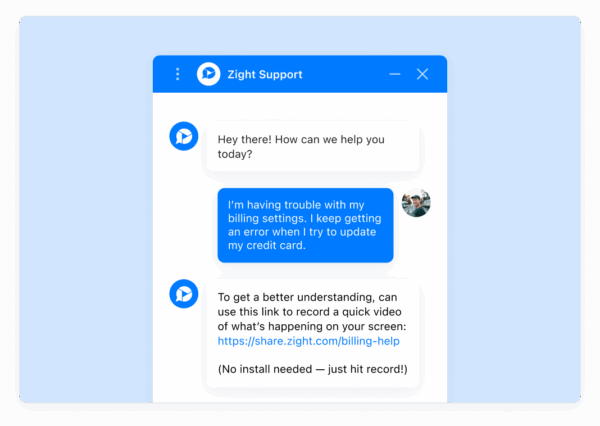
This approach can trim resolution times by as much as 30%, as support teams no longer waste time on back-and-forth clarifications.
Visual vs. Text Communication
Text-based support has its limitations. Instructions like “click the settings icon in the upper right corner” can leave room for interpretation. Visual recordings eliminate this guesswork by showing each step clearly and in context.
Training and Onboarding Compared
Effective training leads to quicker, more dependable customer support, while streamlined onboarding enhances team performance. For years, traditional text manuals were the standard, but they often slow down the learning process. Screen recordings, on the other hand, cater to natural visual learning and offer a more intuitive approach.
The difference between these methods becomes clear when you consider how new agents process information. Text manuals require trainees to mentally translate written instructions into actions. Screen recordings bypass this step entirely, showing exactly what to do, when to do it, and what the outcome should look like.
Text Manuals vs. Video Demonstrations
Here’s the challenge with text-based training: 65% of people are visual learners. Handing a new hire a lengthy manual to explain a ticketing system means asking them to visualize where buttons are, interpret dropdown menus, and piece together workflows – all from static descriptions. This process not only takes time but leaves room for errors and misunderstandings.
Screen recordings solve this by presenting information visually. Instead of reading and interpreting, trainees can watch a short video and see the entire process unfold step-by-step, every click, every field entry, and every system response. This direct visual guidance speeds up understanding and reduces the need for follow-up questions.
When workflows get more complicated, the limitations of text manuals become even more apparent. Screen recordings shine here, as they can demonstrate intricate workflows and conditional scenarios, eliminating the ambiguity often found in written instructions.
Modern AI-powered tools take this a step further. These tools can convert video narration into searchable text, generate summaries, and create step-by-step guides that combine visual and written formats. This approach ensures that all learning preferences are addressed.
This dual-format system allows organizations to offer both visual and written resources without requiring trainers to double their workload.
The benefits don’t stop at the learning phase. When software interfaces are updated or new features are introduced, a common occurrence for SaaS companies, screen recordings make it far easier to update training materials. A trainer can record a new demo in minutes, whereas revising a text manual involves rewriting sections, updating screenshots, and checking cross-references for accuracy.
Screen recordings also excel at conveying details that text simply cannot. For example, demonstrating error handling and edge cases is far more effective in video format. While a manual might describe common errors and their solutions, a screen recording can show the error happening, highlight the symptoms to watch for, and walk through the resolution process in real time. This builds confidence in trainees far better than written instructions.
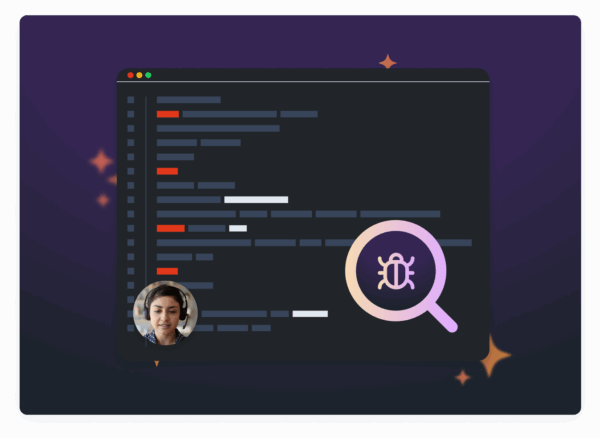
Another advantage of video training is scalability. With AI-driven annotations and summaries, a single video can be used by countless trainees across different cohorts, cutting down on both training time and follow-up support questions. Trainees are also more likely to engage with a well-produced video than to slog through a dense manual.
Although creating screen recordings requires an initial investment of time and possibly software costs, the payoff is substantial. Faster training and fewer support queries mean agents become proficient sooner and retain information longer. This leads to quicker resolution times and more confident agents.
Security and Compliance Compared
Support teams are legally obligated to protect customer data. Healthcare organizations must navigate HIPAA audits, financial services need to comply with PCI DSS standards, and businesses serving European customers must adhere to GDPR. The way support is delivered plays a crucial role in meeting these requirements.
Traditional support methods and screen recording platforms approach security differently, each with its own strengths and vulnerabilities, especially when managing sensitive information.
Security in Traditional Support
Traditional support methods rely on common communication channels like email, phone calls, and ticketing systems. While familiar, these approaches come with notable risks. Email support, for instance, often scatters sensitive data, such as credit card numbers or medical details, across various inboxes. This data can linger on servers indefinitely and might even be accidentally forwarded to unintended recipients. Phone support, though real-time, struggles with securely recording conversations and verifying caller identities. Ticketing systems offer better security if access controls are robust, but compromised staff credentials can expose entire customer interaction histories. In comparison, screen recording platforms consolidate security features into one centralized system.
Security in Screen Recording
Enterprise-grade screen recording solutions take a centralized approach to security, offering advanced controls to safeguard sensitive interactions. One standout feature is automatic data masking, which protects confidential information like credit card numbers, social security numbers, and passwords – before recording begins. For example, Zight integrates automatic data masking to ensure sensitive details are shielded from the start.
Luisa Zapata García, Strategic Customer Success Manager at Globalization Partners, praised this feature:
“A huge plus I haven’t found in other apps is that you can ‘pixel’ all the sensitive information perhaps you don’t want to share.”
Screen recording platforms also secure data through encryption, both in transit and at rest, preventing unauthorized access. Features like audit trails and role-based access controls document who views recordings and when, streamlining compliance audits.
For businesses under GDPR, these platforms offer a clear advantage. They simplify locating recordings with personal data and automate responses to access or deletion requests with detailed audit logs. Healthcare organizations bound by HIPAA can utilize versions with enhanced security controls, while financial services benefit from automatic masking of payment data to meet PCI DSS requirements.
Centralizing security within a single platform reduces vulnerabilities. Features such as multi-factor authentication, IP whitelisting, and real-time alerts strengthen defenses, especially compared to managing multiple disconnected systems. However, proper configuration and staff training are essential to maximize these benefits.
This centralized approach also shines during compliance audits. Screen recording platforms generate detailed audit trails, showing exactly what information was accessed, when, and by whom, something traditional methods struggle to replicate.
While both traditional methods and screen recording platforms can meet regulatory demands, traditional approaches rely heavily on manual processes and fragmented documentation. In contrast, screen recording platforms automate much of the compliance workload, reducing human error and offering stronger, more reliable evidence of secure practices.
Scalability and Resource Needs Compared
When demand spikes due to product launches, seasonal trends, or viral moments, support teams face a real test. This is where the contrast between traditional support methods and screen recording solutions becomes crystal clear, especially in how they manage resources and scale during, and the strain they place on operations during high-traffic periods.
Traditional support grows in a straight line: more customers mean more agents. Screen recording, on the other hand, flips this logic. It allows businesses to assist an unlimited number of users at the same time without needing to expand their staff proportionally. This shift changes how companies think about scaling up and managing costs, setting the stage for a deeper dive into staffing and infrastructure needs.
Staff and Infrastructure Requirements
Traditional support models rely on constant investment in people and tools as customer demand increases. Every additional agent requires onboarding, training, salaries, benefits, and workspace, not to mention equipment. Tools like phone systems, ticketing platforms, and CRMs often charge per user, driving costs up with each new hire. During busy seasons, businesses may resort to temporary hires or accept longer wait times, neither of which guarantees a great customer experience.
For instance, if a team of five agents can handle 1,000 tickets a month, managing 5,000 tickets would typically require hiring more agents. Each agent can only help one customer at a time, creating a natural limit to how much they can handle. Sudden traffic surges, like a product going viral or a major update release, leave traditional teams with tough choices: overburdening existing staff, compromising service quality, or rushing to hire and train new employees.
Screen recording, however, breaks away from this linear growth model. A single recording can serve thousands of customers without additional costs or a drop in quality. For example, a five-minute tutorial addressing a common issue can help ten or ten thousand users equally well. This approach can reduce support costs by 30% compared to traditional live support, according to industry research.
The benefits go beyond cost savings. Screen recordings provide 24/7 availability, eliminating the need for night shifts or global staffing. Customers can access help whenever they need it, regardless of time zones or business hours. Even during traffic surges, service quality remains steady, no wait times, no busy lines, and no disruptions.
AI-powered platforms like Zight take these benefits a step further. Features like automated transcription and summarization help support teams quickly identify and address issues without manually reviewing entire recordings. Additionally, AI tools can generate written instructions to accompany video tutorials, creating fully documented solutions with minimal effort. These tools amplify team productivity, enabling smaller teams to handle significantly larger workloads.
This approach shifts the focus from repeatedly solving the same problems to creating reusable solutions. Instead of hiring five more agents to meet growing demand, businesses can invest in producing high-quality screen recordings that address frequent issues. This upfront investment pays off over time as the same content continues to serve an expanding audience. Support teams can then redirect their efforts toward resolving more complex, unique problems. For SaaS companies, this model allows for scalable, video-based help centers where users can troubleshoot independently, lightening the load on support staff.
Infrastructure needs also change dramatically. Screen recording platforms combine various functions, recording, hosting, sharing, and analytics, into one streamlined system, eliminating the need for multiple disconnected tools.
Another advantage? Documentation becomes effortless. Each screen recording automatically creates a permanent, searchable record that builds a knowledge base over time. In traditional support, agents must manually document interactions, a tedious task that often gets skipped during busy periods. Screen recordings capture the full context of an issue and its solution, creating a growing library of resources without extra effort.
Handling peak periods highlights the biggest difference. Traditional support often struggles with long wait times or overwhelmed systems when demand outpaces staff availability. Screen recording-based support, however, maintains consistent quality, no matter how many users access it simultaneously. Whether ten users or ten thousand watch a tutorial, everyone receives the same experience.
That said, screen recordings don’t eliminate the need for traditional support entirely. Complex or unique issues still benefit from live interaction with skilled agents. The best strategy combines both methods: screen recordings handle routine questions, while live support focuses on nuanced cases requiring human expertise. This hybrid model optimizes costs and service quality, leveraging each method where it works best.
To measure the success of this approach, businesses should track metrics like cost per resolution, average resolution time, customer satisfaction, and team capacity utilization. These insights help determine whether screen recording investments are delivering the expected benefits and highlight areas for improvement.
Ultimately, scalability comes down to a company’s growth strategy. Traditional support scales with predictable but ever-increasing costs. Screen recording scales exponentially, turning an initial investment into a resource that serves unlimited customers with minimal ongoing expenses. This shift fundamentally changes how businesses plan for growth and manage their resources.
Side-by-Side Comparison
When deciding between traditional support and screen recording, the best choice often depends on the specific strengths each method brings to the table. Both have distinct advantages, particularly when evaluated across areas like speed, clarity, and scalability.
Traditional support shines in situations that demand real-time problem-solving and human judgment. For instance, when customers face unique challenges that don’t align with standard troubleshooting steps, skilled agents can adapt quickly, ask tailored questions, and provide personalized solutions. On the other hand, screen recording offers a consistent and efficient way to address common issues. A well-crafted tutorial delivers the same quality experience to every viewer, ensuring that support isn’t dependent on agent expertise or availability. This approach is especially effective for repetitive problems encountered by many users.
By combining both methods, businesses can optimize their support systems to balance cost efficiency and customer satisfaction. Screen recordings handle routine inquiries, freeing up agents to focus on complex cases that require a human touch. Below is a detailed breakdown of the advantages of each method, summarized in a comparison table.
Comparison Table
Here’s a side-by-side look at the key differences between traditional support and screen recording:
Both approaches bring unique benefits to the table. Traditional support provides the empathy and adaptability needed for intricate problems, while screen recording ensures consistent, scalable solutions for routine issues. The most effective support strategies leverage these strengths, applying each method based on the specific needs of the situation. Up next, we’ll explore how to determine the best approach for various scenarios.
When to Use Each Approach
Selecting the right support method depends on the situation and the needs of your customers. Each approach offers unique benefits that can elevate your support strategy from merely reactive to more efficient and proactive.
Traditional support shines when dealing with complex issues that demand real-time interaction. Personalized human assistance is often crucial for situations requiring a deeper, investigative approach. This method allows for flexibility and ensures that unique problems are addressed with care.
Screen recordings, on the other hand, are perfect for handling repeatable issues. A single, well-made video can walk users through processes like setting up features or troubleshooting common problems, significantly reducing ticket volume. Tools like Zight make it easy to create and share these recordings, helping your team save time while empowering users to resolve issues independently.
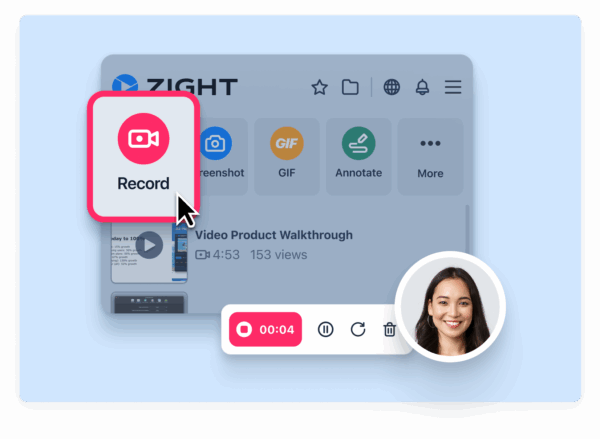
For multi-step processes, visual walkthroughs provide clarity that text instructions often fail to deliver. A screen recording offers a clear, step-by-step guide, which is especially helpful for visual learners. This approach minimizes confusion and ensures that customers can follow along with ease.
Combining these methods allows for a tiered support system. Start by building a library of screen recordings to address common issues, giving customers a self-service option. Reserve live support for situations that require a personal touch or more detailed troubleshooting. This mix not only streamlines your support process but also frees up your team to focus on resolving more complex challenges.
Screen recordings can also enhance live support. For example, when an agent solves a tricky issue during a call, they can quickly create a screen recording of the solution to share with the customer. AI-powered tools, like those from Zight, can further optimize this process by providing automated transcriptions and summaries, reducing resolution times even more.
Ultimately, the choice between these methods depends on your customer base and the complexity of your product. Tech-savvy users who value speed and autonomy may gravitate toward self-service screen recordings, while others may prefer the personalized experience of live support. While screen recordings require an initial investment, they scale well over time. In contrast, live support involves ongoing costs that grow with customer demand.
Conclusion
Screen recording and traditional support each shine in their own way. Traditional support is ideal for tackling complex, real-time issues that require a personal touch, while screen recordings are perfect for addressing routine, multi-step problems with efficiency and clarity.
Screen recordings cut through the clutter of long email threads and dense documentation. They minimize back-and-forth communication, enabling customers to find solutions on their own through video libraries. The results speak for themselves: support teams experience fewer tickets, and customers get quicker answers without waiting for live assistance.
Platforms like Zight take this to the next level by blending screen recording with AI-powered automation. Over 5 million users trust Zight to streamline their workflows. Some users report that tasks like bug documentation, which used to take 5-10 minutes, now take just 30 seconds.
The key is to combine both methods strategically. Use screen recordings to handle common issues and standard processes, while reserving live support for cases that need a personalized approach. This hybrid strategy maximizes efficiency and ensures high-quality customer experiences. Tools like Zight, with AI-powered analytics, help teams identify what’s working and refine their support systems over time.
For teams managing fast-growing SaaS products, screen recording offers unmatched scalability. A single, well-made recording can serve an expanding user base with ease. Investing in visual documentation not only reduces support costs but also enhances customer satisfaction.
FAQs
How does screen recording enhance customer support compared to traditional methods?
Screen recording transforms customer support by offering a clear and visual method to explain complex issues or solutions. Rather than sticking to written instructions or phone conversations, support teams can create videos or GIFs that walk at customers equivalent to a dynamic that: is unique and demonstrates out-of-the-box complex processes for customers steps. This makes guidance much easier to follow the user.
This method cuts down on to misunderstandings and the need for lengthy back-and-forth exchanges. Customers can follow along visually, reducing the classes for errors. Plus, these that screen recordings can be repurposed for training materials or added to a knowledge base, making them a valuable resource for streamlining support operations.
What security concerns should you consider when using screen recording for customer support, and how can you address them?
When incorporating screen recording into customer support, there are some security risks to keep in mind. These include the possibility of exposing sensitive customer data, unauthorized access to recordings, and potential data breaches. To address these issues, it’s crucial to take the following steps:
- Secure storage: Make sure all recordings are encrypted and stored in a protected environment.
- Restrict access: Limit access to recordings to only authorized personnel.
- Implement strong authentication: Use robust authentication methods to prevent unauthorized access.
It’s also important to be transparent with your customers. Let them know about the recording process and, when required, obtain their consent beforehand. Lastly, keep your security protocols up-to-date by regularly reviewing them and ensuring they meet current industry standards and compliance regulations.
When should a company choose traditional support over screen recording, and vice versa?
Traditional support methods, such as phone calls or email, work best when dealing with sensitive or highly personalized issues. These channels provide a direct, human connection, which is crucial for building trust and understanding. They’re also a great fit for customers who might not be tech-savvy or who simply prefer a conversational, one-on-one interaction.
Meanwhile, screen recording shines when tackling technical challenges, offering step-by-step instructions, or visually demonstrating solutions. This approach brings clarity to complex issues, cutting down on confusion and saving valuable time. It’s particularly handy in situations where showing is far more effective than explaining, like troubleshooting software glitches or walking new users through onboarding processes.












