
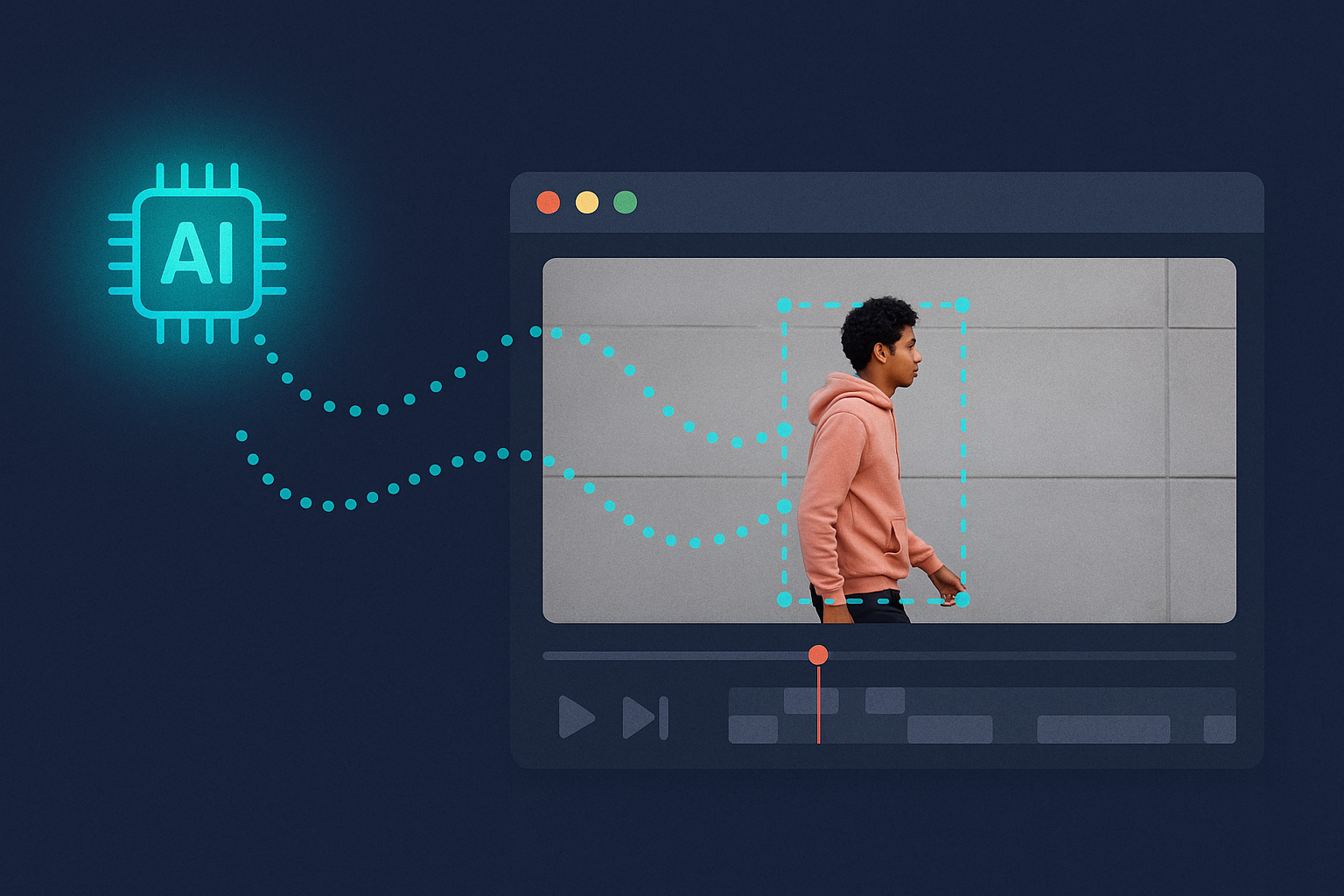
AI motion tracking simplifies video editing by using machine learning to follow moving objects within footage automatically. It eliminates manual tracking, saves time, and improves accuracy. Here’s how it works:
- Detection and Analysis: AI identifies objects in each frame and predicts their movement.
- Applications: Used in visual effects, sports analysis, medical imaging, and more.
- Technologies: Relies on models like YOLOv8 for speed and DeepSORT for tracking accuracy.
- Marker-Based vs. Markerless: Marker-based systems offer precision but are costly, while markerless systems are flexible and faster to set up.
- Challenges: Issues like occlusion, fast motion, and drift require manual adjustments or advanced tools.
AI motion tracking is transforming industries by streamlining workflows and enabling detailed effects, even for complex scenes.
How AI Motion Tracking Works
Main Steps in AI Motion Tracking
AI motion tracking involves a structured process that turns raw video into actionable motion data. It starts with importing the footage, where the system analyzes each frame. You then choose tracking points on the objects you want to follow, focusing on areas with clear, visible features to ensure consistent tracking. The system uses computer vision and machine learning to study how pixel positions change across frames. Once the motion data is extracted, it serves as the foundation for adding visual effects, motion graphics, or CGI that align seamlessly with the original video. The final step involves making manual adjustments to correct any tracking errors before exporting the polished video. This process, often referred to as match moving or camera tracking, simplifies even the most complex editing tasks.
Technology Behind AI Motion Tracking
Now, let’s dive into the technologies that make AI motion tracking possible.
At its core, AI motion tracking combines object detection with tracking algorithms. These range from simpler models to advanced deep learning systems that can identify and locate objects in each video frame. For example, single-stage detectors like YOLO (You Only Look Once) are designed for speed, making them ideal for real-time applications, though they may sacrifice some accuracy. The latest version, YOLOv8, excels across multiple tasks, including classification, segmentation, pose estimation, object detection, and tracking. On the other hand, two-stage detectors like Fast R-CNN deliver better accuracy but require more computational power.
Advanced systems also use algorithms such as DeepSORT, which incorporates appearance data to maintain tracking even when objects are temporarily obscured, reducing errors like identity switches. Many Multiple Object Tracking (MOT) methods rely on a tracking-by-detection approach, where objects are detected in each frame and then linked to create smooth, continuous motion paths.
Next, let’s compare marker-based and markerless tracking methods to help you decide which approach fits your needs.
Marker-Based vs. Markerless Tracking
Choosing between marker-based and markerless tracking can greatly influence your project’s workflow, precision, and cost.
Marker-based motion capture involves placing reflective markers on key joints or movement points, which are tracked by multiple cameras. This method delivers outstanding accuracy – around 3° to 5° for lower extremity movements – making it perfect for projects requiring detailed animations. However, it demands careful marker placement, thorough camera calibration, and skilled technicians, which can increase costs and setup time.
Markerless motion capture, on the other hand, uses depth-sensing cameras or computer vision to track natural features without the need for physical markers. While it was historically less precise than marker-based systems, AI advancements have significantly improved its accuracy. Markerless systems are also more flexible, quicker to set up, and generally more affordable.
| Aspect | Marker-Based | Markerless |
|---|---|---|
| Accuracy | High precision (3°–5°) | Good, improving with AI |
| Setup Complexity | Requires extensive setup | Minimal, no markers needed |
| Cost | Expensive equipment/staff | More budget-friendly |
| Flexibility | Limited by marker suits | Allows natural movement |
| Real-Time Feedback | Available but complex | Excellent capabilities |
If your project demands extreme precision, marker-based tracking is the way to go, as it provides unmatched detail through specialized equipment. However, if your priorities include flexibility, faster setups, or real-time feedback – especially for projects with tighter budgets or natural movement needs – markerless tracking is a better fit. Ultimately, the choice depends on your project’s specific goals, budget, and timeline.
How to Motion Track AI Footage! EPIC AI Filmmaking Workflow
Real Uses of AI Motion Tracking in Video Editing
AI motion tracking has transitioned from being a futuristic idea to a practical tool that simplifies video editing workflows. From social media clips to professional productions, editors now use this technology to create polished, engaging videos while cutting down on manual work.
Tracking Moving Objects
One of the standout uses of AI motion tracking is attaching graphics, text, or effects to moving subjects with precision. This keeps the visuals dynamic and ensures key information stays tied to the action on screen. For instance, editors can label moving products in promotional videos, overlay social media handles on a subject in motion, or have branded graphics follow athletes in sports highlights. The technology can even automatically center speakers in the frame, keeping the focus on the most relevant person. Beyond this, AI also powers features like facial tracking and stabilization, further enhancing the editing process.
Face Tracking and Visual Effects
AI motion tracking shines when it comes to facial tracking, thanks to machine learning-driven facial landmark detection. This makes it possible to add digital makeup, replace faces with CGI, or enhance expressions. Editors can also use it to apply branded overlays that follow a speaker’s movements or blur faces for privacy. By making motion capture more accessible, even smaller-budget productions can achieve sophisticated visual effects. This level of precision opens the door to both creative and practical editing possibilities.
Video Stabilization and Quality Fixes
AI stabilization is a game changer for shaky footage, delivering smooth results without cropping or distortion. Whether it’s handheld interviews or action-packed scenes, AI analyzes and adjusts each frame to ensure clarity and fluidity. In fact, 87% of viewers are more likely to finish watching smoother, stabilized videos. By reducing vibrations and micro-movements, AI stabilization minimizes distractions and enhances video quality. Plus, it eliminates the need for costly stabilization gear, freeing up editors to focus on creative storytelling instead of technical corrections.
sbb-itb-5d91f01
AI Motion Tracking Tool Features and Benefits
AI motion tracking has evolved into a game-changing technology, offering advanced features that simplify video editing at every stage. Let’s dive into what makes these tools so powerful and how they benefit video editors.
Key Features of AI Motion Tracking Tools
AI motion tracking tools are reshaping video production, making sophisticated techniques more accessible to creators of all skill levels. Here’s how:
- Real-Time Processing: These tools analyze video streams instantly, delivering immediate feedback and adjustments. Editors can see tracking results as they happen, allowing them to fix issues on the spot instead of waiting for lengthy rendering processes.
- Multi-Object Tracking Without Physical Markers: AI algorithms can track multiple objects simultaneously, relying solely on visual features rather than physical markers. This flexibility is especially useful in challenging shooting environments where traditional methods might fail.
- Built-In Enhancements: Features like color correction and noise reduction are applied automatically during tracking, streamlining the editing workflow.
- Scene Analysis for Suggestions: AI evaluates scenes to recommend transitions, effects, and cuts, reducing manual effort and improving both speed and quality for editors.
Benefits for Video Editors
The impact of AI motion tracking on video editing is undeniable, offering both efficiency and creative freedom. Here’s why it’s a game-changer:
- Time Savings: Tasks that once required hours of manual keyframing can now be done in minutes. AI automates repetitive processes like cutting, arranging clips, and applying basic edits, freeing up time for more creative work.
- Improved Accuracy: AI ensures consistent and precise tracking, even during lengthy or complex editing sessions, reducing errors and enhancing overall quality.
- Expanded Creative Freedom: By removing technical hurdles, AI empowers editors to experiment with visual effects and dynamic graphics. High-end production techniques are now within reach, even for those without specialized equipment or expertise.
How Zight Supports AI Video Editing
Zight takes AI-powered video editing to the next level by integrating motion tracking and automation into its platform. Here’s how Zight enhances the editing process:
- Automated Processes: Zight’s AI tools detect key moments in recordings, suggest optimal cut points, and recommend text and graphic placements. This reduces manual effort and speeds up production.
- AI-Driven Transcription and Summaries: The platform’s AI features automatically generate captions and key point summaries for screen recordings, significantly cutting down post-production time.
- Seamless Multi-Format Output: Whether you’re creating tutorials, training materials, or presentations, Zight ensures videos are optimized for various formats. Integration with tools like Slack, Microsoft Teams, and Jira allows for easy sharing within existing workflows, eliminating the hassle of file transfers or conversions.
- Enterprise-Ready Features: For teams with advanced needs, Zight delivers secure and compliant environments while maintaining automation and precision. Custom branding options ensure that videos align with organizational standards without sacrificing efficiency.
Problems and Best Practices
AI motion tracking has changed the game in video editing, offering tools that make complex tasks easier. But like any technology, it comes with its own set of challenges. Knowing what can go wrong – and how to address it – can save you a lot of headaches and help you achieve polished, professional results.
Common AI Motion Tracking Problems
Even the most advanced AI motion tracking systems aren’t perfect. One common issue is occlusion, which happens when the object you’re tracking moves behind something else in the frame. When this occurs, the AI may lose track of the object entirely or mistakenly lock onto a different one when the original reappears.
Another frequent problem is fast motion. If your subject moves too quickly, the tracking algorithm might struggle to keep up, causing it to lag or lose focus.
Video quality also plays a big role. Low-resolution footage, poor lighting, or excessive noise makes it harder for the AI to identify and track objects accurately. On top of that, a cluttered background with too many competing elements can easily confuse the system.
There’s also the issue of drift. Over time, effects tied to a tracked object can shift out of place, becoming misaligned. And when you layer multiple tracking effects, it can push your hardware to its limits, resulting in laggy playback and longer rendering times.
When these automated systems falter, manual intervention often becomes necessary to get things back on track.
Getting Better AI Motion Tracking Results
To improve your results, it’s crucial to start with high-quality footage. Well-lit, sharp videos give the AI more visual information to work with, making tracking far more reliable.
Choosing the right tracking points is just as important. Look for features that stand out, like sharp edges, bold colors, or clear geometric shapes. Eyes, logos, or architectural details often work well because they remain consistent across frames.
Before you begin tracking, take a moment to review your footage. Identify elements that stay visible throughout most of the shot, especially if your subject is moving quickly. If necessary, adjust the tracking algorithm’s search area to better match the speed and range of the motion.
For short periods of occlusion, you can use a dual-tracker approach. Track the object until it disappears, then start a new tracker when it reappears. By merging these two tracking paths, you can create a smooth, seamless result.
When dealing with tricky footage, advanced tools and techniques can make a big difference. Planar tracking software like Mocha AE is particularly effective for fast-moving or complex scenes where traditional point tracking struggles. You can also use compositing techniques, such as blending modes or matte adjustments, to lock elements more securely to their tracking data. To keep your workflow smooth, consider using proxy files, caching, or enabling GPU acceleration to handle the processing load more efficiently.
When to Make Manual Adjustments
Even with the best tools, manual tweaks are sometimes necessary. If you notice the tracked object starting to drift, it’s important to fix it right away before the issue compounds.
Keyframing is a quick way to correct misalignments, but use it sparingly. Over-keyframing can lead to jerky or unnatural motion. Focus on adding keyframes during critical moments, like when the subject changes direction or temporarily leaves the frame.
Certain situations – like complex camera movements, drastic lighting changes, or subjects that visually transform – often require manual adjustments. A hybrid approach works well here: let the automated tracker handle the bulk of the work, while you step in to fine-tune the details.
If performance issues are slowing down playback, it might be time to simplify. Temporarily disable some tracking effects or reduce their complexity during editing, and then re-enable everything for the final render. This balance can help you maintain a smoother workflow without sacrificing quality.
Conclusion
AI motion tracking has transformed tasks that used to take hours into streamlined processes, delivering professional-grade results. Over the years, this technology has advanced from simple image processing to sophisticated deep learning systems, capable of handling tasks like multi-object tracking, real-time analysis, and markerless detection with ease.
Key Advantages of AI Motion Tracking
AI motion tracking has reshaped video editing by boosting both accuracy and efficiency. Modern systems can track objects in real time, even in challenging conditions, without relying on sensors or markers. This makes high-level tracking accessible to creators without the need for costly hardware. Beyond editing, these tools also provide actionable insights that can improve performance and productivity.
The financial growth of this technology is equally striking. The AI motion graphics market is expected to reach $2.98 billion by 2033, with an annual growth rate of 19.9% starting in 2024. This rapid expansion highlights how AI not only cuts production costs but also ensures top-quality output. As AI capabilities continue to evolve, video editing will only become more efficient and dynamic.
The Future of AI in Video Editing
The next phase of AI development is set to bring even more advanced tools to the table. Automation will extend beyond motion tracking to tackle complex tasks like scene composition, lighting adjustments, and storyboarding. Cross-platform integration is improving, allowing AI tools to work effortlessly across software like Adobe After Effects.
Customizable AI models are also on the horizon. These will let users train systems to meet specific creative needs, opening the door to hyper-personalized video experiences tailored to individual viewers.
Taking the Next Step
With all these advancements and benefits, incorporating AI tools into your workflow is a logical step forward. You don’t need to completely overhaul your process – AI tools can complement your creativity rather than replace it. By focusing on skills like storytelling, creative direction, and client communication, you can maintain the human touch that makes your projects stand out.
For creators looking to embrace AI-powered video editing, Zight offers a great starting point. Their AI tools simplify motion tracking and editing while keeping the creative control firmly in your hands, allowing your unique vision to shine through.
FAQs
How does AI motion tracking make video editing more accurate and efficient?
AI motion tracking takes video editing to the next level by accurately detecting and following object movements, even in challenging or high-speed scenes. This level of precision minimizes mistakes that often occur with manual tracking, delivering smoother and more reliable results.
It also streamlines the editing process by automating tasks like spotting key moments, trimming footage, and piecing scenes together. By handling these repetitive jobs, it saves editors valuable time, accelerates workflows, and lets them concentrate on the creative side of their projects. The outcome? Projects are completed faster, and intricate motion sequences are handled with greater accuracy.
What’s the difference between marker-based and markerless motion tracking, and how do I choose the right one for my video editing project?
Marker-based motion tracking uses physical markers, like reflective dots, attached to a subject to capture their movements with precision. This method is known for its high accuracy, making it a strong choice for projects that demand detailed motion analysis. However, it does come with some drawbacks, such as longer setup times and potential issues like markers getting blocked or obscured during movement.
Markerless motion tracking takes a different approach, using AI and computer vision to track movements without needing physical markers. This method is easier to set up, more budget-friendly, and offers greater flexibility, making it a solid option for projects where convenience and adaptability matter most.
When choosing between the two, think about what your project needs. If pinpoint accuracy is your top priority, marker-based tracking is the way to go. But if you’re looking for a simpler, more versatile solution, markerless tracking might be the better fit.
What challenges does AI motion tracking face, and how can they be resolved for better video editing results?
AI motion tracking isn’t without its hurdles. Some common issues include jitters during rapid camera movements, losing alignment with the subject, distracting background clutter, and occlusion, where objects momentarily block the subject being tracked. These problems can throw off the tracking process and impact the quality of your video edits.
To tackle these challenges, a few strategies can make a big difference. For instance, motion prediction algorithms can help forecast object movements, reducing errors. Smoothing tracking data is another effective way to limit jitters. On top of that, improving lighting conditions and simplifying backgrounds can significantly boost tracking accuracy. Using tools designed with advanced tracking features can also ensure more precise results, resulting in polished, professional-looking videos.












