
Async Video for Cross-Site Healthcare Coordination: The Complete Guide for Multi-Site Teams
Managing communication across multiple healthcare facilities is one of the most persistent operational headaches in the industry. Between staggered shifts, time zone differences, and the sheer volume of policy updates that need to reach every site, coordination breaks down fast. Async video for cross-site healthcare coordination is emerging as the most effective way for healthcare leaders, IT teams, and operations managers to keep distributed teams aligned — without the logistical nightmare of scheduling live calls across locations.
Think about what happens today: a compliance officer at your flagship hospital drafts an email about a new HIPAA policy update. That email gets forwarded, misread, buried in inboxes, and eventually triggers a dozen follow-up questions from staff at satellite clinics. Now multiply that by every department, every site, and every shift change. The result is a communication gap that costs time, creates inconsistency, and frustrates everyone involved.
Async video flips that model entirely. Instead of relying on static documents and synchronous meetings that half your team can’t attend, leaders record clear, visual walkthroughs that staff can watch on their own time. IT records troubleshooting guides. Training managers build onboarding libraries. And every recording lives in a secure, HIPAA-compliant environment where access is controlled and audit trails are maintained.
This guide breaks down exactly why multi-site healthcare video communication matters, the coordination challenges it solves, practical use cases your teams can adopt this week, and the best practices that make it work at scale.
Why Async Video for Cross-Site Healthcare Coordination Matters
Healthcare organizations are growing more distributed every year. Mergers, acquisitions, satellite clinics, telehealth expansions, and regional networks mean that the typical healthcare system now operates across multiple locations — often in different cities or states. And with that growth comes a coordination problem that traditional communication tools were never designed to handle.
Email was built for one-to-one text exchanges, not for explaining complex workflow changes to a team of fifty spread across five sites. Meetings work when everyone shares the same schedule, but healthcare staff rotate through shifts that make synchronous attendance nearly impossible. Even chat tools, while faster than email, create fragmented threads that lack context and are difficult to reference later.
Async video solves these problems by combining the clarity of face-to-face communication with the flexibility of on-demand access. When an operations director records a five-minute video walking through a new intake workflow, every staff member at every site gets the same information — delivered with tone, visual context, and the ability to pause, rewind, and rewatch. No one has to leave a patient-facing role to join a meeting. No one has to decipher a dense email at 2 a.m. during a night shift.
For healthcare networks specifically, this matters because consistency is non-negotiable. When policies, procedures, and system updates aren’t communicated clearly and uniformly, the downstream effects ripple through compliance, staff satisfaction, and operational efficiency. Async video creates a single source of truth that travels across every location without degradation.
And critically, healthcare communication demands security. Any video tool used in a healthcare setting must support HIPAA compliance, offer a Business Associate Agreement (BAA), and provide controls over who can access shared content. That’s not optional — it’s a baseline requirement that eliminates most consumer-grade video tools from consideration. HIPAA-compliant video tools for healthcare like Zight are purpose-built for exactly this environment.
Common Coordination Challenges Across Healthcare Sites
Before diving into solutions, it’s worth naming the specific coordination problems that multi-site healthcare organizations face daily. These aren’t theoretical — they’re the friction points that slow teams down, create rework, and lead to operational inconsistency across locations.
Back-and-Forth Communication That Never Resolves
Healthcare teams are drowning in clarification loops. A regional manager sends a policy update via email. Three sites respond with different questions. The manager answers each individually, but those answers don’t reach the other sites. Meanwhile, a fourth site never saw the original email because it landed in a spam folder. Two weeks later, half the network is following the old policy and the other half is following different interpretations of the new one.
This back-and-forth pattern is especially costly in healthcare because the stakes of misalignment are higher. Compliance violations, inconsistent patient-facing processes, and wasted administrative hours all trace back to communication that required multiple rounds of clarification to land correctly. Text-based communication simply lacks the context — visual cues, screen demonstrations, tone — needed to convey operational changes clearly on the first attempt.
Misalignment Across Sites and Departments
When healthcare organizations grow, departmental silos get deeper. The IT team at the main campus might roll out a system update that operations teams at satellite clinics don’t learn about until something breaks. HR at headquarters might update an onboarding checklist without informing the training coordinators at regional sites. Cross-department video updates in healthcare are rare — not because teams don’t want to share information, but because the tools and workflows to do so efficiently don’t exist in most organizations.
The result is a patchwork of processes that diverge over time. Each site develops its own informal workarounds, its own interpretation of policies, and its own version of “how we do things here.” For healthcare networks that depend on standardized operations for compliance and quality, this kind of drift is a serious operational risk.
Repetitive Explanations and Re-Training
How many times has your IT help desk explained the same EHR navigation steps to different staff members at different sites? How many times has a training coordinator delivered the same onboarding presentation to a new cohort? In multi-site healthcare organizations, repetitive explanations are a massive hidden cost. Every time a subject matter expert has to re-explain a process live, that’s time pulled away from higher-value work.
The problem compounds with scale. A ten-site network doesn’t just need one training session — it needs ten, each scheduled around different shift patterns, each delivered with slightly different emphasis depending on who’s presenting that day. The knowledge exists, but it’s locked in people’s heads instead of captured in a reusable, shareable format.
How Async Video Solves Cross-Site Healthcare Coordination
Async video — specifically, screen recording combined with webcam narration — is the efficiency unlock that multi-site healthcare organizations have been missing. It works because it directly addresses the three challenges above: it eliminates ambiguity, creates consistency, and makes knowledge reusable.
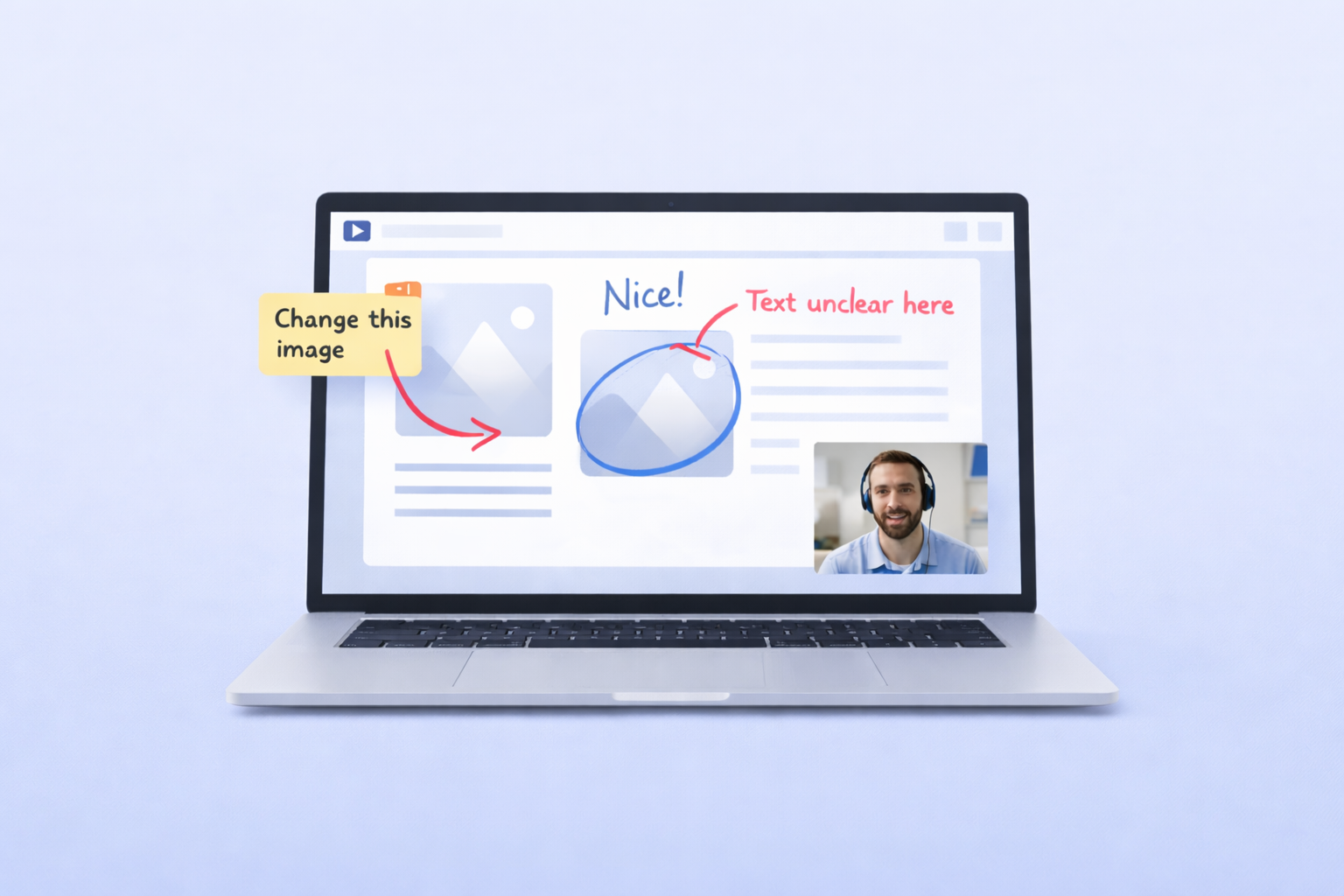
Here’s how the mechanics work in practice. A team lead opens a screen recording tool, hits record, and walks through exactly what they need to communicate — whether that’s a new workflow in the EHR system, a policy change that affects front desk operations, or a step-by-step IT fix for a recurring issue. The recording captures their screen, their voice, and optionally their webcam. When they’re done, they share a secure link.
Every recipient gets the same message. There’s no telephone-game degradation. There’s no scheduling conflict. There’s no “I wasn’t on that call” excuse. The video is available 24/7, watchable at 1.5x speed for those who prefer it, and rewindable for anyone who needs to review a specific step.
For multi-site healthcare video communication, this is transformative. Instead of a regional director spending an entire week conducting the same meeting at five different sites, they record once and distribute everywhere. Instead of an IT administrator typing out a twelve-step email that gets misinterpreted, they show exactly what to click and where. Instead of a training coordinator flying to a new clinic for in-person onboarding, they build a video library that new hires can access on day one.
Zight, a HIPAA-compliant async video and screen recording tool, is built specifically for this kind of workflow. Healthcare teams use Zight to communicate, train, and troubleshoot securely across locations — with BAA availability, access controls, and an infrastructure designed for the compliance requirements of healthcare environments. It turns one-time explanations into permanent, shareable assets.
The shift from synchronous to asynchronous isn’t about replacing all meetings. It’s about recognizing that the vast majority of cross-site communication doesn’t require real-time interaction. Status updates, process changes, system walkthroughs, and training modules are all better served by async video — freeing up live meeting time for the conversations that actually benefit from real-time dialogue.
Practical Use Cases for Async Video in Healthcare Networks
The most effective way to understand async video for healthcare networks is to see how specific teams within a healthcare organization put it to work every day. Below are three of the highest-impact use cases we see across Zight’s healthcare customers.
IT Troubleshooting and System Updates
Healthcare IT teams are perpetually stretched thin. They support EHR systems, practice management software, telehealth platforms, network infrastructure, and a rotating cast of devices across every site. When something breaks or a system gets updated, the traditional approach is a combination of help desk tickets, phone calls, and on-site visits — all of which consume hours that IT teams don’t have.
Async video changes the equation dramatically. When an EHR vendor pushes an interface update, the IT team records a three-minute screen recording showing staff exactly what changed, where the new buttons are, and how to complete common tasks in the updated system. That single recording replaces dozens of help desk tickets that would have come in as confused staff encountered the changes on their own.
On the troubleshooting side, IT can create a library of common-fix videos — how to reset a VPN connection, how to clear a printer queue, how to reconnect to the network after a password change. Staff at any site can search the library, find the relevant video, and fix the problem themselves without submitting a ticket. For the issues that do require a ticket, staff can record their own screen to show IT exactly what’s happening, eliminating the back-and-forth of “Can you describe the error message?” and “What were you doing when it happened?”
This is where secure video workflows for healthcare teams pay for themselves almost immediately. Every self-service resolution is a ticket that never gets created, and every proactive update video is a flood of confusion calls that never happens.
Staff Training and Onboarding
Onboarding new staff at a multi-site healthcare organization is an exercise in logistics. New hires need to learn site-specific processes, system navigation, compliance protocols, and departmental workflows — and they need to learn it all quickly because healthcare environments can’t afford long ramp-up periods.
Traditional onboarding relies on a mix of shadowing, live training sessions, and thick binders of documentation. The problem is that shadowing quality varies by who’s available, live sessions have to be scheduled around existing staff’s workloads, and documentation goes stale the moment a process changes.
Async video creates a scalable onboarding experience. Training coordinators record each onboarding module as a screen recording with narration — how to clock in using the HR system, how to navigate the EHR for common tasks, how to submit supply requests, how to follow the site’s specific check-in procedures. New hires watch these videos at their own pace, rewatch sections they didn’t absorb the first time, and arrive at their first supervised shift with a baseline of knowledge that used to take days of live training to build.
For ongoing training, async video is equally powerful. When a compliance requirement changes, the compliance team records a single update video and distributes it to every site. Completion tracking confirms who’s watched it. The video stays in the library as a reference. And the next time a new hire joins any site in the network, that video is already part of their onboarding playlist.
Zight for teams makes this particularly efficient because recordings can be organized, shared with specific groups, and managed centrally — giving training coordinators visibility into their entire library from one dashboard.
Internal Documentation and Policy Distribution
Healthcare organizations produce a staggering amount of internal documentation — standard operating procedures, policy updates, workflow changes, facility-specific guidelines, and compliance memos. The challenge isn’t creating the documentation; it’s getting people to actually read, understand, and follow it.
Text-heavy documents have a well-documented engagement problem. Staff skim them, miss critical details, and file them away without absorbing the key changes. Async video offers a radically more effective alternative. Instead of writing a four-page policy update memo, an operations director records a five-minute video that walks through the changes, explains the rationale, highlights what’s different from the previous version, and shows exactly how the changes affect daily workflows.
This approach is especially valuable for cross-department video updates in healthcare, where a change in one department’s workflow often has downstream effects on other teams. A video that shows the change in context — on the actual screen where the work happens — communicates far more effectively than a written description ever could.
Operations managers at multi-site organizations also use async video for regular site updates. Instead of a weekly all-hands call that pulls staff away from their work, a site director records a ten-minute update covering the week’s priorities, upcoming changes, and recognition of team achievements. Staff watch it when they have a break, and the recording serves as a reference for anyone who needs to revisit the information later.
Best Practices for Async Video in Multi-Site Healthcare Organizations
Adopting async video is straightforward, but doing it well requires some operational intentionality. These best practices will help your healthcare teams get maximum value from async video for healthcare networks while maintaining the security and consistency that healthcare demands.
1. Start With Your Highest-Repetition Communication
Don’t try to convert everything to video at once. Identify the messages your teams send repeatedly — the IT fix that gets explained every week, the onboarding walkthrough that every new hire needs, the policy update that requires individual calls to five site managers. These high-repetition, high-effort communications are where async video delivers the fastest ROI. Record them once, share them everywhere, and watch the time savings compound.
2. Keep Videos Short and Focused
The most effective async videos are under five minutes and cover a single topic. Resist the temptation to pack multiple updates into one long recording. Healthcare staff are busy — they’re far more likely to watch a three-minute video about a specific EHR change than a twenty-minute omnibus update. If you have five things to communicate, make five short videos. Your engagement rates will be dramatically higher.
3. Use Screen Recording as Your Default Format
For operational communication, screen recording with voiceover narration is almost always the right format. It gives viewers the visual context they need — they can see exactly which button to click, which field to fill in, and which screen to navigate to. Talking-head video has its place for leadership updates and team-building, but for the day-to-day communication that drives cross-site coordination, screen recording is the most efficient and informative format.
4. Organize Videos Into Searchable Libraries
A video that nobody can find is a video that doesn’t exist. As your library grows, organization becomes critical. Create clear naming conventions, tag videos by department and topic, and build playlists for common workflows like onboarding or system updates. When staff can self-serve from a well-organized library, the return on every recording you’ve ever made continues to grow.
5. Always Use a HIPAA-Compliant Platform
This is non-negotiable. Even if a video doesn’t contain Protected Health Information (PHI), using a consumer-grade tool sets a dangerous precedent and creates compliance risk. Choose a platform that offers a BAA, provides access controls, supports secure link sharing, and is built for the regulatory environment healthcare operates in. Zight meets all of these requirements and was designed with healthcare workflows in mind — making it the default choice for healthcare video communication solutions.
6. Establish a Feedback Loop
Async doesn’t mean one-directional. Build in mechanisms for staff to ask questions or flag confusion after watching a video. This could be as simple as a shared channel where questions are collected, or as structured as a brief survey after each training video. The feedback helps video creators improve their content and identifies gaps that need additional coverage.
7. Replace Meetings Deliberately, Not Universally
Async video works best when it replaces the meetings that were informational to begin with — status updates, process walkthroughs, training sessions, and announcements. Keep synchronous meetings for discussions that genuinely require real-time collaboration: strategic planning, problem-solving sessions, and sensitive personnel conversations. The goal isn’t to eliminate meetings; it’s to ensure that every meeting on the calendar actually needs to be a meeting.
Conclusion: Build a Coordination Layer That Scales
Multi-site healthcare organizations can’t afford communication that breaks down between locations. Every misaligned process, every repeated explanation, and every meeting that should have been a video represents time and energy that could be directed toward the work that actually matters.
Async video for cross-site healthcare coordination isn’t a nice-to-have anymore — it’s the infrastructure layer that lets distributed healthcare teams operate with the consistency, speed, and clarity that their environment demands. When leadership can record once and reach every site, when IT can build self-service troubleshooting libraries, and when training teams can onboard new hires with scalable video curricula, the entire organization moves faster without sacrificing quality or compliance.
Zight is the HIPAA-compliant async video and screen recording tool built for exactly this purpose. With BAA availability, secure sharing, access controls, and an intuitive interface that doesn’t require any training to use, Zight gives healthcare teams everything they need to communicate, train, and troubleshoot across every site in their network.
Ready to bring async video to your healthcare organization? Explore Zight for healthcare teams and see how leading multi-site organizations are replacing coordination chaos with secure, scalable video workflows.












