
Key Takeaways:
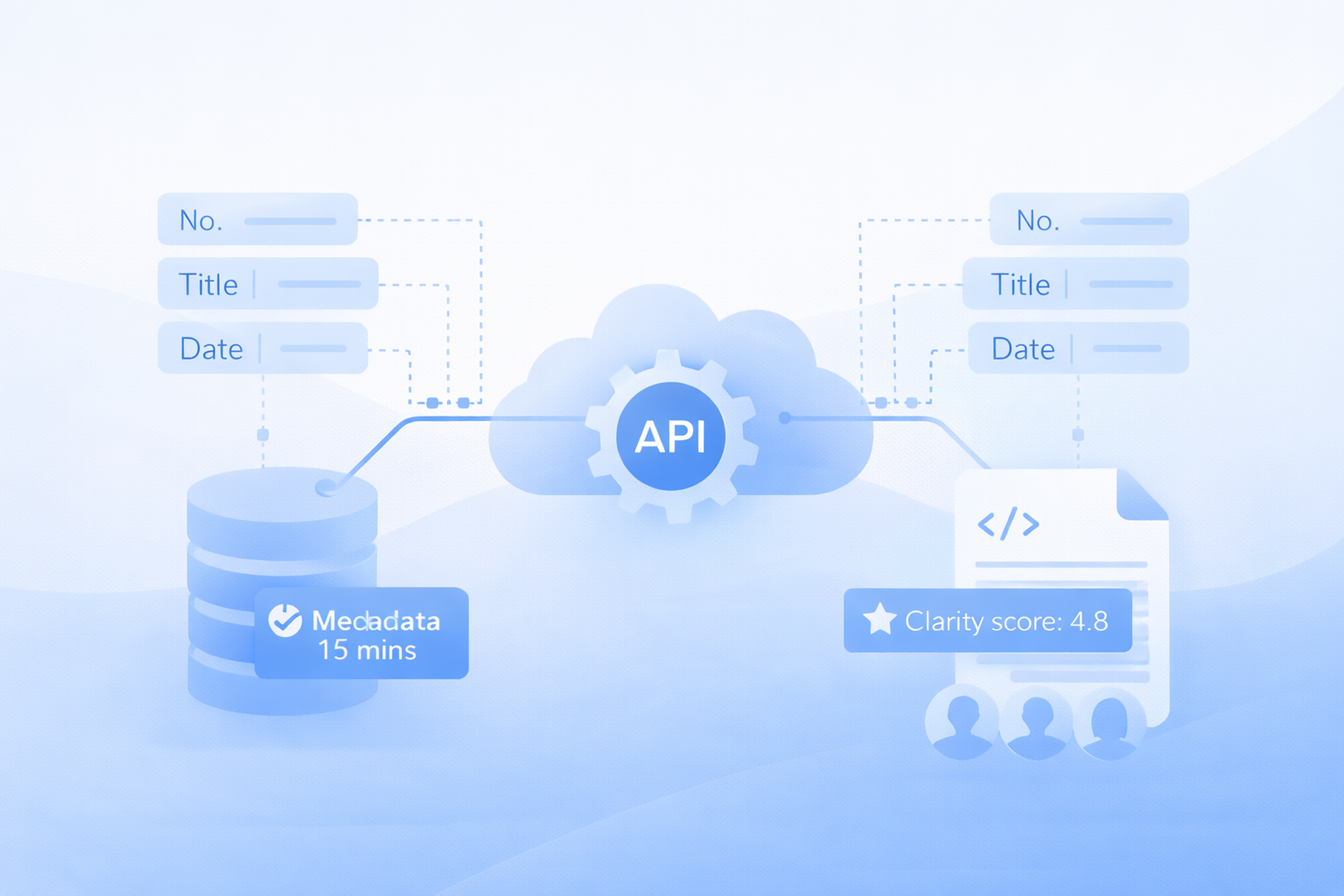
- APIs automate metadata updates across tools like Slack, Microsoft Teams, or Jira.
- Real-time synchronization ensures data accuracy, reducing manual errors.
- For visual content, APIs help organize and tag files for quick retrieval.
- Steps to integrate metadata with APIs:
- Identify systems and metadata requirements.
- Configure APIs for compatibility and security.
- Test and monitor integrations regularly.
- Security is critical: Use encryption, role-based access, and compliance with regulations like GDPR or HIPAA.
Core Steps for Integrating Metadata Using APIs
Implementing metadata integration through APIs requires a structured approach to ensure data accuracy and seamless system compatibility. Here’s a breakdown of the essential steps to streamline metadata workflows across multiple platforms.Identify Metadata Sources and Requirements
Start by auditing all systems in your organization that generate, store, or use metadata. This includes cataloging sources like content management systems, cloud storage platforms, analytics tools, and communication apps such as Slack or Microsoft Teams. During this phase, define the specific metadata needed for each workflow. This might include file properties (e.g., creation dates, authorship), user activity logs, timestamps, or custom tags and descriptions that align with your business processes. For platforms like Zight, metadata may also include screen recording details, video transcriptions, or information exchanged between integrated tools. Documenting integration requirements is just as critical. Specify data formats (e.g., JSON or XML), update frequency, and compliance standards tied to industry regulations. This documentation acts as a blueprint, guiding the process and helping avoid costly errors down the line. When metadata requirements are clearly defined, you can focus on exchanging only the necessary data between systems. This reduces complexity, minimizes the risk of inconsistencies, and ensures compliance with both organizational policies and industry standards. With requirements in place, the next step is configuring APIs to meet these specifications.Select and Configure Appropriate APIs
Choose APIs based on key factors like compatibility, data format support, scalability, and security. Look for APIs with strong error handling, version management, and comprehensive documentation. Reliable vendor support is also essential for long-term success. The selected APIs should handle the expected data volume and transaction frequency without performance issues. Configuration involves mapping metadata fields between source and target systems. This includes setting up authentication protocols, defining data transformation rules (if needed), and configuring endpoints with proper rate limits. Testing configurations in a staging environment is a must. This allows teams to validate data mappings, ensure authentication flows work as intended, and confirm that metadata transfers accurately between systems. Additionally, implement monitoring tools during the setup phase to track API performance and data flow from the start. These tools provide early insights into potential bottlenecks and system behavior, helping to address issues before they affect production workflows. Once configured, the integration must undergo thorough testing to ensure reliability.Test and Monitor Metadata Integration
Automate tests to check metadata accuracy, completeness, and consistency under different conditions. This includes testing for edge cases, error handling scenarios, and performance under expected loads. Use continuous integration tools to automate regression tests and catch configuration errors early. Meanwhile, monitoring tools should track real-time data flow and alert teams to anomalies. Conduct user acceptance testing (UAT) as a final step to confirm the integration meets business needs before full deployment. API management tools can help monitor key metrics, detect anomalies, and schedule periodic reviews. Regular audits ensure metadata remains consistent and updated across integrated systems. Set up alerts for failures and periodically review configurations to address evolving requirements. For platforms dealing with visual content, monitoring is especially critical. For example, when screen recordings or screenshots are shared across multiple collaboration tools, their metadata must stay synchronized. This ensures workflows remain efficient and compliant, allowing teams to locate, reference, and build on shared visual assets without disruption.Best Practices for API-Based Metadata Integration
Solid practices are the key to smooth and scalable metadata integration. By following these strategies, you can sidestep common challenges and create a system that supports long-term growth.Standardize Metadata Before Integration
Having consistent metadata formats across your systems is essential for successful API integration. Without standardization, you risk mismatches, automation breakdowns, and inaccurate analytics. Start by auditing your current metadata sources to pinpoint inconsistencies. Even small differences can disrupt automated processes or lead to unreliable results. To avoid this, establish a unified schema and naming conventions for all metadata fields before connecting APIs. For instance, decide on a single term like “CustomerID” instead of juggling alternatives like “ClientID.” Standardize data types and formats as well, and document these guidelines to ensure everyone in your organization is on the same page.A 2022 Gartner survey revealed that 65% of organizations identify “lack of metadata standardization” as the biggest hurdle in data integration projects.This statistic underscores just how important standardization is for avoiding costly integration missteps. During the transition phase, data mapping tools can help unify formats, bridging the gap between old and new standards. For example, Zight benefits from standardizing metadata for screen recordings, transcriptions, and file properties, which enhances collaboration across teams. The payoff for standardization is clear: seamless metadata flow between systems, reduced manual intervention, and fewer errors. Once your metadata is standardized, automation tools can validate and enforce these rules, keeping everything running smoothly.
Implement Automated Validation and Testing
Automated validation is your safety net, catching errors before they disrupt your production systems. By using scripts and tools to check metadata for completeness, accuracy, and adherence to your standards, you can minimize manual mistakes and maintain data integrity throughout the integration process. Set up automated tests to flag issues like missing required fields, incorrect data types, or values that don’t align with your schemas. For example, if a user’s creation date is missing or formatted incorrectly, automated validation will catch it before the data moves downstream. Tools like Postman and SoapUI offer robust frameworks for automating endpoint validation. These platforms can continuously test your metadata flows, ensuring that data transformations are accurate and all required fields are properly formatted. To take it a step further, integrate these validation tools into your continuous integration (CI) pipelines. This ensures that every update to your metadata integration is automatically tested, catching errors early and preventing disruptions in production. For platforms that handle visual content, automated validation is especially critical. When screen recordings or screenshots move between systems, their metadata must remain intact for proper categorization, searchability, and compliance. With validated processes in place, your integration will be ready to handle larger scales and future demands.Plan for Scalability and Future Needs
Building a scalable architecture is crucial for avoiding expensive redesigns as your organization grows. Choose APIs and integration patterns that can handle increased data volumes, new metadata sources, and changing business needs without requiring major overhauls. Look for APIs that support horizontal scaling and modular middleware, which allow for dynamic schema updates. This makes it easier to add new data sources or update schemas with minimal disruption. Cloud-based API management tools are another great option. They provide elastic resource allocation, automatically scaling up during peak usage and scaling down during quieter periods. This ensures consistent performance while keeping costs under control. Think ahead about how your metadata needs might evolve. Today, you might only need to integrate basic file properties, but tomorrow you could require AI-generated transcriptions, automated translations, or advanced analytics metadata. Choose platforms and APIs that can adapt to these future requirements without forcing a complete overhaul of your infrastructure. For visual communication platforms, scalability planning should account for growing file sizes, expanding user bases, and more complex integration ecosystems. As teams produce more screen recordings, screenshots, and collaborative content, your metadata infrastructure must scale effortlessly to support these demands while maintaining fast search and retrieval capabilities. Design your integration with modular components that can be updated independently. This allows you to improve specific parts of your system without disrupting the entire operation, ensuring your integration remains flexible and ready for whatever comes next.Security and Compliance Requirements
When integrating metadata through APIs, security and compliance aren’t just nice-to-haves, they’re absolute necessities for enterprise operations. A single security breach or compliance violation can lead to hefty penalties and tarnished reputations. Here’s how to ensure your API integrations are both secure and compliant.Prioritize Enterprise-Grade Security Standards
To protect sensitive metadata, implement robust security measures like OAuth 2.0 or SAML for authentication and TLS/SSL encryption for data in transit and at rest. Avoid using basic authentication in production environments, and make multi-factor authentication (MFA) a non-negotiable requirement for anyone accessing metadata through APIs. Adopt the principle of least privilege by using role-based permissions. This ensures that users and systems only access the metadata they absolutely need, minimizing exposure if data is intercepted or storage systems are compromised. To stay ahead of potential vulnerabilities, conduct regular security assessments and penetration tests. Following frameworks like NIST or ISO 27001 provides a structured approach to evaluating and improving your security posture over time.Stay Compliant with Industry Regulations
Regulations like GDPR, CCPA, HIPAA, and PCI DSS require strict protocols for handling, storing, and transmitting metadata. Meeting these standards involves maintaining proper consent, keeping detailed audit trails, and having robust breach notification procedures in place. For instance, GDPR mandates explicit consent for data processing and allows individuals to request the deletion of their personal data. Your API integrations should support these requirements by providing clear data lineage and efficient mechanisms for identifying and deleting specific metadata. Automating compliance checks can significantly reduce manual oversight. Continuous monitoring of metadata flows helps ensure regulatory requirements are met and flags potential violations before they escalate. With enterprises now managing an average of 315 SaaS applications, maintaining compliance across integrated systems has become a complex challenge.Continuously Monitor API Security
Even with strong security and compliance measures in place, ongoing monitoring is essential to adapt to evolving threats. API monitoring tools can automatically detect anomalies, such as unusual data access patterns, failed login attempts, or API calls from unexpected locations, and trigger alerts for immediate action. Centralized logging and SIEM (Security Information and Event Management) systems, like Datadog or Splunk, provide a unified view of API activity. These tools make it easier to identify patterns, investigate incidents, and maintain a secure environment. To streamline security management, consider using API gateways like AWS API Gateway, Apigee, or Kong. These tools centralize security controls and monitoring, making it easier to enforce consistent policies across your metadata integrations. With the API integration market expanding rapidly, the importance of secure and compliant solutions has never been greater. Regular security training for your team ensures everyone understands their role in safeguarding API integrations.Middleware and Tools Supporting Metadata Integration
Middleware and specialized tools are the backbone of an API-driven metadata integration framework. They ensure smooth data exchange and streamline operations. In today’s landscape, where the average enterprise juggles 315 SaaS applications, middleware acts as the glue, keeping metadata flowing seamlessly across complex systems.Role of Middleware in Metadata Integration
Middleware plays a critical role in connecting systems that weren’t originally designed to communicate with each other. By automating metadata transfers, it ensures consistent and accurate information sharing across platforms. For example, if a customer’s project details are updated in a CRM, middleware ensures this update is automatically reflected in billing systems, project management tools, and communication platforms. This eliminates the need for manual data entry and minimizes errors. The growing importance of middleware is evident in the API integration platform market, which is expected to grow from $5.36 billion in 2024 to $12.9 billion by 2032, with an annual growth rate of 11.6%. For many organizations, middleware has become more than just a technical tool – it’s a critical component for ensuring data accuracy and operational efficiency. Take AeroNet as an example. By leveraging PandaDoc‘s API integration, the company slashed contract generation time by 80% in 2023, cutting a 10–12 minute process down to just 2 minutes.Key Features to Look for in Middleware
Choosing the right middleware solution means finding one that can handle the complexities of today’s API ecosystems while remaining user-friendly. Here are some key features to prioritize:- Robust API Management: Look for support for multiple protocols, authentication methods like OAuth 2.0, and version control.
- Data Transformation: Middleware should automatically convert data between formats to meet specific system requirements.
- Real-Time Monitoring: This tracks metadata flows and identifies bottlenecks, ensuring smooth operations.
- Automated Error Handling: Built-in retry mechanisms recover failed transfers without manual intervention.
- Scalability: Cloud-native solutions can handle increasing metadata volumes without requiring infrastructure upgrades.
- Low-Code/No-Code Options: These simplify configuration, reducing the burden on IT teams. Notably, 96% of finance departments now use API integration platforms to create custom workflows.
How Zight Simplifies Metadata Management
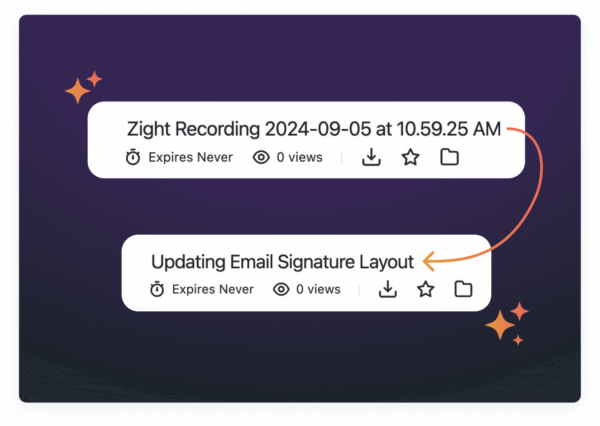
Zight takes full advantage of robust middleware to optimize visual content management. Through integrations with tools like Slack, Microsoft Teams, and Jira, Zight automates the sharing of visual content and its metadata, eliminating manual file transfers and reducing the need to switch between applications. For instance, when a team member creates a screen recording to document a process issue, Zight’s API integration with Jira attaches the recording to the relevant ticket. Along with the video, metadata such as the creation date, duration, tags, and descriptions are included, saving time and reducing errors. Zight also uses AI-powered tools to enhance visual content. Features like automatic transcriptions, summaries, and translations for videos make content more accessible. Tools like “Smart Titles” and “Video Summarizers” add relevant titles and descriptions, improving searchability across connected systems.
  Zight’s integration with Slack further enhances team collaboration by allowing users to share visual content directly within conversations. This keeps metadata centralized and avoids scattering information across emails and file storage platforms.











