
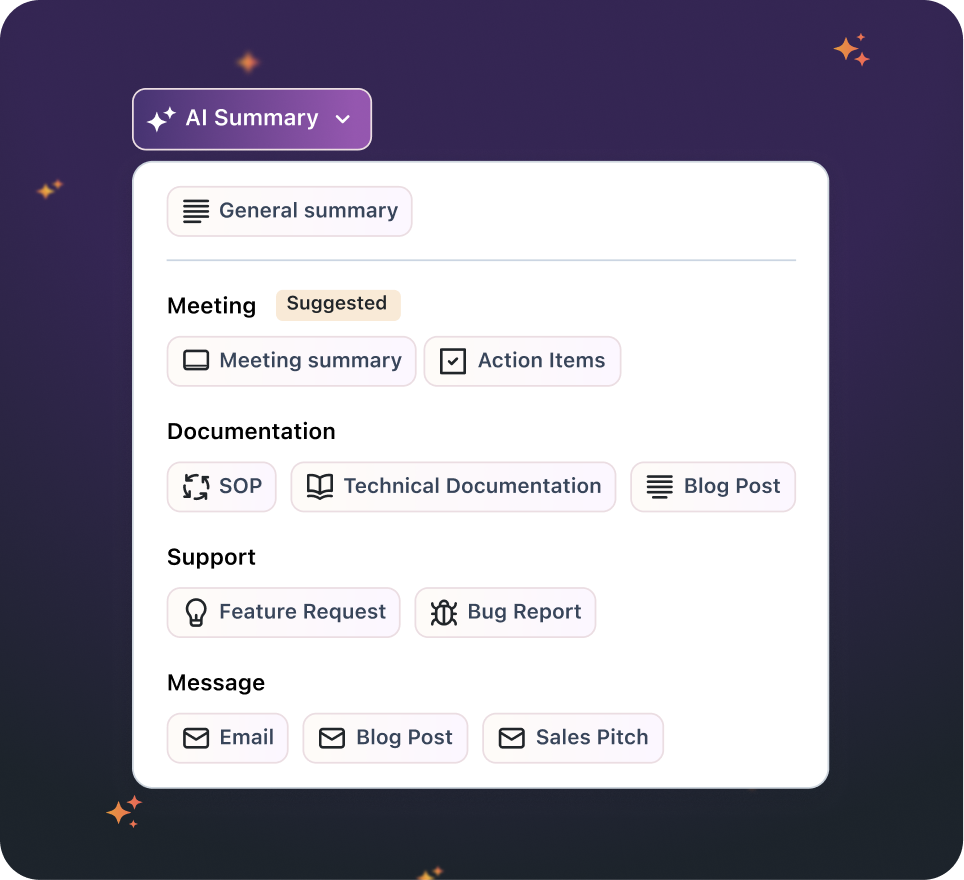
- Smarter, More Visual Smart Actions
- Automatic AI Settings for Every Recording
Smarter, More Visual Smart Actions
Zight AI already gave users the ability to generate summaries, SOPs, bug reports, and more from their recordings. But now, we’ve made the Smart Actions experience even more powerful—and visible—so you can access more value without lifting a finger.What’s New
- Auto Smart Actions on the Viewer You’ll now see Smart Action suggestions appear directly on the video Viewer—automatically. No need to click into the dropdown or hunt for AI options. This means better visibility and quicker access to the insights Zight AI can generate for you.
- Step-by-Step Guides with Screenshots The Step-by-Step Guide Smart Action now includes automatically added visuals, giving your documentation more clarity with no extra effort. Perfect for walkthroughs, training, and onboarding content.
- Smarter Surfacing of AI Features By surfacing the right suggestions at the right time, Zight AI helps you understand what’s possible and how your video can be instantly useful to others—no AI expertise required.
Use Cases
- Support & QA Teams: Turn a recorded issue into a full bug report or guide, with screenshots, in seconds.
- Product & Design Teams: Share a product walkthrough and instantly generate visual instructions for internal documentation or customer onboarding.
- Customer Education & Enablement: Create reusable guides from a single video—ideal for FAQs, help center content, or internal wikis.
Automatic AI Settings for Every Recording
You now have more control and automation when it comes to how Smart Actions are applied to your videos. Zight AI is now smart enough to detect context and choose the best format—automatically.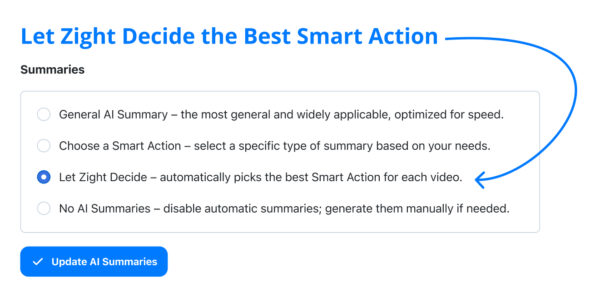
What’s New
- Context-Aware Intelligence Zight now analyzes the content of your recording and applies the Smart Action that fits best. Talking through an issue? You’ll get a Bug Report. Doing a tutorial? Expect a Step-by-Step Guide.
- Built-In Structure for Every Video Videos now come with built-in organization, making them easier to follow and faster to consume—especially for teammates or customers who weren’t on the call.
- Time-Saving by Default Smart Actions are now working before you even think about them. This eliminates manual formatting and repetitive work, while helping you create polished documentation instantly.
Use Cases
- Founders & Execs: Record a quick update and let Zight turn it into a shareable summary for your team.
- Sales Teams: Capture a walkthrough for a prospect and instantly send over a clean, structured recap.
- Anyone tired of writing notes or manuals manually: Let the AI handle it—seriously.












