
Understanding GIF File Sizes: A Quick Guide
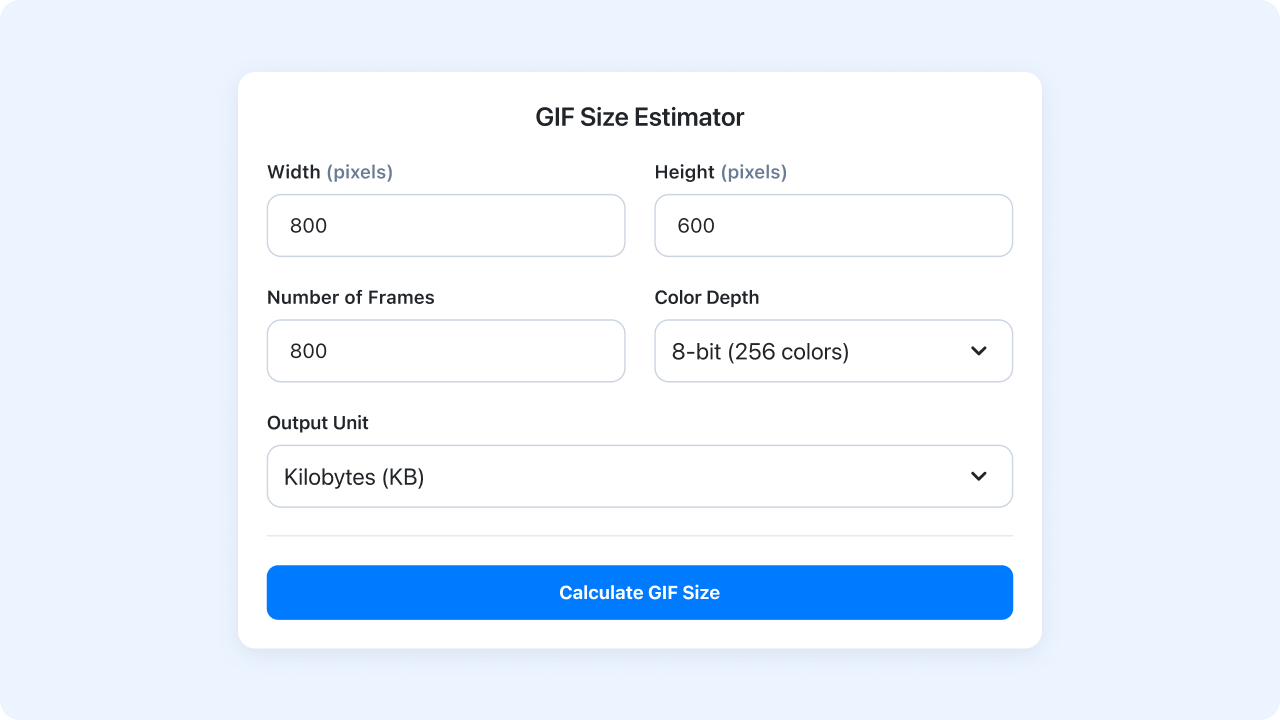
Creating GIFs is a blast, whether you’re crafting a meme or a slick animation for a website. But have you ever wondered why some GIFs load instantly while others drag? The file size plays a huge role, and getting a handle on it can make all the difference. That’s where a tool like a GIF size predictor comes in handy—it lets you estimate the weight of your creation before you even hit render.
Why Size Matters for GIFs
A bulky GIF can slow down web pages, frustrate viewers, or even hit storage limits on platforms. Factors like resolution, the number of frames, and color settings all add up. For instance, a high-res animation with tons of frames and vibrant colors will naturally take up more space. By calculating the potential size upfront, you can tweak these elements to strike a balance between quality and performance.
Tips to Keep GIFs Lean
Start by trimming unnecessary frames or lowering the color depth if rich hues aren’t critical. Downsizing the dimensions can also shave off bytes without losing impact. Tools that help you preview these adjustments empower smarter choices, ensuring your animations are both eye-catching and efficient for any use case.
FAQs
How accurate is this GIF size estimator?
This tool gives a rough estimate based on a basic formula: width times height times frames times bit depth, divided by 8 to get bytes, then converted to KB or MB. It’s not exact since actual GIFs depend on compression and content, but it’s a solid starting point to gauge if your file will be too heavy for your needs. Think of it as a helpful preview before you dive into creating or optimizing.
Why does color depth affect GIF file size?
Color depth determines how many colors your GIF can display, and more colors mean more data per pixel. For example, 8-bit depth supports 256 colors, while 4-bit is just 16, so the higher the bit depth, the larger the file. It’s a trade-off between quality and size, and this tool helps you see how tweaking that setting impacts the final result.
Can I use this tool to optimize my GIFs?
Absolutely, though indirectly! This estimator lets you experiment with different dimensions, frame counts, and color depths to see how they affect size. If the estimate is too big, you can scale down the resolution or reduce colors before making the GIF. It’s a handy way to plan ahead and keep your files lean for web use or sharing.

Ready to Boost Your Productivity?
Save time and money while boosting your productivity with Zight — free tools for screen recording, screenshots, GIFs, and webcam capture.
Try Zight for Free











