

Powering the World’s Best Teams
Join 5m+ users who rely on Zight to increase their productivity






Why Integrate Zight with Zoom?
Prep Smarter
Share visuals ahead of meetings to align your team.
Enhance Discussions
Use annotated content to clarify ideas in real-time.
Follow Up Effectively
Send recorded summaries or walkthroughs after meetings.
Boost Engagement
Keep conversations clear and focused with visual aids.
Zight + Zoom in Action
🚧 More use cases and workflows coming soon!
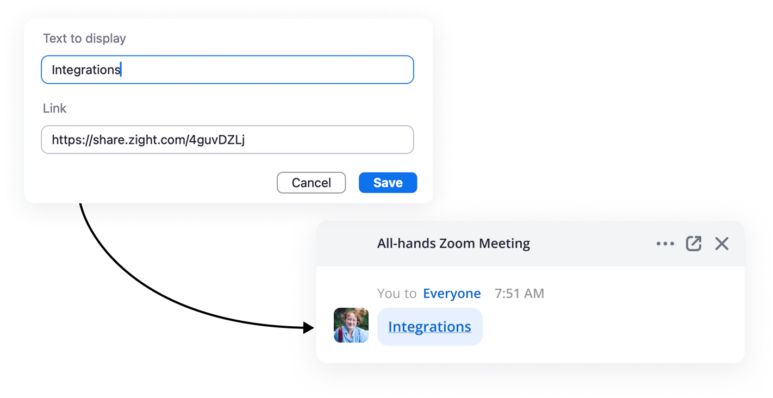
Share Instantly
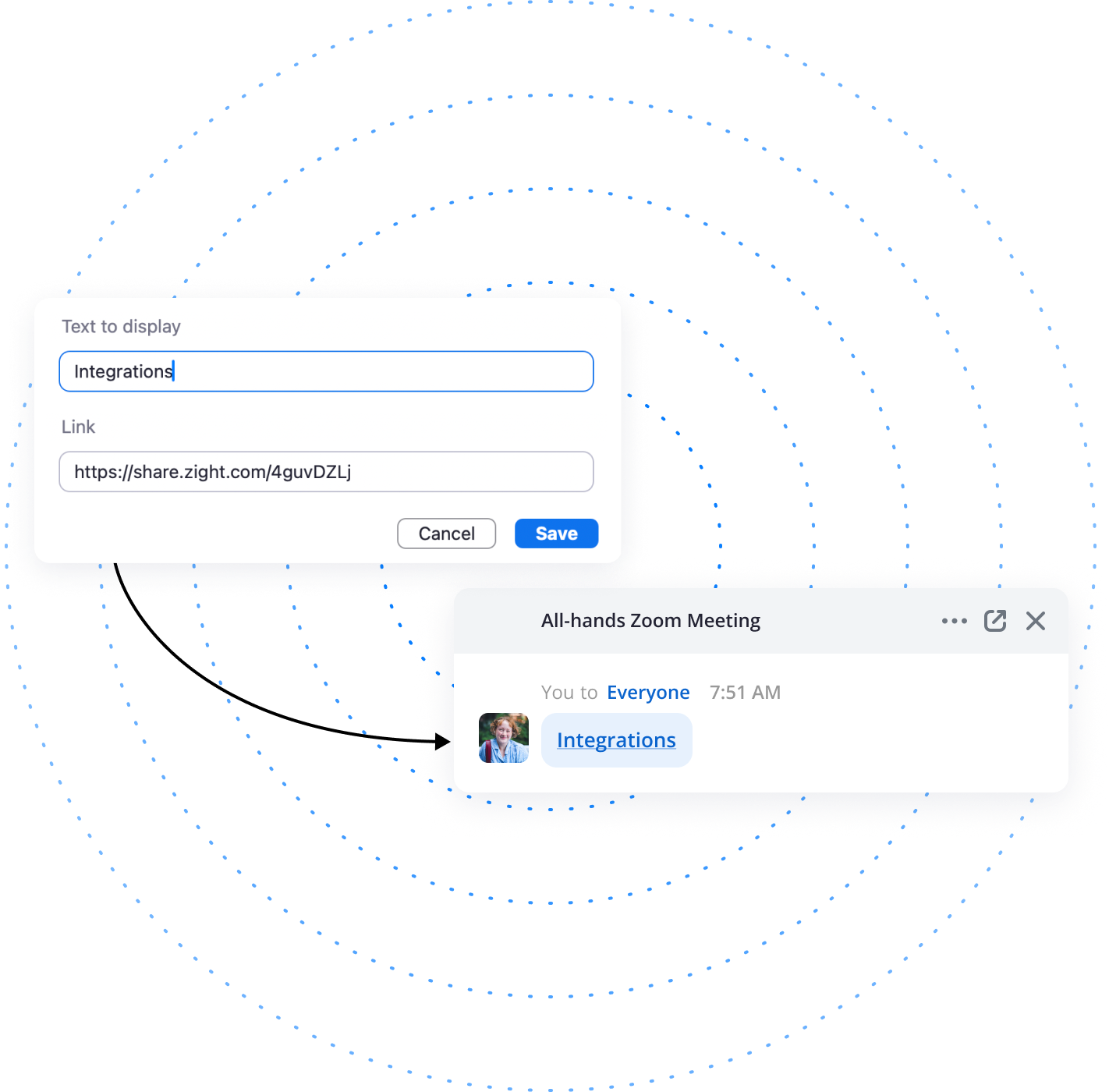
Drop your Zight link into the Zoom chat, calendar invite, or follow-up message.
Integration Highlights
Seamless Sharing
Send links via Zoom chat or post-meeting emails.
Cloud-Based Storage
No need for large attachments—just accessible links.
Multi-Format Support
Share videos, GIFs, and annotated images effortlessly.
Real-Time Collaboration
Help teams absorb and act on information faster.
Join over 5m+ users today
Get Zight for FreeFrequently Asked Questions
Simply capture your screenshot or video using Zight, copy the shareable link, and paste it into the Zoom chat or present it during screen sharing.
No extra software is required! Zight works effortlessly with Zoom by using shareable links.
Yes! You can highlight key points, add text, and draw directly on your screenshots and videos before sharing.
Zight offers a free plan with core features, while integrations are included in our paid plans. Visit our pricing page for more details.
Absolutely! Anyone with the link can view and comment, making collaboration easy and efficient even after the meeting ends.
The Ultimate Guide to Using Zight with Zoom: Turn Meetings into Action with Visual Communication
Zoom makes it easy to meet—but what happens after the call is just as important. That’s where Zight comes in. By combining Zight with Zoom, your team can turn conversations into action using videos, screenshots, GIFs, and AI-powered summaries—without losing momentum.
In this guide, you’ll learn how to enhance your Zoom experience with Zight, making follow-ups faster, collaboration clearer, and meetings more meaningful.
Why Visual Communication is a Game-Changer for Zoom Users
Meetings are full of ideas, but they often lose steam once the call ends. Zight helps you capture and clarify what matters most by allowing you to:
-
Record short follow-up videos summarizing key takeaways
-
Annotate screenshots from the meeting to highlight decisions or issues
-
Create GIFs to demo next steps or workflows
-
Use AI Smart Actions to auto-summarize meetings and generate action items
Instead of sending long recap emails, Zight makes it easy to show, not just tell.
Top Use Cases for Zight in Zoom Workflows
1. Post-Meeting Recaps
Record a short Zight video after the Zoom call summarizing decisions, takeaways, and next steps—and share it with the team.
2. Async Team Alignment
Use Zight to send updates to teammates who missed the meeting—complete with video context and highlights.
3. Follow-Up for Clients or Stakeholders
Send a personalized Zight video with a recap, proposal, or walkthrough based on what was discussed in the call.
4. Training and Onboarding
Use Zoom recordings + Zight annotations or Smart Actions to create SOPs and training content with clear visual explanations.

How to Set Up Zight with Zoom
Step 1: Record your Zoom call (using Zoom’s built-in recording feature).
Step 2: Upload the recording to Zight (or record your own quick recap directly with Zight).
Step 3: Use Zight’s AI Smart Actions to auto-summarize, annotate, or trim the video.
Step 4: Share the Zight link in Slack, email, Google Docs, or your project tools.
The link unfurls with a clickable preview and built-in analytics so you can track engagement.
Zight + Zoom: The Async Communication Edge
With remote and hybrid work here to stay, async communication tools are more important than ever. Zight helps turn synchronous meetings into asynchronous knowledge that lives on. By providing a centralized hub for post-Zoom video summaries, visual explanations, and annotated updates, Zight ensures that your Zoom calls have lasting impact.
Instead of relying solely on meeting notes or attendees’ memory, you can create video highlights with Zight that explain decisions, action steps, or even project pivots. It’s the perfect complement to any Zoom-heavy workflow—especially in remote-first environments.
Whether you’re a project manager aligning stakeholders, a customer success rep summarizing a client call, or a team lead doing performance reviews, Zight helps you follow through with clarity and speed. No more “Did we talk about that?” moments. No more rewatching full Zoom replays to find one key moment. With Zight, you highlight it, summarize it, and share it—in seconds.
FAQ: Zight + Zoom
Can I upload Zoom recordings into Zight?
Yes—just drag and drop the file into Zight or use a direct upload from cloud storage. You can also record your own Zoom recap with Zight natively.
Will Zight help summarize long Zoom meetings?
Absolutely. Use Zight’s AI Smart Actions to extract summaries, key points, and action items automatically.
Can I embed Zight videos into project tools like Asana, Notion, or Slack after Zoom calls?
Yes—Zight links work across all major platforms and expand beautifully for async collaboration.
Pro Tips for Using Zight with Zoom
-
Use Zight to record quick “TL;DR” videos after meetings so teammates get the gist fast
-
Create a shared folder of meeting recaps in Zight, organized by project or client
-
Use annotations and highlights to point out key parts of a Zoom recording
-
Summarize customer calls and embed Zight videos into your CRM for better handoffs

Optimizing Zoom Productivity with Zight
If you’re looking to improve Zoom meeting productivity, Zight is the perfect tool to help streamline communication. Traditional meeting follow-ups often result in long Slack threads or buried email chains. With Zight, you can instantly create video responses that summarize Zoom discussions, explain next steps, and guide teammates visually—reducing misunderstandings and accelerating project momentum.
For sales teams, Zight can enhance Zoom-based demos by allowing reps to send quick video recaps personalized to the buyer. For customer support, agents can follow up Zoom troubleshooting sessions with GIFs or annotated screenshots that reinforce solutions. And for HR and L&D teams, Zight makes it easy to create video documentation from Zoom training sessions—perfect for onboarding or compliance follow-ups.
Plus, Zight integrates into your tech stack seamlessly—whether you’re using Google Workspace, Slack, HubSpot, or Asana. So you can embed Zoom recaps and visuals anywhere your work happens.
Final Thoughts
Zoom helps you talk—Zight helps you follow through. By integrating the two, your meetings become more than conversations—they become momentum.
Try Zight for Free and make your Zoom meetings more actionable, more memorable, and more human today.












