
A Seamless Way to Capture Customer Insights & Resolve Issues Faster
Zight’s new Request Video feature transforms how teams collect customer feedback, troubleshoot issues, and streamline communication. Instead of long email threads or back-and-forth explanations, users can now request a video from customers with a simple link—making support interactions faster, clearer, and more efficient.
Why Request Video?
Customer communication often gets lost in translation. Screenshots and written explanations can only go so far, and hopping on a call isn’t always convenient. With Request Video, your team can instantly capture customer feedback in their own words, on their own time—eliminating confusion and speeding up issue resolution.
Key Benefits
Streamlined Communication
Long back-and-forth email exchanges? Gone. Customers can record and show exactly what they’re experiencing, so support teams can resolve issues faster and with more accuracy.
Easy-to-Use, No Downloads Needed
Customers receive a simple URL link that directs them to an intuitive, web-based recording interface. No need for app installations or technical knowledge—just click, record, and submit.
Flexible Recording Options
Users can capture their full screen or specific sections and even enable their webcam for added clarity and personalization. Whether it’s a bug report, UI issue, or testimonial, they control how they present their feedback.
Seamless CRM Integration
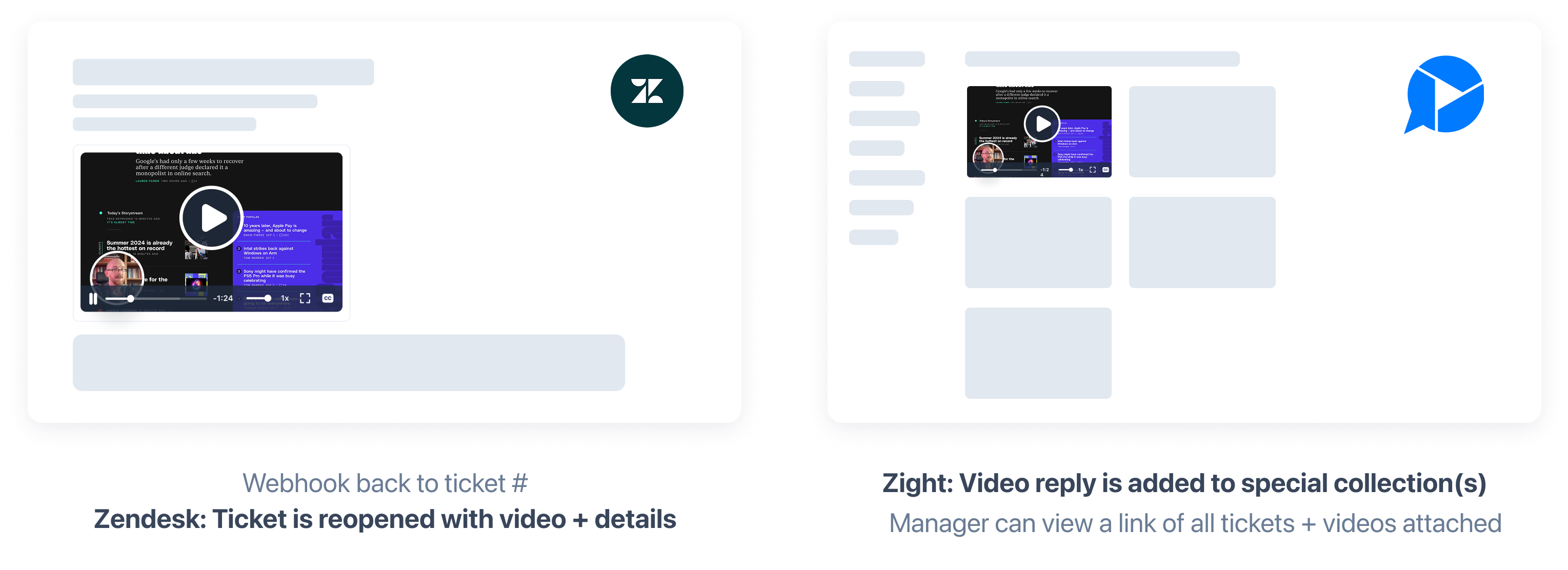
Support agents receive video responses directly in their Zight dashboard or connected CRM (such as Zendesk or Intercom). AI-generated summaries also provide quick insights, making it easier to act on feedback immediately.
Versatile Use Cases
Beyond customer support, Request Video is perfect for collecting user testimonials, internal team feedback, or even sales inquiries—offering a frictionless way to gather video insights at scale.
How to Use the Request Video Feature:
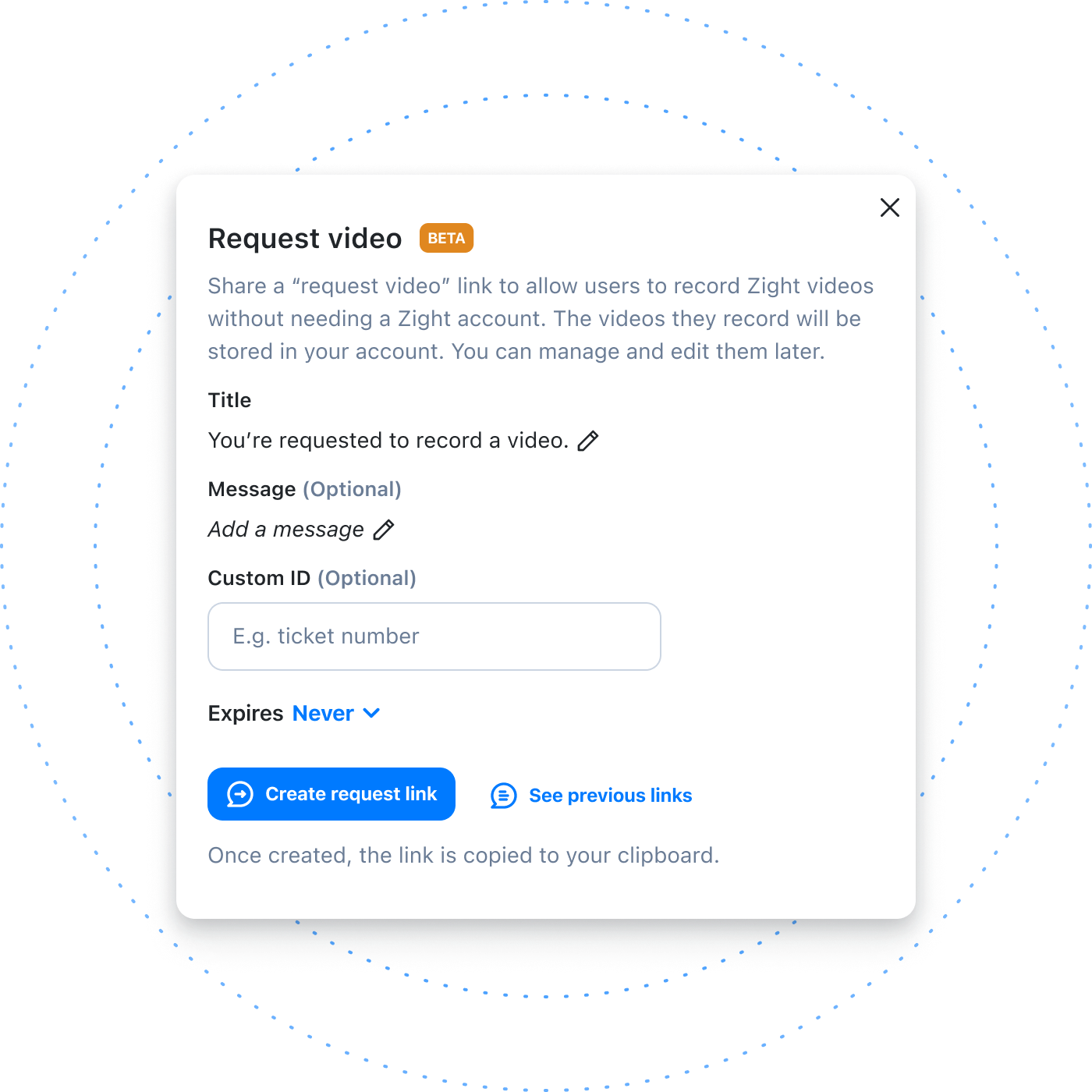
1️⃣ Generate a Request Video Link
- Navigate to your Zight dashboard
- Click on “Request Video” in the top right corner
- (Optional) Add a custom message (e.g., “Show the exact issue on your screen”)
- (Optional) Include a ticket ID for tracking (if using Intercom/Zendesk)
- Click Create Request Link

2️⃣ Share the Link
- Copy the link and send it to your customer or teammate
- They click the link and are taken to a web-based recorder (no download required)
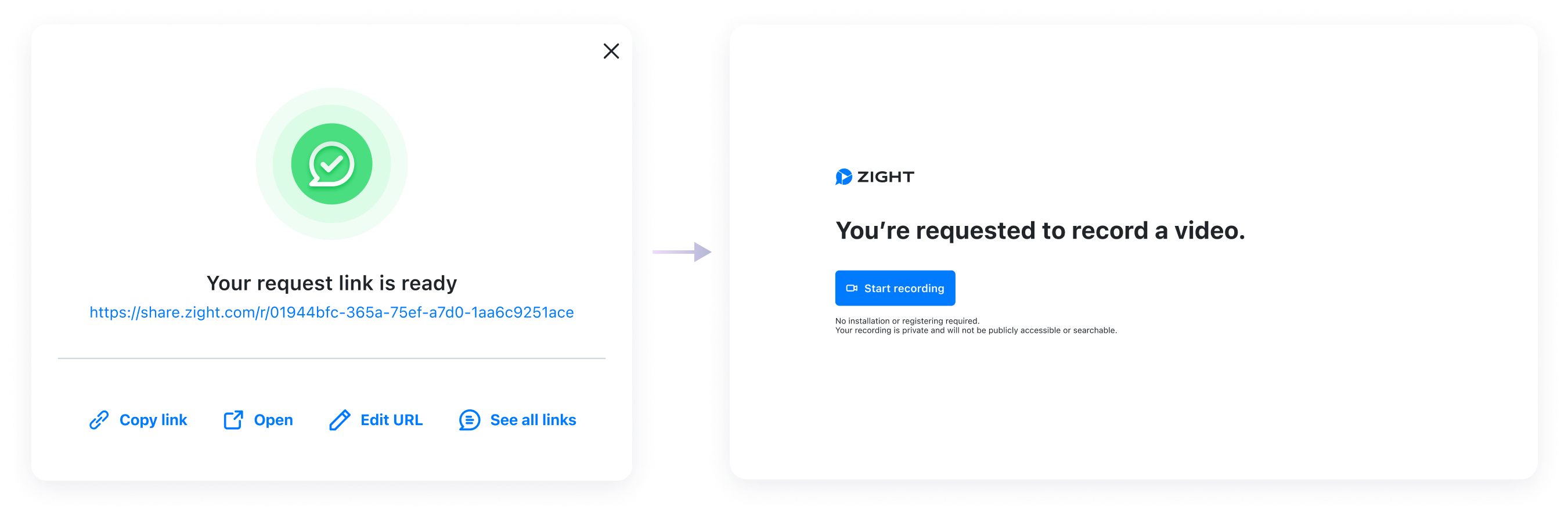
3️⃣ Customer Records Their Video
- Click Start Recording
- Choose full screen or a specific window
- (Optional) Enable webcam overlay for a personal touch
- Click Finish Recording and Save

4️⃣ Review & Take Action
- Receive a notification in your CRM or Zight dashboard
- AI-generated summaries provide quick insights
- Videos remain organized under Request Links for easy management
How Different Teams Can Leverage Request Video
Customer Support Teams
- Request video explanations of bugs or issues instead of relying on text-based descriptions
- Get visual context and reduce resolution time for support tickets
- Enhance customer interactions with a more personal, efficient approach
Sales & Customer Success Teams
- Collect video testimonials from happy customers to showcase real-world success stories
- Request video feedback on product experiences to enhance future improvements
- Gather personalized customer insights to tailor onboarding and engagement strategies
Marketing Teams
- Capture user-generated content and case studies to build brand credibility
- Encourage customers to submit testimonial videos for website and social media use
- Run interactive video campaigns where users record and submit responses
Start Using Request Video Today
The Request Video feature is currently in beta and free to use while in beta testing. If you’re interested in enhancing your support workflows and streamlining feedback collection, contact us to join the waitlist for early access.












