
AI transcription tools often struggle with industry-specific terms, leading to errors that disrupt productivity. Custom vocabulary solves this by teaching transcription systems your unique terminology, ensuring accurate and reliable meeting records. Here’s why it matters:
- Improves transcription accuracy for technical terms, acronyms, and company-specific language.
- Saves time by reducing manual corrections and enabling quick searches in meeting archives.
- Supports global teams by handling accents, pronunciations, and regional language variations.
- Benefits industries like healthcare, legal, and tech, where precision in transcription is critical.
Custom vocabulary ensures your transcripts are clear, professional, and tailored to your team’s needs, making meeting documentation more efficient and error-free.
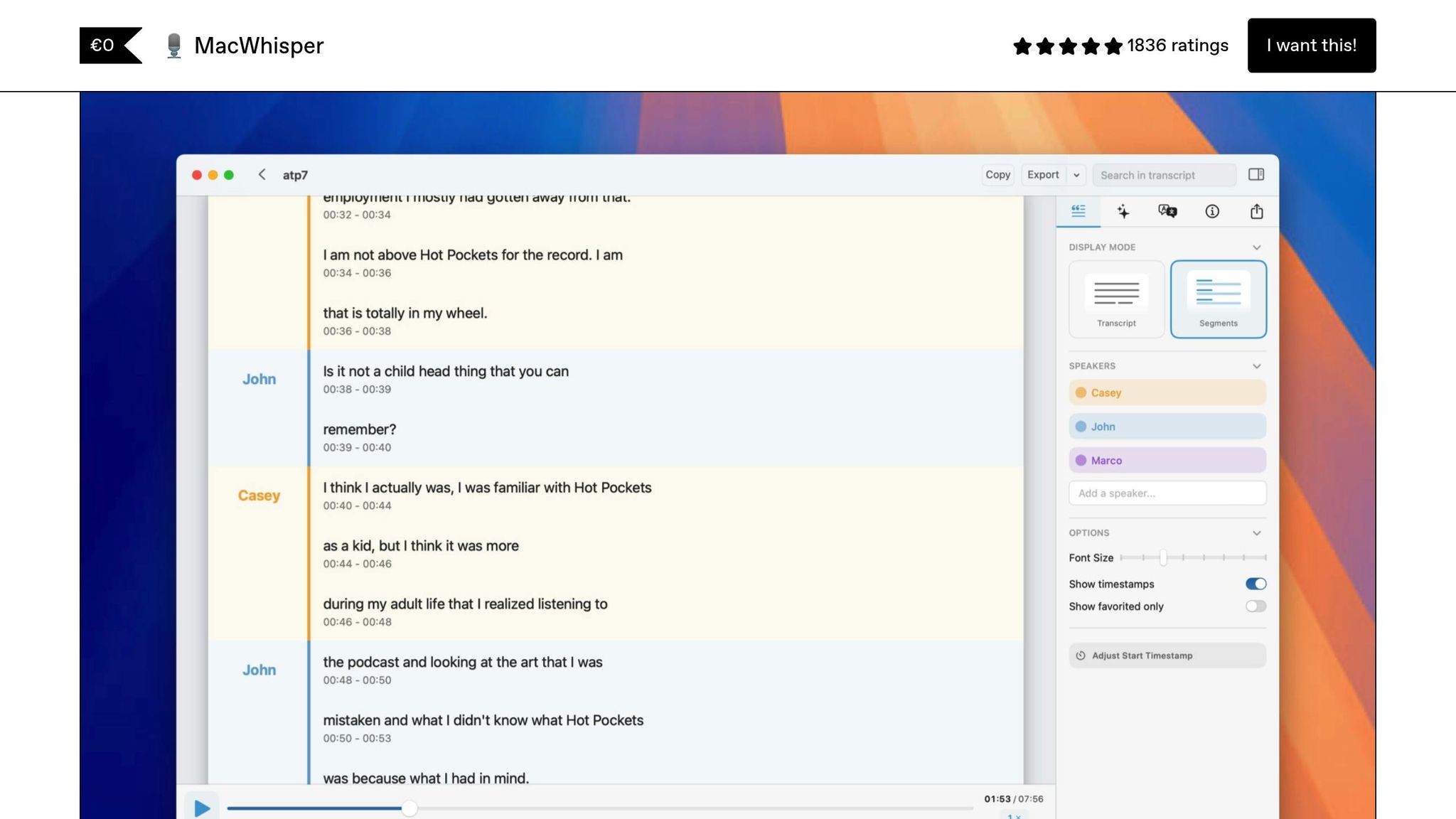
Private and Personalized AI Transcription: Custom Vocabulary for MacWhisper
What Is Custom Vocabulary and Why It Matters
Custom vocabulary is essentially a personalized dictionary created for AI transcription tools. By adding your organization’s specific terms to the AI’s existing database, it minimizes errors caused by generic interpretations. This is especially important in professional settings where specialized language is used. Without this customization, standard transcription tools often misinterpret industry-specific jargon, leading to inaccuracies.
Problems with Standard AI Transcription Engines
Most standard transcription tools are designed to handle everyday conversations. While this works for general use, they often stumble when it comes to specialized terms or technical language. On top of that, regional accents and variations in pronunciation can make things even trickier, resulting in transcripts that require a lot of manual corrections.
How Custom Vocabulary Improves Transcription Accuracy
Custom vocabulary enhances transcription accuracy by giving the AI a better understanding of your specific terminology. It prioritizes your terms, helping the system choose the correct word when it encounters similar-sounding options. This is particularly useful for capturing technical terms or uncommon words with precision.
Another advantage is the ability to include multiple pronunciations for a single term, making it easier for the system to handle different accents and speaking styles. Over time, as you fine-tune and update your custom vocabulary, the AI adapts to recurring patterns, creating a feedback loop that leads to even better results.
Zight’s transcription technology integrates custom vocabulary effortlessly, ensuring accurate documentation of technical conversations while aligning with your organization’s unique communication needs.
Key Benefits of Custom Vocabulary for Professionals and Teams
Custom vocabulary enhances transcription quality and boosts efficiency for organizations where precision is a critical factor in achieving business goals.
Better Accuracy for Industry-Specific Terms
Custom vocabulary goes beyond correcting errors – it tackles the unique challenges of specialized industries. This leads to more accurate transcriptions, tailored to the needs of professional teams.
Take medical practices, for example. Standard transcription systems often struggle with pharmaceutical names, medical procedures, and diagnostic terms. A cardiologist’s mention of “atrial fibrillation” could be mistakenly transcribed as “a trial fib relation”, creating potential risks in patient records. Custom vocabulary eliminates these errors, ensuring critical medical terminology is captured correctly.
Similarly, legal firms benefit from accurate transcription of case law references, Latin terms, and client-specific details. Without custom vocabulary, phrases like “res ipsa loquitur” or specific statute numbers might result in garbled output, requiring time-consuming manual corrections. With tailored vocabulary, legal professionals can trust their transcriptions to reflect the precision their work demands.
For technology companies, the challenges lie in proprietary terms, coding languages, and technical jargon. Names of databases, API endpoints, and project codenames are often misinterpreted by standard systems. Custom vocabulary ensures these terms are transcribed accurately, reducing confusion during technical discussions and planning sessions.
Even acronyms and abbreviations – common across industries – are handled more effectively. Financial teams, for instance, discussing KPIs, ROI, or compliance standards like SOX or GDPR, benefit from reliable transcriptions that maintain professionalism. Accurate transcription of industry-specific language not only improves documentation but also enhances overall meeting productivity.
Improved Meeting Productivity and Collaboration
Accurate transcriptions do more than just document discussions – they transform how teams collaborate. When technical terms and industry jargon are captured correctly, participants spend less time clarifying and more time making strategic decisions. This is particularly helpful for asynchronous collaboration, where team members in different time zones rely on precise transcriptions to stay updated on projects.
Searchable meeting archives become a powerful tool when custom vocabulary ensures consistent terminology throughout. Teams can quickly locate discussions about specific projects, client needs, or technical solutions without sifting through error-filled content. For instance, a software development team can easily retrieve mentions of a particular API or feature name from months of recorded meetings.
Project managers also save time by relying on accurate transcriptions to extract key points, rather than re-listening to recordings for verification. This efficiency extends to compliance and documentation requirements, making it easier to capture regulatory discussions, safety protocols, or quality assurance procedures. Industries like healthcare, finance, and manufacturing particularly benefit from this level of accuracy.
Better Handling of Accents and Pronunciation Differences
For global teams, transcription accuracy can be a challenge when members have diverse linguistic backgrounds. Custom vocabulary bridges this gap by accommodating various pronunciation styles for the same terms. Whether a German engineer or an American colleague says “authentication”, the system recognizes both pronunciations and delivers consistent transcriptions.
Regional terminology differences also pose fewer issues. British team members might use words like “whilst” or “colour”, and custom vocabulary ensures these terms are accurately transcribed even in meetings with American colleagues.
Industries with complex terminology benefit significantly from this feature. For pharmaceutical companies, where international teams often discuss intricate drug names or chemical compounds, custom vocabulary ensures accurate transcription regardless of accents or inflections. Whether the speaker has a Boston accent, Indian English pronunciation, or Australian intonation, the transcription remains consistent.
Zight’s transcription tools excel in multilingual environments, adapting to diverse speech patterns while maintaining consistent and accurate terminology. This ensures that global teams can trust their transcriptions, no matter who’s speaking or where they’re from.
How to Set Up and Optimize Custom Vocabulary for Transcriptions
Fine-tuning your transcription vocabulary is crucial for accurately capturing the specialized language of your industry. Start by gathering specific terms and phrases commonly used in your workplace and organizing them into a well-structured list.
Steps to Train AI Transcription with Custom Vocabulary
- Pull terminology from resources like meeting notes, technical specifications, product manuals, and internal communications.
- Group terms into categories such as product names, technical jargon, employee names, client companies, project codes, or industry-specific acronyms.
- Double-check the spelling of each term to ensure accuracy.
Once you’ve built this foundation, follow these best practices to refine and optimize your vocabulary entries.
Best Practices for Creating Vocabulary Entries
- Focus on essential industry terms to improve transcription precision.
- Add proper nouns, brand names, and acronyms, along with their full expansions. This is especially important for specialized language that standard transcription tools often struggle to process.
- Incorporate unique technical terms specific to your organization.
- Include variations or grammatical forms of key terms so the system can recognize them in different contexts.
sbb-itb-5d91f01
Practical Considerations and Challenges
Custom vocabulary can significantly improve transcription accuracy, but it comes with its own set of hurdles. Being aware of these challenges allows professionals to manage expectations and plan effectively.
Technical Requirements and Limitations
There are several technical constraints to consider when building and using custom vocabulary lists. For starters, file size is often limited – most platforms cap files at 50 KB each, with a maximum of 100 files per account and 300-word recommendations per file. Each entry can only be 256 characters long, meaning lengthy terms may need to be shortened or divided.
File formats can also complicate the process. For API integrations, only plain text (.txt) files are accepted, while console uploads allow both .txt and CSV formats. Additionally, encoding rules vary by language. For example, English audio requires ASCII characters, while languages like German and Mandarin Chinese need UTF-8 encoding with byte-order markers.
Another critical factor is regional compatibility. Custom vocabulary files must be created in the same region as the transcription service, and only characters from the supported character set of the target language can be used. This can be especially tricky for multinational teams dealing with mixed-language terminology during meetings.
These technical challenges are only part of the equation – data security is another pressing concern.
Data Privacy and Security Concerns
Managing custom vocabulary responsibly requires strict attention to data privacy. Sensitive information such as confidential details, personally identifiable information (PII), or protected health information (PHI) should never be included in vocabulary lists. While adding industry-specific terms can enhance transcription accuracy, including client names, project codes, or proprietary technical terms risks exposing private information.
To address these risks, organizations should implement strong data governance practices. This includes having legal and compliance teams review vocabulary lists, setting clear guidelines for what can and cannot be included, and establishing approval workflows for updates. It’s also essential to assess the transcription provider’s security protocols, such as encryption standards, storage locations, compliance certifications, and data retention policies, before uploading any business-related terminology.
By prioritizing security, you can improve transcription accuracy without jeopardizing sensitive information.
When Custom Vocabulary May Be Less Effective
Even with careful setup and robust data controls, there are scenarios where custom vocabulary might not deliver the desired results. Poor audio quality, background noise, overlapping speech, and technical distortions can all hinder transcription accuracy, regardless of how well the vocabulary is customized. In such cases, improving the audio environment may have a greater impact than fine-tuning vocabulary lists.
AI transcription systems also face inherent challenges. They often struggle with understanding slang, complex speech patterns, speaker differentiation, background noise, and homophones, even with extensive custom vocabulary. Meetings filled with colloquial language or overlapping conversations may see limited benefits from these tools.
Additionally, the length of audio files can affect performance. Files longer than 40 seconds are more prone to accuracy issues, as transcription engines tend to perform better with shorter audio segments.
Understanding these limitations can help you decide when and how to invest in custom vocabulary for the best results.
Comparing Transcription Results: Standard vs. Custom Vocabulary
Standard AI transcription often struggles with specialized language, leading to errors that can distort the meaning of your content. On the other hand, custom vocabulary training significantly improves accuracy, making it a worthwhile investment for professional teams. The level of improvement depends on factors like your industry, the complexity of your terminology, and the quality of your audio recordings.
Here’s a comparison of transcription accuracy in different professional contexts:
| Context | Standard Transcription | Custom Vocabulary | Improvement |
|---|---|---|---|
| Medical Terms | “The patient has a fractured femur” → “The patient has a fractured female” | “The patient has a fractured femur” | Accurately identifies medical terminology |
| Legal Terminology | “We need to file a subpoena” → “We need to file a sub penis” | “We need to file a subpoena” | Avoids embarrassing misinterpretations |
| Technical Jargon | “Deploy the Kubernetes cluster” → “Deploy the cooper nettles cluster” | “Deploy the Kubernetes cluster” | Correctly handles technical terms |
| Company Names | “Contact Salesforce about the integration” → “Contact sales force about the integration” | “Contact Salesforce about the integration” | Preserves proper names and branding |
| Acronyms | “The API endpoint is down” → “The a p i endpoint is down” | “The API endpoint is down” | Maintains proper acronym formatting |
Evaluating Accuracy with a Comparison Table
By using examples like the ones above, you can clearly see how standard transcription tools often fail to capture critical terms, leading to errors that can change the meaning or appear unprofessional. Custom vocabulary not only corrects these issues but also ensures that specialized terms are consistently transcribed with precision.
When assessing transcription quality, focus on the words and phrases most important to your work. Whether it’s a correctly transcribed technical term, a legal phrase, or a branded company name, these small but crucial improvements can greatly enhance clarity and professionalism in your documentation.
As your custom vocabulary evolves and incorporates frequently used terms, you’ll notice even greater accuracy over time. This refinement ensures that recurring terminology is captured correctly, making custom vocabulary an essential tool for accurate and effective meeting documentation.
Conclusion: Getting the Most from Custom Vocabulary
Custom vocabulary takes transcription from error-filled to reliable, creating professional records that teams can depend on. Think about the difference between a standard AI transcription stumbling over “cooper nettles cluster” and accurately capturing “Kubernetes cluster.” It’s not just about getting the words right – it’s about keeping credibility intact and ensuring your technical discussions are properly documented.
To maintain this level of precision, keeping your vocabulary up to date is key. Regularly review and adjust entries as your industry changes or your company adopts new technologies. Also, make sure the transcription language matches your custom vocabulary setup – mismatched settings can completely derail even the most well-trained vocabulary entries.
Audio quality matters, too. Encourage speakers to use good microphones and minimize background noise. These straightforward steps can significantly improve the results of your custom vocabulary training.
When creating vocabulary entries, stick to standard letters (a-z, A-Z) and steer clear of special symbols that might cause processing issues. And, as always, follow proper security protocols when handling sensitive data.
Testing is critical to success. Use real-time transcription tools to say your specialized terms out loud and see how they’re rendered. This helps you refine your entries for better results. For highly technical terms or words that sound alike, pairing custom vocabulary with custom language models can further enhance accuracy by capturing the surrounding context, not just individual words.
Zight’s integrated tools take this a step further by combining AI-powered transcription with screen recording and visual communication features. This setup makes it easy to record, transcribe, and share meeting content, with the benefits of custom vocabulary automatically applied. It’s a seamless way to go from capturing discussions to sharing accurate, polished transcriptions with your team.
FAQs
How do I create and manage a custom vocabulary list to improve transcription accuracy?
To improve transcription accuracy, start by building a custom vocabulary list tailored to your needs. Focus on identifying key terms that are unique to your organization – think industry-specific jargon, product names, or frequently used acronyms. This ensures the transcription tool understands the specific language you use.
Make it a habit to regularly review and update the list. Add new terms as they come up and refine existing ones to keep the list relevant. However, keep it streamlined – stick to words and phrases that are likely to show up in your recordings. Overloading the list with unnecessary terms can actually hurt its effectiveness.
By keeping your custom vocabulary well-maintained and organized, you can greatly improve the accuracy of your meeting transcriptions.
What challenges come with using custom vocabulary in AI transcription, and how can I address them?
Custom vocabulary in AI transcription tools often runs into hurdles such as entry character limits, struggles with specialized jargon or acronyms, and challenges posed by regional accents or rapid speech. These obstacles can reduce transcription accuracy, particularly when dealing with industry-specific language or intricate recordings.
To address these challenges, it’s essential to fine-tune vocabulary entries to fit within character limits while prioritizing critical terms. Regular updates to include new or evolving terminology are equally important. Enhancing audio quality and promoting clear speech during recordings can also make a noticeable difference. Moreover, using AI tools that pair custom vocabulary with contextual language understanding can better manage complex or specialized terminology.
How does custom vocabulary improve transcription accuracy for teams with diverse accents and regional language differences?
Custom vocabulary plays a key role in boosting transcription accuracy by enabling speech recognition systems to adjust to specific pronunciations, regional expressions, and dialects. This customization minimizes errors that often arise from accent differences, ensuring transcriptions are clearer and more precise.
For global teams, this translates to better communication and fewer misinterpretations. By accurately capturing diverse speech patterns, these systems become indispensable for international collaboration, where clear understanding is essential for achieving shared goals.












