
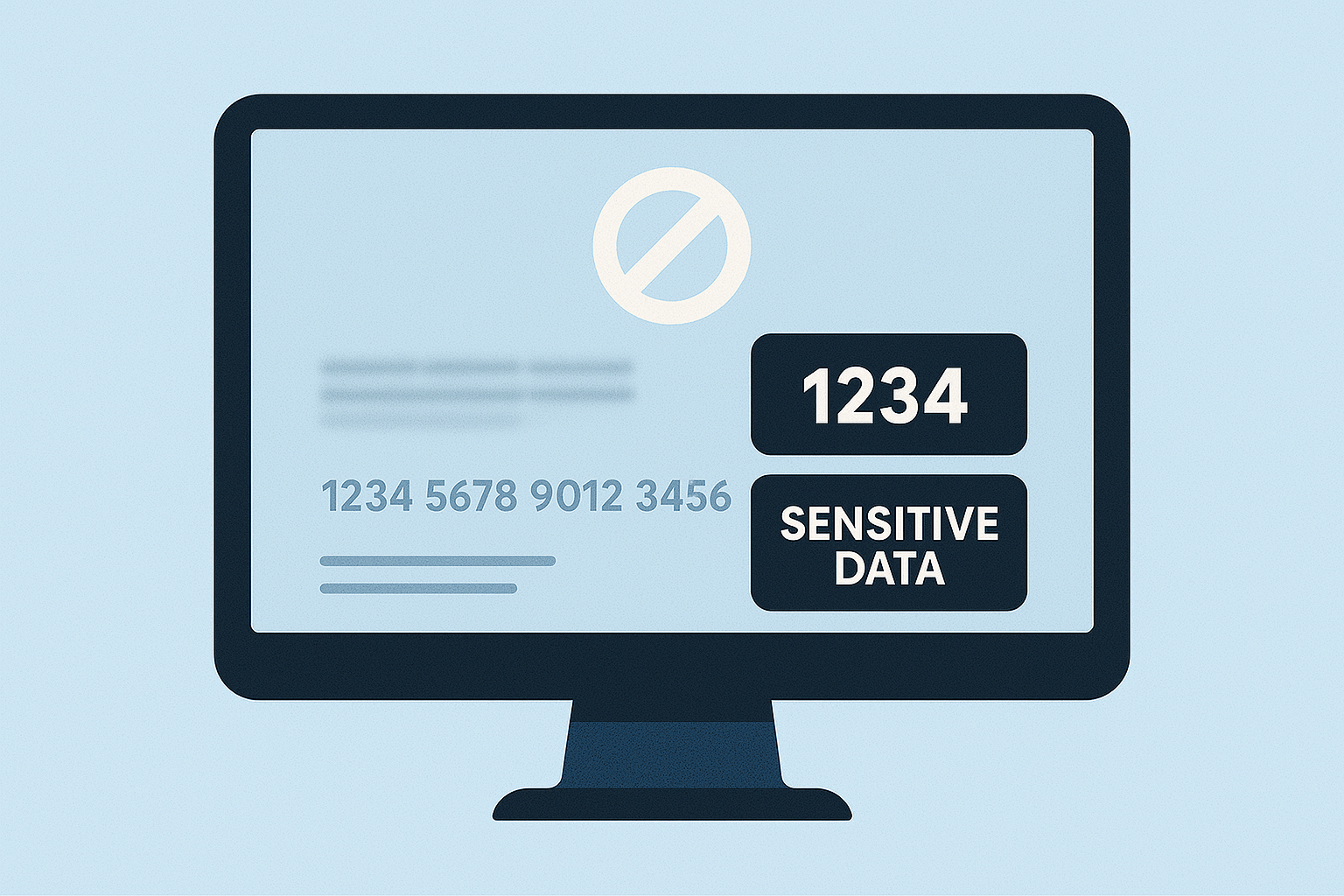
- Blurring distorts sensitive details while retaining the image’s overall structure. It’s fast and useful for informal sharing but can be reversed with advanced tools, making it less secure.
- Masking permanently removes sensitive data by covering it with solid colors or patterns. It offers stronger protection and meets compliance standards but can disrupt the image’s context.
Quick Comparison
| Criteria | Blurring | Masking |
|---|---|---|
| Security Level | Moderate (data may be recoverable) | High (data is permanently removed) |
| Ease of Use | Very easy | Easy |
| Context Preservation | Excellent | Limited |
| Compliance Suitability | Limited | High |
| Best Use Cases | Training materials, informal sharing | Legal, healthcare, financial documents |
How Blurring Works: Benefits and Drawbacks
The Blurring Process Explained
Blurring works by mixing neighboring pixels to obscure sensitive details while keeping the overall structure of an image intact. It’s a go-to method for concealing private information in screenshots or images without completely removing the content. Two popular techniques for blurring are Gaussian Blur and pixelation. Gaussian Blur applies a smooth, out-of-focus effect by mathematically blending pixels together, creating a soft and hazy appearance. On the other hand, pixelation converts sections of the image into blocky, square pixels, effectively hiding details while still maintaining the general layout. The intensity of the blur plays a crucial role. A light blur may leave some characters or details partially visible, whereas a stronger blur can make the content entirely unreadable. Striking the right balance ensures sensitive information is protected but still allows the image to serve its purpose in context. With this understanding of the process, let’s explore why blurring can be a valuable tool.Benefits of Using Blurring
Blurring offers a practical way to safeguard private information while keeping the overall context of an image intact. Unlike completely removing data, it allows viewers to grasp the structure and flow of the content without revealing sensitive details. It’s also incredibly easy to use. Most tools include built-in blurring features that can be applied with just a few clicks, making it accessible even for those without technical expertise. Blurring shines in scenarios where speed and simplicity are essential. For example, it’s ideal for informal communications, where you need to quickly share an image without worrying about lengthy redaction processes. Additionally, it can help focus attention on key areas of an image by obscuring irrelevant parts – making it particularly useful for documentation, tutorials, or presentations.“Another great feature that I frequently use is the ability to blur out sensitive information… I no longer have to worry about accidentally sharing sensitive information in my screenshots, as I can easily add a blur effect to any area I want to protect. This has given me peace of mind and saved me a lot of time and hassle.” – Brendon F.
Drawbacks of Blurring
Though convenient, blurring has its limitations. One of the biggest concerns is that it doesn’t permanently erase data – it only obscures it visually. Advanced image processing tools can sometimes reverse blurring effects, especially if the blur is too light. This makes blurring less suitable for industries with strict data protection regulations, such as healthcare or finance. Laws like HIPAA and GDPR often require the complete removal of sensitive information, which blurring cannot guarantee. Another challenge lies in execution. If the blur intensity is too weak or coverage is incomplete, sensitive details might still be visible, creating a false sense of security. On the flip side, overdoing the blur can strip away too much context, rendering the image less useful. These challenges highlight cases where other methods, like masking, might be a better fit.Blurring vs. Masking Comparison Chart
| Criteria | Blurring | Masking |
|---|---|---|
| Security Level | Moderate – data might be recoverable | High – data completely removed |
| Ease of Use | Very easy – built into most tools | Easy – simple solid color overlay |
| Context Preservation | Excellent – maintains layout and flow | Limited – creates blank spaces |
| Compliance Suitability | Limited – may not meet strict regulations | High – meets most compliance requirements |
| Visual Appeal | Natural look | Can appear stark or obvious |
| Implementation Speed | Fast – quick blur application | Fast – simple color blocks |
| Reversibility Risk | Higher – blur might be reversible | Lower – no original data visible |
| Best Use Cases | Training materials, informal sharing | Legal documents, regulated industries |
How Masking Works: Benefits and Drawbacks
What is Masking (Redaction)?
Masking, often referred to as redaction, is a method of completely removing sensitive information from view, unlike blurring, which can sometimes be reversed. By covering data with solid overlays or heavy pixelation, masking ensures that the information is permanently hidden and cannot be retrieved. Think of masking as the digital equivalent of placing a thick black bar over confidential details, much like what you see in classified government documents. Common methods include using solid color blocks, opaque shapes, or intense pixelation. Many tools, like Preview on Mac, come with built-in masking features, while more advanced software can employ AI to automatically detect and mask sensitive content. The key distinction between masking and blurring lies in its permanence. Properly masked data is irretrievable, offering a level of security that blurring simply cannot match.Benefits of Using Masking
Masking provides a highly secure way to protect sensitive information, making it permanently unreadable. This is particularly important for meeting strict privacy laws like HIPAA, GDPR, and CCPA. It’s an essential tool in industries where even a small risk of data exposure is unacceptable, such as healthcare, finance, and legal services. For example, legal professionals often use masking to redact client names or case details in documents. Healthcare providers mask patient information in training materials to comply with privacy standards. Similarly, cybersecurity teams use masking to highlight vulnerabilities while keeping user credentials secure. By ensuring sensitive data is completely unrecoverable, masking helps organizations maintain compliance and uphold the highest standards of privacy.Drawbacks of Masking
While masking is effective for data protection, it does come with some challenges. One major drawback is that it can disrupt the surrounding context, making the image or document less informative. Large masked areas can break the visual flow, reducing the overall clarity or usefulness of the content. Another downside is that masking can be time-consuming, especially when done manually. It’s an irreversible process, so if non-sensitive areas are accidentally covered, the only solution might be to retake the screenshot. Additionally, if masking is poorly executed – such as using semi-transparent overlays – there’s a risk that advanced tools could partially recover the hidden data.Masking vs. Blurring Comparison Chart
| Criteria | Masking | Blurring |
|---|---|---|
| Data Recovery Risk | None – data is permanently removed | Higher – potentially reversible |
| Regulatory Compliance | Excellent – meets strict standards | Limited – may not satisfy requirements |
| Context Preservation | Poor – creates blank spaces | Excellent – maintains visual flow |
| Application Speed | Slower – requires precise coverage | Faster – quick application |
| Professional Use | Essential for legal/medical contexts | Suitable for general business use |
| Visual Impact | Stark, obvious redaction | Natural, less intrusive appearance |
| Automation Options | AI-powered detection available | Built into most basic tools |
| Best Industries | Healthcare, legal, finance | Education, marketing, general business |
How to blur or mask confidential information while sharing screen | ZeroBlur
sbb-itb-5d91f01
When to Use Each Method: Practical Guidelines
Building on the earlier comparison, it’s important to know when to choose blurring and when masking is the better option. Blurring works best when maintaining context is essential, while masking is ideal for situations where absolute security is non-negotiable.Best Situations for Blurring
Blurring is a great choice when you need to hide sensitive details but still want to preserve the overall context. This makes it particularly useful for training materials, marketing, and internal communications. For example, in training videos or internal tutorials, blurring can obscure account numbers or personal details without disrupting the flow of information. Imagine demonstrating software: you can blur sensitive fields like customer data, allowing users to understand the process without exposing private information. Marketing and sales teams also benefit from blurring. When creating product demos or sharing customer success stories, blurring can hide customer names, revenue figures, or proprietary data while still showcasing the software’s functionality. This approach maintains credibility without compromising client confidentiality. Another practical use is in security footage sharing. When using surveillance videos for training or incident reporting, blurring faces ensures privacy while still showing the necessary details of the event. This is especially common in corporate security scenarios.Best Situations for Masking
Masking is the go-to method for scenarios involving strict regulations or external sharing. It permanently removes sensitive information, ensuring compliance with privacy laws and eliminating the risk of data recovery. For instance, healthcare organizations often use masking when creating training materials that include patient data. Regulations like HIPAA require this level of protection, even for internal use, to safeguard patient information. Legal professionals rely on masking for case studies, court documents, and client communications. By masking names, case numbers, and other sensitive details, they ensure confidentiality while sharing relevant examples with colleagues. In financial services, masking is crucial for compliance reporting and audits. Sensitive details like account numbers or Social Security numbers must be completely removed from screenshots shared with regulators or auditors. Masking helps meet stringent regulatory requirements. When it comes to external sharing, masking is almost always necessary. Whether you’re providing screenshots to vendors, consultants, or partners, masking ensures internal data remains secure – even if the recipient’s systems are compromised. This is especially important in cybersecurity reports, where vulnerabilities can be demonstrated without exposing actual credentials or system details. Government agencies and contractors also depend on masking for classified or sensitive information. Public reports or inter-agency communications often require masking to ensure that no sensitive data can be retrieved, even with advanced forensic tools. By following these guidelines, you can choose the right method for your needs while maintaining the highest level of security.Data Protection Tips for Screenshots
In addition to choosing the appropriate method, adopting extra precautions can further secure your screenshots.- Double-check every screenshot before sharing. Review the image at full resolution to catch any overlooked sensitive information, such as browser tabs, notification popups, or background windows.
- Capture only the necessary area and crop the image immediately. This minimizes the risk of including unrelated sensitive information from other applications.
- Use tools that offer both blurring and masking options. This flexibility allows you to tailor your protection method to specific requirements without needing multiple applications.
“I no longer have to worry about accidentally sharing sensitive information in my screenshots, as I can easily add a blur effect to any area I want to protect. This has given me peace of mind and saved me a lot of time and hassle.” – Brendon F.
- Remove image metadata before sharing. Screenshots often contain hidden details like creation dates, software used, or even system information. Use tools that strip metadata automatically or export images in formats that don’t include unnecessary metadata.
- For organizations managing highly sensitive data, consider enterprise-grade solutions. These tools often include advanced features like automatic detection of sensitive data, audit trails, and centralized policy management.
- Check filenames for sensitive information. Avoid using descriptive names that might reveal confidential details about projects, clients, or internal processes. Opt for generic naming conventions instead.
- If you’re using masking, ensure the coverage is complete and opaque. Semi-transparent overlays or inconsistent masking can leave room for partial data recovery. Make sure the masked area is fully uniform and leaves no clues about the hidden content.
How Zight Helps with Secure Screenshot Sharing
 Zight simplifies the process of securely sharing screenshots by combining robust editing tools with top-tier security features. Here’s how Zight ensures your screenshots stay protected every step of the way.
 Zight’s Privacy and Security Tools
Zight tackles common challenges like reversible blurring and disruptive masking by offering reliable tools to safeguard sensitive data. With built-in blurring and masking options, you can obscure confidential information directly within your screenshots or GIFs – no need to juggle multiple apps or risk accidental exposure during editing. To further enhance security, Zight provides features like screenshot expiration and password protection. These tools ensure that sensitive content isn’t left accessible indefinitely, and password protection allows you to limit access to only those who need it. For businesses with strict compliance needs, Zight offers enterprise-grade security. The platform meets GDPR, CCPA, and SOC II Type 2 standards and includes features like 256-bit SSL encryption, custom SSL certificates, and multi-layered access controls. Enterprise users benefit from SSO with SAML provisioning and domain lockdown, giving administrators full control over who can access company data. Admins can also set default link-sharing policies for the entire organization, applying consistent security settings across all shared content. For even more control, the Groups feature allows different teams to have tailored security configurations. Additionally, Zight’s unlimited cloud storage ensures your screenshots are securely stored and easily accessible to authorized users.AI-Powered Editing and Team Collaboration
Zight goes beyond security by enhancing team collaboration with AI-powered editing tools. The platform can automatically generate titles and descriptions for your screenshots, making it easier to organize and locate visuals, especially when managing large volumes of content. With AI transcription and translation supporting over 50 languages, international teams can collaborate seamlessly on sensitive projects without compromising security. Integrations with tools like Slack, Microsoft Teams, and Jira allow you to share protected screenshots directly within your existing workflows. Plus, Zight’s annotation tools let you add text, shapes, and highlights for additional context – all while keeping the underlying data secure.“Zight helps streamline your workflows to help you get more done. With easily shareable links, and visual context, you can avoid wasting time on miscommunications, chat battles, and finding the right words for that lengthy email.”These collaboration features are particularly useful for teams that frequently share sensitive information. Instead of relying on email attachments or unsecured file-sharing services, Zight lets you use secure sharing links with built-in access controls and expiration dates.
- Zight
Making Work Easier with Zight
Zight supports Mac, Windows, Chrome, and iOS, ensuring consistent security across all devices. Custom branding and domains allow organizations to maintain a polished, professional look while operating in a controlled environment. The platform also consolidates screenshots, screen recordings, and GIFs into one easy-to-use application. For enterprise customers, Zight offers custom data retention policies to manage how sensitive screenshots are stored and deleted, aligning with compliance requirements. Features like SSO integration and SCIM provisioning make it easy to integrate Zight with existing identity management systems. Administrators can quickly revoke access when employees leave, keeping sensitive data secure. With flexible pricing options, Zight caters to a range of needs – from a free plan with basic features to enterprise plans with advanced security controls. This scalability allows teams to start small and upgrade as their security requirements evolve, without the hassle of switching platforms.Choosing the Right Method for Your Needs
Main Points to Remember
When it comes to protecting sensitive information in screenshots, your choice between blurring and masking is crucial. Each method has its strengths and limitations, so understanding their differences will help you make the right call. Blurring distorts sensitive details while keeping the overall visual context intact. However, it’s worth noting that poorly executed blurring can sometimes be reversed, leaving your data vulnerable. On the other hand, masking goes a step further by permanently obscuring or removing sensitive information using solid, opaque shapes. This makes recovery nearly impossible, making masking the go-to option for highly sensitive data that must remain secure. When blurring works best: Blurring is ideal for internal uses like training materials or software tutorials. It hides personal details without disrupting the overall visual flow, making it easier to understand interface elements or workflows. When masking is essential: Masking is the safer choice for legal documents, financial records, healthcare data, or any information shared externally. For example, healthcare and HR scenarios often demand robust redaction to ensure sensitive details are fully protected. Why does this matter? Data breaches are on the rise – up by 78% in 2023 compared to the previous year. The average cost of a breach now stands at $4.45 million. These alarming statistics highlight the need for careful consideration when choosing your method of protection.Our Recommendations
For maximum security, use opaque masking for sensitive areas and ensure your editing tool flattens the image before sharing. This step ensures the masking cannot be reversed. Think about the context in which your screenshots will be used. For internal purposes like analytics, testing, or development, masking can safeguard data while preserving its functionality. However, when sharing externally or with the public, permanent redaction is non-negotiable. Follow these best practices to enhance your data protection workflow:- Use PNG file formats for better quality.
- Strip metadata to avoid unintentional exposure.
- Use secure file naming conventions.












